

SNÖ Hotels' move to a unified Microsoft stack — centering Microsoft Dynamics 365 Business Central with Copilot Studio agents — cut administrative overhead, reduced stock shortages, and sped guest check-ins while adding a 24/7 virtual concierge capability that suggests upsells and local services. According to Microsoft’s published customer story, the deployment delivered a reported 20% reduction in administrative costs, 25% fewer stock shortages, more than 30% shorter check-in times, and a 10% uplift in upsell revenue after adding the Copilot Studio agent connected to Business Central.
SNÖ Liberty Hotels began with a fragmented IT landscape: multiple property systems, point-of-sale solutions, a channel manager, and disparate finance and inventory data. Their partner Suitech consolidated reservations, POS, invoicing, procurement, and inventory around Dynamics 365 Business Central, then layered Power Platform dashboards and a Copilot Studio–built customer agent that connects back into Business Central via the Model Context Protocol (MCP) server. The result was a single source of truth for multi-property operations and a production-grade agent experience for customers. This article examines what SNÖ Hotels implemented, verifies the technical claims against Microsoft documentation and community implementations, analyzes the business and technical strengths of the approach, and highlights operational and governance risks that hotels and IT teams should plan for before copying the design. Key Microsoft product primitives shown in the SNÖ story are validated in official documentation (Copilot Studio guidance and Business Central MCP server configuration) and in community/OSS MCP implementations that show how MCP is used to bridge agents and ERP systems.
SNÖ Hotels’ case is a pragmatic example of how a modest hospitality chain can leverage Business Central, Power Platform, and Copilot Studio to realize both operational and guest-experience wins. The technical building blocks (adaptive cards, MCP server, and Copilot Studio telemetry) are documented and have community-supported implementations that confirm the integration pattern is real and repeatable — but implementers must protect data, validate master records, and control agent write-backs with careful governance and observability. Treat the outcome numbers in vendor case stories as directional improvements to be verified by independent telemetry and controlled pilots rather than as guaranteed results.
Source: Microsoft SNÖ Hotels reduces check-in times and administrative costs using Microsoft 365 Business Central and Copilot Studio | Microsoft Customer Stories
 Background / Overview
SNÖ Liberty Hotels began with a fragmented IT landscape: multiple property systems, point-of-sale solutions, a channel manager, and disparate finance and inventory data. Their partner Suitech consolidated reservations, POS, invoicing, procurement, and inventory around Dynamics 365 Business Central, then layered Power Platform dashboards and a Copilot Studio–built customer agent that connects back into Business Central via the Model Context Protocol (MCP) server. The result was a single source of truth for multi-property operations and a production-grade agent experience for customers. This article examines what SNÖ Hotels implemented, verifies the technical claims against Microsoft documentation and community implementations, analyzes the business and technical strengths of the approach, and highlights operational and governance risks that hotels and IT teams should plan for before copying the design. Key Microsoft product primitives shown in the SNÖ story are validated in official documentation (Copilot Studio guidance and Business Central MCP server configuration) and in community/OSS MCP implementations that show how MCP is used to bridge agents and ERP systems. What SNÖ Hotels actually built
The architectural picture — one line summary
Business Central as the ERP hub, Power Platform for worker-facing apps and dashboards, and a Copilot Studio customer agent that interacts with guests and writes validated transactions back into Business Central via an MCP server.Core features delivered
- Centralized financials, inventory, and procurement in Dynamics 365 Business Central to manage multiple properties as a single company view.
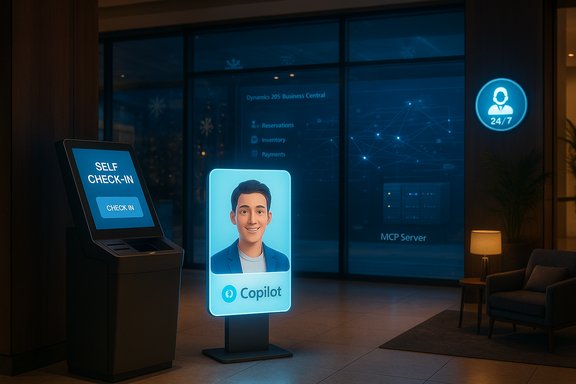
- A Copilot Studio agent for guests that supports 24/7 remote check-in, structured data collection (adaptive cards), upsell suggestions (ski passes, spa services), and concierge-style answers (hotel services, local restaurants, weather/snow). Telemetry from Copilot Studio was used to iterate on the agent experience.
- Model Context Protocol (MCP) server in Business Central functioning as the integration hub: routing agent requests, validating data against PMS systems, enforcing business rules, updating Business Central records, and logging transactions for consistency and auditability.
- A Power Apps purchasing app for employees and Power BI / Microsoft Fabric dashboards for operational KPIs (occupancy, ADR, REVPAR, inventory health).
Implementation detail highlights
- Adaptive Cards were added to the customer agent to structure inputs and reduce data-entry errors; custom entities in Copilot Studio were used to recognize national ID numbers and other structured fields. Telemetry identified problems early and the team iterated rapidly.
- The MCP server was configured to expose API page objects and to control which operations an agent can perform (read vs. write). Business Central’s MCP configuration is the approved pathway to allow agent write-backs in a controlled manner.
Verifying the claims: what’s supported by documentation and community practice
To place SNÖ’s results in context, each critical technical claim was cross-referenced with Microsoft product docs and independent implementations:- Copilot Studio agent capabilities (adaptive cards, custom entities, telemetry for tuning): verified in Microsoft’s Copilot Studio guidance, which documents adaptive card support, telemetry, and custom entity creation for more robust field recognition. The guidance also shows how interactive Adaptive Card nodes can be used to collect structured inputs inside agents.
- Business Central MCP server role as integration hub: Microsoft Learn documents how the Business Central MCP server exposes controlled API page objects to agents, and how administrators configure MCP Server Configurations to grant agent tools specific CRUD operations. That is consistent with SNÖ’s description of validation and write-back flows.
- MCP in practice and community tooling: independent community projects and GitHub repositories implement MCP servers for Business Central (and demonstrate how agents call Business Central via MCP). Those projects show operational patterns similar to SNÖ’s — a local/service-side MCP process that formats MCP v2 requests to Business Central APIs and enforces which operations agents can call. These community implementations validate the integration pattern and highlight practical implementation details (authentication, environment configuration, and the allowed toolset).
- Vendor-reported business outcomes: the specific percentage improvements SNÖ reports (administrative cost, shortages, check-in time and upsell uplift) are published in Microsoft’s customer story and appear to be measured from system reports and operational feedback. These are vendor-published customer metrics and should be treated as customer-supplied telemetry unless independently audited. Independent community commentary about agent deployments repeatedly highlights that early telemetry is promising but vendor-provided numbers require cautious interpretation.
Why this architecture makes sense — strengths and practical benefits
1) One source of truth reduces operational friction
Centralizing financials, stock, and procurement in Business Central simplifies reconciliation and reduces duplicate work across properties. The result is tighter inventory controls (SNÖ reports a 25% reduction in stock shortages) and faster month-end processes. Running transactional operations from a governed ERP lowers human error and provides a single point to apply financial controls and audit logs.2) Agents deliver operational scale and better guest experience
A Copilot Studio agent that supports remote check-in reduces peak reception load, lowers guest wait times, and lets the front desk focus on higher-value activities. For SNÖ, this translated into >30% faster check-in times and an observed 10% revenue uplift through contextual upselling during the booking/check-in flow. The combination of offline/async check-in, pre-validation of required ID, and structured input forms is a replicable pattern for hospitality.3) Low-code participation speeds iteration and adoption
SNÖ emphasized a participatory development approach: receptionists, operations, and finance leads were involved in pilot tests and used Copilot Studio to help fine-tune the agent. Copilot Studio’s low-code authoring makes it easier for domain experts (not only developers) to iterate on prompts, adaptive cards, and knowledge sources — accelerating time-to-value.4) MCP and tool-level controls reduce unexpected write-backs
Using Business Central’s MCP Server configuration to expose and limit API page objects provides a controlled execution surface for agents. That preserves business-rule enforcement and audit logging while enabling actionable agents to update records (for example, marking a reservation as checked-in). This is a safer pattern than opening broad API access.Key risks and failure modes — what hotels and IT teams must protect against
Data quality and “garbage in, garbage out”
AI-driven agents are only as good as the data and business rules that ground them. If reservations, guest IDs, or payment statuses are inconsistent across integrated systems, agents will surface plausible but incorrect recommendations or fail check-ins. Organizations must perform master-data cleanup and maintain single-source-of-truth discipline before enabling automatic write-backs. Microsoft’s practitioner guidance and community analysis emphasize data hygiene as the single largest failure mode for agentic workflows.Privacy, compliance, and identity data handling
Collecting national IDs and other identity documents raises jurisdictional privacy and retention obligations (GDPR in the EU, local Spanish regulations, etc.. Before the agent captures or stores national ID numbers, an auditable consent flow, encryption-at-rest and in-transit, data minimization, and defined retention policies must be in place. The SNÖ story notes the agent’s recognition of national ID numbers — but hotels must verify legal permissibility and implement data protection controls.Hallucination and context drift
Generative models can produce confident but inaccurate text. When agents propose upsells, recommended services, or local advice, ensure each recommendation is either sourced from an authoritative internal index (inventory, services list) or is surfaced with provenance and an easy confirmation step. Agents that can write to transactional systems require validation stations or human-in-the-loop checks for high-risk actions. Platform guidance recommends deterministic checks and validation for any agent action that modifies records.Operational cost and licensing surprises
Agents, model inference, and pay-as-you-go channels can generate consumption costs. Licensing for Copilot, agent deployment, and external PayGo channels must be forecast and tied to clear KPIs. Independent analyses of Microsoft agent rollouts note that billing and licensing nuance can drive surprises if not planned. Treat early telemetry and ROI numbers as indicative and run a controlled cost model before full-scale rollout.Integration complexity and change management
Even when Business Central is the hub, integration with a property management system (PMS), POS, payment gateway, and channel manager requires resilient mapping, retries, and compensating actions for partial failures. SNÖ’s architecture uses the MCP server as an orchestration and validation layer; implementers must plan for idempotent operations, retriable back-end calls, and robust logging to investigate and resolve failed transactions.Practical technical checklist — how to replicate SNÖ’s pattern safely
- Baseline & cleanup
- Run an inventory of master data (customers, reservations, items, price lists) and fix duplicates and inconsistent records.
- Define canonical fields (guest ID, reservation number) and authoritative systems for each data type.
- Governance & identity
- Assign an Entra identity owner for each agent and register agents in a central agent control plane (Agent 365 pattern).
- Define RBAC, least privilege, and explicit consent flows for external users and guests.
- MCP and Business Central configuration
- Enable and configure the Business Central MCP Server; explicitly add API page objects and limit CRUD operations for agent use.
- Implement a staging environment to validate MCP tool calls and business-rule enforcement before production.
- Agent design & user experience
- Use Adaptive Cards to collect structured inputs and reduce free-text errors (the SNÖ team doubled down on adaptive cards after telemetry showed input errors). Make forms mobile- and accessibility-friendly.
- Add explicit validation nodes for national IDs, payment tokens, and any field that interacts with compliance or payments.
- Observability & telemetry
- Instrument Copilot Studio telemetry and Business Central logging. Track successful check-in rate, form validation error types, and time-to-completion.
- Create dashboards (Power BI / Fabric) to monitor cost trends, agent usage, and write-back failures.
- Human-in-the-loop and rollback
- For high-impact actions (refunds, refunds, invoice corrections), require manual approval or provide an immediate rollback path with documented steps.
- Store an immutable transaction record for every agent-initiated write-back for forensic reconstruction.
- Privacy & retention
- Document retention rules for personal data captured by agents; use field-level encryption where necessary and purge data after lawful retention windows.
- Pilot, measure, iterate
- Start with a small set of hotels and a subset of agent functions (remote check-in, upsell offers), measure KPIs, and iterate on prompts, adaptive cards, and tool permissions.
How to measure real ROI — metrics and validation methods
- Core operational KPIs
- Administrative time saved per month (hours and FTE equivalents).
- Check-in completion time distribution (median and 90th percentile).
- Front-desk throughput at peak periods (guests/hour).
- Inventory stockout incidents per quarter.
- Revenue KPIs
- Upsell conversion rate for agent-driven offers.
- Average revenue per stay (pre/post agent).
- Quality and risk KPIs
- Rate of failed or reversed agent write-backs.
- Number of privacy/consent incidents.
- Human escalation rate for agent interactions.
Governance and compliance: a short must-do list for hospitality teams
- Review local rules for collecting national ID and travel documents; use consent prompts before capturing sensitive identifiers.
- Apply Microsoft Purview classification and apply DLP policies to agent-accessible sources. Ensure Copilot/agent telemetry is retained according to legal and audit needs.
- Limit web-search-enabled autofill or external lookups in fields with PII. If web-sourced suggestions are allowed, surface the provenance and require the user to accept values before persistence.
Final assessment — when this pattern is right (and when to pause)
The SNÖ Hotels implementation is a practical, well-scoped example of marrying a modern cloud ERP to low-code agents to improve both back-office efficiency and guest-facing experiences. When master data is healthy, governance is in place, and teams adopt participatory development practices, the pattern delivers quick wins: fewer manual reconciliations, faster customer throughput, and measurable upsell opportunities. SNÖ’s results — as presented — illustrate these benefits and show how operational telemetry and adaptive UX (adaptive cards) reduce friction rapidly. However, organizations should pause and apply guardrails when:- Master data is fragmented or poorly governed;
- The business cannot accept automated write-backs without human review;
- Local privacy laws restrict capture and storage of national ID or similar PII without additional safeguards;
- The deployment team lacks a clear cost model for agent consumption and model inference. Independent analyses of early Copilot/agent rollouts frequently point to licensing and consumption complexity as a deployment risk that needs to be budgeted and monitored.
Practical next steps for hotel IT and digital teams
- Run a three-property pilot: focus on remote check-in and one upsell SKU per property. Instrument everything.
- Configure Business Central MCP with a read-only profile first, then selectively enable write-back operations for check-in flows.
- Use Copilot Studio adaptive cards for initial data capture and add custom entities for document numbers to reduce free-text errors.
- Establish a governance document that assigns an Entra identity owner, logging retention periods, and an approval workflow for agent changes.
- Validate the business outcomes with a clean A/B test and publish internal metrics before scaling.
SNÖ Hotels’ case is a pragmatic example of how a modest hospitality chain can leverage Business Central, Power Platform, and Copilot Studio to realize both operational and guest-experience wins. The technical building blocks (adaptive cards, MCP server, and Copilot Studio telemetry) are documented and have community-supported implementations that confirm the integration pattern is real and repeatable — but implementers must protect data, validate master records, and control agent write-backs with careful governance and observability. Treat the outcome numbers in vendor case stories as directional improvements to be verified by independent telemetry and controlled pilots rather than as guaranteed results.
Source: Microsoft SNÖ Hotels reduces check-in times and administrative costs using Microsoft 365 Business Central and Copilot Studio | Microsoft Customer Stories
