

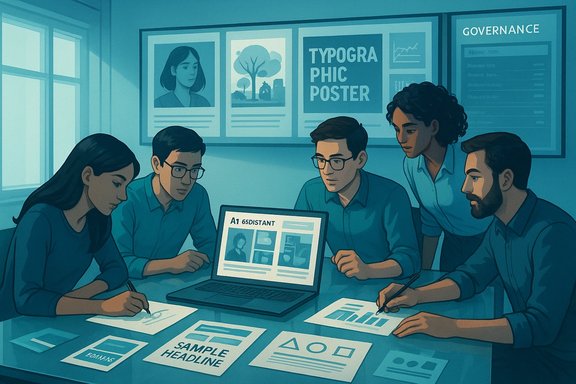
Event teams and agencies are increasingly using generative AI to turn a client brief into compelling, presentation‑ready visuals within minutes — but the jump from idea to finished pitch demands new workflows, governance, and practical guardrails if teams want speed without legal or brand risk.
Background
Generative AI has moved from novelty to core toolkit for many creative teams, with in‑app assistants and image models now able to produce mood boards, hero images, color systems, typography pairings, and short copy that can be dropped into slide decks and briefs. This capability reframes the earliest, highest‑variance stage of an event pitch — concepting — into a fast, testable loop that yields multiple visual directions for stakeholder review.At the center of many enterprise workflows is Microsoft’s Copilot family — which surfaces AI mood‑board generation, slide drafting, and image creation inside PowerPoint, Word, and Designer — and competing presentation generators from other platform vendors. These in‑product assistants are designed to reduce context switching and accelerate the route from brief to first‑draft deck.
Why generative AI matters for event pitches
Faster ideation, more options
Pitch success often depends on showing several credible directions quickly. AI shifts the time-to-first-draft from hours to minutes by generating multiple distinct visual concepts — photography vs illustration, minimalist vs maximalist, or themed vignettes tailored to the target audience. Agencies and in‑house teams report being able to produce three to five usable directions in the time it formerly took to create one mood board manually.- Speed reduces internal friction and shortens feedback cycles.
- Multiple directions improve the odds of stakeholder alignment.
- Small teams and freelancers can punch above their weight by prototyping more ideas without additional headcount.
Integrated outputs for slides and briefs
Modern Copilot and presentation tools can size images and produce layouts specifically for slide aspect ratios, social formats (Instagram stories, carousels), or print posters. That sizing awareness removes a common rework step and makes AI outputs closer to “presentation‑ready” than untethered image outputs from stand‑alone generators.Unified visual + copy prototyping
A key productivity gain is the coupling of imagery and short copy: taglines, captions, and speaker notes can be drafted alongside visuals in the same session, allowing designers to evaluate visual + message combinations in situ rather than coordinating separate copywriting passes.How teams are using AI in real pitch workflows
Typical prompt → deliverable loop
- Define audience, mood, usage (slide, poster, social) and constraints (brand colors, mandatory logos).
- Ask the assistant for 3–5 distinct visual directions and request structured outputs (e.g., thumbnails, hex codes, suggested headline text).
- Iterate conversationally — refine adjectives, swap palettes, crop for aspect ratios.
- Export selected assets to PowerPoint/Designer, polish vector elements, and prepare final assets for client deliverables.
Example use‑cases for event pitches
- Rapid concept decks for RFP responses: produce 4‑6 hero slides that show different experiential approaches (e.g., immersive projection, branded lounge, live stage design) so client stakeholders can pick a direction.
- Localized creative variations: generate regionally adapted imagery and translated slide copy to show how a global concept plays out in multiple markets.
- Data‑driven visualizations: combine AI slide generation with live-linked charts for sponsor ROI slides or audience profiling. Some platforms pair generated copy with suggested charts and widgets to speed creation of data sections.
Tools and technical foundations
In‑product copilots and image models
Major productivity suites now embed image generation and “narrative builder” features. Microsoft’s Copilot and Designer capabilities (including the MAI‑Image‑1 model family) are examples of this trend: copilot surfaces mood boards, color systems, and layout suggestions inside Word and PowerPoint while Designer handles compositing and basic editing. Google and other vendors have comparable canvas tools that accept uploaded files and generate themed decks.Practical notes on availability and limits:
- Image generation quotas, “boost” tokens (priority rendering), and subscription tiers affect throughput and cost. Teams that expect high volumes should factor quotas into budgets.
- Product rollouts are staged; some features appear first for Pro or paid subscribers, then broader availability follows. Always verify your tenant’s build/version before assuming a capability is present.
Interoperability and handoff
AI-generated raster images are useful for ideation but rarely the final deliverable in commercial work. Best practice is to use AI for concepting, export the selected assets, and recreate critical elements (logos, icons) as vectors in Illustrator or Figma. Many teams also maintain prompt logs and provenance metadata to recreate or audit results later.Strengths: what generative AI brings to event pitches
- Velocity: faster first drafts and more concept variants per hour than manual production.
- Accessibility: small studios and solo designers can produce starter kits (palette, hero image, taglines) that scale to client deliverables with manual polish.
- In‑context design: outputs sized for PowerPoint and other formats reduce resizing friction and streamline review cycles.
- Cross‑discipline collaboration: copy, visuals, and layout suggestions in one place shorten handoffs between creative, account, and strategy teams.
Risks and failure modes you must mitigate
Legal and licensing ambiguity
Commercial rights vary by platform and subscription tier. Teams should confirm whether generated images are cleared for commercial use under their license and retain records of model, prompt, and generation date. In cases where originality or copyright registration is required, AI‑only outputs can be problematic.Provenance and training data opacity
Many image models do not publish exhaustive model cards or dataset provenance details. Claims of traceable, item‑level provenance should be treated cautiously unless supported by vendor documentation; for sensitive productions, treat AI outputs as inspiration and rework them into original assets.Homogenization and creative drift
Overreliance on the same models and prompt templates across agencies risks producing visually similar pitches. Maintain distinctiveness by enforcing human craftsmanship: bespoke photography, hand‑crafted vector work, or unique typographic systems.Hallucination and factual errors
When assistants synthesize slide copy, timelines, or sponsor claims, they can produce plausible‑sounding inaccuracies. Any factual claim (dates, statistics, sponsor commitments) must be verified by a human editor prior to client delivery.Reputational and regulatory exposure
AI outputs can inadvertently include biased or culturally insensitive depictions. High‑risk or regulated campaigns (health, finance, government) require human‑in‑the‑loop signoffs and pre‑publication audits to avoid brand damage.Governance: a practical playbook for event teams
1. Policy fundamentals (create an AI use policy)
- Define permitted use cases and prohibited prompts (e.g., do not request likenesses of public figures or trademarked logos without clearance).
- Specify who can generate, who can approve, and where prompts and outputs are stored.
- Require prompt and model metadata retention for every generated asset.
2. Human‑in‑the‑loop signoffs
- Mandate designer sign‑off for any asset that will be published or used in contractual materials.
- Require legal review for sponsor imagery, likeness uses, or claims that could be contractual.
3. Technical controls
- Use private or tenant‑scoped model instances when working with sensitive client IP.
- Monitor quotas and budget for image generation; prioritize “boost” tokens for tight deadlines only.
4. Quality and accessibility checks
- Verify WCAG contrast and legibility for slide text and hero images.
- Recreate important brand marks as vectors and validate color values against brand tokens.
5. Training and role redesign
- Run practical, role‑based micro‑training for account managers, designers, and legal teams.
- Create new hybrid roles (AI Workflow Manager, Model Auditor) to maintain governance at scale.
Tactical prompt patterns that work for event pitches
- Lead with role and goal: “You are an art director creating a hero image for a corporate gala aimed at senior finance leaders.”
- Specify output format early: “Output three A2 poster concepts and one 16:9 slide hero, include hex codes and headline copy.”
- Ask for distinct aesthetic directions (photographic, illustrative, typographic) to force diversity in options.
- Request structured deliverables: thumbnails, palette (hex), two typography pairings, and three headline variants to speed handoff into production tools.
Case examples: how agencies are pitching with AI (anonymized patterns)
- Layered creative approach: human concept + AI‑generated drafts + human polish. Agencies show multiple AI‑generated directions to clients and demonstrate how each can be taken to production grade — then clarify the human work required to finalize assets. This approach communicates speed and creativity while preserving craft.
- Governance as a pitching advantage: agencies that present clear provenance and audit trails (prompt logs, retention policies, access controls) win risk‑sensitive clients who otherwise fear AI. Including governance artifacts in the pitch reassures procurement teams.
- Productized micro‑services: some agencies offer packaged “AI concept sprints” — a 48‑hour rapid exploration producing 8–12 variants, social templates, and a short‑list for client selection. These packages sell on speed and repeatability but include explicit human polish hours.
Practical checklist before presenting AI‑assisted pitches
- Confirm commercial rights and subscription tier for any generated images.
- Recreate logos / sponsor marks as vectors and lock master files.
- Verify factual accuracy of any sponsor claims, dates, or attendance estimates generated by the assistant.
- Run accessibility checks for legibility and contrast.
- Record prompt text, model name, and generation timestamp in the project folder.
The strategic tradeoffs: speed vs craft
Generative AI rebalances resource allocation in pitch pipelines. Routine ideation and variant testing become cheaper and faster, shifting the value of human talent toward curation, differentiation, and final craft. Agencies that simply let AI replace early apprenticeship tasks risk deskilling junior creatives and eroding long‑term craft capacity; those that pair AI with structured learning and supervised human review preserve capability while harvesting efficiency gains.Conclusion
Generative AI is already transforming how event pitches are visualized: it delivers speed, diversity of ideas, and integrated visual+copy prototyping that helps teams align earlier with clients. To capture these benefits without exposing brands or clients to legal, ethical, or creative risk, teams must adopt clear governance, retain human craftsmanship for the final mile, and bake reproducible prompt and provenance practices into their workflows. When applied thoughtfully, AI becomes a force multiplier for event teams — not a replacement for the skilled humans who shape the story and refine the craft.Source: C&IT Visualising your event pitches with generative AI
