

The market for desktop PCs still delivers exceptional value for multitasking and long-term productivity, and a recent Observer Voice roundup (carried in the same roundup family as a Hindustan Times list) crystallizes that argument: the ten desktops highlighted favor SSD-first responsiveness, sensible RAM configurations, and plug‑and‑play bundles that get users productive immediately while leaving a clear upgrade path for future needs.
Desktops remain the best platform for buyers who prioritize upgradeability, long usable life, and cost‑effective performance per dollar. The roundup focuses on assembled and prebuilt systems geared toward students, home offices, and light creative workloads, rather than high‑end gaming or workstation workloads. What binds these picks together is the same practical recipe echoed across independent buyer guidance: an SSD for the operating system, at least 8–16 GB of RAM, and a midrange CPU such as an Intel Core i3/i5 or Core i7 in selected builds.
This approach reflects a simple, user‑facing truth: perceived system speed is driven far more by storage latency and memory configuration than by chasing headline CPU clocks once you’re in the midrange. Modern everyday productivity workflows — video calls, dozens of browser tabs, background sync services — reward a responsive SSD and sufficient RAM far more than an extra GHz of CPU frequency. The roundup’s selections align with this practical priority.
However, there are specific SKU details and assembled brand claims that require buyer verification before purchase. The article itself and subsequent community commentary stress the need to confirm the exact SKU string, whether the stated SSD is NVMe or a SATA drive, and whether advertised RAM is single‑stick or dual‑channel — all important because they materially change performance. Some listed systems ship with older CPU generations or HDD‑only storage; these are flagged as acceptable value buys only if the buyer budgets for an early SSD or RAM upgrade.
Where the article is strongest is in practical guidance: it repeatedly recommends verifying expandability (free M.2 slots, DIMM slots, PSU headroom) and warranty terms for assembled systems — sensible, concrete steps that reduce buyer risk.
That said, buyers must practice due diligence: verify SKUs, confirm drive types, and budget for the two highest‑impact upgrades (NVMe SSD, RAM to 16 GB) if they are not already present. These straightforward steps convert a budget, ready‑to‑use desktop into a resilient, responsive workstation with a useful service life measured in years rather than months.
In short: the Observer Voice / Hindustan Times style roundup is a helpful consumer compass for the mainstream buyer — it rightly emphasizes SSD speed, 16 GB practical memory targets, and plug‑and‑play convenience — while also cautioning readers to confirm SKU details and warranty coverage before purchase. When buyers follow the checklist and prioritize a quick NVMe SSD and 16 GB of RAM where needed, these value desktops become efficient, upgradeable, and cost‑effective platforms for smooth multitasking and daily productivity.
Source: Observer Voice Top 10 High-Performance Desktop Computers for Multitasking and Smooth Workflow
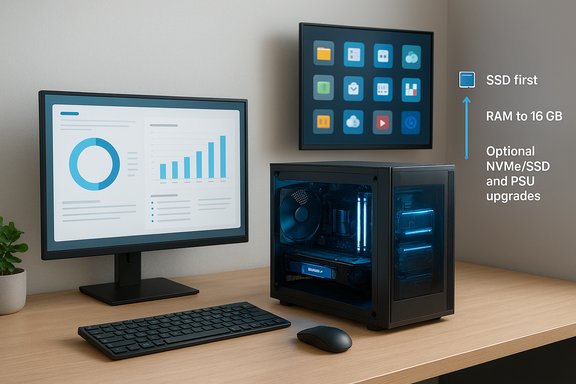 Background / Overview
Desktops remain the best platform for buyers who prioritize upgradeability, long usable life, and cost‑effective performance per dollar. The roundup focuses on assembled and prebuilt systems geared toward students, home offices, and light creative workloads, rather than high‑end gaming or workstation workloads. What binds these picks together is the same practical recipe echoed across independent buyer guidance: an SSD for the operating system, at least 8–16 GB of RAM, and a midrange CPU such as an Intel Core i3/i5 or Core i7 in selected builds.This approach reflects a simple, user‑facing truth: perceived system speed is driven far more by storage latency and memory configuration than by chasing headline CPU clocks once you’re in the midrange. Modern everyday productivity workflows — video calls, dozens of browser tabs, background sync services — reward a responsive SSD and sufficient RAM far more than an extra GHz of CPU frequency. The roundup’s selections align with this practical priority.
What the roundup lists — a clear summary
The article curates ten value-oriented desktop bundles and assembled systems, each chosen for immediate usability and a pragmatic balance of components. Here is a distilled list of the highlighted systems and the reason each appears on the shortlist:- DZAB assembled desktop — Intel Core i5, 16 GB RAM, 512 GB SSD, 19‑inch monitor. Marketed for smooth multitasking and fast boot times; includes trial Windows 11 and Office.
- LG assembled desktop — Intel Core i3, 8 GB RAM, 500 GB SSD, 19‑inch LG monitor. Entry‑level but steady for online classes and day‑to‑day tasks.
- INTECHVISION desktop — Intel Core i3, 8 GB RAM, 500 GB SATA, 19‑inch monitor; practical and affordable for basic use.
- ZEBRONICS desktop — Intel Core i5, 16 GB RAM, 500 GB SSD, 19‑inch; strong multitasking without a discrete GPU.
- ENTWINO desktop — Core i5, 16 GB RAM, 500 GB SATA, 22‑inch monitor; larger display for longer sessions.
- FusionIT desktop — Core i7, 8 GB RAM, 500 GB HDD, 19‑inch Acer monitor; capable CPU but shipped with mechanical storage — SSD upgrade recommended.
- ZEBRONICS i3 (3rd Gen) — 8 GB RAM, 500 GB HDD + 128 GB SSD; hybrid drive balance and preloaded Windows 11 and Office 2021.
- TECH Assemblers i3 (older 2nd Gen Core i3 2120) — 8 GB RAM, 500 GB + 128 GB SSD; value dual‑drive setup but an older CPU generation.
- DZAB i3 (compact) — 8 GB RAM, 128 GB SSD, 19‑inch; very fast boot in a compact package, but limited storage.
- ZEBRONICS i5 (alternate config) — 8 GB RAM, 128 GB SSD + 500 GB HDD, 19‑inch; balanced SSD + HDD mixture for boot and bulk storage.
Why these specs matter: technical validation and practical effect
Storage: SSD first, HDD second
The single most impactful upgrade to perceived system speed is installing the OS and common apps on a solid‑state drive. Systems that come with NVMe or SATA SSD boots feel dramatically faster in boot time, app launches, and general UI responsiveness. The roundup repeatedly emphasizes SSDs (often 128–512 GB) and hybrid SSD + HDD setups as the most cost‑effective path to a smooth workflow. When a system ships with only an HDD — even with a high‑end CPU — the practical advice is immediate: install an SSD for the OS first.Memory: why 16 GB is the realistic multitasking baseline
The list contains machines with 8 GB as well as 16 GB configurations. Across recent buyer guidance, 16 GB is the practical baseline for modern multitasking — video calls, multiple browser tabs, background syncs, and light media editing push 8 GB systems into memory pressure quickly. The roundup’s favorable view of systems shipping with 16 GB (typically the i5 entries) mirrors this consensus.CPU: midrange cores for everyday responsiveness
For productivity and general multitasking, midrange CPUs such as an Intel Core i5 or a Core i7 in a budget build deliver satisfactory performance. Single‑thread speed still matters for application responsiveness, while higher core counts improve parallel task handling. The roundup balances CPU tiers against storage and memory to recommend sensible overall packages rather than pushing for the highest CPU spec alone.GPUs: integrated is usually fine for office work
Integrated graphics are adequate for document editing, streaming, and standard productivity apps. A discrete GPU becomes necessary only for gaming or GPU‑accelerated creative work. Many of the listed builds intentionally skip discrete GPUs to keep costs down while maximizing CPU/RAM/SSD allocation — an appropriate tradeoff for the target audience.Cross‑checks and verification: what can be confirmed and what needs caution
Several recurring claims in the roundup are widely supported in buyer guidance and lab testing: the primacy of SSDs for daily responsiveness and the practical value of 16 GB RAM for multitasking. These are confirmed repeatedly in the community recommendations and practical verification notes within the dataset.However, there are specific SKU details and assembled brand claims that require buyer verification before purchase. The article itself and subsequent community commentary stress the need to confirm the exact SKU string, whether the stated SSD is NVMe or a SATA drive, and whether advertised RAM is single‑stick or dual‑channel — all important because they materially change performance. Some listed systems ship with older CPU generations or HDD‑only storage; these are flagged as acceptable value buys only if the buyer budgets for an early SSD or RAM upgrade.
Where the article is strongest is in practical guidance: it repeatedly recommends verifying expandability (free M.2 slots, DIMM slots, PSU headroom) and warranty terms for assembled systems — sensible, concrete steps that reduce buyer risk.
Strengths of the roundup
- Practical, user‑facing priorities. The list focuses on responsiveness and usability: SSD boot drives, acceptable RAM, and included monitors to lower friction for new buyers. This is a pragmatic approach for the majority of home and small‑office users.
- Clear upgrade ladder. The editorial voice emphasizes an upgrade path (SSD → RAM → PSU/GPU), which helps buyers extend device lifetime economically. The recommended ladder matches independent buyer guidance.
- Value orientation. By concentrating spend on the components that affect day‑to‑day experience most, these builds deliver maximum immediate value to the target audience.
Risks, limitations, and what to watch out for
- SKU ambiguity in assembled systems. Assembled desktops often vary component brands and model numbers; the list’s names (DZAB, FusionIT, etc. are vendor labels rather than guaranteed, immutable SKUs. Buyers must verify the retailer’s exact spec sheet before purchase.
- Software and warranty coverage. Some value builds include trial versions of Windows and Office rather than full licenses and may lack a comprehensive software warranty. This can lead to activation or driver support gaps that are costly to resolve. The roundup flags this and recommends confirming warranty terms.
- Mechanical drive in an otherwise capable CPU build. A Core i7 coupled with an HDD (rather than SSD) undermines snappiness; the article recommends prioritizing an SSD upgrade before any other changes. This is a high‑impact, low‑cost intervention critical to user satisfaction.
- Older CPU generations in some entries. A few entries use older Core i3 generations (2nd or 3rd Gen). These still function for basic tasks but will show limits for modern multitasking and may not support the latest platform features — verify generation and consider a newer CPU if the workload requires it.
Actionable upgrade plan (step‑by‑step)
- Confirm whether the listed boot drive is NVMe or SATA; if the system ships with an HDD or small SATA SSD, plan an NVMe 256–512 GB for the OS first.
- If the system ships with 8 GB of RAM, add a matching stick to reach 16 GB total (dual‑channel). This yields noticeable multitasking improvement.
- Verify available M.2 and DIMM slots before purchasing upgrades — avoid buying components you cannot install.
- Check PSU wattage and connectors if you plan to add a discrete GPU later; upgrade the PSU first if necessary.
- Reserve external backup and redundancy (external HDD or cloud) rather than paying a large extended warranty if extended coverage costs more than ~15% of purchase price. This follows the practical recommendations the roundup provides.
Who should pick which system (buyer profiles)
- Students and everyday users: Compact DZAB i3 or the LG i3 assembled builds provide fast boot (SSD) and adequate performance for online classes and document work. Budget for a 512 GB SSD or external storage if you store media locally.
- Power multitaskers and small‑office users: The DZAB or ZEBRONICS i5 systems with 16 GB RAM and a 500+ GB SSD are the better choice, delivering responsive multitasking without overspending on graphics.
- Users who need CPU headroom (but not immediate SSD speed): FusionIT’s i7 is appealing for heavier single‑threaded apps, but the first post‑purchase investment should be an OS SSD to unlock perceived performance.
- Small creative workloads (light photo/video editing): Prefer an i5/i7 base with 16 GB RAM and an NVMe SSD; consider adding a discrete GPU only if your software uses GPU acceleration.
Practical buying checklist — quick reference
- Confirm the exact SKU string and component brands on the retailer’s spec sheet.
- Verify whether the SSD is NVMe or SATA, and whether the stated 500 GB is mechanical or solid‑state.
- Ensure the system has at least one free M.2 slot and at least two DIMM slots (for 16 GB dual‑channel).
- Check the warranty terms: hardware AND software activation support, and any limitations for assembled systems.
- Prioritize an SSD upgrade if the system ships with an HDD; add RAM to reach 16 GB if it ships with 8 GB.
Final verdict — how to turn one of these value desktops into a long‑lived workhorse
The roundup’s core thesis is sound: for everyday productivity, focus on SSD responsiveness, sensible RAM, and upgradeability. These ten builds reflect that practical focus and will serve most users extremely well when bought with a small verification checklist and a modest upgrade budget. An assembled i5 with 16 GB and a 512 GB SSD will outpace a higher‑clocked CPU with a mechanical boot drive in everyday perceptual speed and user satisfaction.That said, buyers must practice due diligence: verify SKUs, confirm drive types, and budget for the two highest‑impact upgrades (NVMe SSD, RAM to 16 GB) if they are not already present. These straightforward steps convert a budget, ready‑to‑use desktop into a resilient, responsive workstation with a useful service life measured in years rather than months.
In short: the Observer Voice / Hindustan Times style roundup is a helpful consumer compass for the mainstream buyer — it rightly emphasizes SSD speed, 16 GB practical memory targets, and plug‑and‑play convenience — while also cautioning readers to confirm SKU details and warranty coverage before purchase. When buyers follow the checklist and prioritize a quick NVMe SSD and 16 GB of RAM where needed, these value desktops become efficient, upgradeable, and cost‑effective platforms for smooth multitasking and daily productivity.
Source: Observer Voice Top 10 High-Performance Desktop Computers for Multitasking and Smooth Workflow
