

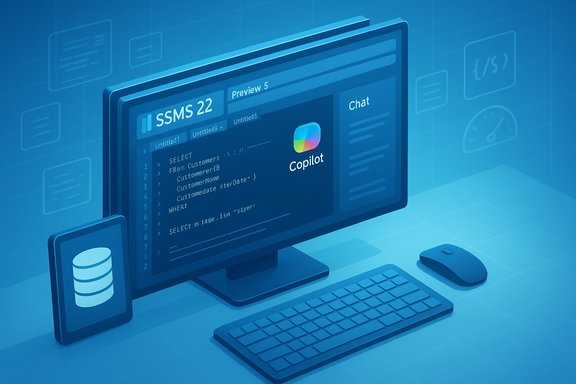
Microsoft quietly shipped SQL Server Management Studio (SSMS) 22 Preview 5 on November 4, 2025 — a focused quality update that does not add headline features but plugs several reliability holes in the fledgling GitHub Copilot integration and smooths the path for administrators and developers who have already started testing SSMS 22 in preview rings.
Microsoft repositioned SSMS as a modern Visual Studio–hosted tool with SSMS 21, adding a preview Copilot assistant to help generate and refine T‑SQL. That early Copilot preview used Azure OpenAI endpoints and emphasized a schema‑aware assistant that could tailor suggestions using database context. The functionality proved compelling but also raised provisioning, data governance, and UI reliability questions — issues Microsoft addressed iteratively throughout 2025. In response to user feedback, the SSMS team reprioritized how Copilot should be delivered in the toolchain and announced a longer‑term alignment with GitHub Copilot rather than continuing to ship a separate, SSMS‑specific OpenAI experience. Early previews of SSMS 22 therefore shuffled timing for Copilot features: some preview releases omitted AI components entirely while the team worked to converge feature parity and enterprise controls between the two Copilot experiences. Independent reporting and community threads documented that pivot and the interim removal of the original Copilot preview. SSMS 22 adopts an iterative preview cadence in 2025 that pairs Visual Studio infrastructure updates with specialized features for modern data types (JSON, Vector) and tighter integration with GitHub Copilot for in‑editor, context‑aware assistance. The product team has been explicit that the preview stream is the place to get the latest fixes and early features; production customers should continue to evaluate preview builds in staged environments.
For DBAs and platform teams, the sensible approach is measured adoption: stage Preview 5 in a controlled ring, validate the fixes against representative workloads, and coordinate with procurement and security to prepare for a broader move to GitHub Copilot once Microsoft publishes complete enterprise controls and licensing details. The Preview 5 fixes remove immediate friction; the broader migration to a consistent Copilot experience across Microsoft developer tools remains the more significant ongoing project to watch.
Source: Windows Report Microsoft Releases SSMS 22 Preview 5 With GitHub Copilot Fixes
 Background / Overview
Microsoft repositioned SSMS as a modern Visual Studio–hosted tool with SSMS 21, adding a preview Copilot assistant to help generate and refine T‑SQL. That early Copilot preview used Azure OpenAI endpoints and emphasized a schema‑aware assistant that could tailor suggestions using database context. The functionality proved compelling but also raised provisioning, data governance, and UI reliability questions — issues Microsoft addressed iteratively throughout 2025. In response to user feedback, the SSMS team reprioritized how Copilot should be delivered in the toolchain and announced a longer‑term alignment with GitHub Copilot rather than continuing to ship a separate, SSMS‑specific OpenAI experience. Early previews of SSMS 22 therefore shuffled timing for Copilot features: some preview releases omitted AI components entirely while the team worked to converge feature parity and enterprise controls between the two Copilot experiences. Independent reporting and community threads documented that pivot and the interim removal of the original Copilot preview. SSMS 22 adopts an iterative preview cadence in 2025 that pairs Visual Studio infrastructure updates with specialized features for modern data types (JSON, Vector) and tighter integration with GitHub Copilot for in‑editor, context‑aware assistance. The product team has been explicit that the preview stream is the place to get the latest fixes and early features; production customers should continue to evaluate preview builds in staged environments. What’s in SSMS 22 Preview 5
Release snapshot
- Release number: 22.0 Preview 5
- Release date: 4 November 2025
- Build highlights: Visual Studio 18.0.0 Insiders update plus targeted fixes for GitHub Copilot integration.
Key GitHub Copilot fixes in Preview 5
Preview 5 specifically addresses several practical Copilot issues that impacted usability and correctness when using GitHub Copilot inside SSMS. The fixes called out in Microsoft’s notes include:- Updated Copilot badge “Learn more” menus so they point to correct SSMS documentation (less user confusion).
- Fixed an unexpected hang that could freeze the chat window or SSMS after installing GitHub Copilot (a stability fix seen by many preview users).
- Resolved a bug where Copilot could generate broken queries by incorrectly ignoring whitespace, leading to syntactically invalid T‑SQL.
- Adjusted the name shown for unsaved query editors so it matches the editor tab display.
- Fixed an invalid filename error when choosing “Add to new file” from the chat window, which blocked a common export flow.
Why these fixes matter — a technical and operational analysis
Correctness matters: whitespace and T‑SQL generation
T‑SQL is famously strict about syntax and spacing in certain contexts (strings, concatenations, and some formatting-sensitive constructs). When an AI assistant produces code that silently ignores whitespace, the result can be invalid queries or unanticipated behavior when scripts run against production data.- A Copilot suggestion that drops or misplaces whitespace can convert a valid expression into a syntax error, or worse, into a logically different query that still executes. That’s not a minor cosmetic bug — it’s a potential production risk. Preview 5’s whitespace fix directly mitigates this class of failure.
Stability first: fixing hangs and UI reliability
An assistant that hangs or makes the editor unstable kills developer trust. The Preview 5 fix for unexpected chat window or IDE hangs restores a basic expectation: the tooling must not interrupt the ability to edit, run, or test queries. This is a prerequisite for broader enterprise rollout.Usability and workflow: correct menu links and file export
Small UX errors — wrong “Learn more” links or failing to export a chat snippet to a new file — compound into slower adoption and more help‑desk tickets. By cleaning these flows, Microsoft reduces support noise and shortens the path from AI suggestion to runnable script. For teams experimenting with Copilot in CI/CD or code review workflows, those fixes improve repeatability and auditability.The bigger product story: Copilot in SSMS vs. GitHub Copilot
The SSMS team’s strategic decision to align with GitHub Copilot is significant and technically consequential.- SSMS’s original Copilot preview relied on a schema‑aware retrieval and execution pattern that could use database metadata to generate more targeted SQL. That implementation required Azure OpenAI endpoints and a nontrivial provisioning flow.
- GitHub Copilot, by contrast, is built primarily as a developer IDE assistant with tight integration into the GitHub ecosystem and model routing optimizations. Integrating GitHub Copilot into SSMS aims to provide a single Copilot experience across Visual Studio, VS Code and SSMS, reducing fragmentation and licensing complexity for organizations that already use Copilot across developer tools.
- Feature parity will take time. The GitHub Copilot experience must add RAG‑style retrieval (secure access to schema and context), safe execution controls, and enterprise governance features to match what SSMS 21’s bespoke Copilot preview offered. Microsoft and community signals indicated this would require several preview releases to reach parity.
- Licensing and governance questions follow. Enterprises that provisioned Azure OpenAI endpoints for SSMS 21 need clarity on whether GitHub Copilot seats or plans will be required for SSMS usage, and how data handling, retention, and telemetry rules will apply. Independent analysis and community threads have flagged these as top concerns for DBAs and security teams.
What the SSMS release notes actually say (short, verifiable points)
Microsoft’s release notes for SSMS 22 Preview (the authoritative source for Preview 5 details) list the fixes above and identify Preview 5 as a small, quality release intended to stabilize the Copilot experience and the surrounding UI. The page also details Preview 4/3 changes for context (Vector and JSON index support, Visual Studio updates, and earlier Copilot capabilities). For anyone who needs the canonical list of fixes and the official download, the release notes are the reference.Practical guidance for DBAs and IT teams
The Preview 5 update is small but meaningful. Operationally, treat it like any preview build: evaluate in test environments, validate governance, and stage rollout.- Inventory current SSMS usage. Identify which users run SSMS 21 (with the original Copilot preview) vs. those testing SSMS 22 previews. Document the features relied on (NL→SQL, query fixing, schema‑aware suggestions).
- Build a test plan for Preview 5 that exercises Copilot flows: generate queries from chat, use “Add to new file” export, sync active editors, and perform standard query runs with representative schema. Focus tests on whitespace handling, edge‑case strings, and DDL flows because those were the categories fixed in Preview 5.
- Validate governance: ensure the organizational policy on AI assistants (who can enable Copilot, what data may be included in prompts, masking sensitive schema names) is enforced in Azure/GitHub tenant settings and in the Copilot configuration.
- Test rollback and recovery. Preview SSMS installs can be side‑by‑side, but plan a rollback route if test failures are discovered. Keep previous media and install scripts available.
- Track licensing. If your organization plans to adopt GitHub Copilot for SSMS usage, inventory Copilot seats and procurement channels. Expect some entitlements and plan changes as Microsoft evolves the integration.
Quick checklist (copy‑paste ready)
- Update staging environments to Preview 5 and run smoke tests.
- Execute T‑SQL generation tests that previously exhibited whitespace or syntax problems.
- Confirm chat window stability and validate “Add to new file” export.
- Review Copilot telemetry and audit logs in a secure test account.
- Circulate an internal advisory that previews are for pilot groups only; instruct users not to enable previews on production machines without approval.
Security, governance, and compliance: what to watch
AI assistants that suggest or generate SQL raise risk categories that remain important in any rollout:- Data leakage: prompts that include schema names, sample data, or production values can be routed to cloud models. Ensure prompts do not send sensitive values and use tenant‑level controls where available.
- Execution risk: generated queries might be copied and executed without review. Enforce code‑review gates or require DBA sign‑off for scripts that modify schema or perform mass updates.
- Traceability: retain a copy of AI suggestions in an internal change log for audit and troubleshooting. Copilot sessions should be exportable and attached to change requests as evidence of review.
- Vendor SLAs and availability: AI features depend on cloud services; outages or model updates can change behavior or availability. Design failover plans for critical maintenance windows.
Strengths and notable positives in Preview 5 and the migration strategy
- Focused stability work — Preview 5 shows Microsoft reacting to field issues quickly: hangs, broken queries, and export bugs are practical blockers for adoption and were prioritized appropriately. That’s the right trade‑off for a mature admin tool.
- Unified Copilot direction — Aligning SSMS with GitHub Copilot simplifies the ecosystem for developers who already use Copilot across editors; fewer parallel configurations and a consistent UX are net positives if feature parity and enterprise controls are achieved.
- Modernization beyond AI — SSMS 22 previews include Vector and JSON index support, improved object explorer cues, and Visual Studio infrastructure updates — useful features for organizations adopting vector search and AI embedding patterns. Those platform investments matter in the long term.
Risks, gaps, and open questions
- Feature parity risk: GitHub Copilot must gain secure, schema‑aware retrieval and safe execution affordances to truly replace SSMS’s bespoke Copilot behavior. Parity takes time and several previews; organizations that depend on the original Copilot preview may need to stay on SSMS 21 or adopt alternative workflows in the interim.
- Licensing ambiguity: It isn’t yet universally clear — in public documentation — whether GitHub Copilot seats will be required for all SSMS Copilot usage or whether a distinct free/paid tier will be available for database‑centered assistance. Procurement teams should engage Microsoft reps to avoid surprises.
- Governance and data residency: the earlier SSMS preview relied on customer‑provisioned Azure OpenAI endpoints (explicitly supporting enterprise residency options). The GitHub Copilot backend choices and data handling practices need explicit parity with those controls for regulated customers. Until those guarantees are documented and audited, risk‑sensitive organizations will remain cautious.
- Unverifiable or paraphrased claims: some secondary coverage paraphrased Microsoft’s messaging about 2025 being a “transformative” year for SSMS and included quotes about 2026 release cadence and a support posture that focuses only on the latest release. Those exact phrasings were not located in primary Microsoft docs during verification; they appear in community and media summaries. Treat those statements as interpretive reporting until confirmed by an official Microsoft post or the SSMS team. Caution: these specific quotes should not be treated as direct Microsoft policy language without an official source.
How to evaluate whether to upgrade now
- If your team is experimenting with Copilot‑assisted query generation and needs the latest reliability fixes, install Preview 5 in a non‑production test ring and run the scenario suite (generation → review → execution) described above. Preview 5 addresses the most common Copilot pain points, so early testers should benefit.
- If your organization requires strict, audited data residency and fine‑grained control over model endpoints, remain conservative: either continue with SSMS 21 and the Azure OpenAI pattern until GitHub Copilot’s enterprise guarantees are explicit, or build a staged migration plan that includes procurement and legal review.
- For broad rollouts, adopt the classic pilot‑to‑production pattern: pilot on a small set of power users, capture metrics (query correctness, number of AI‑generated edits accepted, failure modes), and only expand after measurable stability and governance checks pass.
Recommended next steps for Windows and SQL engineering teams
- Download and stage SSMS 22 Preview 5 in a test environment (side‑by‑side install is supported). Run the Copilot flows top to bottom and validate corrected behaviors reported in the release notes.
- Establish an AI in development policy: classify what can appear in prompts, which accounts may enable Copilot, and how Copilot suggestions are reviewed and approved. Record sessions where suggested scripts touch sensitive objects.
- Engage procurement and security to clarify licensing implications of moving to GitHub Copilot for SSMS. Request Microsoft or GitHub guidance and SLA commitments in writing.
- Monitor Microsoft’s SSMS release notes and Tech Community posts for subsequent preview updates that close functional gaps between the old SSMS Copilot preview and the GitHub Copilot integration. Microsoft publishes preview details and known issues — use them as release gating signals.
Conclusion
SSMS 22 Preview 5 is a careful, pragmatic update: it fixes real‑world failures in the Copilot flows that would otherwise undercut developer confidence and productivity. The update does not change the overall product direction — Microsoft is still aligning SSMS with GitHub Copilot — but it does show that the SSMS team is listening to feedback and prioritizing reliability before pushing new AI capabilities.For DBAs and platform teams, the sensible approach is measured adoption: stage Preview 5 in a controlled ring, validate the fixes against representative workloads, and coordinate with procurement and security to prepare for a broader move to GitHub Copilot once Microsoft publishes complete enterprise controls and licensing details. The Preview 5 fixes remove immediate friction; the broader migration to a consistent Copilot experience across Microsoft developer tools remains the more significant ongoing project to watch.
Source: Windows Report Microsoft Releases SSMS 22 Preview 5 With GitHub Copilot Fixes
