

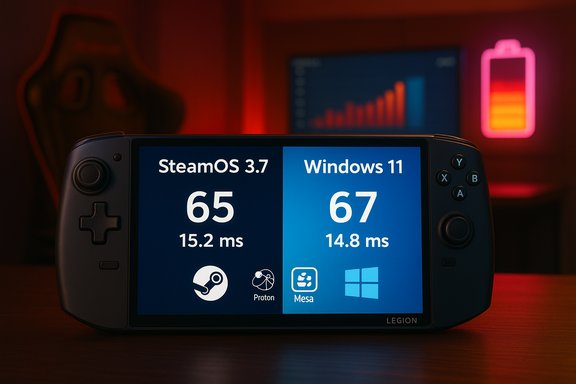
SteamOS’s newest run of bench numbers isn’t a niche talking point any more — it’s a practical challenge to the default assumption that Windows is always best for PC gaming on handheld hardware. Recent, apples‑to‑apples tests on the Lenovo Legion Go S show SteamOS 3.7 routinely delivering higher sustained frame rates and cleaner frame‑time behavior than the identical hardware running Windows 11, with gains large enough in several titles to change the difference between an unplayable and a playable experience.
When OEMs ship identical hardware with two different operating systems, you get a rare real‑world A/B test: same silicon, same firmware baseline, different software stacks. Lenovo’s Legion Go S is one of the first mainstream devices designed and offered by a manufacturer with both official Windows 11 and official SteamOS SKUs. That setup removed many variables that normally complicate OS‑vs‑OS performance debates and allowed reviewers to compare SteamOS 3.7 directly against Windows 11 on the same handheld. The headlines are simple: in a set of recent AAA titles, SteamOS often produced higher average frames per second and steadier 1% low frame times, and in some scenes the delta was substantial. These gains come despite most Windows games running under Valve’s Proton translation layer on SteamOS rather than natively on Linux — a curious inversion of expectations that points to systemic differences in driver, shader, and background‑service behavior between the two platforms.
That said, on a tactical level — handheld hardware in particular — SteamOS has proven to be a serious strategic challenger. Valve’s investment in the Deck ecosystem, paired with improved Proton and Mesa stacks, gives SteamOS a practical advantage on devices where every watt and millimeter of thermal headroom counts. OEMs that commit to SteamOS, like Lenovo did with the Legion Go S, can turn that advantage into a differentiator for consumers who prioritize handheld ergonomics, battery life, and smooth single‑player performance. Microsoft’s FSE and ongoing Windows optimizations are sound tactical responses: they preserve Windows’s compatibility surface while reclaiming some of the efficiency SteamOS enjoys. The competition is now about tradeoffs — compatibility and ecosystem reach vs. raw handheld efficiency and streamlined UX — rather than a single “winner takes all” scenario.
Source: Club386 New testing finds SteamOS easily dominates Windows for gaming | Club386
 Background / Overview
When OEMs ship identical hardware with two different operating systems, you get a rare real‑world A/B test: same silicon, same firmware baseline, different software stacks. Lenovo’s Legion Go S is one of the first mainstream devices designed and offered by a manufacturer with both official Windows 11 and official SteamOS SKUs. That setup removed many variables that normally complicate OS‑vs‑OS performance debates and allowed reviewers to compare SteamOS 3.7 directly against Windows 11 on the same handheld. The headlines are simple: in a set of recent AAA titles, SteamOS often produced higher average frames per second and steadier 1% low frame times, and in some scenes the delta was substantial. These gains come despite most Windows games running under Valve’s Proton translation layer on SteamOS rather than natively on Linux — a curious inversion of expectations that points to systemic differences in driver, shader, and background‑service behavior between the two platforms. What the tests actually measured
Test method and scope
Reviewers started with the SteamOS model of the Legion Go S and ran built‑in benchmark tools and real‑world play sessions on five modern titles across multiple power / resolution settings. They then installed Windows 11 on the same (or a matched) unit, installed vendor drivers, and re‑ran the same tests. Where Windows drivers were out of date or problematic, reviewers documented those issues and, in some cases, installed alternate drivers to get a closer comparison. The approach prioritized practical outcomes (how the device feels and runs for a buyer) rather than an exhaustive laboratory sweep.Headline numbers
- Ars Technica’s hands‑on tests and charts show SteamOS coming out ahead in four of the five tested titles; Windows eked out a marginal win in Borderlands 3. The SteamOS lead reached as much as ~17 fps (a roughly 56% increase in a specific scene in Ars’s charts) over the best Windows result in a given test scenario.
- Independent reviewers citing Dave2D’s direct comparisons reported 5–15% typical gains in average FPS for many titles, and even higher deltas in shader‑heavy scenes (Cyberpunk 2077, Witcher 3, Doom Eternal among them). Battery life and resume behavior also favored SteamOS significantly in many tests.
- Multiple outlets covering the same A/B experiments converged on a pattern: SteamOS often reduces runtime “hitches” and 1%‑low drops, producing a smoother subjective experience even when average FPS differences are modest.
Why SteamOS can be faster on the same hardware
SteamOS doesn’t win because it magically makes silicon faster. The deltas are explainable, repeatable, and technical:- Lower OS overhead. SteamOS boots to a lean, gaming‑first compositor and runs fewer background services than a fully provisioned Windows 11 desktop. That reduces CPU wakeups, idle scheduling noise, and memory pressure — all of which matter on thermally constrained handheld APUs.
- Different shader‑compilation and caching behavior. Modern AAA engines compile many shader permutations at runtime. How the driver and runtime handle those compilations — whether they block rendering or precompile aggressively — changes perceived smoothness. In several tests the Linux driver stack plus Valve’s shader caching approach reduced large runtime stalls that would otherwise show up as microstutters on Windows.
- Tuned thermal/power governors and compositor choices. SteamOS images for handhelds ship with kernel, Mesa, and governor patches optimized for sustained performance in handheld thermals. That yields steadier clocks and fewer burst‑and‑throttle cycles compared with some Windows OEM profiles.
- Proton’s practical maturity. Proton (Valve’s Windows compatibility layer on Linux) has improved significantly; it now runs a huge portion of modern titles with minimal overhead, and in certain cases the Proton + Mesa combination produces fewer frame‑time spikes than Windows + vendor driver on the same hardware. That counterintuitive result is visible in several independent hands‑on comparisons.
Strengths: where SteamOS currently shines
- Playability and frame‑time consistency. Small gains in average FPS are useful, but the biggest subjective win for SteamOS has been fewer hitches, cleaner 1% lows, and quicker sleep/resume behavior — all critical for handheld comfort.
- Battery life and suspend behavior. Multiple reviews and hands‑on tests show meaningful battery improvements on SteamOS in many scenarios, in some cases surpassing Windows by a wide margin — a major benefit for truly portable play.
- A viable OEM path. Lenovo’s decision to ship an official SteamOS SKU on the Legion Go S proves SteamOS is practical at scale when OEMs commit the engineering effort — it’s not just a tinker‑project. That lowers barriers for consumers who want a supported SteamOS device without DIY installs.
- Maturing compatibility tooling. Proton, VKD3D, DXVK and Mesa have evolved to make many modern titles run well on Linux. For single‑player and non‑anti‑cheat titles, SteamOS is increasingly a turnkey, enjoyable experience.
Risks and unresolved gaps
- Anti‑cheat and multiplayer compatibility. This is the core blocker for many players. Kernel‑level anti‑cheat drivers or vendor‑specific protection often exist only for Windows, preventing competitive multiplayer titles from functioning (or risking ban). Until anti‑cheat vendors broadly support Linux or publishers relax their requirements, SteamOS cannot replace Windows for many online games.
- Driver variability (especially NVIDIA). Valve and the community have strong alignment with AMD on Deck‑class APUs; AMD driver stacks on Linux are a strategic strength. But NVIDIA’s proprietary model and other vendor variations can create rough edges for non‑AMD machines, and some OEM driver packages on Windows can be more mature for certain GPUs. This means SteamOS parity is hardware‑dependent.
- Test‑dependence and reproducibility. These wins are scene‑dependent. Shader‑heavy scenes and specific power modes show larger deltas; not every game or setting will replicate the headline numbers. Benchmarks therefore require careful interpretation and per‑title verification.
- OEM features and Windows‑only software. Vendor utilities, bespoke firmware features, camera, certain audio stacks, and first‑party software can be Windows‑centric. Consumers should expect tradeoffs if they insist on a full SteamOS lifecycle on an OEM device.
Where Microsoft fits into this picture
Microsoft is not standing still. In response to the rising handheld market and pressure from console‑style Linux experiences, Microsoft has introduced the Xbox Full Screen Experience (FSE) for Windows handhelds — a console‑like shell that boots into an Xbox app and defers many background services, reclaiming memory and reducing idle noise. Early testing and rollouts suggest FSE can free up roughly ~2GB of memory and produce meaningful, though inconsistent, frame‑rate improvements on some titles. That work narrows the gap on Windows handhelds without forcing users off the platform. FSE is a pragmatic, compatibility‑first response: it keeps the Windows driver and anti‑cheat ecosystem intact while offering a lighter shell for handhelds. In real terms, that’s an important counter‑play to SteamOS’s leaner stack — expect Microsoft and OEMs to iterate faster on power and scheduling optimizations now that handheld reviews make those deficits visible.Practical guidance for gamers and buyers
If you’re weighing SteamOS vs Windows on a handheld or considering switching, these are the pragmatic steps and checks to make before flipping an OS switch or making a purchase:- Inventory your must‑play titles and mark which ones are multiplayer and which rely on anti‑cheat.
- Check ProtonDB and publisher guidance for your most played titles; verify that anti‑cheat layers either work under Proton or that you have a Windows fallback plan.
- If buying a new handheld, decide whether you want an official SteamOS SKU or a Windows SKU that you can dual‑boot. Official SteamOS SKUs lower the support burden.
- For hands‑on testing, run a Live USB of SteamOS or boot a SteamOS image if possible, and test your actual play sessions — not just synthetic benchmarks — across the power modes you expect to use.
- Keep driver and Proton versions pinned when testing; subtle changes in Mesa, kernel, or vendor drivers can flip outcomes.
- Recommended short checklist:
- Verify anti‑cheat compatibility.
- Confirm device suspend/resume and sleep behavior.
- Test battery life in real sessions you actually play (not synthetic loops).
- Back up Windows and keep a recovery method if you plan to experiment.
Critical analysis: how big is the threat to Windows?
SteamOS’s recent wins are real — they are repeatable enough across multiple outlets to be more than an anecdote — but they are not an existential threat to Windows across the whole PC gaming ecosystem. Windows still dominates desktop gaming for reasons that matter deeply to publishers and multiplayer communities: universal anti‑cheat support, broad driver vendor testing, and deep integration with third‑party launchers and productivity software.That said, on a tactical level — handheld hardware in particular — SteamOS has proven to be a serious strategic challenger. Valve’s investment in the Deck ecosystem, paired with improved Proton and Mesa stacks, gives SteamOS a practical advantage on devices where every watt and millimeter of thermal headroom counts. OEMs that commit to SteamOS, like Lenovo did with the Legion Go S, can turn that advantage into a differentiator for consumers who prioritize handheld ergonomics, battery life, and smooth single‑player performance. Microsoft’s FSE and ongoing Windows optimizations are sound tactical responses: they preserve Windows’s compatibility surface while reclaiming some of the efficiency SteamOS enjoys. The competition is now about tradeoffs — compatibility and ecosystem reach vs. raw handheld efficiency and streamlined UX — rather than a single “winner takes all” scenario.
What OEMs and publishers should do next
- OEMs: ship validated SteamOS images or a supported dual‑boot option. If shipping SteamOS, invest in driver QA (especially for non‑AMD GPUs) and ensure common Windows features like firmware updates and secure boot recovery are Smooth and documented.
- Publishers: transparently communicate anti‑cheat requirements and test Proton compatibility for popular titles. Where possible, work with anti‑cheat vendors to support Linux or provide fallbacks for handheld customers.
- Microsoft: continue to evolve FSE and prioritize background service restraint and suspend/resume reliability on handheld form factors. Those are the most visible user pain points users are voting on with their purchases.
Conclusion
Recent, controlled comparisons using the Lenovo Legion Go S show SteamOS 3.7 offering a measurable, repeatable advantage in many handheld gaming scenarios — higher average FPS, cleaner 1%‑low behavior, improved battery life, and a more dependable sleep/resume experience. These are not philosophical wins; they are tangible, perceptual differences that affect whether a game feels smooth on a pocketable device. At the same time, these gains come with caveats: driver variability, anti‑cheat limitations, and scene‑dependent results mean SteamOS is compelling for many single‑player and Steam‑centric users but not yet a full, universal replacement for Windows — especially for competitive multiplayer and Windows‑first ecosystems. Microsoft’s Full Screen Experience and continuing Windows optimizations will erode some of SteamOS’s advantages, but Valve’s work on Proton, Mesa, and SteamOS for handhelds has closed a gap that industry observers long assumed would be permanent. For consumers, the practical advice is straightforward: if handheld gaming is your primary use case and you prioritize battery life and smooth single‑player performance, SteamOS deserves serious consideration — and if you rely on multiplayer titles that use kernel anti‑cheat, keep Windows available as a fallback. For OEMs and Microsoft, the market test is now public: handheld users value efficiency, and software posture matters as much as silicon in the handheld era.Source: Club386 New testing finds SteamOS easily dominates Windows for gaming | Club386
