

 Great Southern Grammar and the new reality of AI-enabled learning: why remote education is being rewritten by Microsoft Surface Copilot+ PCs
Great Southern Grammar’s device rollout is more than a refresh cycle or a hardware upgrade. It is a case study in how AI-enabled PCs, long battery life, and cloud-connected teaching tools are reshaping what a regional school can offer students who spend hours commuting and still need access to modern creative software. In a setting where distance has traditionally been a constraint, GSG is turning geography into an argument for better technology rather than a reason to settle for less. Microsoft’s own account of the deployment shows how Surface Copilot+ PCs powered by Snapdragon processors have become the centerpiece of that shift.Background
For years, the central promise of school technology was simple: put a device in every student’s hands and the learning outcomes would follow. In practice, schools learned that this equation depends on far more than device counts. Performance, battery life, charging logistics, software compatibility, and support burden all determine whether technology frees learning or quietly interrupts it.Great Southern Grammar’s experience reflects that broader lesson. According to Microsoft’s profile of the school, older devices were slowing down creative work, especially in Media Studies, where students needed to run Adobe applications outside the lab. The school’s leadership described a tipping point where helpdesk strain and student frustration no longer looked like routine IT issues but signs that the device fleet was undermining the curriculum itself.
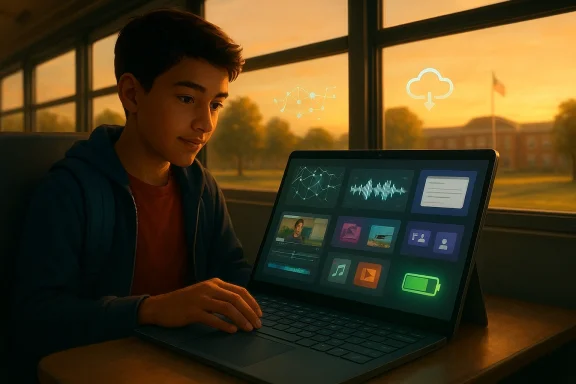
The school’s regional context makes the problem sharper. Students commuting up to 90 minutes each way cannot rely on short battery life or on-campus-only workflows. In that environment, a laptop is not merely a classroom accessory; it becomes the bridge between home, bus, library, and lesson time. That is why the device strategy at GSG carries significance beyond one Australian school.
The other important backdrop is the arrival of Copilot+ PCs, a new class of Windows devices designed around AI acceleration and longer untethered use. Microsoft positions these devices as built for AI experiences and enhanced efficiency, with Snapdragon silicon, integrated neural processing, and battery life that supports all-day work. For education, that matters because schools increasingly want one device to handle productivity, creativity, collaboration, and emerging AI tools without constant compromises.
What GSG is showing is that the “best” school device is no longer just the one with the right spreadsheet specifications. It is the one that disappears into the background enough for learning to take the foreground. That is a subtle but important change, and it is one that many schools are only now beginning to confront.
The problem with legacy school devices
A lot of school IT teams have lived through the same pattern: devices are introduced to solve access gaps, then gradually become the new bottleneck. Slow boot times, short runtimes, and underpowered processors create a persistent drag on teaching. The result is not just inconvenience; it can shape which subjects are viable and which assignments are practical.At GSG, the most visible pain point emerged in creative subjects. Microsoft says Media Studies students could not use Adobe apps effectively on the old devices because they were too limited for serious creative work. That kind of limitation sends a quiet but damaging message to students: ambition is welcome, but only within the boundaries of outdated hardware.
When classroom time is spent troubleshooting
One of the clearest lessons from the GSG rollout is that device friction steals instructional time. If teachers spend part of each lesson managing charging, restarting, or waiting for apps to open, then technology is acting like a tax on learning rather than an enabler of it. Microsoft’s account says the new rollout reduced logistical device issues by 75%, which is exactly the kind of operational relief schools crave because it hands time back to teachers.There is also a morale effect. When students arrive with low batteries or underperforming devices, the day starts in deficit mode. By contrast, the school reported a near-universal pattern of students arriving with charged devices and ready to work, which changes the rhythm of the classroom in a very practical way.
- Old devices create hidden instructional costs
- Creative subjects suffer first when performance is inadequate
- Teacher confidence declines when tools constantly fail
- Student frustration rises when access depends on workarounds
- IT support becomes reactive instead of strategic
Why remote schools need a different device strategy
Regional and remote schools do not merely need the same devices as metropolitan schools. They need devices that can survive longer commutes, more offline moments, and more use outside the classroom. That is especially true where families may not want to invest in multiple endpoints, and where connectivity cannot always be taken for granted.GSG’s leadership appears to have understood that from the beginning. Microsoft says the school wanted a device with the right balance of cost and performance, plus a larger screen, stronger battery life, and enough power for creative workloads. That is a very different purchasing logic from the old “lowest acceptable spec” approach that many schools were forced into when budgets were tight.
Mobility as part of the learning model
The most compelling part of the GSG story is not that students can work in class, but that they can work between classes and beyond the campus. A 90-minute bus ride is no longer dead time if the device lasts long enough to support writing, coding, editing, or revision on the move. That transforms commuting from a limitation into an extension of the learning day.This matters culturally as much as technically. A school that normalizes learning in transit or at home is signaling that creativity is not confined to desks or timetables. For students in remote communities, that message can be especially powerful because it treats their geography as an environment to design for rather than a deficiency to work around.
- Long battery life is a regional equity issue
- Larger screens matter for creative and accessibility needs
- Portability is only useful if the device is dependable
- Offline-capable workflows are more important outside metro broadband zones
- Flexible learning expands when the device can move with the student
The pilot that de-risked the transition
Large school rollouts can fail when they are based on assumptions rather than field testing. GSG seems to have avoided that trap by running a pilot with Media Studies students before committing to a full deployment. That is sensible, because it allowed the school to observe how the new machines handled real workloads, real teaching patterns, and real student expectations.Microsoft says the pilot group used Adobe Premiere Pro and found faster boot times, better usability, and battery life that stretched to a full school day rather than only a few hours. In practical terms, that is not a minor improvement. It is the difference between a laptop that must be managed and a laptop that students can trust.
What the pilot actually proved
The strongest value of a pilot is not the excitement it generates, but the risk it removes. Teachers can see whether the software stack behaves, whether students can work independently, and whether the device really holds up under pressure. By the time a full fleet is ordered, the school has already answered the most important questions.In this case, the pilot also demonstrated that creative work could happen in more places than the media lab. That broadens the argument for investment because it reframes the device as a general learning tool rather than a niche specialist machine. Once that happens, the economics of scale become easier to justify.
- Pilots reveal hidden workflow problems
- Real student testing is more valuable than spec sheets
- Creative software support is a decisive procurement criterion
- Battery gains matter most when they change behavior
- Confidence rises when teachers see evidence before rollout
The Microsoft Surface Copilot+ PC proposition
The Surface Copilot+ PC pitch is rooted in three things: performance, battery life, and on-device AI capability. Microsoft’s own product pages describe Copilot+ PCs as built for advanced AI experiences, with Snapdragon processors, integrated neural acceleration, and all-day battery life. For education, that combination is meant to solve the classic tradeoff between power and portability.At GSG, that promise seems to have landed because the school needed more than “AI” as a marketing term. It needed devices that could handle creative software, support collaboration, and still last through a day of classes and commuting. That is a concrete value proposition, especially in a school that is trying to improve both access and aspiration.
Why the NPU matters in education
Microsoft and Qualcomm both emphasize the NPU as a key feature of the Copilot+ generation. The reason is straightforward: offloading AI-related tasks from the CPU and GPU can improve responsiveness and battery efficiency while enabling local AI features. In a school setting, that means some workloads can happen without relying entirely on cloud bandwidth or constant charging.That local processing story is especially relevant for rural and regional campuses. If a student can use AI-enhanced features even when connectivity is patchy, then the device becomes much more resilient as a learning platform. The school is no longer dependent on every lesson being perfectly connected to the network.
- CPU, GPU, and NPU all matter in modern learning devices
- Battery life is a pedagogical feature, not just a hardware spec
- On-device AI can reduce dependence on constant cloud access
- Responsive hardware supports student flow and creativity
- Security and manageability remain essential in school environments
Teaching and learning after the rollout
The most persuasive evidence in Microsoft’s profile is not theoretical. It is the report that teachers and students are using the new devices in everyday lessons across subjects. Microsoft Teams and OneNote are helping with preparation and collaboration, while students are using their devices to compose music, build media projects with drone footage, and share science experiment recordings with teachers.That cross-curricular spread matters because it shows the rollout is not confined to one department’s needs. Once a device becomes useful in science, media, computing, music, and general classroom communication, the investment stops being a specialist purchase and becomes a platform decision. That is the point where device strategy begins to shape school culture.
From novelty to normality
One of the markers of a successful education technology deployment is that it fades into routine. Microsoft’s account suggests that is happening at GSG, where the hardware is increasingly acting as infrastructure rather than as an event. Teachers can plan lessons around tools like Copilot, Minecraft, OneNote, and Teams without worrying that the devices will become the lesson’s main obstacle.That shift is important because it changes teacher behavior. If devices are reliable, educators are more willing to assign work that depends on them. If devices are unreliable, teachers build around the limitations instead of the possibilities. In other words, hardware quality shapes pedagogy more than most procurement committees like to admit.
- Reliable devices encourage more ambitious assignments
- Cross-subject use strengthens return on investment
- Teacher trust is a prerequisite for innovation
- Everyday productivity tools can unlock creative uses
- Classroom time becomes easier to structure when tech is predictable
AI, equity, and the rural learning gap
AI often enters education discussions through the language of disruption, but the more grounded story is one of access. If a student in a regional area can run productive AI tools locally, then they are less dependent on ideal network conditions or elite hardware budgets. That matters because the digital divide is increasingly about quality of access, not merely whether a device exists.At GSG, the leadership framed the rollout as a way to give families access to technology on par with other schools. That is an equity argument, but it is also a competitive one. Schools are now measured against a moving benchmark shaped by what students see elsewhere, and expectations rise quickly once they know better devices are available.
The new baseline for student expectation
Students now compare school devices with personal devices, family devices, and the marketing promises of the broader technology market. If the school’s machine feels outdated, the gap is obvious immediately. The GSG rollout suggests that regional schools can close that perception gap by choosing devices that feel current rather than compromised.That does not mean every school must adopt the same platform. It does mean the standard has changed. A school device today must support creativity, collaboration, mobility, and emerging AI workflows, or else it risks being seen as a holding pattern rather than an educational tool.
- Equity now includes performance parity
- Regional schools need resilient offline-capable workflows
- Students notice when school devices lag behind consumer expectations
- AI access is becoming part of the access conversation
- Device quality influences student aspiration
Security, management, and the enterprise logic behind education devices
There is a temptation to treat school technology as a softer version of enterprise IT. In reality, the opposite is often true. Schools have mixed user groups, limited support staff, diverse applications, and very little patience for downtime. That means device architecture and management become crucial, especially when AI features are involved.Microsoft’s materials around its Surface and Copilot+ lineup emphasize secure-core design, Windows integration, and device-to-cloud management. While these are not the most visible parts of the story, they matter because schools need platforms they can support at scale. A powerful device that is hard to manage is still a problem, just a more expensive one.
Why IT leaders care as much as teachers
The school’s Head of IT and Innovation, Kieran Bailey, appears to have understood that the rollout needed to solve operational pain, not just classroom frustration. That is a strong sign because education transformations often fail when they are framed as teaching initiatives alone. IT staff need predictable imaging, support, updates, and security controls if the rollout is going to scale cleanly.AI devices add another layer of complexity. Schools have to consider data governance, student safety, and acceptable use policies, especially when tools like Copilot are part of the workflow. The technology may be ready faster than the institution, which is why governance has become as important as procurement.
- Manageability is a school-wide requirement
- Security architecture matters more when AI features are embedded
- IT teams need stable platforms, not just fast hardware
- Policy and pedagogy must move together
- Scale exposes weaknesses that pilots can hide
What this means for Microsoft and its competitors
The GSG story also has market implications. It is evidence that Microsoft sees education not only as a software subscription opportunity but as a hardware-and-services ecosystem where Surface devices reinforce Microsoft 365, Copilot, Teams, and Windows. That kind of integration is commercially powerful because it ties student workflow, teacher workflow, and IT administration into one stack.For competitors, the challenge is not just matching specs. It is matching an ecosystem narrative that links hardware endurance, AI readiness, software compatibility, and institutional support. In education, where budgets are tight and procurement cycles are slow, that integrated story can be more persuasive than raw benchmark performance. Microsoft’s own Australia-facing education content suggests it is deliberately framing Surface Copilot+ PCs as a teaching-and-learning transformation rather than as a laptop line.
The ecosystem advantage
The real competitive advantage is lock-in through usefulness, not coercion. If a school’s teachers build lesson flows around Microsoft tools, its students save work in OneNote, its administrators like the manageability, and its families see value in the battery life and portability, then the platform starts to feel natural. That reduces churn and makes future renewals more likely.At the same time, this strategy raises the bar for rivals. Apple, Chromebooks, and other Windows OEMs now have to answer a more demanding question: can your device do all of the following well enough for schools that want to combine creativity, collaboration, AI, and mobility?
- Integrated ecosystems are easier to justify than isolated products
- Education buyers want fewer compromises
- AI readiness is becoming a procurement differentiator
- Support and software compatibility remain decisive
- Long-term adoption depends on everyday usefulness
Strengths and Opportunities
The GSG rollout has several strengths worth highlighting. It addresses a real pain point, aligns hardware to the school’s geography, and gives teachers a platform that seems to reduce friction rather than add to it. Most importantly, it treats student creativity as a core outcome, not a side effect, which is exactly where a modern school technology strategy should begin.- Better battery life supports long commutes and full school days
- Creative software now runs on devices students can trust
- Teacher workload is eased by fewer support interruptions
- AI features open new pathways for lesson design
- A consistent device fleet simplifies support and administration
- The school can extend learning beyond the campus boundary
- Regional equity improves when distance is no longer a tech penalty
Risks and Concerns
Even a well-executed rollout carries risks. AI-enabled devices can outpace policy, create new privacy questions, or generate dependency on a single ecosystem. There is also the possibility that enthusiasm for the hardware overshadows the harder work of curriculum design, teacher training, and ongoing support.- AI governance may lag behind adoption
- Vendor dependence can become a strategic constraint
- Licensing and support costs may rise over time
- Teachers need sustained professional learning, not just new devices
- Battery and performance gains can be taken for granted too quickly
- Older workflows may need redesign, not simple digitization
- Equity gains can be uneven if home support varies
Looking Ahead
GSG’s move points toward a future where school technology is judged less by whether it works and more by whether it expands the geography of learning. If students can edit video on a bus, draft ideas at home, and arrive in class ready to create, then the school day becomes more elastic and the boundaries of learning become less absolute. That is a meaningful shift for any school, but it is especially significant for a regional one.The next phase will be to prove that this is not just a hardware success story. The durable win will come if teachers continue to invent better lessons, students keep using the devices for genuinely creative work, and the IT team can sustain the platform without letting complexity creep back in. If that happens, the school will have done more than modernize its fleet; it will have changed what “remote education” means.
- Sustained teacher adoption will matter more than launch-day enthusiasm
- Primary student rollout will test the model’s scalability
- Policy around AI use will need to mature quickly
- Support metrics will reveal whether the gains are durable
- Competitors will watch for signs of measurable academic impact
Source: Microsoft Great Southern Grammar: How AI-enabled devices are creating learning without limits
