

Microsoft’s February firmware for the Surface Pro (11th Gen) is more than routine housekeeping: it plugs several high-impact holes that affected cellular connectivity, video conferencing, docking, and HDR playback — and it arrives at a moment when Microsoft is actively promoting 5G Windows laptops through enterprise partnerships.
The Surface Pro (11th Gen) sits at the center of Microsoft’s Copilot+ PC strategy: premium hardware, optional mobile broadband, and a convertible 2‑in‑1 design aimed at professionals who need true mobility. For those users, reliable cellular connectivity and stable video conferencing aren’t optional; they’re fundamental to the device’s value proposition. That’s why the February firmware rollup — framed by Microsoft as security and reliability fixes — matters far more than the usual minor driver tweaks.
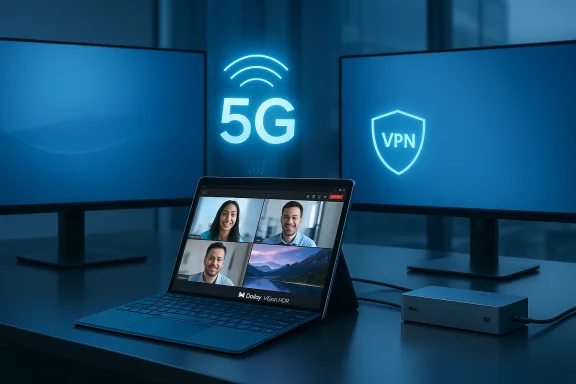
This cumulative update, published in Microsoft’s Surface update history as a February release, bundles firmware and driver revisions across the mobile broadband stack, display pipeline, audio and NPU subsystems, and Surface Dock firmware. Practically speaking, the payload aims to resolve:
The update addresses a bug that could force the device to change the cellular setting to “SIM card,” overriding an active eSIM selection. For travelers and field workers who depend on eSIM-based provisioning (and for IT teams that deploy eSIM profiles at scale), this fix restores a basic expectation: the device should respect the selected profile unless an administrator or policy changes it.
Fixing this at the modem/driver/firmware level is the right approach: it resolves the root cause rather than working around it at the OS or VPN client layer. The practical effect for users is immediate — fewer mid‑trip disconnects and less need for reboots or manual reconnection.
Microsoft’s firmware update targets the relevant low‑level drivers and subsystems, suggesting the root cause was in the platform firmware or vendor-supplied components rather than in the Teams app itself. For knowledge workers, sales teams, and executives, those kinds of reliability fixes preserve productivity and reduce embarrassment.
That said, the firmware update is not a direct implementation of the Microsoft‑Ericsson product; it is, instead, infrastructure work to ensure devices function reliably as enterprises and carriers begin rolling out integrated 5G bundles and management tooling.
From a risk management perspective, these fixes are important because:
From a strategic perspective, the update reduces friction ahead of Microsoft’s wider push to make 5G a practical, manageable option for enterprise Windows laptops through partnerships and Intune integration. But firmware updates carry inherent risk: they’re non‑reversible and can interact with unique hardware and software stacks in unpredictable ways. The right approach is cautious and pragmatic: pilot broadly, validate targeted workflows, and deploy with backups and telemetry in place.
For individual users who experienced the documented issues, the benefits likely outweigh the deployment risk. For enterprises, the recommended path remains a controlled pilot followed by staged deployment through established management tools. In either case, this firmware rollup improves the foundation upon which always‑connected Windows mobility — and Microsoft’s 5G ambitions — are being built.
Conclusion: if your Surface Pro (11th Gen) has been acting up on cellular, VPNs, Teams calls, or HDR media, this update is worth the attention. But don’t treat firmware as routine — plan the update, validate the outcomes, and be prepared to support a small number of edge cases during rollout.
Source: Windows Central https://www.windowscentral.com/hard...ellular-bugs-just-as-microsoft-leans-into-5g/
 Background / Overview
The Surface Pro (11th Gen) sits at the center of Microsoft’s Copilot+ PC strategy: premium hardware, optional mobile broadband, and a convertible 2‑in‑1 design aimed at professionals who need true mobility. For those users, reliable cellular connectivity and stable video conferencing aren’t optional; they’re fundamental to the device’s value proposition. That’s why the February firmware rollup — framed by Microsoft as security and reliability fixes — matters far more than the usual minor driver tweaks.This cumulative update, published in Microsoft’s Surface update history as a February release, bundles firmware and driver revisions across the mobile broadband stack, display pipeline, audio and NPU subsystems, and Surface Dock firmware. Practically speaking, the payload aims to resolve:
- Loss of cellular connectivity when a VPN is active.
- A configuration regression that could switch the device from eSIM to physical SIM.
- Unexpected shutdowns during Microsoft Teams calls.
- Compatibility issues with Surface Dock 2.
- Dolby Vision playback failures that produced a black screen and a “playback isn’t authorized” message.
- Security hardening to address potential vulnerabilities that could cause shutdowns or privilege escalation.
Why these fixes matter: real-world impact
eSIM vs. physical SIM: the small switch with big consequences
eSIMs are one of the key conveniences of modern always‑connected PCs: remote provisioning, multiple profiles, and no physical SIM swaps. When a device flips from eSIM to the physical SIM unexpectedly, the fallout is immediate — lost connectivity, broken corporate profiles, and helpdesk tickets.The update addresses a bug that could force the device to change the cellular setting to “SIM card,” overriding an active eSIM selection. For travelers and field workers who depend on eSIM-based provisioning (and for IT teams that deploy eSIM profiles at scale), this fix restores a basic expectation: the device should respect the selected profile unless an administrator or policy changes it.
VPN + cellular: why the connection can disappear
VPN clients, mobile broadband stacks, and modem firmware all have to play nicely together. VPN tunnels change routing, alter network interfaces, and sometimes rewrite packet headers (MTU changes, IPv6 transition mechanics, etc.). If modem firmware or a mobile‑broadband driver mishandles those transitions — for example, by dropping the modem state when an interface rebinds — the system can lose cellular connectivity while the VPN is active.Fixing this at the modem/driver/firmware level is the right approach: it resolves the root cause rather than working around it at the OS or VPN client layer. The practical effect for users is immediate — fewer mid‑trip disconnects and less need for reboots or manual reconnection.
Teams shutdowns: conferencing reliability is business‑critical
Unexpected system shutdowns during Microsoft Teams calls are a high‑visibility failure mode. Conferencing uses multiple subsystems at once: camera, audio DSP, NPU/GPU acceleration, network, and power management. A failure in one of those layers — particularly when it causes a kernel fault or a thermal/power management safety shutdown — terminates the whole meeting.Microsoft’s firmware update targets the relevant low‑level drivers and subsystems, suggesting the root cause was in the platform firmware or vendor-supplied components rather than in the Teams app itself. For knowledge workers, sales teams, and executives, those kinds of reliability fixes preserve productivity and reduce embarrassment.
Docking and Surface Dock 2: docking should be boring
For many hybrid workers the combination of a Surface device and Surface Dock 2 is the desktop replacement. Docking problems — unreliable monitors, peripheral drops, PXE boot failures — are an enormous productivity tax. Including Surface Dock 2 firmware and related compatibility fixes in the bundle signals Microsoft recognizes docking as mission‑critical for many users and treats dock firmware parity as part of the platform’s reliability story.Dolby Vision and media playback: media pipelines are sensitive
HDR playback, especially Dolby Vision, touches the display firmware, video decode pipeline, DRM/HDCP negotiation, and OS-level content protection. A black screen with an “unauthorized” error suggests the device’s DRM pipeline or display capability reporting was out of sync with content‑provider expectations. The display and DRM fixes included in the update aim to restore reliable HDR playback for media and creative workflows.What’s in the bundle: a technical snapshot
This is a cross‑cutting firmware and driver rollup. High‑level components revised in the February package cover:- Qualcomm mobile broadband drivers and modem firmware (affecting 5G/4G models).
- Qualcomm Hexagon NPU firmware/drivers and related DSP updates.
- Qualcomm power and system plug‑ins that interact with power management.
- Surface Panel Driver revisions for the OLED/HDR display pipeline.
- Surface Dock 2 firmware updates for docking stability and peripheral compatibility.
- Updates to QcMbbFWUpdateDriver (mobile broadband firmware updater).
- Security hardening addressing potential privilege escalation and unexpected shutdown vectors.
Risk, reversibility, and deployment guidance
Firmware is not a Windows app — treat it with respect
- Firmware updates operate below the kernel and affect hardware behavior. They cannot usually be rolled back by a simple uninstall.
- Always treat major firmware updates as a project: backup, pilot, monitor, and then broaden deployment.
- For enterprise environments, Microsoft provides cumulative MSI installers for staged offline deployment and WSUS/Intune controlled rollouts. Use those mechanisms to test on representative hardware before mass rollout.
Who should install immediately — and who should wait
- Install now if:
- You or your users have experienced the specific problems this update fixes (VPN cellular loss, eSIM switching, Teams shutdowns, Dolby Vision errors).
- Mobile connectivity and conferencing reliability are essential to daily operations and the device is experiencing the described regressions.
- Delay or pilot if:
- The device is mission‑critical and currently stable; wait for the staged rollout to mature and community reports to confirm no regressions.
- You run specialized third‑party drivers or peripherals that could interact unexpectedly with the new firmware — test first.
Pilot checklist for IT teams
- Include representatives of all configurations: docked users, mobile-only staff, VPN‑heavy users, and media/creative roles.
- Validate Device Manager strings and the Surface app’s update status after installation.
- Test targeted workflows: 10‑15 minute Teams call, VPN while on cellular, Dolby Vision playback, and dock/undock cycles including PXE boot and multi‑monitor scenarios.
- Collect and centralize logs: Windows Event Viewer, Surface diagnostic logs, MDM or Intune telemetry, and device manager screenshots of driver versions.
- Have recovery plans: system images and documented contact paths to Microsoft support.
How this update aligns with Microsoft’s 5G push
Microsoft’s recent enterprise partnership with Ericsson to integrate Ericsson Enterprise 5G Connect with Microsoft Intune is designed to make 5G adoption for Windows laptops more manageable for IT. That joint work includes:- Automated eSIM provisioning and switching.
- Policy-driven connectivity that allows IT to prioritize 5G networks or specific operator profiles.
- AI‑driven connectivity intelligence that can optimize network selection and maintain secure paths for enterprise traffic.
That said, the firmware update is not a direct implementation of the Microsoft‑Ericsson product; it is, instead, infrastructure work to ensure devices function reliably as enterprises and carriers begin rolling out integrated 5G bundles and management tooling.
Deep dive: why VPNs and mobile broadband interact poorly at times
Understanding the underlying mechanics helps IT pros and power users make smarter decisions.- VPNs establish virtual network interfaces and can create a shift in routing tables. If mobile broadband drivers or firmware assume a static interface state, rebinding or interface changes can lead to dropped connections.
- Some VPNs enforce route-only or split‑tunnel rules; incorrectly sized MTUs can cause black‑hole behavior on cellular networks that use tunneling or encapsulation (e.g., 5G user‑plane encapsulation scenarios).
- eSIM management involves profile selection at the modem firmware and OS layers. If the modem’s state machine and the Windows cellular profile state become inconsistent during frequent network transitions, the active profile can change unexpectedly.
- Secureenterprise setups that require handshakes with operator networks for eSIM provisioning must be resilient to concurrent policy pushes, device reboots, and network changes — otherwise a transitional state can appear that leaves the modem unprovisioned or set to a physical SIM.
Practical user tips: before and after the update
- Back up your data. Firmware updates can be unrecoverable if something goes wrong.
- Plug into AC and ensure battery is above a safe threshold before installing.
- For users who manage multiple cellular profiles: confirm active profile settings after the update and validate connectivity with and without a VPN.
- For those using Surface Dock 2: test multi‑monitor and peripheral behavior immediately after reboot.
- If you still experience issues after installing:
- Capture Device Manager screenshots of relevant adapters (Mobile Broadband, Network Adapters, Neural Processors, Display).
- Reproduce the scenario and collect Event Viewer logs.
- For enterprise-managed devices, open a support case with Microsoft and include diagnostic bundles and MDM logs.
The security angle: hardening matters
Microsoft’s release notes include language about addressing potential security vulnerabilities that could lead to unexpected shutdowns or privilege escalation. That phrasing indicates the update not only addresses reliability bugs, but also fixes defects that an attacker might exploit to destabilize a device or elevate privileges.From a risk management perspective, these fixes are important because:
- Firmware-level security flaws are often harder to detect and exploit, and they exist below typical endpoint protections.
- Patching early reduces the window for exploitation and the operational risk of unplanned shutdowns.
- For enterprises managing fleets via Intune and other endpoint tools, deploying firmware updates through controlled channels reduces exposure across distributed workforces.
What remains uncertain and what to watch
- Package specifics: cumulative MSI filenames and exact package sizes are often reported by third parties; administrators should verify the official Microsoft Download Center metadata for the correct files to avoid installing an incorrect bundle for their SKU.
- Edge-case regressions: complex docking ecosystems, rare peripheral combinations, or third‑party kernel‑level drivers can still reveal regressions after any large firmware change. Monitor telemetry and user reports closely in the days following wide deployment.
- Interplay with carrier stacks and operator policies: as Microsoft and Ericsson roll out enterprise 5G bundles with operator partners, expect additional over‑the‑air policy pushes and eSIM management flows. IT teams will need to coordinate with carriers to ensure profile provisioning and roaming behavior match enterprise expectations.
Final assessment
This February firmware release for the Surface Pro (11th Gen) is a meaningful, targeted response to real user pain points. Fixing cellular connectivity while using a VPN and preventing eSIM configuration regressions are substantive improvements for anyone who depends on the device’s mobile broadband capabilities. The Teams stability, Surface Dock 2 compatibility, and Dolby Vision repair further strengthen the device’s core productivity and multimedia experiences.From a strategic perspective, the update reduces friction ahead of Microsoft’s wider push to make 5G a practical, manageable option for enterprise Windows laptops through partnerships and Intune integration. But firmware updates carry inherent risk: they’re non‑reversible and can interact with unique hardware and software stacks in unpredictable ways. The right approach is cautious and pragmatic: pilot broadly, validate targeted workflows, and deploy with backups and telemetry in place.
For individual users who experienced the documented issues, the benefits likely outweigh the deployment risk. For enterprises, the recommended path remains a controlled pilot followed by staged deployment through established management tools. In either case, this firmware rollup improves the foundation upon which always‑connected Windows mobility — and Microsoft’s 5G ambitions — are being built.
Conclusion: if your Surface Pro (11th Gen) has been acting up on cellular, VPNs, Teams calls, or HDR media, this update is worth the attention. But don’t treat firmware as routine — plan the update, validate the outcomes, and be prepared to support a small number of edge cases during rollout.
Source: Windows Central https://www.windowscentral.com/hard...ellular-bugs-just-as-microsoft-leans-into-5g/
