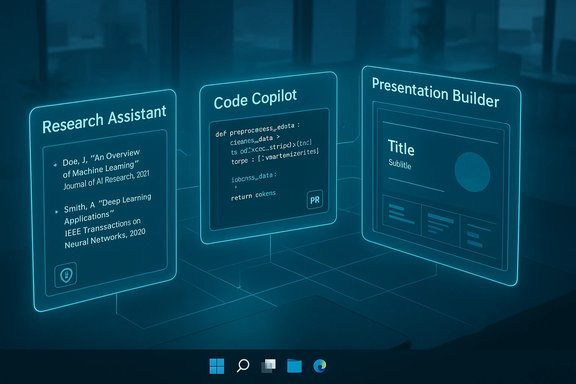
The AI assistants that matter in 2026 no longer fit a single mold: they split along task lines — research assistants, code copilots, and presentation builders — and the smartest choice for any user or team is the one that matches the job, the governance requirements, and the budget. This feature synthesizes recent reporting and product documentation, verifies major product claims where possible, and maps practical recommendations for Windows-centric readers who need reliable research, coding, or presentation workflows today.
AI assistants evolved rapidly from chatbots into task-specialized copilots embedded in apps, platforms, and even PC hardware. In practice, three trends shape the landscape:
The era of “the best AI assistant” as a single winner is over. The right assistant in 2026 is the one matched to the task: a citation-first engine for research, a repo-aware copilot for code, and a multimodal slide generator or presentation agent for communication. Deploy cautiously, verify thoroughly, and design workflows that keep humans in the loop — that is how teams will convert the flashy productivity claims into repeatable, auditable gains.
Source: insightnews.media https://insightnews.media/topic/best-ai-assistants-research-code-and-presentation-tools/]
 Background
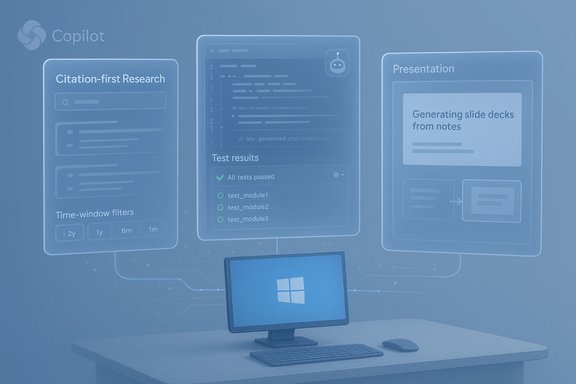
AI assistants evolved rapidly from chatbots into task-specialized copilots embedded in apps, platforms, and even PC hardware. In practice, three trends shape the landscape:- Multimodality — modern assistants accept and reason across text, voice, images, and (increasingly) video, making them useful across research, dev, and creative workflows. ing** — assistants integrated with a platform (Microsoft 365, Google Workspace, GitHub) can act on tenant data and automate in-app tasks, a major advantage for enterprises.
- **Governance and ocloud grounding still powers most capabilities, but hardware with dedicated NPUs and paid tiers that exclude training on customer data are changing privacy and deployment choices.
Overview: Which assistants to consider by task
Research assistants — citation-first, web-grounded tools
- Best for: fact-checkable briefs, literature triage, multi-source summaries.
- Typical picks: Perplexity (citation-first search), Google Gemini in Workspace mode, ChatGPT with web access or retrieval-augmented setups.
Code copilots — project-aware developer companions
- Best for: inline completions, refactors, automated test and bug-fix suggestions.
- Typical picks: GitHub Copilot (integrated into VS Code/Visual Studio), Cursor and specialized IDE agents, GitHub’s higher-tier “agents” for heavier tasks.
Presentation and creative builders — slide, voice, and video generation
- Best for: turning notes/reports into shareable slides, narrated presentations, and quick marketing videos.
- Typical picks: Google Gemini Canvas (presentation generation + export to Slides), Jotform Presentation Agents (narrated interactive decks), Canva/SlidesAI for quick drafts.
Deep dive: Research assistants
What to expect from a good research assistant
A trustworthy research assistant should:- Surface concise summaries with explicit, clickable citations.
- Support scoped searches and time windows.
- Offer RAG (retrieval-augmented generation) or document grounding when working from private corpora.
- Provide reproducible “fact-check” checks or source lists for any claim you plan to publish.
Leaders and how they compare
- Perplexity — designed for quick, citation-forward answers. It’s ideal for analysts wholus sources to validate. Independent testing and community reports show Perplexity frequently surfaces links, but users occasionally report missing or misattributed citations; that’s an operational red flag for investigative work and requires human validation.
- Google Gemini (Workspace-flavored) — strong for long-context research when you’re already inside Google’s ecosystem; it’s multimodal and pulls from Google’s indexing and Workspace documents when authorised. As a result it integrates directly with Docs and Slides, which speeds conversion from research to deliverable. Tharful but also cloud-dependent.
- ChatGPT with web and retrieval features — flexible and extensible (custom GPTs, plugins, connectors). OpenAI’s paid tiers expose deeper research models and tool integrations; these are broadly useful but require careful prompt design and verification. OpenAI’s product pages docsiness tiers and the gating of higher-capacity research features behind paid plans.
Practical recommendations for research use
- Use a citation-first assistant as the first pass (Perplexity or a web-enabled Gemini/GPT) and capture the original sources.
- Run a second verification pass — open each primary source yourclaims.
- For private corpora, deploy a document-grounded assistant (RAG) or an enterprise Copilot configured not to train on data.
- Citation drift and missing attribution in some tools; treat automatically generated bibliographies as starting points, not final references.
- Hidden gating and quotas for high-context jobs; confirm context-window sizes and per-user limits in vendor docs before wide deployment.
Deep dive: Code copilots
What modern code copilots promise
Modern code assistants aim to:- Providns in the editor.
- Generate tests, refactors, and fix bugs autonomously in agent modes.
- Integrate with CI/CD and repository context to respect conventions.
Leading options
- GitHub Copilot — the de facto pair programmer inside VS Code and Visual Studio. Copilot now surfaces inline suggestions, chat-based context help, and agent modes that can autonomously attempt bug fixes and provide sessiew. These capabilities accelerate common dev tasks but still require human oversight and thorough automated testing.
- Cursor and IDE-centric agents — designed to reaand offer deeper context-aware suggestions, sometimes with built-in chat and code reasoning. They can outperform generic assistants on repos with complex domain logic but may require additional setup.
Verified claims and cross-checks
- GitHub’s public spec and independent coverage confirm thaine completions, chat integrations, and new agent features that can automate bug-fix workflows; multiple vendor posts and news outlets describe these advances.
- Integration of third-party models into Copilot ecosystems (for example, Microsoft adding other model options) has been reported, but availability may be gated by subscription tier. Validate which model is active in your Copilot plan before benchmarking.
Practical recommendations for dev teams
- Treat AI-suggested code as a starting point — always run the full test suite and code review.
- Audit license and provenance concerns for generated code; keep a policy for how AI suggestions are accepted and attributed.
- Use enterprise Copilot plans or self-hosted alternatives if your legal or regulatory context requires non-training guarantees.
- Over-reliance without inspection creates subtle correctness and security holes.
- Some users report intrusive or hard-to-disable Copilot features; plan governance through admin controls and policy guidance.
Deep dive: Presentation and creative tools
The new generation of slide builders
Two parallel trends dominate presentation tools:- Automatic deck generation from text or uploaded documents; and
- Interactive, narrated presentations that can speak, answer questions, and gather audience data.
Google Gemini Canvas — what it does, and what we can verify
Google’s Gemini Canvas can generate full slide decks from a short prompt or uploaded source files and export them to Google Slides for refinement. Multiple independent outlets reported the rollout and export-to-Slides capability, and Google publicly previewed Canvas as a Workspace-facinges show the feature rolling out to paid tiers first and then to free users. Caveats and verification notes:- Google’s public messaging confirms upload capability for documents, spreadsheets and research papers, but a precise published list of accepted file types, maximum sizes, or slide-count limits was not openly enumerated at the time of announcement; that is vendor-dependent and should be validated in product docs before automating heavy workloads.
Jotform Presentation Agents — narrated, interactive decks
Jotform’s Presentation Agents convert uploaded PPgenerated slides) into interactive, voice-narrated presentations that can answer viewer questions in real time. Jotform’s product pages and blog clearly document the workflow — upload or generate slides, tune narration, and publish an embeddable, interactive player. This is a different approach from Gemini’s export-first model: Jotform emphasizes asynchronous, agent-driven experiences you can host.Other players
- Canva / SlidesAI / Decktopus / Gamma — faster, template-driven generation for marketing and narrative decks; often excellent for first drafts and brand-aligned templates but inconsistent on data fidelity and export fidelity.mendations for presentations
- Use Gemini Canvas or SlidesAI for fast draft generation; export to Slide editors for corporate-branding and compliance.
- Use Jotform Presentation Agents for customer-facing asynchronous demos or onboarding where live Q&A and lead capture are required.
- Always validate data-driven slides against the original source; generated visuals and data visualizations can be simplified or misrepresented.
- Generated slides may include invented statistics or misattributed quotes; always cross-check with primary sources.
- Export fidelity varies; complex custom fonts, animations, or embedded data may require manual correction after export.
Platform and governance considerations for Windows users
Microsoft Copilot: deep OS + Office integration
Microsoft’s Copilot is the natural choice for Windows and Office-centric teams because it can act inside Word, Excel, PowerPoint, Outlook, and Teams with tenant grounding and admin controls. Microsoft documents Copilot+ PCs — a hardware class with dedicated NPUs (40+ TOPS spec in some SKUs) that enable on-device AI features like Recall and low-latency speech/image processing. These features make hybrid cloud/on-device workflows possible and are relevant when privacy-sensitive data must remain local. Practical notes:- Administrators now have more uninstall and policy options for Copilot on managed devices (a recent Insider Preview introduced RemoveMicrosoftCopilotApp policy), but Copilot’s features are pervasive in the OS and tenant-level Copilot services may remain. Confirm admin controls before broad rollouts.
Data protection and non-training guarantees
If you will send proprietary or regulated data to an assistant, choose business/enterprise plans or vendor contracts that explicitly exclude customer inputs from model training and offer auditability. OpenAI’s Business and Enterprise plans include contractual non-training clauses and enhanced compliance features; Adobe Firefly explicitly documents training on Adobe Stock and public-domain content for commercial use, positioning itself as commercially safe for creative production. Always read the specific contract for your plan.On-device vs cloud trade-offs
- On-device NPUs (Copilot+ PC class) reduce cloud exposure and lower latency for some tasks, but they do not replace cloud grounding for web research, large-scale training, or cross-organizational knowledge graphs. Balance needs carefully.
Pricing and product gating — verified snapshots
- ChatGPT: OpenAI lists a $20/month Plus tier with extended limits and paid tiers for Pro/Business; more recent product moves introduced new lower-cost options like an $8 “Go” tier in some markets, and OpenAI continues rolling out model upgrades (GPT‑5.1 / GPT‑5.2) across paid plans. Confirm the latest pricing on vendor pages because OpenAI’s tier structure has evolved rapidly.
- Google Gemini: Google bundles advanced multimodal capabilities into Google AI paid tiers; rollout cadence and video/image generation) differ by market and subscription. Verify Workspace entitlements and model tiers for your account.
- GitHub Copilot: free and paid tiers exist with enterprise plans offering governance and policy controls; advanced agent features are often behind Pro/Enterprise plans. Validate the exact capabilities in your licensing agreement.
- Presentation tools: Gemini Canvas features have staged rollouts (Pro first, then free), while Jotform Presentation Agents are broadly promoted as part of Jotform’s AI product lineup; check feature limits and file quotas before uploading high-volume corpora.
Strengths, risks, and mitigation checklist
Strengths
ity gains for drafting, summarizing, and prototyping.- New creative workflows that reduce design time and cut the “blank page” problem.
- Developer acceleration via inline completions and agent-mode automation.
- Enterprise-grade governance options now exist that were missing in early 2023–2024 previews.
Risks
- Hallucinations: still the most persistent problem. Always verify facts pulled from assistants, especially in published work.
- Data exposure: many consumer assistants use server-side processing and may ingest inputs into training datasets unless you have contractual protections. Use enterprise plans or on-device NPUs where privacy is essential.
- Subscription and gating surprises: features useful in a prototype may be paid or rate-limited at scale. Audit quotas and price-per-token or per-generation economics in advance.
- Export fidelity: rapid slide generators may produce useful drafts but often require manual rework for branding, animations, or precise visualizations.
Mitigation checklist (short)
- Start small: pilot a single assistant inside a controlled workspace for two weeks.
- Keep humans in the loop: require pre-publish signoffs and test AI outputs in staging environments.
- Verify vendor claims: check model versions, training-data policies, and non-training clauses for enterprise contracts.
- Audit permissions: remove camera/microphone access where not required and enforce tenant policies for document access.
Quick, practical buying guide (for Windows users)
- If you live inside Microsoft 365 and need tenant-grounded document actions, choose Microsoft 365 Copilot and plan for Copilot+ PC hardware only if you need on-device features and NPUs. Confirm admin policies before deployment.
- If you need citation-backed research and fast web-grounded briefs, start with Perplexity or a web-enabled ChatGPT flow that includes source-check steps. Add a second-pass verification process into editorial workflow.
- If your team produces many slide decks from reports, test Gemini Canvas for rapid drafting and Jotform Presentation Agents for interactive, narrated deliverables. Validate file-type support and export fidelity with pilot use-cases.
- For development teams: adopt GitHub Copilot (or Cursor for deep repo contexts), but gate Copilot’s auto-apply features behind PR checks and CI gates. Maintain an AI-suggestion policy for licensing and testing.
Final assessment and next steps
Generative assistants are now essential tools across research, coding, and presentation workflows, and their productivity benefits are real when paired with human oversight and governance. Verified vendor documents and multiple independent reports confirm that the most useful assistants in 2025–2026 are specialists rather than one-size-fits-all solutions: choose Gemini for multimodal creative and Google Workspace workflows, ChatGPT for adaptable drafting and customized GPTs, Microsoft Copilot for Windows/Office-centric enterprise automation, and GitHub Copilot or Cursor for code work. These claims are supported by vendor pages, product announcements, and independent coverage reviewed during this analysis. Action checklist for teams adopting AI assistants- Run a two-week pilot with one assistant and one clear KPI (time-to-draft, number of slide hours saved, or PR review time reduced).
- Require source capture and human verification for any externally facing content.
- Negotiate enterprise contracts that exclude training on your data if privacy matters.
- Bake AI-suggestion reviews into code and editorial pipelines.
The era of “the best AI assistant” as a single winner is over. The right assistant in 2026 is the one matched to the task: a citation-first engine for research, a repo-aware copilot for code, and a multimodal slide generator or presentation agent for communication. Deploy cautiously, verify thoroughly, and design workflows that keep humans in the loop — that is how teams will convert the flashy productivity claims into repeatable, auditable gains.
Source: insightnews.media https://insightnews.media/topic/best-ai-assistants-research-code-and-presentation-tools/]