

Microsoft’s low-friction “email-to-chat” change for Teams — which lets any user start a conversation with any email address and automatically provisions the recipient as a guest in the sender’s tenant — landed as a convenience feature but has immediately rippled through IT operations, security teams, and compliance desks as a high-impact policy change that must be accounted for now, not later. The update is enabled by default, rolls out to clients in a staged fashion beginning in early November 2025, and is governed by the tenant’s Entra B2B guest controls; administrators can opt the behavior out using a Teams messaging policy.
Microsoft published Message Center guidance for the change (Message ID MC1182004) and tied it to roadmap item 513271: the platform will allow a Teams user to start a chat by entering an external party’s email address, and the recipient receives an email invite to join that conversation as a guest in the organization’s tenant. Microsoft’s message states the capability is enabled by default and will be available across desktop, mobile, and other clients, with a staged rollout beginning in early November 2025 and more widespread availability targeted for January 2026. The functionality is superficially similar to federation but removes the precondition of the recipient already being a Teams user — instead, the recipient is created or added as a B2B guest so they can join the chat and participate without a native Teams tenant. That makes ad‑hoc collaboration frictionless for sales, support, and small partner interactions, but it also reframes how organizations must think about external identity, lifecycle, and governance. Early industry reporting and community reaction have emphasized the time‑to‑value for users while raising immediate questions for administrators and security teams.
Administrators should treat Message Center guidance as the source of truth for rollout timing and use the Teams PowerShell policy parameter as the blunt instrument for enforcement, while simultaneously turning on Microsoft Defender protections (Safe Links / Safe Attachments), Purview DLP and sensitivity labeling, and Entra guest lifecycle tooling. Those combined controls address the most likely attack vectors the community and security press have flagged since the announcement. Caveat: Microsoft’s Message Center gives a targeted‑release schedule and an estimated GA window; real‑world tenant availability can vary and the exact behavior of the feature — including which SKUs and regions are affected at each stage — has changed in previous staged rollouts. Treat any vendor timeline as an operational starting point, and verify status directly in your tenant before making irrevocable policy decisions.
Conclusion
The new Teams capability to start chats with any email address is an important product evolution that reduces friction for legitimate collaboration but also materially affects identity, security, and compliance posture. IT teams should assume the feature is arriving (or already present) and act decisively: confirm tenant rollout status, apply the Teams messaging policy toggle if a pause is needed, enable Defender/Guardrails for Teams, and put guest lifecycle automation and DLP into place. With the right combination of policy, tooling, and user training, organizations can capture the productivity gains while keeping the expanded guest surface controlled and auditable.
Source: Petri IT Knowledgebase Microsoft Teams 'Chat with Anyone' Feature Raises Security Concerns
 Background / Overview
Microsoft published Message Center guidance for the change (Message ID MC1182004) and tied it to roadmap item 513271: the platform will allow a Teams user to start a chat by entering an external party’s email address, and the recipient receives an email invite to join that conversation as a guest in the organization’s tenant. Microsoft’s message states the capability is enabled by default and will be available across desktop, mobile, and other clients, with a staged rollout beginning in early November 2025 and more widespread availability targeted for January 2026. The functionality is superficially similar to federation but removes the precondition of the recipient already being a Teams user — instead, the recipient is created or added as a B2B guest so they can join the chat and participate without a native Teams tenant. That makes ad‑hoc collaboration frictionless for sales, support, and small partner interactions, but it also reframes how organizations must think about external identity, lifecycle, and governance. Early industry reporting and community reaction have emphasized the time‑to‑value for users while raising immediate questions for administrators and security teams. How the feature works (technical summary)
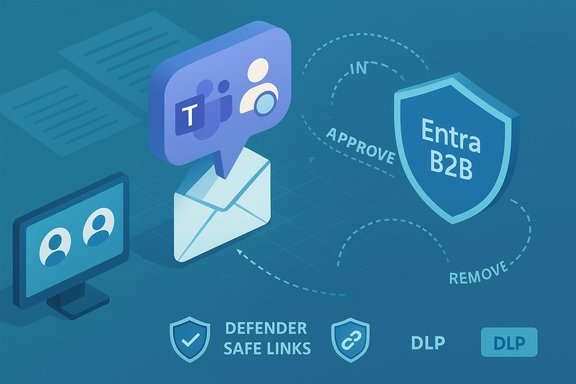
- A Teams user types an external email address into the new chat flow.
- Teams sends an email invitation to that address; the invitee follows a link to accept and is provisioned as a guest in the sender’s tenant.
- The conversation is then hosted inside the inviting organization’s boundary and subject to that tenant’s Entra B2B guest settings, retention, and compliance tooling.
- Update your Teams PowerShell module to the latest release.
- Run Set‑CsTeamsMessagingPolicy -Identity <policy> -UseB2BInvitesToAddExternalUsers $false to block users governed by that policy from starting email‑based guest chats.
Why Microsoft built it: benefits and use cases
This change is designed to remove friction in common cross‑company workflows. Practical benefits include:- Faster one‑off customer conversations where recipients don’t have Teams installed.
- Quicker conversion of email threads into collaborative chat threads, reducing context switching and allowing immediate use of chat features (files, threads, Copilot assistance in shared contexts).
- Lower adoption friction for SMB partners and small vendors who otherwise must sign up for Teams or use the Teams free SKU.
Where this breaks with past assumptions (why admins are worried)
The new flow collapses several previously separate vectors into one: invitation, identity creation, and communication boundary. That shift has operational and security consequences:- Guest accounts proliferate automatically. Each email‑initiated chat can create a guest user object in Entra, increasing the number of external identities your tenant must manage, review, and remove. Without a lifecycle process, those guest accounts become long‑tail risk.
- Default‑on changes increase reactive workload. Features that are enabled by default often land in production tenants before security teams have had a chance to evaluate and approve them. Admins have blunt tools (disable the policy) but must first detect the rollout and then apply mitigation at scale. Community reports show many administrators felt compelled to disable the capability immediately pending policy decisions.
- Phishing and impersonation surface grows. Because the flow starts with email invites, attackers who control or spoof email addresses can attempt to insert themselves into tenant conversations. The join link and invite format could be mimicked in malicious campaigns — raising the risk of credential‑harvesting or social‑engineering attacks that begin with an apparently legitimate Teams invite. Independent security outlets flagged this as a primary concern immediately after the Message Center announcement.
- Compliance semantics shift. Organizations often treat “internal Teams” conversations differently for retention, eDiscovery, and data residency than external email. Automatically converting an external contact into a tenant guest changes who counts as an internal participant for retention and audit tooling unless policies are updated and verified.
Concrete security and compliance risks (detailed)
1) Phishing, credential theft, and malicious invites
Attackers can weaponize the invite mechanism to impersonate vendors, partners, or executives. Because the recipient arrives via email and joins as a guest, a convincing invite could be used to socialize a victim into sharing credentials or clicking malicious links. The risk is magnified when invite acceptance triggers conditional access flows that rely on user decisions or one‑time passcodes. Early security writeups and community threads advised treating this flow as a new phishing vector requiring immediate policy review.2) Data leakage inside tenant boundaries
Organizations often rely on layered protections in email — secure gateways, DLP, and mail heuristics — that may not cover a Teams invite in the same way. Once the external user is a guest, they can be part of chats where files, links, and ad‑hoc documents are exchanged. If DLP and sensitivity labels aren’t enforced in chat, confidential information can be shared inadvertently. Microsoft’s guidance is that the experience is governed by Entra B2B guest policies, but tenant configuration determines whether that governance is comprehensive.3) Guest account lifecycle burden and auditability
Auto‑created guest objects increase identity management overhead: inventory, access reviews, periodic recertification, and removal processes. Microsoft offers entitlement management and access reviews in Entra to automate lifecycle controls, but not every organization has these features configured or the staffing to manage the queue of additions. This means guest accounts can persist far beyond their business need and expand the attack surface.4) Licensing and retention ambiguity
Guest accounts have specific licensing and audit implications; billing models for external identities (Entra External ID) and Teams feature coverage must be validated. More importantly for regulated organizations, the semantics of “internal” vs “external” for data classification and retention may change when an external email becomes a tenant guest. Legal and compliance teams must confirm that eDiscovery, legal hold, and retention policies apply correctly to these conversations.Administrative controls and recommended hardening steps
The good news: Microsoft shipped this feature with admin controls and the expected integration points for enterprise governance. The following checklist gives practical, sequential actions that can be taken immediately.- Verify rollout status and timeline for your tenant. The Message Center entry lists a staged rollout (targeted release early November 2025; broader GA in January 2026). Expect variance by tenant and tenant‑region; don’t assume feature parity until you verify.
- If your organization requires a pause for risk review, disable the feature via Teams messaging policy:
- Update Teams PowerShell module, then run:
Set‑CsTeamsMessagingPolicy -Identity Global -UseB2BInvitesToAddExternalUsers $false - Validate the policy update via Get‑CsTeamsMessagingPolicy and test with a non‑privileged user. Note some admins report the parameter may appear only after module/tenant updates; treat the cmdlet as the control and verify in your environment.
- Confirm Entra B2B collaboration settings and limit who can invite guests:
- Limit “Guest inviter” role to a small set of identities and enforce approval workflows for external invitations.
- Configure B2B allow/block lists to prevent invites from high‑risk domains.
- Enforce strong identity controls for guests:
- Require MFA for all B2B guests and scope conditional access to include guest sessions.
- Consider always‑on MFA for guests rather than risk‑based enforcement, per Microsoft guidance.
- Apply Data Loss Prevention (DLP), sensitivity labels, and retention to Teams chats:
- Use Microsoft Purview DLP policies and sensitivity labels to prevent external disclosure of regulated data.
- Ensure Teams chat content is included in your eDiscovery and Advanced Audit configuration.
- Enable Defender protections for Teams:
- Activate Safe Links and Safe Attachments for Teams so links and files shared in chats are scanned and blocked if malicious.
- Enable user reporting and connect Teams message reporting to your security operations (Defender / SIEM) for swift response.
- Implement guest lifecycle and automation:
- Use Entra entitlement management to provision access packages with expiry windows and automatic removal, or run periodic access reviews to clean stale guest accounts.
- Update incident response and user training:
- Add scenarios for malicious chat invites into phishing exercises and helpdesk playbooks.
- Train users to validate invite links and to escalate unusual requests — treat a Teams invite the same as a suspicious email until verified.
Balancing risk and productivity: recommended governance model
Allowing unrestricted email‑to‑chat invites is unnecessary for most organizations and disproportionate where regulated data or strict partner controls are present. A governance model that balances convenience and control typically includes:- Policy scoping: enable the feature only for specific business units (sales, customer success) and require approval for broader use.
- Time‑boxed guest access: every guest account created via this flow should either be attached to an access package or automatically expire after a short, defined window.
- Shielded collaboration: if the conversation will touch regulated data, require a pre‑approved shared channel or a named partner tenant rather than a one‑off guest.
- Visibility: feed Teams audit logs and guest events into the SIEM and create alerts for high‑risk behaviors (rapid file sharing, links to rare domains, or guest‑initiated actions).
Strengths, limitations, and the vendor’s mitigation posture
Strengths:- Reduced friction: The feature removes a common barrier for external interaction and supports faster collaboration with customers and micro‑partners.
- Centralized governance: Guests are added to Entra, which lets tenants apply consistent identity and access controls to these accounts.
- Default‑on creates reactive work: Organizations will need to chase a default change they didn’t approve if they prefer a locked posture. Early community reports show many admins immediately opted to disable the behavior until governance was ready.
- Operational visibility gaps: If DLP, Defender Safe Links, or retention policies aren’t correctly configured for Teams chat, the tenant may have blind spots where sensitive data flows unchecked. Microsoft provides tooling, but tenants must enable and tune it.
- Not a silver bullet for phishing: Defender protections reduce risk for links and attachments but don’t replace user verification habits and access‑lifecycle controls. Attackers can still exploit social engineering patterns even with scanning enabled.
Practical rollout decision flow for IT leaders (recommended sequence)
- Inventory phase — Confirm whether your tenant has received the rollout and whether the new policy parameter is visible. Test the flow in a controlled pilot tenant or non‑production environment.
- Risk assessment — Map business units that will benefit versus assets at risk (regulated workloads, IP, finance functions). Prioritize protective controls for the high‑risk groups.
- Rapid protective controls — If you choose to pause, set the messaging policy parameter to false for the Global policy and choose exceptions for pilot groups. Simultaneously enable Defender Safe Links and Teams DLP policies for chat.
- Policy and process updates — Update acceptable use, retention, and eDiscovery mappings so legal and compliance treat these chats properly. Set up guest access reviews and entitlement‑based provisioning for recurring partner relationships.
- Measure and iterate — Monitor guest creation rates, DLP matches, and user‑reported incidents. If the feature delivers expected business value without increased risk, consider a controlled wider rollout with automation for lifecycle and monitoring.
Final assessment and cautionary notes
Microsoft’s “chat with anyone” adjustment is a practical productivity enhancement targeted at reducing friction in external interactions. For many organizations — particularly SMBs and teams with frequent ad‑hoc customer interactions — the feature will be a net positive. However, the decision to enable it tenant‑wide should not be taken lightly: the default configuration expands the guest surface, changes compliance semantics, and creates immediate operational work for identity and security teams if left unmanaged.Administrators should treat Message Center guidance as the source of truth for rollout timing and use the Teams PowerShell policy parameter as the blunt instrument for enforcement, while simultaneously turning on Microsoft Defender protections (Safe Links / Safe Attachments), Purview DLP and sensitivity labeling, and Entra guest lifecycle tooling. Those combined controls address the most likely attack vectors the community and security press have flagged since the announcement. Caveat: Microsoft’s Message Center gives a targeted‑release schedule and an estimated GA window; real‑world tenant availability can vary and the exact behavior of the feature — including which SKUs and regions are affected at each stage — has changed in previous staged rollouts. Treat any vendor timeline as an operational starting point, and verify status directly in your tenant before making irrevocable policy decisions.
Conclusion
The new Teams capability to start chats with any email address is an important product evolution that reduces friction for legitimate collaboration but also materially affects identity, security, and compliance posture. IT teams should assume the feature is arriving (or already present) and act decisively: confirm tenant rollout status, apply the Teams messaging policy toggle if a pause is needed, enable Defender/Guardrails for Teams, and put guest lifecycle automation and DLP into place. With the right combination of policy, tooling, and user training, organizations can capture the productivity gains while keeping the expanded guest surface controlled and auditable.
Source: Petri IT Knowledgebase Microsoft Teams 'Chat with Anyone' Feature Raises Security Concerns
