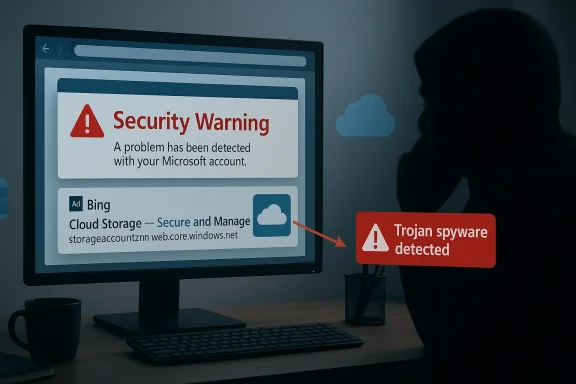
A wave of tech‑support fraud that weaponized paid Bing search ads and Microsoft Azure Blob Storage burst into view in early February, converting routine web searches into convincing “Azure Support” scare pages and phone scams that hit at least 48 U.S. organizations across healthcare, manufacturing, and technology sectors within hours of the campaign’s start. s out not because it introduced a new malware family, but because it married two mundane, trusted technologies—search advertising and cloud storage—into an extremely scalable social‑engineering pipeline that bypassed many traditional email‑centric defenses.
The incident, first observed around 16:00 UTC on February 2, used malicious sponsored results in Microsoft Bing as the entry point. Instead of phishing emails, victims arrived at attacker pages after searching brands or simple terms (for example, “amazon”) and clicking sponsored results presented above organic listings. Those paid links redirected users through a short chain — an empty WordPr — and ultimately to static pages hosted in Azure Blob Storage containers.
This is a classic example of threat actors leaning on legitimate infrastructure to increase reach and evade simple URL‑reputation checks. The final scam pages mimicked Microsoft/Azure support warnings, injected phone numbers into the URL as a query parameter, and urged visitors to call for “immediate assistance.” The scheme’s aim was the usual tech‑support endg to hand over payment, credentials, or remote access.
Researchers and incident responders have repeatedly observed threat actors hosting scare pages under Azure’s web endpoints. In this campaign, the attackers repeatedly used a recognizable path pattern ending in werrx01USAHTML/index.html and passed phone numbers as query parameters, a repeatable template that allowed automation and rapid rotation of short‑lived containers. Independent analysis of historical abuse shows the werrx01 pattern and similar naming schemes have been used to host tech‑support pages and fake warnings for months.
Independent web research from threat analysts and community reports has repeatedly uncovered the same static‑site hosting abuse patterns across Azure web endpoints, confirming this is not a one‑off method but a persistent abuse vector.
Community telemetry (discussion forums and threat‑intelligence posts) also show the same phone numbers and endpoint patterns being reused across multiple campaigns, reinforcing the view that this is an operational template rather than a bespoke single‑actor deployment.
Source: Cyber Press https://cyberpress.org/malicious-bing-ads-scam/
 Background
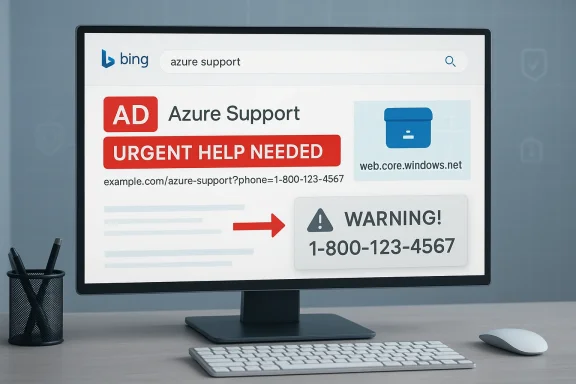
The incident, first observed around 16:00 UTC on February 2, used malicious sponsored results in Microsoft Bing as the entry point. Instead of phishing emails, victims arrived at attacker pages after searching brands or simple terms (for example, “amazon”) and clicking sponsored results presented above organic listings. Those paid links redirected users through a short chain — an empty WordPr — and ultimately to static pages hosted in Azure Blob Storage containers.This is a classic example of threat actors leaning on legitimate infrastructure to increase reach and evade simple URL‑reputation checks. The final scam pages mimicked Microsoft/Azure support warnings, injected phone numbers into the URL as a query parameter, and urged visitors to call for “immediate assistance.” The scheme’s aim was the usual tech‑support endg to hand over payment, credentials, or remote access.
Why Azure Blob Storage and Paid Search Ads Worked So Well
The mechanics: static websites on Azure and the werrx01 pattern
Azure Blob Storage provides an intentionally simple static website hosting feature that exposes content under Microsoft‑issued endpoints such as accountname.zNN.web.core.windows.net and supports anonymous read access for files placed in the $web container. That convenience—built‑in TLS, Microsoft’s domain reputation, and trivial provisioning—makes it attractive for legitimate developers and, unfortunately, for scammers who want short‑lived, high‑trust landing pages.Researchers and incident responders have repeatedly observed threat actors hosting scare pages under Azure’s web endpoints. In this campaign, the attackers repeatedly used a recognizable path pattern ending in werrx01USAHTML/index.html and passed phone numbers as query parameters, a repeatable template that allowed automation and rapid rotation of short‑lived containers. Independent analysis of historical abuse shows the werrx01 pattern and similar naming schemes have been used to host tech‑support pages and fake warnings for months.
Why paid ads increase conversion
Paid search results sit above organic links and can be perceived as authoritative by many users—especially busy employees hunting for a vendor site. Attackers paid to place malicious ads for common queries so they’d appear in the highest‑visibility slots, making a successful click far more likely than a cold email or social post. That placement, combined with the trusted Microsoft hosting domain, gave the campaign two crucial advantages:- Immediate visibility to many users across multiple organizations.
- A trust signal (web.core.windows.net) that bypassed naive human and automated scrutiny.
The Attack Chain, Step by Step
- A user performs an innocuous search on Bing (for example, a brand name or generic product term).
- A malicious sponsored ad appears and is clicked.
- The ad redirects to a newly registered domain hosting an empty WordPress page/redirector.
- That redirector immediately forwards the user to a static page hosted in an Azure Blob Storage container (the final landing page).
- lays frightening “system” messages and lists phone numbers—presented as official “Azure Support” hotlines—urging the user to call. The phone number is embedded in the URL as a query parameter.
- If the victim calls, social engineering, payment demands, or requests for remote access follow.
Indicators and Artifacts Observed
Researchers documented several repeatable artifacts that defenders can hunt for:- Suspicious blob storage URLs with patterns like /*/werrx01USAHTML/index.html?bcda=PHONE_NUMBER.
- Newly registered redirect domains that immediately point to web.core.windows.net endpoints.
- Phone numbers embedded as query parameters in GET requests to blob endpoints.
- Ad creatives or advertisers bidding on popular brand keywords with mismatched display names.
Independent web research from threat analysts and community reports has repeatedly uncovered the same static‑site hosting abuse patterns across Azure web endpoints, confirming this is not a one‑off method but a persistent abuse vector.
The Human Element: Why Users Fall for These Pages
The scam leverages trusted context and frictionless action. Three psychological hooks make it effective:- Authority: Pages are served from a Microsoft domain and styled like official warnings, which creates credibility.
- Urgency: Clear, alarming language and invented “error codes” pressure users to act quickly.
- Simplicity: The only action required is calling a phone number—no downloads or logins—so even cautious users may respond out of fear.
How This Campaign Differs from Past Tech‑Support Scams
Tech‑support scams are decades old, but the attack surface and operational playbook here show notable shifts:- Delivery vector: Instead of email or social platforms, attackers used paid search advertising to place malicious links at the peak of relevance for targeted queries.
- Hosting platform: Rather than cheap bulletproof hosting or compromised sites, attackers relied on major cloud providers’ static hosting features—specifically Azure Blob Storage—taking advantage of built‑in TLS and provider domains.
- Automation and rotation: The consistent path templates and container naming suggest automated provisioning, enabling the actors to spin up new endpoints quickly when takedowns occurred.
Detection and Response: What Security Teams Should Do Now
Immediate defensive steps (triage)
- Block or monitor requests to suspicious blob endpoints: watch for web.core.windows.net or blob.core.windows.net requests containing werrx01USAHTML or similar patterns.
- Inspect proxy and DNS logs for clicks originating from your corporate network to newly registered domains or redirector WordPress sites that lead to Microsoft blob endpoints.
- Block or tag the phone numbers observed in the campaign at the network perimeter to prevent outbound calls to known scam lines. Community reporting platforms already list many reused scam numbers.
- Check web gateway and endpoint telemetry for page content: if pages display “Azure” or “Microsoft Support” warnings with a telephone CTA, treat them as phishing.
- If a user called or allowed remote access, treat the machine as compromised: revoke sessions, scan for persistence, rotate credentials, and trigger a broader hunt for lateral movement.
Tactical detection rules and hunting queries
- SIEM query: search for HTTP GETs or 302 redirects to URLs matching .web.core.windows.net.werrx01USAHTML.* or similar templates.
- DNS/Proxy query: filter for resolutions of newly created domains (registrations within the last X days) with very short TTLs and immediate redirect behavior.
- EDR/Process query: monitor for unexpected remote‑access clients (AnyDesk, TeamViewer, ConnectWise) installed shortly after a user visited a suspicious blob URL.
Long‑term controls
- Enforce phishing‑resistant authentication for cloud and corporate services (hardware security keys, FIDO2) to reduce the impact of credential theft.
- Harden Azure tenants: require private endpoints, storage account network rules, and disable anonymous read access for storage accounts that don’t host public websites to minimize the potential for misuse of tenant assets. Microsoft documents how static websites create a $web container and expose a public endpoint; this feature is intended but must be governed.
- Adopt behavior‑based web filtering and content classification that looks beyond domain reputation; consider blocking or flagging traffic served from provider‑owned web endpoints when the referer or path looks suspicious.
- Work with ad platforms: establish processes for reporting malicious sponsored content and monitor ad spend patterns for keyword abuse.
Practical Guidance for End Users and Help Desks
- If you see a browser warning that lists a phone number, do not call it. Microsoft explicitly warns that official error messages never include phone numbers and that unsolicite red flag.
- If you suspect you’ve been targeted: immediately disconnect the affected device from the network, do not provide any additional information to the caller, and contact your internal IT or security team through known, official channels.
- Train help desks on response scripts for users who’ve called: collect call times, numbers, and any remote‑access session IDs to accelerate containment and reporting.
- Encourage staff to type known URLs directly for frequently used services (for example, type amazon.com), rather than relying on search results, especially paid ads. The campaign explicitly exploited searches for well‑known brands to lure clicks on sponsored results.
Why Platform Trust is the New Battleground
This campaign illustrates a persistent tension: cloud providers and ad networks provide features that make the web faster and more usable, but those same features create trust signals attackers can exploit.- Providers’ TLS and hosting reputation remove superficial signals that defenders have historically relied upon to flag suspicious traffic.
- Ad networks’ auction dynamics make it possible for malicious actors to buy top‑of‑page real estate for specific keywords, reaching corporate victims without penetrating internal defenses.
Wider Context: Not an Isolated Trend
Abuse of trusted cloud endpoints for phishing and scam pages is not new. Threat researchers and community analysts have found similar patterns across Azure, AWS, Google Cloud, and CDN providers. Several investigations documented persistent abuse of Azure blob endpoints to host fake Microsoft or Windows Defender pages, and the same werrx01 style landing pages have appeared in older campaigns. These independent findings corroborate the campaign’s methods and indicate that the tactics are broadly available and repeatedly effective.Community telemetry (discussion forums and threat‑intelligence posts) also show the same phone numbers and endpoint patterns being reused across multiple campaigns, reinforcing the view that this is an operational template rather than a bespoke single‑actor deployment.
Critical Analysis: Strengths, Weaknesses, and What Could Happen Next
Strengths of the attacker approach
- Scale at low cost: Paid ads plus cloud static hosting minimize infrastructure costs while maximizing impressions.
- Evasion: Using Microsoft domains and provider TLS reduces the effectiveness of many naive blocklists.
- Rapid rotation: Automated provisioning and templated landing pages enable quick replacement after takedowns.
- Low technical sophistication required: The attack relies on social engineering and web redirects, not advanced exploits, making it accessible to many criminal groups.
Weaknesses and failure modes
- Phone‑based conversion remains noisy: traceability of phone numbers, call patterns, and VoIP provisioning leaves investigative breadcrumbs.
- Ad platforms have abuse reporting and vetting mechanisms; coordinated reporting can quickly suspend malicious advertisers.
- Defender visibility: enterprise proxies and EDR solutions can capture artifacts and block the final conversion if rules are updated promptly.
What’s next?
Expect this tactic to be reused and adapted. Attackers will likely broaden keyword targets, rotate vanity phone numbers faster, and possibly combine this vector with credential‑harvesting overlays or browser‑based click‑to‑call links that auto‑initiate contacts. Defensive investments should focus on reducing the human conversion rate and improving automated detection of provider‑hosted phishing pages.Practical Incident Response Playbook (A 10‑minute checklist for SOCs)
- Identify the start time and affected users via proxy and DNS logs.
- Quarantine affected endpoints and block outbound access to listed phone numbers at the network level.
- Harvest IOC list: domains, blob URLs, phone numbers, and redirector domains.
- Search SIEM for similar blob.core.windows.net patterns and werrx01-like paths.
- Force password resets and revoke sessions for users who called or gave credentials.
- Scan compromised machines for remote‑access tools and persistence.
- Notify legal/compliance and prepare an external disclosure if customer data was exposed.
- Report malicious ads and redirector domains to the ad network and domain registrar.
- Coordinate with cloud provider abuse teams to remove malicious storage containers.
- Post‑incident: update detection rules, brief users, and adjust ad‑click safeguards in acceptable use policies.
Recommendations for Ad Platforms and Cloud Providers
- Ad platforms should strengthen vetting for advertisers purchasing high‑visibility keywords for brand names and implement rapid takedown workflows for suspected malicious sponsored results.
- Cloud providers should offer optional default hardening for static website endpoints—warning banners, abuse heuristics, and easier ways to detect and suspend mass‑provisioned anonymous $web containers used for phishing.
- Joint industry i networks, cloud providers, and security vendors could automate shared indicators (malicious ad creatives, malicious container templates) to reduce mean time to removal.
Conclusion
This campaign is a reminder that the path of least resistance for attackers is often the most effective: combine trusted infrastructure, a small social‑engineering ask (a phone call), and paid visibility to produce rapid financial returns. Defenders must adapt by treating provider‑hosted content and paid ads as first‑class attack surfaces. Short‑term technical controls—monitoring blob endpoints, blocking suspicious outbound phone numbers, and educating users to type known URLs directly—are effective triage steps. But lasting resilience will require changes to how ad platforms approve advertisers, how cloud providers surface anomalous static sites, and how enterprises instrument trust signals across the browsing and advertising ecosystem. The good news is that many of the steps are straightforward; the harder part is coordinating them at scale before the next rotation of malicious endpoints spins up.Source: Cyber Press https://cyberpress.org/malicious-bing-ads-scam/