

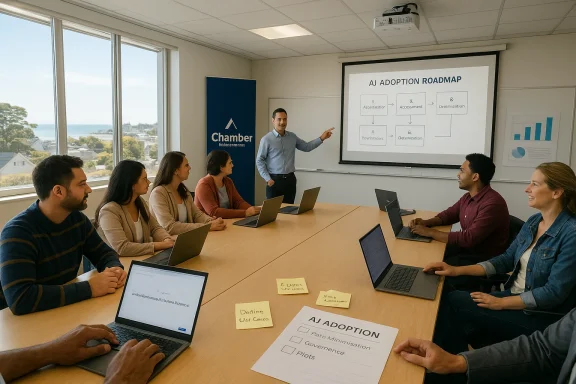
The South Canterbury business community will get a hands‑on primer in practical AI next month when AI strategist and educator Justin Flitter leads a one‑day master class in Timaru on March 4, a workshop the South Canterbury Chamber of Commerce says is aimed at helping local owners, managers and professionals translate artificial intelligence from buzzword to business tool.
Overview
The Timaru master class promises a tightly focused curriculum: an explanation of what AI can reliably do today, real‑world examples, immediately usable AI‑for‑business tools and a roadmap for identifying tasks and workflows that can safely be delegated to AI. The session will also include guidance on risk mitigation, governance and follow‑up specialist training covering Microsoft Copilot and ChatGPT.For local business leaders this is exactly the kind of entry point many organisations need — a short, practical workshop delivered by an established local practitioner. Justin Flitter is the founder of NewZealand.AI (also described as AI New Zealand), an organisation that has been running AI workshops, keynotes and advisory programmes across New Zealand since 2017; his profile and event schedule show frequent industry engagements and a steady focus on practical, non‑technical business adoption.
Background — why a Timaru workshop matters now
AI is no longer a niche capability reserved for data scientists. It is being embedded across productivity suites, customer service platforms and business processes — from drafting marketing copy and summarising meeting notes to analysing spreadsheets and automating routine support tasks. The business case for basic AI adoption often hinges on three immediate benefits: time saved, faster decision cycles, and improved consistency in repeatable tasks. These are the outcomes organisers say the Timaru master class will help businesses capture.That said, turning potential into repeatable value requires more than a quick demo. Organisations need a sensible adoption plan, clarity about tool boundaries, and governance that addresses privacy, IP and compliance. Community workshops — particularly those aimed at non‑technical owners and managers — can be a low‑risk way to develop that baseline capability, test use cases, and create early internal champions. Practical workshop structures like the one being offered in Timaru are becoming a common first step for small and medium enterprises, and comparable private training programmes show a typical format and pricing model for such sessions.
Who is Justin Flitter and what will he teach?
Justin Flitter: the instructor
Justin Flitter is widely active in New Zealand’s AI events and advisory ecosystem. He founded NewZealand.AI (AI New Zealand) to help businesses adopt AI in practical ways and runs regular talks and workshops for corporate and public audiences. His public profile positions him as a practitioner who emphasises practical application, governance and skills transfer rather than raw technical deep dives.What the master class will cover
According to the local announcement, the master class will cover:- The real capabilities of AI today and the realistic limits of current tools.
- Practical, real‑world examples of AI in action across marketing, operations and decision support.
- AI‑for‑business tools attendees can use immediately, including hands‑on introductions to Microsoft Copilot and ChatGPT.
- A framework for identifying workflows and tasks that can be delegated to AI.
- Risk mitigation, governance basics and how to make informed adoption decisions.
Why Copilot and ChatGPT appear together (and why that matters)
The Timaru session’s focus on Microsoft Copilot and ChatGPT is sensible: these two product families represent two common deployment models businesses face today.- Microsoft Copilot is integrated into the Microsoft 365 ecosystem (Word, Excel, PowerPoint, Outlook, Teams, Loop and others). It can draft documents, propose formulas, summarise email threads, and extract meeting action items by using the data a user is permitted to access in Microsoft Graph. Microsoft has built administrative controls, data‑grounding mechanisms and a Copilot Control System focused on governance, licensing and lifecycle management for enterprise deployments. These capabilities make Copilot attractive for organisations already invested in Microsoft 365, but they also create governance and configuration requirements that IT and leadership must handle before broad rollouts.
- ChatGPT (and comparable conversational models) is often used as an agnostic, vendor‑provided assistant via web or API. ChatGPT is excellent for creative drafting, fast ideation and conversational Q&A, but businesses must treat it as an external service unless it is integrated into their infrastructure via private deployments or Azure OpenAI. The model’s behaviour, cost model and safety profile require careful operational rules: prompts must be crafted, outputs verified and sensitive data withheld or appropriately handled. OpenAI’s own safety work highlights hallucinations (confident but incorrect outputs) and adversarial inputs as ongoing concerns that businesses should train staff to detect and manage.
Strengths of this type of workshop
- Practical, hands‑on learning accelerates adoption. Short, interactive workshops reduce fear and produce immediate artefacts — a drafted email, a cleaned spreadsheet, a customer reply template — which demonstrate concrete value and provide evidence for further investment.
- Focus on governance and risk mitigation. The Timaru master class explicitly includes governance and risk topics; that’s essential because good governance is the difference between AI that augments teams and AI that creates legal or compliance headaches.
- Local context and accessibility. Having a New Zealand‑based practitioner run the workshop reduces contextual friction. Justin Flitter’s experience with Kiwi businesses means examples and use cases are more likely to match local realities.
- Follow‑up training options. The availability of specialist Copilot and ChatGPT follow‑ups allows organisations to use the master class as an intake or scoping session and move into deeper skills development where needed.
Key risks and gaps to watch
Workshops are effective only when they connect to responsible practice and follow‑through. Here are the main pitfalls organisers and attendees should explicitly address.- Data exposure and over‑sharing. Using Copilot or ChatGPT without clear rules can leak customer data, trade secrets or regulated information into a vendor’s systems. Organisations must understand where data is stored and the vendor promises around training data, retention and access. Microsoft documents the ways Copilot uses Microsoft Graph and offers admin controls, but those controls must be configured and enforced.
- Hallucinations and misplaced trust. Generative models can produce convincing but false statements. In business contexts this can mean regulatory non‑compliance, misleading sales claims or operational errors. Staff need training to verify model outputs, especially in high‑risk domains like finance, legal, procurement or healthcare. OpenAI’s safety evaluations and independent research both emphasise hallucinations as a persistent issue.
- Governance as an afterthought. Workshops that teach prompting and tool use without helping organisations implement governance (who can use which tool for what, data handling rules, audit logs and escalation processes) risk producing short‑lived productivity gains followed by compliance incidents. Microsoft’s Copilot Control System exists precisely because enterprise deployment requires governance, but small businesses still need to define simple, enforceable rules.
- Vendor lock‑in and single‑vendor dependency. Relying on a single vendor’s assistant for core workflows introduces operational risk (outages, price changes, policy changes). Organisers should introduce contingency planning and multi‑tool literacy as part of training. Independent deployments or private Azure OpenAI options exist but require additional cost and technical capability.
- Cost creep and scaling surprises. AI usage beyond proof‑of‑concepts consumes compute and API credits. Organisations should measure consumption, estimate run rates, and tie usage to clear KPIs before scaling. Vendors often provide usage dashboards — make those reporting tools part of the initial adoption checklist. Practical training programmes sometimes publish measured outcomes and ROI claims; use those as a starting point but validate with local pilots.
Practical checklist — what attendees should bring and expect
This is a compact, practical checklist for anyone planning to attend the Timaru master class or run a similar session locally.- Before the session:
- Brinrn browser and power adaptor. Mobile devices are not ideal for hands‑on sessions.
- Create copies of any real documents you want to work on; never use live, un‑redacted customer or regulated data in demo prompts.
- If you want Copilot exercises, confirm whether your organisation has the appropriate Microsoft 365 subscriptions and access rights; some Copilot features are tenant‑gated.
- During the session:
- Focus on workflows, not features. Ask: which 10–30 minute tasks could be replaced or aided by AI?
- Practice prompt design — role + context + request usually produces clearer outputs.
- Test verification steps: when the tool produces facts (dates, legal statements, figures), practise cross‑checking with authoritative sources.
- After the session:
- Run a one‑week pilot on a narrowly scoped use case (e.g., email triage, weekly report drafts).
- Gather simple metrics: time saved, number of drafts produced, error rate, and employee confidence.
- Draft a one‑page governance policy: permitted data types, approved tools, verification requirements and escalation paths. Practical event guidance used by community trainers recommends publishing prerequisites, device notes and follow‑up labs to increase retention and safety.
For organisers: how to turn a one‑day master class into sustained change
A single workshop is effective as an awareness and skills catalyst but converting that into business value requires a short programme plan.- Run the master class as intake: capture a list of participant roles, existing tool subscriptions, and three priority processes each organisation wants to improve.
- Select 2–3 pilot use cases per organisation and set measurable outcomes (time saved, fewer errors, customer response time, conversion uplift).
- Provide targeted follow‑up sessions: (a) Copilot deep dive for Microsoft users, (b) ChatGPT and verification practices, (c) governance and playbook creation.
- Build an “AI champions” cohort to support peer coaching and retention.
- Reassess after 6–8 weeks and reallocate investment based on measured impact.
Governance and technical controls: what to prioritise immediately
Workshops should leave attendees with a minimal set of governance controls that are cheap, fast and effective.- Data minimisation rules. A short, mandatory rule: do not paste customer PII, financial account numbers, or confidential IP into external model prompts. Where necessary, provide secure, redacted examples for exercises.
- Access controls and role‑based permissions. Decide which roles can use which tools, particularly where Copilot is tenant‑connected and can access corporate files. Microsoft’s Copilot admin controls allow IT to restrict access and monitor usage; make sure IT is involved early.
- Verification protocols. Define what type of output needs human verification (legal language, pricing, regulatory statements) and who verifies it.
- Logging and audit trails. Capture who used what tool and on which business decisions, and keep short retention windows for logs to support incident investigation.
- Training and refresh cadence. One workshop followed by a single follow‑up will not be enough. Commit to monthly refreshers or “office hours” where employees bring real prompts and receive coaching.
Realistic outcomes and how to measure success
Organisations should treat early AI pilots like any other business experiment: define hypotheses, measure outcomes and only scale on demonstrated ROI.- Common measurable outcomes in early pilots:
- Time saved on routine drafting or data processing tasks (hours per week).
- Reduction in turnaround times for customer responses.
- Increased output volume for marketing or prospecting (emails, posts) without proportional staff expansion.
- Employee confidence and adoption rates (surveyed).
- Simple measurement framework:
- Baseline: measure pre‑pilot time and quality metrics.
- Pilot: run AI‑assisted workflows for 2–4 weeks.
- Re‑measure: record time, quality and error rates.
- Decision: iterate, scale or sunset.
What organisers should confirm publicly before attendees arrive
Organisers running community training must avoid common logistical pitfalls. The Otago Daily Times announcement invites interested parties to contact the Chamber for details; prospective attendees should ask organisers to confirm:- Exact venue and session timetable.
- Maximum class size and trainer:attendee ratio.
- Required platform access (e.g., Microsoft 365 tenant, ChatGPT account).
- Any costs for follow‑up specialist training and whether enterprise features (Copilot) are included or require separate licensing. Comparable workshop providers publish per‑person costs and class sizes to help organisations budget.
Final assessment: value vs. risk
A pragmatic, regionally‑run master class led by an experienced practitioner is a high‑value, low‑risk way for small and medium businesses to begin modernising their workflows with AI. The Timaru workshop addresses the three ingredients required for responsible adoption: practical skills, an appreciation of risks, and follow‑up pathways to deepen learning.However, the benefits can evaporate without governance and measurement. Business leaders must treat AI adoption as a program — not a one‑off training day — and fund the simple, ongoing governance and pilot evaluation steps that separate short‑term novelty from durable productivity gains. The good news is that the core elements required (basic role policies, simple verification rules, pilot metrics and IT involvement) are low cost and highly effective when applied consistently.
Recommended next steps for Timaru attendees
- Register and prepare: confirm your spot, bring a laptop and a redacted example file you want to improve.
- Prioritise 1–2 pain points to pilot after the workshop (email triage, weekly reporting, social media content).
- Involve an IT contact early if you intend to use Copilot in a corporate mailbox or document environment.
- Commit to a 6‑week pilot and practical KPIs so the master class becomes a gateway to measurable change.
The South Canterbury Chamber of Commerce can be contacted for further information and registration details for the March 4 session.
Source: Otago Daily Times Workshop to teach AI tool use
