

In a crowded Play Store, five Android apps still manage to deliver outsized value: Nova Launcher, Clean Master, Microsoft Lens, Brain.fm, and Microsoft Copilot — a mix that covers personalization, cleanup and optimization, document scanning, productivity-enhancing audio, and AI assistance. The original roundup singled out these titles as quick wins to “supercharge” a phone, but some of those recommendations need updating and careful framing given recent developments and security research. The list in the user-supplied piece places each app’s strongest features front-and-center while glossing over important caveats; this feature revisits those claims, verifies key technical points, highlights measurable benefits, and flags real risks you should weigh before installing.
Android’s strength is customization and choice — and that’s exactly why a handful of well-designed apps can reshape how you use a smartphone. The five apps highlighted in the original piece span four practical needs:
These five apps still have the power to reshape how you use an Android phone — but the details matter. Nova Launcher remains the personalization heavyweight, Brain.fm provides one of the few science-backed audio interventions for attention, and Copilot is rapidly turning into a central cross-device AI assistant. Clean Master’s historical issues and Microsoft Lens’s retirement show why ongoing verification and cautious adoption are essential. Use the guidance above to pick the right mix for your device, and remember: the best “supercharged” phone is the one you control with clear knowledge of who holds your data and how those apps are maintained.
Source: appel-aura-ecologie.fr Top 5 Android Apps to Supercharge Your Smartphone Experience - Appel Aura Ecologie
 Background / Overview
Android’s strength is customization and choice — and that’s exactly why a handful of well-designed apps can reshape how you use a smartphone. The five apps highlighted in the original piece span four practical needs:- Personalization and interface control (Nova Launcher)
- Device cleanup and maintenance (Clean Master)
- Document capture and OCR (Microsoft Lens)
- Focus and sustained attention (Brain.fm)
- AI-driven productivity and cross-device control (Microsoft Copilot)
Nova Launcher: Personalization at your fingertips
What it does
Nova Launcher replaces Android’s home screen and app drawer with a highly customizable launcher. It exposes settings for icon packs, grid layouts, dock behavior, folder options, gestures, and transition animations — giving users granular control over the look and feel of their device. The official Nova site advertises a free base app plus a one-time purchase upgrade called Nova Launcher Prime that unlocks advanced features like gestures and unread counts.Why it’s valuable
- Extensive customization: You can modify nearly every visual and interaction element of your home screen, which is excellent for users who care about aesthetics or ergonomic tweaks.
- Performance-first approach: Nova has long been praised for delivering customization without the sluggishness seen in some heavier launchers. Multiple long-form reviews and community writeups underscore its reliability and smoothness.
- One-time unlock: Nova Prime remains a one-time purchase rather than a subscription, which many users prefer for long-term value.
Verified claims and recent developments
- Nova Launcher has been downloaded tens of millions of times and retains a large user base — Play Store metadata and app directories regularly report install counts north of 50 million.
- The developer historically offered a low-cost Prime upgrade; Nova’s official site and Play Store listing still show Prime as a one-time purchase (price can vary by region).
Gotchas & risks
- Ownership and staffing changes. Nova’s ownership changed hands in recent years, and subsequent company-wide layoffs at the acquirer have been reported; those moves can affect long-term support and update cadence. This is not a security vulnerability by itself, but it can influence bug-fix speed and feature roadmap. If you rely on the app for daily workflows, track the developer’s update notes and community channels.
- Compatibility quirks: Heavy customization ups the chance of edge-case bugs on some OEM skins or newer Android versions. Back up your Nova settings and keep the stock launcher handy while testing major customizations.
Practical verdict
If you want a fully customizable home screen without a subscription commitment, Nova Launcher remains the best-in-class choice — but keep an eye on the app’s update history and backup your configuration. Use Prime if you value gestures and unread badges, and verify the one-time price in your region before purchasing.Clean Master: A digital sweep with a troubled past
What it claims
Clean Master markets itself as a storage cleaner and performance booster that clears junk files, frees storage, and optimizes background processes. The original piece praises its “efficiency” at reclaiming gigabytes of space and its malware protection add-ons.What independent reporting shows
- Clean Master (Cheetah Mobile) was once massively popular, but investigative reporting and platform enforcement actions have repeatedly raised privacy, ad-fraud, and data-collection concerns. Forbes, industry outlets, and other technical analyses have documented instances where Clean Master and related apps were linked to undesired data collection and ad-fraud behaviors. Google removed many Cheetah Mobile apps from the Play Store during enforcement waves.
- Product reviews note that “one-tap” cleaners often provide placebo benefits: temporary RAM reclamation followed by immediate app reloads, or surface-level cache clears that don’t materially speed up modern devices. Several security-minded outlets advise avoiding general “cleaner” apps and relying instead on Android’s built-in storage tools or specialist utilities.
Verified claims and caveats
- Clean Master can remove temporary files and orphaned cache, which can produce short-term free space gains. However, sustained performance benefits are typically negligible on modern Android versions because Android manages RAM and app lifecycle aggressively.
- Reports and platform enforcement actions mean Clean Master is not the safe, neutral utility it once marketed itself to be. Its telemetry and ad systems have been scrutinized and, in some jurisdictions, led to removals from app stores. Always verify the app’s current Play Store standing before downloading, and prefer reputable alternatives when possible.
Security & battery trade-offs
- Some users and reviewers reported that aggressive background optimizers can increase battery usage by restarting tasks or by running persistent monitoring services. That may explain the original piece’s observation about battery drain.
- If you choose a phone-cleaning app, pick one from a trusted vendor, audit the requested permissions, and monitor network activity for unusual outbound connections.
Alternatives
- Use Android’s native storage manager (Settings > Storage) and Files by Google for safe cleanup.
- For deep system maintenance, advanced users can rely on manual file management and selective uninstalls rather than “one-tap” optimizers.
Practical verdict
Clean Master is a one-tap promise with a problematic history. It works at the surface level but carries privacy and ad-fraud baggage; the safer approach is to use Android’s built-in tools or vetted, minimal utilities instead of general cleaners. Treat claims of “dramatic speedups” with skepticism.Microsoft Lens: scanning made easy — but now changing rapidly
What it did
Microsoft Lens was a lightweight mobile scanner that converted photos of documents, whiteboards, business cards, and receipts into editable Word, PowerPoint, PDF, and OneNote files — with built-in OCR and direct OneDrive/Office integration. For many users it was the easiest way to create clean digital copies on the go. Microsoft’s support pages describe Lens’ export flows and OCR support in detail.Critical update (verified)
Microsoft has announced the phased retirement of the Lens mobile app in late 2025: the app will begin being retired on September 15, 2025; it is expected to be removed from app stores by November 15, 2025, and scanning functionality will be disabled for existing installs by December 15, 2025. Microsoft’s stated intention is to fold scanning features into the Microsoft Copilot / Microsoft 365 ecosystem, but feature parity is not guaranteed at launch. Multiple tech outlets have reported and analyzed this change. This is a material change that affects the recommendation in the original article.What this means for users
- If you rely on Lens for frequent scanning, don’t wait until the app disappears. Export or back up essential scans to OneDrive or local storage while the app still works.
- Microsoft intends to surface scanning features inside Copilot and other Microsoft 365 surfaces, but some Lens-specific capabilities (like business card OneNote export or certain Immersive Reader hooks) may not appear immediately in the replacement experience. Users should plan for a transition period.
Alternatives to consider now
- Google Drive’s scan functionality (built into the Drive app) handles quick PDF capture and OCR for many users.
- Dedicated scanner apps and document managers (Adobe Scan, CamScanner alternatives from reputable vendors) are viable, but check terms and privacy before uploading sensitive documents.
Practical verdict
Microsoft Lens was a top-tier free scanner; however, the product’s impending retirement makes it an increasingly risky long-term bet. Export critical scans now and evaluate alternatives — or prepare to migrate to Microsoft’s Copilot experiences when they attain full scanning parity.Brain.fm: productivity at the beat of AI — and science to back it
What the app claims
Brain.fm offers AI-assisted, science-backed audio designed to modulate brain activity for focus, relaxation, and sleep. The company emphasizes peer-reviewed research, sometimes referencing increased “focus brainwaves” and measurable improvements for people with attentional difficulties. The marketing copy in the original piece points to an evidence-based, AI-driven approach.What the literature and independent sources show
- Brain.fm collaborated with academic researchers and published peer-reviewed work showing that specific amplitude modulations in music can enhance sustained attention, particularly for listeners with attentional difficulties. The work — “Rapid modulation in music supports attention in listeners with attentional difficulties” — appeared in Communications Biology (a Nature Portfolio journal) and is also recorded in the NSF public-access repository, confirming independent scientific validation of modulation-based effects on attention and related neural signatures. The DOI is cited in public records.
- Brain.fm’s own website and press materials summarize the study’s findings (increased engagement of attentional networks and behavioral improvements in sustained attention tasks), and multiple press releases covered the peer-reviewed publication. These are distinct sources: the academic record itself and Brain.fm / PR coverage.
Strengths validated
- Evidence-backed approach: The Communications Biology paper and NSF documentation provide real experimental data linking amplitude modulation in music to measurable attention effects in controlled studies. That moves Brain.fm beyond “ambient playlists” and toward intervention-like audio design.
- Practical outcomes: Behavioral tasks in the study showed improved sustained attention for some listeners, especially those with more pronounced attentional difficulties. That aligns with Brain.fm’s claim of benefits for ADHD-like symptoms.
Caveats and user experience issues
- Individual differences: Audio interventions are highly personal. Some users report repeated or “stale” textures over extended listening and, in rare cases, headaches or discomfort. Reviews on consumer platforms reflect this heterogeneity — some users find dramatic benefit while others do not. Test with the free trial before subscribing.
- Subscription model: Brain.fm uses a subscription to unlock ongoing access to its full catalog; the app is not wholly free. The original piece noted a paid tier — that remains true. Factor the subscription cost into your decision, and use the trial window to evaluate effects on your work sessions.
Practical verdict
Brain.fm is one of the few focus-music services with peer-reviewed evidence behind its core technique. For people who struggle with attention — and especially for those who suspect ADHD-like difficulties — it’s worth a trial. But measure the effect personally, and be prepared to stop if the sounds don’t suit you. The science is promising, but not a universal cure.Microsoft Copilot: the ultimate AI assistant — powerful but gated
What it is
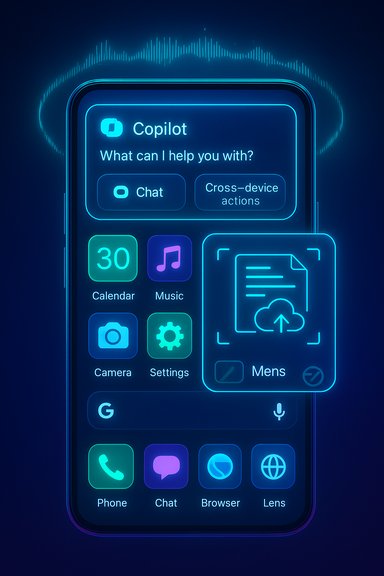
Microsoft Copilot is Microsoft’s AI assistant integrated across Windows, Microsoft 365, and mobile platforms. The Copilot app provides conversational AI features, file- and document-generation capabilities, and — increasingly — cross-device integrations such as phone connection functions that let Copilot access messages, contacts, and phone actions from a PC. Microsoft’s support pages and release notes detail ongoing rollout and integration plans.Notable, verified functionality
- Phone connection and cross-device actions: Microsoft documented a “phone connection” (previously Phone Plugin) feature that allows Copilot on PC to access selected phone data and perform actions like sending messages or setting alarms. Microsoft has been rolling this out progressively.
- Copilot tiers and bundling: Microsoft continues to evolve Copilot’s commercial packaging; recent product moves show Copilot is central to Microsoft 365 bundles and premium tiers. Reuters and Microsoft’s own release notes discuss subscriptions, availability, and feature gating. Some advanced features are reserved for paid subscribers.
Strengths
- Tight ecosystem integration: Copilot is rapidly gaining features that make it a central productivity assistant across email, documents, and PC tasks — especially useful if you’re already embedded in Microsoft services.
- Cross-device power: When configured, Copilot can reduce context switching by performing phone actions from the PC and by surfacing mobile content centrally.
Drawbacks & accessibility
- Feature gating: Many of the most useful cross-device and advanced generation features are behind paid tiers or gradual rollouts. If you need full functionality, budget for the appropriate Microsoft 365/Copilot plan.
- Privacy and linking: Allowing Copilot to access phone messages and contacts increases the attack surface and data shared with Microsoft services. Follow best practices: read permission prompts carefully, limit connectors, and audit linked accounts.
Practical verdict
For users immersed in Microsoft’s ecosystem, Copilot is arguably the strongest single productivity multiplier on Android + Windows. It’s not universally free, and it requires a willingness to grant cross-device permissions — but for the right user, the feature set is transformative. Budget-conscious users should compare Copilot’s benefits against the cost of Microsoft’s premium bundles.How to choose — a practical decision matrix
If the goal is to “supercharge” your Android phone, choose apps that align with real needs rather than hype. Here’s a short framework:- Prioritize safety and vendor trust.
- Prefer one-time purchases for long-term value (Nova Prime) over subscription bloat unless the subscription delivers ongoing measurable benefits (Brain.fm, Copilot).
- Avoid “system accelerators” unless they come from a zero-risk, reputable source and you fully understand the permissions they request (Clean Master is a cautionary example).
- Export and back up critical data (scans, documents) when a vendor announces a product sunset (see Microsoft Lens).
Recommended setup (three-app shortlist)
- Nova Launcher (customization & workflow shortcuts) — buy Prime if gestures and unread badges matter. Back up settings before big changes.
- Brain.fm (focused-work audio) — trial it; if it measurably improves your productivity, keep the subscription. Validate for yourself using Pomodoro-style tests.
- Microsoft Copilot (if you use Microsoft 365) — enables cross-device productivity that manual workflows find hard to match; expect to pay for full features.
Final analysis — strengths, risks, and the updated reality
The original list captures five useful concepts: personalization, cleaning, scanning, productivity audio, and AI assistance. But the Android app landscape changes fast, and three important updates alter how those choices should be judged today:- Nova Launcher remains the personalization champion, but pay attention to ownership and developer activity for long-term reliability.
- Clean Master still cleans — but its historical links to privacy and ad-fraud incidents make it a poor recommendation as a general utility. Safer alternatives or Android’s native tools are preferable.
- Microsoft Lens is being retired as a standalone mobile app; users should export scans and plan for Copilot or other replacements. This is a structural change that turns a once-safe suggestion into an immediate migration task for heavy Lens users.
- Brain.fm’s claims are backed by peer-reviewed research showing modulation-based improvements in sustained attention for certain users. That scientific validation is rare for consumer focus apps and makes Brain.fm worth trialing for people with attentional challenges.
- Microsoft Copilot is evolving fast into a cross-device productivity layer; it offers real productivity wins but increasingly behind paid tiers and with permission trade-offs.
Quick action checklist
- If you use Microsoft Lens: export essential scans now and plan a migration path.
- If you’re considering Clean Master: prefer Android’s built-in cleanup tools or safer alternatives; avoid Clean Master unless you’ve audited the specific build and permissions.
- Try Nova Launcher (free), then test Prime features with a one-time purchase if you routinely customize gestures. Back up your setup.
- Test Brain.fm with a timed focus session and measure objective productivity (task completion/time-to-focus). Use the free trial first.
- Evaluate Copilot if you live in Microsoft 365; prepare for subscription costs and permission reviews.
These five apps still have the power to reshape how you use an Android phone — but the details matter. Nova Launcher remains the personalization heavyweight, Brain.fm provides one of the few science-backed audio interventions for attention, and Copilot is rapidly turning into a central cross-device AI assistant. Clean Master’s historical issues and Microsoft Lens’s retirement show why ongoing verification and cautious adoption are essential. Use the guidance above to pick the right mix for your device, and remember: the best “supercharged” phone is the one you control with clear knowledge of who holds your data and how those apps are maintained.
Source: appel-aura-ecologie.fr Top 5 Android Apps to Supercharge Your Smartphone Experience - Appel Aura Ecologie
