

The MSPowerUser roundup of “7 Top FEM Analysis Tools for Windows PCs” gives a concise vendor-by-vendor look at mainstream finite element method (FEM) software—ANSYS Mechanical, COMSOL Multiphysics, Autodesk Inventor Nastran, SimScale, SolidWorks Simulation, MSC Apex, and Siemens Simcenter 3D—summarizing each product’s core strengths, integration options, and a high-level note on pricing and licensing models. The original list is a practical starting point for Windows-based engineers, but the real decisions depend on technical scope, budget, validation needs, and whether you prefer desktop or cloud workflows.
Finite element analysis (FEA or FEM) has moved from niche specialist tools into mainstream product development workflows. Modern FEM suites range from tightly integrated CAD-embedded solvers, to full multiphysics platforms for coupled physics, to cloud-hosted services that lower the barrier for compute-intensive simulations. Choosing the right FEM software for Windows involves evaluating:
Selecting the “best” FEM tool depends on concrete project constraints: required physics fidelity, model scale, team skills, IP security, and lifecycle costs. For mission-critical or highly regulated simulation, prioritize solver validation evidence and vendor support. For design-driven iterative workflows, prioritize CAD integration and ease-of-use. For burst-compute or remote collaboration, a cloud-first approach can drastically simplify operations—provided data governance and budget planning are addressed.
Finally, treat published price figures and product packaging descriptions as directional—verify current licensing, bundles, and enterprise discounts directly with vendors or authorized resellers before procurement to avoid surprises and to structure the acquisition to match your team’s simulation cadence.
Source: MSPoweruser 7 Top FEM Analysis Tools For Windows PCs
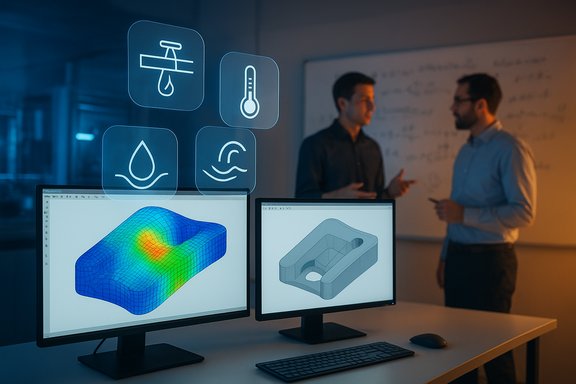 Background / Overview
Finite element analysis (FEA or FEM) has moved from niche specialist tools into mainstream product development workflows. Modern FEM suites range from tightly integrated CAD-embedded solvers, to full multiphysics platforms for coupled physics, to cloud-hosted services that lower the barrier for compute-intensive simulations. Choosing the right FEM software for Windows involves evaluating:- Supported physics (structural, thermal, CFD coupling, electromagnetics, acoustics)
- Solver robustness (nonlinear, transient, contact, explicit/implicit)
- Meshing workflows and automation
- CAD interoperability and PLM integration
- Licensing costs and deployment model (per-seat, token-based, cloud)
- Performance scaling (local HPC vs cloud compute)
- Available validation, material models, and regulatory traceability
Quick summary of the seven tools
- ANSYS Mechanical — enterprise-grade structural and multiphysics FEA with advanced solvers and HPC scaling.
- COMSOL Multiphysics — highly flexible multiphysics environment with modular add-ons and an Application Builder for custom apps.
- Autodesk Inventor Nastran — Nastran-based FEA tightly integrated into Autodesk Inventor and broader Autodesk Product Design & Manufacturing offerings.
- SimScale — cloud-native simulation (FEA + CFD + thermal) that aims to democratize simulation with browser access and scalable compute.
- SolidWorks Simulation — CAD-embedded FEA inside the SolidWorks environment; broad suite from basic statics to advanced nonlinear/explicit modules.
- MSC Apex — Hexagon’s modern CAE environment emphasizing direct modeling, meshing automation, and integration with MSC solvers like Nastran.
- Simcenter 3D (Siemens) — high-end, CAD-aware CAE platform with token licensing and broad multidisciplinary simulation capabilities across structural, thermal, and durability.
ANSYS Mechanical — solver power and enterprise scale
What it is and why it matters
ANSYS Mechanical is one of the industry’s most widely used structural FEA environments, built for complex nonlinear, transient, and coupled-physics problems. Its solver stack and feature set (explicit and implicit solvers, advanced contact, composites, fracture mechanics, acoustics, and fluid-structure interaction) make it a default choice for aerospace, automotive, power generation, and high-end electronics reliability work.Strengths
- Robust solver portfolio: proven performance on large nonlinear assemblies and transient dynamic problems.
- Multiphysics coupling: strong links to ANSYS CFD, electromagnetics, and thermal tools for truly coupled simulations.
- HPC and scalability: optimized for parallel solves and large models; vendor supports on-prem and cloud HPC.
Risks and trade-offs
- Cost and licensing complexity: enterprise-level pricing and module-based licensing make total cost significant for small teams.
- Steep learning curve: the same depth that enables complex analyses increases onboarding time.
- Hardware demands: large models require substantial CPU, memory, and sometimes GPU/HPC resources.
COMSOL Multiphysics — flexible multiphysics, strong in research and niche coupling
What it is
COMSOL Multiphysics emphasizes physics coupling and user-driven model customization, enabling structural, thermal, electromagnetics, chemical, and other physical domains to interact in a single model. The Application Builder allows teams to wrap complex models inside simplified GUIs for non-expert users.Strengths
- Modular multiphysics: combine structural, fluid, thermal, and electromagnetics in tailored combinations.
- Application Builder: lets research labs and engineering groups turn models into reusable apps for colleagues.
- Flexible licensing: commercial and academic license models, perpetual and term options through distributors.
Risks and trade-offs
- Cost for full capability: modular pricing can grow as you add specialty modules; exact seat costs vary by region and dealer.
- Solver specialization: while flexible, some dedicated solvers (e.g., very-high-end structural solvers) may outperform COMSOL on certain problems.
- Validation & traceability: for safety-critical certification work, teams must carefully document model validation and provenance.
Autodesk Inventor Nastran — CAD-embedded Nastran workflows
What it is
Autodesk bundles Nastran-based solvers inside the Inventor ecosystem, offering linear/nonlinear static, modal, and thermal analysis tightly integrated with CAD. Nastran’s solver pedigree gives a powerful foundation for classical structural analysis while keeping the simulation close to the CAD model.Strengths
- Seamless CAD integration: eliminates model transfer pain—great for iterative design workflows.
- Nastran solver heritage: reliable and predictable for traditional structural analyses.
- Token / flex options: Autodesk provides token- or subscription-based access, which can be helpful for occasional users.
Risks and trade-offs
- Scope: Inventor Nastran is optimized for design/verification in CAD workflows; it’s not a full multiphysics platform.
- Licensing bundling: Inventor Nastran is offered inside Autodesk collections; buyers need to compare collection cost vs standalone alternatives.
- Enterprise grade needs: for massive models and advanced multiphysics, engineering teams may prefer ANSYS, Siemens, or A/B grade tools.
SimScale — cloud-first simulation for teams and scale
What it is
SimScale provides a browser-based simulation environment for FEA and CFD, aiming to remove heavy desktop/solver installs and offer scalable cloud compute. It’s attractive for distributed teams and users who want pay-as-you-go or subscription options rather than heavy capital expenditure.Strengths
- Cloud scalability: large models can be solved on remote compute without local HPC build-out.
- Access & collaboration: browser access lets multidisciplinary teams review and iterate quickly.
- Lower entry barrier: community/free plans plus paid tiers enable experimentation without large upfront costs.
Risks and trade-offs
- Data privacy and IP: cloud-hosted models may pose IP governance or regulatory challenges for some organizations—validate enterprise security controls and data residency.
- Specialized solver limitations: cloud platforms trade raw solver depth for accessibility; some niche analyses may not be supported at the highest fidelity.
- Ongoing subscription cost: hourly/seat compute can add up for heavy or long-term projects; evaluate TCO carefully.
SolidWorks Simulation — CAD-embedded with wide reach among design-focused teams
What it is
SolidWorks Simulation sits inside SolidWorks CAD and spans from basic static analysis to professional and premium modules for fatigue, nonlinear dynamics, composites, and drop testing. It’s often the default choice for product design teams already committed to SolidWorks CAD.Strengths
- Integrated workflow: immediate access to CAD models and design intent; excellent for rapid design validation.
- Modular tiers: Standard/Professional/Premium simulation packages let teams scale capability with need and budget.
- Large reseller network: local partners can help with training and implementation.
Risks and trade-offs
- Solver limits at scale: while powerful for many product-design problems, extremely large or highly nonlinear simulations can exceed typical desktop configurations or require premium modules.
- Cost of add-ons: advanced capabilities (composites, nonlinear, explicit) are in higher-priced tiers or add-ons.
- Dependency on SolidWorks CAD: if your CAD platform differs, SolidWorks Simulation is less useful.
MSC Apex — modern CAE pre/post and generative workflows
What it is
MSC Apex is designed to modernize CAE workflows with direct modeling, rapid meshing, and integration with traditional solvers like MSC Nastran. It emphasizes design-to-analysis automation and quicker prep/mesh cycles to reduce pre-processing time.Strengths
- Pre-processing efficiency: fast geometry clean-up, midsurface extraction, and interactive meshing.
- Generative and optimization workflows: Apex has tools aimed at design exploration and additive manufacturing-friendly geometry.
- Student editions and trials: Hexagon often offers student or trial editions for learning and prototyping.
Risks and trade-offs
- Solver scope: Apex focuses on pre/post and workflow—licensing and solver bundles (e.g., MSC Nastran) need to be understood together.
- Ecosystem fit: best suited where teams already use Hexagon/MSC solver stack or need modern meshing and CAD cleanup capabilities.
Simcenter 3D (Siemens) — tokenized access with broad enterprise capabilities
What it is
Simcenter 3D is Siemens’ flagship CAD-aware CAE platform offering structural, thermal, durability, and multiphysics workflows with token-based licensing for flexible module access. It’s targeted at large engineering organizations requiring deep integration across CAD and PLM.Strengths
- Token licensing: flexible access to modules without buying each add-on per seat; good for multidisciplinary teams.
- PLM integration: ties into Siemens’ broader digital lifecycle management and data management tools.
- Enterprise-grade solvers: designed for complex assemblies and validated workflows in automotive, aerospace, and heavy industry.
Risks and trade-offs
- Complexity and cost: enterprise integration and modular licensing can be costly and require planning.
- Learning curve: broad capability requires specialist training and established CAE processes.
- Procurement cycles: large organizations often procure through enterprise agreements and support contracts.
How to pick the right FEM analysis tool for Windows
1. Match physics to software strengths
- For pure structural problems with massive nonlinearities or fracture mechanics, consider ANSYS or Simcenter (enterprise solvers).
- For multipysics coupling (electromagnetics + thermal + mechanical), COMSOL or ANSYS are strong contenders.
- For design-driven CAD workflows, SolidWorks Simulation or Inventor Nastran are efficient.
- For cloud-first collaboration and when you want to avoid heavy local compute, evaluate SimScale.
2. Evaluate licensing, TCO, and compute model
- Compare per-seat subscriptions, token-based access, and cloud compute fees. SimScale’s cloud model may be cheaper for intermittent heavy runs; ANSYS and Siemens are heavyweight investments best amortized across large teams. Verify up-to-date pricing directly with vendors because these numbers change frequently.
3. Validate solver fidelity and verification needs
- Confirm whether vendor solvers have been validated for your application class or industry certifications. For regulated products, insist on documented testcases, validation examples, and provenance of material models.
4. Consider the learning curve and available support
- Factor in training, available local reseller support, and community resources. Student and trial editions (MSC Apex, SimScale community tier) are useful for ramping up.
5. Hardware and IT implications
- Large simulations demand memory and CPU resources; plan for local HPC or cloud bursting. If IP and data residency are concerns, carefully verify cloud provider and platform security controls before committing to a cloud-first solution.
Pricing reality check (verified guidance)
Vendor pricing and packaging change regularly; the vendor pages and reseller notes verify these patterns:- ANSYS: enterprise and modular licensing; contact sales for quotes and HPC options. Recent product documentation emphasizes solver and performance improvements—pricing is bespoke.
- COMSOL: modular licensing with perpetual and term options; maintenance subscriptions typically run ~20–25% of list price for perpetual licenses, and academic discounts apply. Commercial seat pricing varies by module and reseller.
- Autodesk Inventor Nastran: sold within Autodesk collections; subscription and token-based access available—follow Autodesk’s product pages for current subscription packaging.
- SimScale: published plans with free/community tiers and paid Professional/Enterprise options; enterprise and collaboration features carry higher fees—check the pricing page for current tiers and compute quotas.
- SolidWorks Simulation: simulation modules are tiered (Standard/Professional/Premium) and sold as add-ons or with 3DEXPERIENCE bundles; refer to SolidWorks pricing pages and reseller quotes for exact annual fees.
- MSC Apex & Simcenter 3D: Hexagon and Siemens provide tailored quotes based on modules and token packs; free student editions and trials may be available.
Strengths, risks, and integration trade-offs — a critical lens
- Strength: modern FEM tools let product teams reduce prototyping, accelerate iterations, and push design optimization earlier in the cycle. Accurate simulation can avoid expensive late-stage redesigns and compliance issues.
- Risk: garbage in, garbage out—a lack of validated material data, poor meshing practices, or incorrect boundary conditions will produce plausible but incorrect results. Investing in training and validation testcases is as important as software selection.
- Integration trade-off: CAD-embedded solvers (SolidWorks Simulation, Inventor Nastran) improve throughput for designers but may hide advanced solver controls needed by analysts. Conversely, high-end solvers (ANSYS, Simcenter) provide deep control at the cost of a longer learning curve.
- Governance risk: cloud platforms simplify compute but can conflict with IP policies; ensure confidentiality, contractual controls, and data residency before moving critical models to cloud services.
- Cost risk: modular add-ons and compute fees mean the sticker price rarely reflects full program cost. Model usage cadence (continuous vs sporadic) should inform whether to buy seats, tokens, or cloud compute credits.
Practical adoption checklist for Windows teams
- Define core use cases: static sizing, fatigue, explicit crash, heat transfer, or coupled multiphysics. Match to vendor strengths.
- Pilot with trial/student tiers: run representative test cases on trial licenses to measure setup/solve times, accuracy vs benchmarks, and IT fit. Many vendors offer trials and student editions for evaluation.
- Validate with experimental data: collect simple testcases and confirm simulated response within expected tolerances.
- Map licensing to usage: estimate concurrent users, peak simulation runs, and whether token, seat, or cloud pricing is cheapest for your usage profile.
- Plan infrastructure: confirm whether local workstations, local HPC, or cloud bursting will be required and who manages drivers, GPU stacks, and HPC queues.
- Invest in training and templates: create validated model templates to capture best practices and reduce model preparation overhead.
Conclusion
The MSPowerUser list is a compact, useful snapshot of mainstream FEM tools available to Windows users. The choices span a continuum from CAD-embedded convenience (SolidWorks Simulation, Inventor Nastran) to enterprise-grade multiphysics (ANSYS, Simcenter) and modern cloud-first democratization (SimScale). COMSOL stands out for bespoke multiphysics coupling and custom application deployment, while MSC Apex accelerates workflow productivity by minimizing pre-processing time.Selecting the “best” FEM tool depends on concrete project constraints: required physics fidelity, model scale, team skills, IP security, and lifecycle costs. For mission-critical or highly regulated simulation, prioritize solver validation evidence and vendor support. For design-driven iterative workflows, prioritize CAD integration and ease-of-use. For burst-compute or remote collaboration, a cloud-first approach can drastically simplify operations—provided data governance and budget planning are addressed.
Finally, treat published price figures and product packaging descriptions as directional—verify current licensing, bundles, and enterprise discounts directly with vendors or authorized resellers before procurement to avoid surprises and to structure the acquisition to match your team’s simulation cadence.
Source: MSPoweruser 7 Top FEM Analysis Tools For Windows PCs
