The AI landscape of 2025 is no longer an experiment — it’s a working set of tools that billions of people use daily to write, design, search, code, chat and create media — and a handful of platforms now dominate that activity while reshaping risk, policy and enterprise practice.
The year 2025 consolidated a pattern that began earlier in the decade: general-purpose conversational models, multimodal creative engines, and productivity copilots have become distinct product categories with different trade‑offs. Consumers choose based on convenience and features; businesses choose on governance, compliance and integration. That split matters because the same generative model that helps a content team craft a press release can create serious legal, privacy or safety exposure if used without controls.
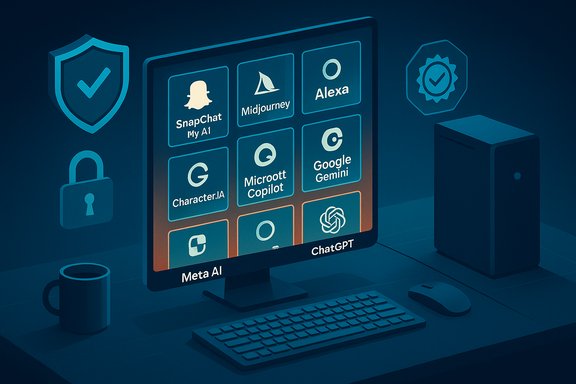
This feature profiles the ten tools that earn the label “most powerful” in everyday conversations and enterprise deployments in 2025. Each entry explains what the product actually does today, recent developments that matter, and the strengths and risks every Windows user, admin, and creator should weigh when adopting AI tools.
Strengths
Why it matters: Midjourney’s output quality and speed let users prototype visuals rapidly, from marketing concepts to storyboards.
Strengths
Why it matters: voice assistants still rule hands‑free tasks and home automation; Alexa remains a default in many households.
Strengths
Why it matters: for professionals, students and content teams, Grammarly speeds editing and enforces writing standards. Its plagiarism detector and citation suggestions make it a go‑to tool for draft integrity checks.
Strengths
Why it matters: persona‑based assistants opened conversational design as a new genre — but they also exposed real psychological and safety risks.
Strengths
Why it matters: Meta AI’s integration directly into social apps places assistant features where people read, create and communicate — enabling faster caption drafting, thread summarization and creative prompts.
Strengths
Why it matters: creatives require production‑grade controls and legal clarity; Adobe’s model of licensed training data and built‑in provenance tools suits agencies and brands.
Strengths
Why it matters: for organisations standardised on Microsoft 365, Copilot is the closest thing to a built‑in assistant that can be governed, audited and integrated into corporate processes.
Strengths
Why it matters: when tasks need document‑level comprehension or deep multimodal reasoning (e.g., analyze a full product technical dossier, ingest hours of meeting video), Gemini’s architecture is purpose‑built.
Strengths
Why it matters: it’s the most common fallback for text‑first tasks and a significant building block in many integrations.
Strengths
The sensible course for organizations and serious creators is straightforward:
The AI tools shaping 2025 are astonishingly capable; they push creativity and productivity forward in measurable ways. The best outcomes will come from marrying that capability with governance, transparency and a sustained commitment to human oversight — because the real power of AI is unlocked not when it replaces human judgement, but when it augments it responsibly.
Conclusion
The top AI tools of 2025 offer unprecedented speed and capability across writing, search, productivity, and media generation. They are tools of convenience and invention — and they require deliberate policies, legal clarity and technical controls to reduce real‑world harms. Windows users and administrators who treat these systems as both opportunities and governance challenges will get the benefits while avoiding the biggest pitfalls.
Source: trillmag.com Top 10 Most Powerful AI Tools of 2025
 Background / Overview
The year 2025 consolidated a pattern that began earlier in the decade: general-purpose conversational models, multimodal creative engines, and productivity copilots have become distinct product categories with different trade‑offs. Consumers choose based on convenience and features; businesses choose on governance, compliance and integration. That split matters because the same generative model that helps a content team craft a press release can create serious legal, privacy or safety exposure if used without controls.This feature profiles the ten tools that earn the label “most powerful” in everyday conversations and enterprise deployments in 2025. Each entry explains what the product actually does today, recent developments that matter, and the strengths and risks every Windows user, admin, and creator should weigh when adopting AI tools.
Top 10 tools — what they do and why they matter
Snapchat AI (My AI / My AI Snaps)
Snapchat’s AI, commonly surfaced as My AI, brought conversational assistants and generative visuals into a youth-focused social network. The feature set blends:- chat‑based coaching and friendly prompts,
- Bitmoji personalization and presence inside group chats,
- and a premium “My AI Snaps” image generation path for paid subscribers.
Strengths
- Deep integration with ephemeral social flows and AR lenses.
- Fast, mobile‑first interface optimised for short, visual interactions.
- Customizable persona through Bitmoji and conversation settings.
- The user experience blurs “playful filters” and realistic generation; creators must think about consent and misrepresentation when altering selfies.
- Safety and moderation are an ongoing problem: AI replies and image outputs can be incorrect or inappropriate unless the app enforces robust guardrails.
- Some feature descriptions in viral roundups (e.g., “the AI now replaces the core message of a selfie”) are subjective — treat those as user experience notes rather than product defects.
Midjourney (image + short video generation)
Midjourney remains a powerhouse in pure image generation and has expanded into short video and animation workflows. Its interface (prompt-driven, iterative refinement) made it an instant favorite among designers and hobbyists.Why it matters: Midjourney’s output quality and speed let users prototype visuals rapidly, from marketing concepts to storyboards.
Strengths
- Excellent creative expressiveness and stylistic breadth.
- Strong community-driven prompt and style sharing.
- Rapid iteration cadence that suits ideation and concept work.
- Copyright and IP litigation is an industry‑level risk. Major studios and rights holders have filed high‑stakes lawsuits alleging the service produces derivative copies of protected characters and works.
- Output consistency (character identity, text accuracy inside images) can be uneven; results excellent for ideation but often require human verification and polish before use in production.
- Relying on a single image model for large-scale commercial output invites legal and operational risk until usage/licensing rules are contractually guaranteed.
Alexa (Amazon)
Alexa’s story is coherence and endurance: introduced with Echo in 2014, Alexa defined the smart‑speaker category and evolved into a home assistant platform embedded across devices and OEM partners.Why it matters: voice assistants still rule hands‑free tasks and home automation; Alexa remains a default in many households.
Strengths
- Mature ecosystem of device integrations and “skills.”
- Reliable voice control for media, reminders, and smart home automation.
- Continuous product evolution across devices (speakers, earbuds, screens).
- Privacy and always‑listening concerns remain top of mind for sensitive environments.
- Some recent claims about novel “push‑button” hardware controls or new physical shortcut buttons are circuitous marketing shorthand in general coverage; verify device‑level features in manufacturer documentation before assuming new hardware interactions are available.
- Alexa’s usefulness in regulated or enterprise contexts is limited unless paired with appropriate governance or enterprise packages.
Grammarly
Grammarly is no longer just a grammar helper — it is a mainstream writing assistant that includes style guidance, tone detection, and a plagiarism checker that compares text against web content and academic databases.Why it matters: for professionals, students and content teams, Grammarly speeds editing and enforces writing standards. Its plagiarism detector and citation suggestions make it a go‑to tool for draft integrity checks.
Strengths
- Seamless browser and Office integrations across Windows.
- Plagiarism detection that scans large web and academic corpora and offers citation help.
- Real‑time corrections and tonal suggestions that improve clarity quickly.
- Plagiarism tools are not infallible — they miss paywalled or private sources and can flag false positives on common phrasing.
- Over‑reliance on automated rephrasing risks losing voice and original creativity; the tool is best used to polish, not author, original work.
- For institutional use, consider a business/education contract to ensure proper data handling and privacy.
Character.AI
Character‑style chatbots let users speak to fictional or user‑created “personas” — a novel, playful space for roleplay, creative writing and practice interviews. In 2025 the company moved quickly to restrict under‑18 access for chat experiences after serious safety concerns and legal actions.Why it matters: persona‑based assistants opened conversational design as a new genre — but they also exposed real psychological and safety risks.
Strengths
- Immersive roleplay and training scenarios for writers and teams prototyping character voices.
- Multi‑modal features (voice, video) for richer interactions.
- Verified safety incidents and lawsuits prompted the platform to restrict direct chat access for minors and implement age assurance; the policy shift is a stark reminder that emotional dependency and unintended responses can be harmful.
- Deployments that mimic real people or celebrities raise ethical and legal red flags.
- Never use persona bots as a substitute for professional therapy or crisis support.
Meta AI (Llama family integrations)
Meta’s AI moved from research artifacts (LLaMA families) to consumer‑facing assistants embedded across Facebook, Instagram, Messenger and WhatsApp. Features such as “Memory” give personalisation — the assistant can remember user preferences to inform future responses.Why it matters: Meta AI’s integration directly into social apps places assistant features where people read, create and communicate — enabling faster caption drafting, thread summarization and creative prompts.
Strengths
- Deep social integration with platform data that streamlines content creation.
- Memory and personalization features make responses more relevant over time.
- Memory and personalization create meaningful privacy questions: how memories are stored, who can access them and how they’re used for recommendations or advertising must be scrutinized.
- Embedding advanced generation in social platforms increases the chance of manipulation, inauthentic content and unintentional data exposure.
Adobe (Firefly + Creative Cloud generative features)
Adobe’s generative stack (branded Firefly) built explicit commercial‑use guarantees into the product and pioneered content credentials — machine‑readable metadata indicating a file was AI‑generated.Why it matters: creatives require production‑grade controls and legal clarity; Adobe’s model of licensed training data and built‑in provenance tools suits agencies and brands.
Strengths
- Generative Fill, Image 3 and Firefly Video target professional workflows and integrate directly with Photoshop, Premiere and Creative Cloud.
- Content Credentials improve provenance and transparency; enterprise APIs support bulk and pipeline operations.
- Adobe’s indemnification and licensing posture reduces legal exposure for commercial use.
- Even with licensed training assets, downstream usage must respect trademarks and third‑party rights (e.g., logos, celebrity likenesses).
- Fair use and derivative claims remain unsettled legally; enterprises should still involve legal counsel for large campaigns.
Microsoft Copilot (Microsoft 365 Copilot)
Microsoft has turned Copilot into a productivity layer across Windows, Office apps and Teams. In 2025 Copilot emphasizes enterprise governance: tenant grounding, Purview integration, agent management and admin controls.Why it matters: for organisations standardised on Microsoft 365, Copilot is the closest thing to a built‑in assistant that can be governed, audited and integrated into corporate processes.
Strengths
- Deep Office and Graph integrations (contextual grounding in tenant content).
- Enterprise governance tools (eDiscovery, Purview, agent pre‑approval, billing controls).
- Rapid product updates: Copilot Notebooks, agent store, and image generation inside Office apps.
- Advanced Copilot features often require paid licences and careful tenant configuration.
- Misconfigured privileges or unmanaged agent deployment may inadvertently expose internal data.
- Licensing complexity can hide costs; IT teams must plan for per‑user entitlements and billing policies.
Google Gemini
Gemini is Google’s multimodal, long‑context assistant family. The product emphasizes multimodality (text, image, audio, video) and extremely large context windows for analyzing entire documents, meetings or video files.Why it matters: when tasks need document‑level comprehension or deep multimodal reasoning (e.g., analyze a full product technical dossier, ingest hours of meeting video), Gemini’s architecture is purpose‑built.
Strengths
- Very large context windows (designed to handle documents and long audio/video sessions).
- Tight integration with Google Workspace and Google One AI Premium consumer tiers.
- Multimodal native support makes it a strong choice for research and creative tasks requiring mixed inputs.
- Hybrid privacy posture: much of Gemini’s capability is cloud backed, so data governance must be managed via enterprise contracts.
- Long‑context and multimodal features are powerful but can complicate billing and data residency choices.
ChatGPT (OpenAI)
ChatGPT remains the mainstream all‑purpose assistant: flexible, multi‑platform and feature rich — from code help and content generation to multimodal inputs and custom GPTs. Pricing tiers continue to segment everyday users from professionals.Why it matters: it’s the most common fallback for text‑first tasks and a significant building block in many integrations.
Strengths
- Broad capabilities across drafting, coding, summarization and plugin ecosystems.
- Large install base, cross‑platform apps and extensive developer APIs.
- Paid tiers add higher usage, priority access and advanced models for professionals.
- Hallucinations and factual errors still occur; outputs require human verification for fact‑sensitive tasks.
- Licensing and enterprise controls matter — choose contracts that match data sensitivity and retention needs.
- Subscription tiers and cost noise mean teams must monitor usage to avoid runaway costs.
Cross‑cutting strengths and systemic risks
What these tools do well
- Speed up ideation and iteration, collapsing hours of work into minutes.
- Democratize creative production and research by lowering technical skill barriers.
- Provide deeply integrated assistants (Copilot, Gemini) that fit into existing productivity workflows.
What they struggle with
- Trust and provenance: it can be difficult to trace training sources and to verify whether outputs are legally reusable.
- Hallucinations: text and even multimodal agents can assert plausible but incorrect facts; outputs must be validated.
- Safety and mental health: persona and companion bots magnify emotional risk and have already prompted legal and policy actions.
- Intellectual property conflicts: image‑generation engines face active litigation from rights holders seeking remedies for unlicensed use of content.
Practical guidance for Windows users and IT admins
- Choose the right tier first.
- For sensitive work, insist on enterprise plans that include explicit non‑training guarantees and data residency options.
- Ground copilots in tenant‑level content where possible.
- Microsoft’s Graph + Purview, Google Workspace enterprise features and dedicated enterprise contracts give you auditability.
- Avoid pasting regulated data into consumer tiers.
- PHI, financial data or secrets should never be shared with public models without an approved contract.
- Use provenance and content credentials for image workflows.
- When publishing generated media, attach provenance metadata and prefer services that offer indemnification.
- Treat outputs as the start of a workflow.
- Use a human in the loop: verification, editing and legal review remain mandatory steps for commercial releases.
- Monitor cost and usage.
- Many AI plans use metered quotas; put billing policies and spend alerts in place to avoid surprises.
- Prepare an outage plan and alternatives.
- Popular services can experience downtime; identify fallback tools and consider a multi‑vendor strategy to avoid single‑point failures.
How to pick the right AI tool in 2025 — a short decision matrix
- If you need robust enterprise governance and Office integration: pick Microsoft Copilot.
- If you require multimodal, long‑context analysis or close integration with Google services: pick Google Gemini.
- If you need production‑ready creative work with commercial assurances: pick Adobe Firefly / Creative Cloud.
- If you want the most flexible general chat and developer ecosystem: pick ChatGPT (choose plan by scale).
- If rapid stylistic image ideation is the priority (and you accept IP risk): pick Midjourney (with legal review for production use).
- If you want safe writing checks and plagiarism detection: pick Grammarly.
- For ephemeral social creativity among younger audiences: Snapchat AI is the fastest path.
- For persona/roleplay prototypes: Character.AI — but use with strict safety oversight.
Final analysis: balancing power with responsibility
Artificial intelligence in 2025 is not merely another tool category — it’s a platform layer that changes how digital work is done. The most powerful AI tools combine scale, multimodality and tight ecosystem hooks. That power accelerates productivity, but it also concentrates risk: legal liability for IP, privacy exposure in social and enterprise contexts, and psychological safety in companion‑style experiences.The sensible course for organizations and serious creators is straightforward:
- adopt enterprise contracts where data sensitivity matters,
- insist on provenance and attribution when publishing generated media,
- enforce training and policies for teams that use AI,
- and build human review into every AI output pipeline.
The AI tools shaping 2025 are astonishingly capable; they push creativity and productivity forward in measurable ways. The best outcomes will come from marrying that capability with governance, transparency and a sustained commitment to human oversight — because the real power of AI is unlocked not when it replaces human judgement, but when it augments it responsibly.
Conclusion
The top AI tools of 2025 offer unprecedented speed and capability across writing, search, productivity, and media generation. They are tools of convenience and invention — and they require deliberate policies, legal clarity and technical controls to reduce real‑world harms. Windows users and administrators who treat these systems as both opportunities and governance challenges will get the benefits while avoiding the biggest pitfalls.
Source: trillmag.com Top 10 Most Powerful AI Tools of 2025