

TunesKit’s new Android Unlocker arrives as a one-click remedy for users locked out of phones, promising screen‑lock removal, Google FRP bypass and support for thousands of models — but the tool’s convenience raises tangible security, legal and practical questions for technicians, second‑hand buyers and everyday users alike.
Factory Reset Protection (FRP) and screen locks exist to stop unauthorized access to Android devices after a reset or theft. FRP ties a device to previously used Google accounts and can block setup after an “untrusted” factory reset unless the prior account credentials are provided. Over the past several Android releases, vendors and Google have tightened FRP enforcement and closed many of the older bypass paths that once worked on legacy devices. At the same time, the market for consumer recovery tools has grown: utilities that can remove PINs, patterns, biometrics and — controversially — FRP locks exist to solve legitimate problems such as forgotten passwords, broken touchscreens, or devices purchased second‑hand with unknown credentials.
TunesKit Android Unlocker is the company’s latest entry in that category. The product campaign positions it as a fast, user‑friendly rescue utility for locked Android phones and tablets, offering a trial version and tiered licensing with monthly, yearly and lifetime options. The vendor’s marketing emphasizes broad device support, a high success rate and compatibility with both Windows and macOS — notably listing legacy Windows versions such as Windows XP among supported platforms.
At the same time, the vendor’s decision to list legacy desktop OS support is concerning from a responsible security standpoint. Recommending operation on insecure operating systems effectively shifts risk onto end users who may run outdated desktops.
Key takeaways:
Source: Digital Journal TunesKit Android Unlocker Released – Remove Android Screen Locks without Passwords
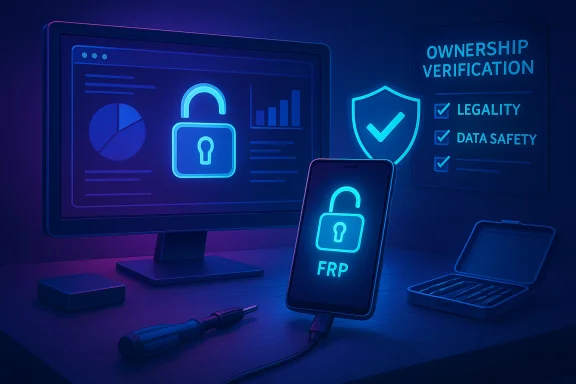 Background
Factory Reset Protection (FRP) and screen locks exist to stop unauthorized access to Android devices after a reset or theft. FRP ties a device to previously used Google accounts and can block setup after an “untrusted” factory reset unless the prior account credentials are provided. Over the past several Android releases, vendors and Google have tightened FRP enforcement and closed many of the older bypass paths that once worked on legacy devices. At the same time, the market for consumer recovery tools has grown: utilities that can remove PINs, patterns, biometrics and — controversially — FRP locks exist to solve legitimate problems such as forgotten passwords, broken touchscreens, or devices purchased second‑hand with unknown credentials.TunesKit Android Unlocker is the company’s latest entry in that category. The product campaign positions it as a fast, user‑friendly rescue utility for locked Android phones and tablets, offering a trial version and tiered licensing with monthly, yearly and lifetime options. The vendor’s marketing emphasizes broad device support, a high success rate and compatibility with both Windows and macOS — notably listing legacy Windows versions such as Windows XP among supported platforms.
What TunesKit Android Unlocker claims to do
Core features (vendor summary)
- Remove Android screen locks: PIN, pattern, password, fingerprint and face unlock modes.
- Bypass Google FRP lock without a Google account or the previous owner’s password.
- Factory reset a device without needing the original passcode.
- Support for “20+ brands” and more than 2,000 Android phone and tablet models.
- Windows and macOS desktop clients with a free trial; paid licenses priced in tiers (monthly, yearly, lifetime).
Product and pricing snapshot (verified claims)
- License tiers advertised include a One‑Month option near $29.95, One‑Year for around $39.95 and a Lifetime license offered at roughly $59.95. A free trial is provided to test device compatibility.
- System requirements listed by the vendor include support for Windows (including legacy versions such as Windows 11, 10, 8, 7, Vista and XP) and macOS (Mac OS X 10.8 or later / macOS 10.11 or above in some pages).
- Device lists and vendor guidance indicate targeted FRP support windows that vary by OEM and Android version (e.g., Samsung support across several Android versions; Xiaomi/Redmi and others with specific Android/MIUI ranges).
Why this matters: legitimate use cases
TunesKit and similar unlock tools address real, common problems:- Forgotten credentials: Users who genuinely lose access to their phone because a PIN or Google password is forgotten can be stranded. A local unlock tool can restore access faster than manufacturer support in some cases.
- Broken screens: Phones with damaged touchscreens that prevent entering passcodes are a frequent repair scenario; technicians need ways to extract or regain access.
- Second‑hand purchases: Buyers who receive a used device with an unknown lock are left with a potentially unusable phone; a verified, ownership‑checked unlock flow can restore the device to useful service.
The technical and operational realities (what the product actually does)
- The unlock process typically requires a computer connection via USB; the software interacts with the device’s recovery or download mode and uses vendor‑specific commands and exploit chains compatible with certain chips, bootloaders and Android builds.
- FRP bypassability depends strongly on Android version, security patches, OEM hardening (e.g., Knox, Verified Boot changes) and whether OEM/unlock flags such as OEM unlocking were enabled prior to reset.
- In practice, many unlockers achieve higher success rates on older devices that still have known, exploitable setup flows. Newer Android versions and recent security hardenings drastically reduce attack surface for bypass tools.
- Some vendors implement paths that avoid data loss for a subset of models (notably a few older Samsung models) but most FRP bypasses and full rescues will involve data erasure or factory reset before device re‑provisioning.
Strengths and positives
- Ease of use: The vendor’s UI and workflow emphasize a three‑step process designed for non‑technical users. That lowers the barrier for legitimate owners needing fast recovery.
- Affordability: The pricing tiers are competitive relative to professional unlocking services. A Lifetime license for under $60 is attractive for small repair shops or frequent technicians.
- Broad OEM coverage (claimed): The product lists many major brands and a large device count, which suggests active development and device database updates to keep pace with new models.
- Trial availability: A free trial to test device compatibility reduces risk for buyers wanting to confirm support before paying.
- Cross‑platform clients: Availability for both Windows and macOS broadens access for technicians and hobbyists.
Risks, limitations and ethical concerns
1. Potential for misuse and legal exposure
FRP and secure screen locks are anti‑theft protections. Tools that bypass them can be misused to prepare stolen devices for resale. Possessing or using bypass tools in combination with knowingly handling stolen property can expose users to criminal or civil liability in some jurisdictions. Even well‑intentioned users who unlock a device without proper proof of ownership risk legal entanglement should the device be disputed.2. Warranty, OEM policy and carrier consequences
Using third‑party unlocking software typically voids manufacturer warranties and can trigger carrier or OEM security counters (for example, installing custom firmware or altering verified partitions). Repair claims for subsequent failures may be denied.3. Security and privacy hazards
- Installing system‑level utilities that require elevated privileges raises the risk of exposing device data or credentials to the unlocking application. Users should verify vendor reputation and avoid unofficial mirrors.
- Some system‑modifying tools are flagged as “riskware” by antivirus engines; that doesn’t necessarily mean malware, but it can indicate behavioral overlap with tools that change system state. Disabling antivirus to install such tools increases risk.
- The product’s claim of “no data loss” is conditional and applies only to a narrow set of early devices; most FRP bypass methods will require a reset and data loss is a realistic outcome.
4. Compatibility and hardening changes
Android and OEMs continually harden FRP and device setup flows. Recent Android releases tightened FRP enforcement, reducing the effectiveness of many bypass techniques. Tools that work today may stop working after an OS update or vendor patch.5. Legacy OS support and security concerns
TunesKit advertises support for legacy desktop OS versions — including Windows XP and Vista — on the desktop client. While this increases accessibility for users running older machines, it also introduces a serious security consideration: those legacy desktop operating systems no longer receive security patches and are unsafe for running tools that interact with critical device firmware. Recommending or enabling use on unsupported desktop OSes increases the likelihood of endpoint compromise.6. Verification gaps in vendor claims
- Claims such as “support 2,000+ models” are plausible for active unlock utility vendors but are hard to verify exhaustively. Device‑by‑device success rates vary widely.
- “Highest success rate” is a marketing claim; actual results depend on device model, Android version, and security patch level. Users should treat such statements as vendor positioning rather than guaranteed outcomes.
Cross‑checking the ecosystem: how FRP and unlock tools interact today
- FRP is an Android‑level protection designed to deter theft; vendor and platform documentation explain that FRP triggers after untrusted resets and requires prior account credentials to re‑provision the device.
- Enterprise device management solutions provide controlled workflows to set or disable FRP for organizational devices — but in consumer scenarios, FRP enforcement is intentionally robust to reduce resale value for thieves.
- Industry changes in recent Android releases have reduced many classic bypass routes; reputable analysis and trade publications report that hardening efforts make modern devices harder — though not always impossible — to bypass with consumer tools.
- Independent reviews of third‑party unlock tools commonly highlight the same tradeoffs: they can help legitimate users but carry technical risk, platform detection flags and a non‑negligible chance of failure or device instability on modern devices.
Practical guidance and best practices
If you are considering using TunesKit Android Unlocker — or any similar third‑party unlocking tool — follow these safeguards:- Verify ownership: only proceed with devices you legitimately own. Keep proof of purchase, seller receipts or transfer documents. Document chain of custody when buying second‑hand.
- Test first: use the free trial to confirm the software recognizes your model and Android build before purchasing.
- Back up data where possible: if the device is accessible at all, back up important data first. Many FRP removals require a factory reset that erases user data.
- Use a secure endpoint: run the unlocking tool on a fully patched, secure desktop OS (modern Windows 10/11 or up‑to‑date macOS). Avoid using unsupported legacy OSes like Windows XP or Vista despite vendor claims of compatibility.
- Avoid disabling AV casually: if antivirus flags the installer, investigate the reason. Disabling security software raises the risk of running tampered installers.
- Prefer official channels for lost accounts: when a Google account is forgotten, account recovery flows through the vendor (Google) are the recommended, lawful path.
- Consider professional repair: authorized repair centers and carriers may offer official unlock paths with verified ownership checks and manufacturer support.
- Read the refund policy and support terms: reputable vendors offer money‑back guarantees and technical support; keep documentation of communications for recourse if the tool fails.
- Maintain awareness of local law: some countries have strict rules about circumvention tools and handling of stolen goods. Know the legal framework in your jurisdiction.
How repair shops and technicians should think about it
For repair professionals, tools like TunesKit Android Unlocker are a practical resource — but they must be integrated responsibly:- Establish internal policies to verify ownership and maintain records of transactions that involve unlocking.
- Keep separate equipment for “risky” operations and maintain offline imaging/backups where feasible.
- Maintain a library of OEM‑authorized methods and prefer those when available to avoid warranty issues for clients.
- Track OS and patch levels: keep a test device inventory to verify whether a tool still works for a given firmware/patch combination before using it in production.
- Train staff on the legal and ethical boundaries around FRP and device ownership.
Vendor posture: protections and disclaimers
The vendor frames TunesKit Android Unlocker as a recovery utility for personal devices and explicitly disclaims commercial or illegal use. The product pages emphasize trial versions and a money‑back guarantee and list support avenues. That is standard for reputable software makers, but vendor disclaimers are not legal shields: users remain responsible for how they use the software and whether they can lawfully unlock a device.At the same time, the vendor’s decision to list legacy desktop OS support is concerning from a responsible security standpoint. Recommending operation on insecure operating systems effectively shifts risk onto end users who may run outdated desktops.
Comparative context: other tools and methods
- Several established utility suites from major vendors offer similar capabilities (screen unlock and some FRP bypass functionality), each with tradeoffs in device support and legal/technical risk.
- Community methods (open exploits, APK‑based bypasses) historically worked on older Android versions but are increasingly ineffective on modern devices and carry higher malware risk when installing unknown APKs.
- Professional service tools used by repair shops can offer broader coverage but often require paid licenses, technician expertise and careful legal compliance.
What to watch for going forward
- Platform hardening: expect Google and OEMs to continue closing bypass paths. Tools that work today may become obsolete as OEM updates and Android security improvements roll out.
- Vendor transparency: watch whether the company publishes clear device‑level success data, changelogs for new device support, and explicit guidance about which models avoid data loss.
- Legal scrutiny: as bypass tools proliferate, regulators and law enforcement may increase scrutiny on how they are distributed and used, especially where a link to stolen‑device markets is shown.
- Security posture of desktop clients: vendors should ultimately drop compatibility claims with insecure legacy desktop OSes and encourage use on patched systems only.
Conclusion
TunesKit Android Unlocker addresses a real pain point: the frustrating, often urgent problem of being locked out of a personal device. Its low price, trial option and apparent broad device coverage make it tempting for consumers and independent repair shops. However, the product sits squarely in a contested space where legitimate recovery needs intersect with theft deterrence, privacy concerns and legal risk.Key takeaways:
- The tool can be legitimately useful — but success is not universal and depends on device model, Android version and security patches.
- FRP bypass remains a sensitive area: users must strictly verify ownership and understand the legal and warranty implications of circumventing anti‑theft protections.
- Security caution: avoid running unlock workflows on legacy, unsupported desktop OSes, and be wary of disabling antivirus protections.
- When in doubt, prefer manufacturer or carrier routes, maintain proof of ownership and use third‑party unlockers as a last resort under cautious, documented conditions.
Source: Digital Journal TunesKit Android Unlocker Released – Remove Android Screen Locks without Passwords
