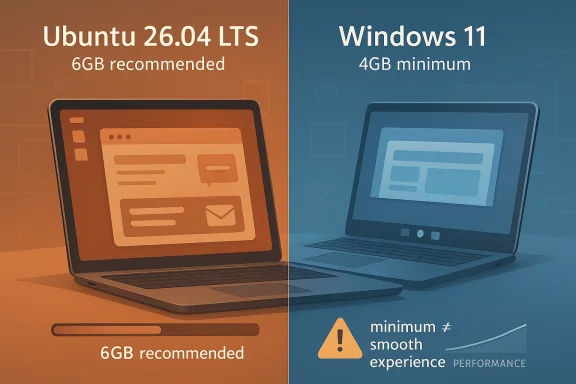
Ubuntu’s next long-term support release is arriving with a more demanding desktop footprint, and that has sparked an eyebrow-raising comparison with Windows 11. On paper, Ubuntu Desktop 26.04 LTS now asks for more memory than Microsoft’s flagship client OS: 6GB of RAM versus Windows 11’s 4GB minimum. That does not mean Ubuntu has become “heavier” in every real-world sense, but it does mark a notable shift in how Canonical is positioning its desktop experience.
The headline is bigger than a simple spec-sheet fight. Ubuntu is still Linux’s best-known mainstream desktop, and LTS releases define expectations for millions of users who want a stable, long-lived platform. When a popular open-source distro moves its minimum bar upward, it says something about modern desktop software, today’s hardware baseline, and the tradeoff between broad compatibility and a more polished, predictable experience.
Canonical’s Ubuntu LTS releases have always mattered more than the average distro refresh. They are the versions that enterprises standardize on, home users trust for stability, and OEMs certify for shipping systems at scale. Ubuntu’s release cadence has remained disciplined: a new version every six months, with an LTS every two years that becomes the anchor point for the ecosystem. (ubuntu.com)
For years, Ubuntu earned a reputation as the friendlier Linux choice for people with aging PCs. The desktop could feel responsive on hardware that struggled under Windows, especially when the machine had modest CPU power but enough RAM to keep the session fluid. That perception was reinforced by long-running community guidance that recommended 4GB of RAM and a 2GHz dual-core CPU for the desktop, with lighter flavors available for older machines. (help.ubuntu.com)
Windows 11, by contrast, set a new line in the sand when it launched with stricter security and firmware expectations. Microsoft’s minimums include 4GB RAM, 64GB storage, UEFI Secure Boot, and TPM 2.0, a combination that immediately excluded a large number of older PCs. Microsoft has defended those choices as part of a broader security posture, even as it acknowledges that some features demand more than the minimum baseline.
The interesting twist is that Ubuntu 26.04 LTS lands in a moment when Linux desktops are no longer trying only to be “light.” They are trying to be polished, secure, and capable of handling a modern stack of background services, graphical effects, containerized apps, browser workloads, and increasingly complex desktop plumbing. That makes a memory bump less surprising than it would have been a decade ago, even if the comparison to Windows 11 is still striking. (help.ubuntu.com)
Ubuntu 26.04 LTS, codenamed Resolute Raccoon, is currently slated for final release on April 23, 2026, following its beta in late March. The release is part of Canonical’s normal LTS rhythm, but the new hardware guidance has pushed the conversation beyond ordinary feature chatter and into the broader question of what “minimum” really means in 2026.
That matters because desktop Linux has become more complicated in ways that are not always obvious to casual users. A modern session may include a Wayland compositor, portals, background services, browser tabs, cloud sync, firmware tools, software centers, and more. Those components are not “bloat” in the old sense, but they do consume memory.
That reflects the broader Linux desktop reality: older processors may still boot, but a bootable system is not the same as a pleasant one. Canonical appears to be drawing a line around usability rather than sheer operability.
That is why minimum specs often rise even when the interface looks visually similar. The cost is hidden underneath the user experience.
The real test is whether Canonical balances that efficiency with accessibility. If the bar rises too quickly, Ubuntu risks losing one of its signature strengths: serving as a credible desktop OS for older machines.
In other words, the systems are optimized for different audiences and different operational assumptions.
So the comparison is not “Linux is heavier than Windows.” It is more accurate to say that Ubuntu is less demanding in some areas and more demanding in others.
A web-centric user with a few tabs open may not notice the same ceiling as someone doing casual browsing, document editing, and media playback all at once. Still, the official recommendation is the line Canonical wants users to respect.
That means the higher requirement could improve first impressions even while shrinking the pool of supported aging PCs.
That is especially relevant for organizations testing Ubuntu as a Windows alternative on developer workstations, kiosk systems, or hybrid environments.
The upside is openness. The downside is that security posture can vary more widely between machines.
The comparison to Ubuntu is therefore not just about system requirements. It is about where each vendor places responsibility: on the platform, on the administrator, or on the user.
That evolution is normal, but it does alter the marketing and community expectations.
In another sense, the change opens room for competitors to market themselves as the smarter choice for aging hardware. That is the perpetual Linux segmentation game.
This is one reason spec comparisons can be misleading. The number is important, but the context is more important.
That is why a 6GB Ubuntu baseline makes sense to Canonical: it provides a little more headroom for the real apps people actually use.
The next few weeks will reveal whether the requirement bump becomes a footnote or a flashpoint. The release itself lands on April 23, 2026, and that date will likely be used as a marker for how the market receives Canonical’s new desktop posture. By then, the debate will probably have shifted from “Why is Ubuntu asking for more?” to “What kind of hardware should a modern desktop OS really expect?”
Source: Neowin A popular Linux distro now has higher system hardware requirements than Windows 11
The headline is bigger than a simple spec-sheet fight. Ubuntu is still Linux’s best-known mainstream desktop, and LTS releases define expectations for millions of users who want a stable, long-lived platform. When a popular open-source distro moves its minimum bar upward, it says something about modern desktop software, today’s hardware baseline, and the tradeoff between broad compatibility and a more polished, predictable experience.
 Background
Canonical’s Ubuntu LTS releases have always mattered more than the average distro refresh. They are the versions that enterprises standardize on, home users trust for stability, and OEMs certify for shipping systems at scale. Ubuntu’s release cadence has remained disciplined: a new version every six months, with an LTS every two years that becomes the anchor point for the ecosystem. (ubuntu.com)For years, Ubuntu earned a reputation as the friendlier Linux choice for people with aging PCs. The desktop could feel responsive on hardware that struggled under Windows, especially when the machine had modest CPU power but enough RAM to keep the session fluid. That perception was reinforced by long-running community guidance that recommended 4GB of RAM and a 2GHz dual-core CPU for the desktop, with lighter flavors available for older machines. (help.ubuntu.com)
Windows 11, by contrast, set a new line in the sand when it launched with stricter security and firmware expectations. Microsoft’s minimums include 4GB RAM, 64GB storage, UEFI Secure Boot, and TPM 2.0, a combination that immediately excluded a large number of older PCs. Microsoft has defended those choices as part of a broader security posture, even as it acknowledges that some features demand more than the minimum baseline.
The interesting twist is that Ubuntu 26.04 LTS lands in a moment when Linux desktops are no longer trying only to be “light.” They are trying to be polished, secure, and capable of handling a modern stack of background services, graphical effects, containerized apps, browser workloads, and increasingly complex desktop plumbing. That makes a memory bump less surprising than it would have been a decade ago, even if the comparison to Windows 11 is still striking. (help.ubuntu.com)
Ubuntu 26.04 LTS, codenamed Resolute Raccoon, is currently slated for final release on April 23, 2026, following its beta in late March. The release is part of Canonical’s normal LTS rhythm, but the new hardware guidance has pushed the conversation beyond ordinary feature chatter and into the broader question of what “minimum” really means in 2026.
What Canonical Is Requiring
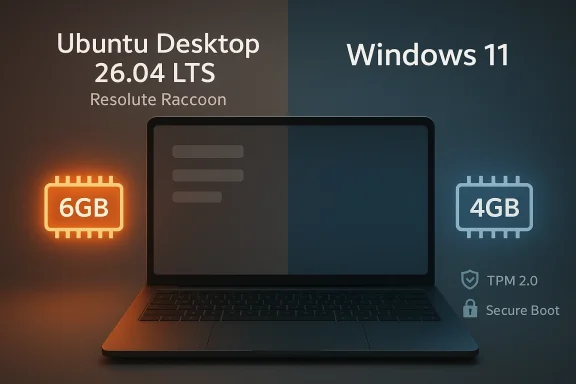
The clearest change in Ubuntu Desktop 26.04 LTS is the memory floor. Canonical’s updated guidance says the desktop requires 6GB RAM, a 2GHz dual-core processor, and 25GB of free disk space. That is a visible step up from the older 4GB recommendation that many users associated with prior Ubuntu desktop guidance. (help.ubuntu.com)The memory jump matters most
Of the three headline numbers, RAM is the one that changes the user story. Storage has remained broadly in the same ballpark for years, and the CPU baseline is not shocking for a modern desktop environment. The jump from 4GB to 6GB, however, signals that Canonical expects the system to run a richer stack without forcing users into swap pressure immediately.That matters because desktop Linux has become more complicated in ways that are not always obvious to casual users. A modern session may include a Wayland compositor, portals, background services, browser tabs, cloud sync, firmware tools, software centers, and more. Those components are not “bloat” in the old sense, but they do consume memory.
- 6GB is not extravagant in 2026.
- 4GB is increasingly cramped for a full graphical desktop.
- Browser-heavy workflows can exceed the floor on their own.
- Lightweight usage may still be fine below the official minimum in practice.
The CPU requirement is familiar, not radical
The 2GHz dual-core requirement is not a dramatic leap from prior recommendations. In practical terms, it recognizes that even the most basic modern desktop interactions assume a level of CPU headroom that old netbooks and bargain-era machines often lack. The bigger story is not the number itself, but the fact that Canonical is comfortable setting a minimum around what used to be a fairly mainstream midrange chip.That reflects the broader Linux desktop reality: older processors may still boot, but a bootable system is not the same as a pleasant one. Canonical appears to be drawing a line around usability rather than sheer operability.
Storage remains relatively modest
At 25GB, Ubuntu’s storage minimum still looks lean compared with Windows 11’s 64GB storage device requirement. That is an important distinction because it shows Canonical is not simply copying Microsoft’s floor-setting strategy. Ubuntu still wants to remain practical for smaller SSDs and secondary installations, which is part of its long-standing appeal.- Ubuntu remains comparatively conservative on disk space.
- Windows 11 is materially stricter on storage capacity.
- The overall desktop experience, not installer size alone, drives RAM growth.
- A modern browser can dwarf both operating systems’ “base” consumption.
Why the Floor Moved Up
The obvious answer is that modern desktop software simply needs more memory than it used to. Ubuntu Desktop has been steadily evolving, and with each cycle the system integrates more services, more sandboxing, and more features that increase background complexity. That is especially true on an LTS release, where Canonical wants the default install to feel stable and reasonably future-proof for years. (ubuntu.com)A desktop OS is no longer just a shell
A desktop operating system in 2026 is a platform, not just a login screen plus a file manager. It needs to support containers, flatpak and snap-style packaging pressures, web-based apps, hardware integration, accessibility layers, and security plumbing that users never see. Every one of those layers consumes some combination of RAM, CPU time, disk space, and maintenance overhead.That is why minimum specs often rise even when the interface looks visually similar. The cost is hidden underneath the user experience.
LTS releases are for predictability, not nostalgia
Canonical’s LTS mission is not to keep hardware support frozen in amber. It is to offer a stable baseline that ordinary buyers and administrators can trust. In that sense, a more demanding minimum requirement can be a feature, not a bug, because it reduces the odds that users will install Ubuntu on underpowered hardware and blame the platform for a poor experience.The real test is whether Canonical balances that efficiency with accessibility. If the bar rises too quickly, Ubuntu risks losing one of its signature strengths: serving as a credible desktop OS for older machines.
The hardware market has moved on
A 6GB RAM minimum looks a lot less dramatic when you remember that most new laptops ship with 8GB, 16GB, or more. In that environment, a 4GB floor may be technically possible but practically stingy. Ubuntu’s updated guidance may simply reflect the average new machine rather than the average old one.- New PCs usually exceed 6GB by a wide margin.
- Older devices with 4GB are increasingly edge cases.
- OEM validation tends to favor common configurations.
- Minimums often follow the commercial center of gravity.
Ubuntu vs Windows 11 on Paper
The Neowin framing works because the comparison is easy to understand: Ubuntu 26.04 LTS reportedly asks for more RAM than Windows 11, which still lists 4GB RAM, a 1GHz dual-core-compatible processor, and 64GB storage as its minimums. Microsoft also requires UEFI Secure Boot and TPM 2.0, which are absent from Ubuntu’s desktop minimums.Different philosophies, different priorities
This is not really a victory lap for either side. Windows 11’s stricter firmware and security requirements reflect a platform strategy built around measured trust, modern identity, and hardware security features. Ubuntu’s lighter security baseline reflects Linux’s different ecosystem, where boot-time trust and firmware requirements are often left to implementers, OEMs, or administrators rather than enforced across the board.In other words, the systems are optimized for different audiences and different operational assumptions.
TPM is the sharpest divider
Ubuntu’s desktop minimums do not require TPM, and that remains one of its biggest advantages for older systems. Windows 11, by contrast, places TPM 2.0 front and center. That means Windows often excludes machines that Ubuntu can still happily accept, even if Ubuntu wants more memory.So the comparison is not “Linux is heavier than Windows.” It is more accurate to say that Ubuntu is less demanding in some areas and more demanding in others.
LTS edition nuance changes the picture
Microsoft’s long-term servicing channels tell a different story from regular consumer Windows 11. Windows 11 IoT Enterprise LTSC 2024, for instance, relaxes some of the typical client requirements in ways that better resemble embedded or specialized deployments. That means the simple consumer comparison hides an important nuance: Microsoft’s own lineup has tiers, and the strict Windows 11 story is not the whole story.- Windows 11 is stricter on firmware and security.
- Ubuntu 26.04 is stricter on RAM.
- Ubuntu is still more tolerant of older, non-TPM systems.
- The real-world impact depends on the hardware mix, not just the spec sheet.
Consumer Impact
For consumers, the practical effect is simple: many inexpensive older PCs that could run Ubuntu before may now feel more borderline under the new recommendation. That does not necessarily mean the system will refuse to boot, but it does mean Canonical is signaling that a good desktop experience starts above 4GB. (help.ubuntu.com)Older hardware owners will feel it first
If you have a machine with 4GB RAM and an SSD, Ubuntu may still be usable in certain scenarios, but the official desktop recommendation now says you should aim higher. That is a meaningful psychological shift because it nudges users toward better-equipped systems or lighter-weight flavors. It also encourages people to think more honestly about what they want from a desktop OS.A web-centric user with a few tabs open may not notice the same ceiling as someone doing casual browsing, document editing, and media playback all at once. Still, the official recommendation is the line Canonical wants users to respect.
Beginners may benefit from the stricter floor
There is an upside to this. New users often install Linux on hardware that is technically compatible but not especially pleasant to use. A stricter minimum can reduce frustration, support churn, and the common “Linux is slow” complaint that sometimes comes from running a modern desktop on underpowered gear.That means the higher requirement could improve first impressions even while shrinking the pool of supported aging PCs.
Advanced users have more escape hatches
Linux has always offered alternatives, and Ubuntu is no exception. Users who want the brand and ecosystem but not the full desktop footprint can choose lighter flavors or headless/server-oriented installs. Canonical’s own Ubuntu Server documentation lists much leaner minimums, reflecting how different the server and desktop missions are.- Ubuntu Server is far lighter than the desktop edition.
- Lightweight flavors can extend the life of older hardware.
- A full GNOME desktop is not the only Linux path.
- The right distro depends on the workload, not the logo.
Enterprise and Admin Implications
Enterprise admins should read this as a packaging decision as much as a hardware one. Canonical is trying to make Ubuntu Desktop more predictable on supported machines, which is useful in environments where repeatability matters. A slightly higher minimum can reduce variability in performance and make help-desk support less painful.Standardization beats improvisation
In corporate environments, the question is rarely whether an OS can technically start. It is whether the OS performs consistently across a fleet with the least amount of babysitting. If Canonical’s desktop baseline moves to 6GB, that can be seen as a nudge toward more realistic endpoint planning.That is especially relevant for organizations testing Ubuntu as a Windows alternative on developer workstations, kiosk systems, or hybrid environments.
Certification and OEM readiness matter more than raw minimums
Canonical’s certification ecosystem is another reason the stricter baseline should not be misread as hostility to older systems. Ubuntu-certified hardware programs exist precisely because Canonical wants a known-good target for enterprise and commercial deployments. The company has been steadily expanding certification around newer hardware while keeping the release cadence stable.Support teams prefer fewer edge cases
A minimum that is too low creates support ambiguity. Users install the OS on very old hardware, performance disappoints, and the operating system gets blamed. Raising the floor is a way of shrinking that gap between theoretical installability and practical usability.- Fewer underpowered installs mean fewer avoidable tickets.
- More standard hardware improves troubleshooting.
- Predictable performance is valuable in managed fleets.
- OEM certification becomes more meaningful when specs are aligned.
Security Tradeoffs
Ubuntu and Windows are taking different routes to security, and that is central to the comparison. Windows 11 leans hard on firmware trust and hardware-enforced security, while Ubuntu relies more on Linux’s broader flexibility and a less rigid hardware trust model.Ubuntu’s lighter trust requirements cut both ways
The absence of a TPM requirement makes Ubuntu much easier to deploy on older systems. That is a major advantage for refurbishers, hobbyists, and users who dislike hardware gating. But it also means Canonical is not forcing a universal baseline for device trust in the same way Microsoft is.The upside is openness. The downside is that security posture can vary more widely between machines.
Windows 11’s security floor is part of the product
Microsoft’s requirement for TPM 2.0 and Secure Boot is not incidental. It is part of a broader strategy to make the platform harder to compromise and easier to defend at scale. That does not eliminate attacks, but it does shift the baseline in a way that can matter for enterprise compliance.The comparison to Ubuntu is therefore not just about system requirements. It is about where each vendor places responsibility: on the platform, on the administrator, or on the user.
More RAM can also support security
There is a subtle point here: more memory can help security too. Heavier sandboxing, more background scanning, and modern desktop services all need resources. If Canonical wants Ubuntu Desktop to remain responsive while incorporating newer hardening measures, a 6GB floor may be part of that equation.- Security features consume resources.
- Modern desktop hardening is not free.
- A higher baseline can reduce performance regressions.
- Hardware trust and software trust are different layers.
Historical Context
Ubuntu’s desktop story has always involved compromise between usability and reach. In the early years, it earned converts precisely because it could breathe new life into machines that were increasingly too old for mainstream Windows. That created an identity around efficiency, openness, and low-friction installation.From “runs on anything” to “runs well on common hardware”
Over time, the desktop changed. Graphical stacks evolved. Package formats changed. Browser-based workflows became dominant. The result is that the “lightweight Linux” narrative became less absolute. Ubuntu still remains competitive, but it is now a modern desktop operating system with a corresponding resource appetite.That evolution is normal, but it does alter the marketing and community expectations.
Windows 11 changed the baseline conversation
Microsoft’s own threshold shift helped make hardware requirements a mainstream discussion again. When Windows 11 made TPM 2.0 and Secure Boot default expectations, it normalized the idea that operating systems can and should reject weak or outdated hardware. Ubuntu is now participating in the same conversation, albeit with different priorities and a more relaxed security model.LTS releases crystallize that change
Because Ubuntu LTS releases become the reference point for years, any requirement change gets amplified. A minor interim release could adjust expectations quietly. An LTS release cannot. That is why this memory bump feels more consequential than a similar change in a short-lived version.- LTS is where platform philosophy becomes visible.
- Requirements in LTS are read as long-term guidance.
- A small spec shift can shape buying and upgrade behavior.
- The desktop base line is increasingly a moving target.
The Competitive Angle
The comparison with Windows 11 will inevitably drive adoption discussions, especially among people contemplating a switch. But the more important competitive angle may be between Ubuntu and other Linux desktops. If Ubuntu becomes a little less forgiving on older machines, rivals like Fedora, Zorin OS, and lighter flavors may gain a better talking point. Ubuntu still has the brand advantage, but the resource story is no longer automatically in its favor.More demanding does not always mean less competitive
In one sense, higher requirements can signal maturity. A distro that assumes more memory may deliver better defaults, smoother multitasking, and fewer corner-case regressions. That could strengthen Ubuntu’s position with mainstream users who prioritize polish over minimalism.In another sense, the change opens room for competitors to market themselves as the smarter choice for aging hardware. That is the perpetual Linux segmentation game.
Alternative flavors remain part of Canonical’s strategy
Canonical is not forcing every user into the same profile. Users who want a lighter desktop can choose alternative flavors or trim the install. That gives Ubuntu a kind of built-in competitive insulation. The core brand can move upmarket while the broader family still covers low-resource use cases.- Canonical can protect the main desktop brand.
- Lighter flavors absorb the hardware sensitivity.
- Mainstream users get a more stable target.
- Rival distros can still compete on efficiency.
Why This Isn’t a Simple “Linux Got Heavier” Story
The easiest headline is also the least accurate. Ubuntu 26.04 LTS has a higher RAM minimum than Windows 11, yes, but that does not mean it is categorically harder to run or less efficient in practice. It means Canonical is making a specific choice about what qualifies as a recommended desktop experience for the release. (help.ubuntu.com)Minimums are not performance benchmarks
A minimum requirement is a support boundary, not a complete measurement of operating system quality. A machine with 4GB RAM may still launch Ubuntu. It just may not deliver the experience Canonical wants to encourage. Likewise, Windows 11’s 4GB floor does not imply that 4GB is comfortable for everyday use in 2026.This is one reason spec comparisons can be misleading. The number is important, but the context is more important.
Real usage is increasingly app-driven
Modern desktop usage is dominated by the browser, collaboration apps, video conferencing, and cloud tools. Those workloads can swamp either operating system far faster than the OS itself does. In practice, the RAM discussion is often a proxy for how much multitasking and tab hoarding a user expects to do.That is why a 6GB Ubuntu baseline makes sense to Canonical: it provides a little more headroom for the real apps people actually use.
Ubuntu Server reminds us the desktop is optional
If you want a leaner Ubuntu environment, you still have that option. Ubuntu Server’s minimums are much lower, with tiny RAM and storage footprints compared with the desktop edition. That reinforces a key truth: desktop requirements are a product choice, not a statement about the whole Ubuntu ecosystem.Strengths and Opportunities
The headline requirement increase should not obscure the strengths in Canonical’s approach. Ubuntu remains one of the few Linux distributions with enough brand recognition, support infrastructure, and documentation depth to serve both enthusiasts and professionals. The new minimums may even help Canonical present a more coherent desktop story.- Cleaner baseline expectations for new users and fleet deployers.
- Better performance headroom on modern machines with 8GB or more.
- Stronger LTS credibility as a long-lived, predictable desktop.
- Reduced support noise from machines that were always borderline.
- More realistic resource planning for browsers and background services.
- Room for lightweight flavors to cover older PCs.
- A clearer mainstream identity for Ubuntu Desktop rather than perpetual “old PC rescue” branding.
Risks and Concerns
There is a cost to every baseline change, and Canonical will need to manage the messaging carefully. Some users will interpret the new minimum as proof that Linux desktops are becoming bloated, even if the technical reality is more nuanced. Others may see it as Canonical gradually abandoning lower-end systems, fair or not.- Older hardware owners may feel excluded from the flagship desktop.
- Linux’s efficiency reputation could take a small reputational hit.
- Comparisons with lighter distros will become more favorable to rivals.
- Users on 4GB systems may install Ubuntu anyway and blame the OS for poor performance.
- Community confusion may grow if minimum and recommended specs are not clearly distinguished.
- Security tradeoff messaging could be lost in the consumer-facing debate.
- Windows 11 comparisons may dominate the discussion and oversimplify the story.
Looking Ahead
The real question is not whether Ubuntu 26.04 LTS asks for more RAM than Windows 11. It is whether Canonical is right about where the modern desktop baseline now sits. If most new consumer laptops already exceed 6GB, then the updated minimum will feel pragmatic rather than aggressive. If the company’s support data shows that too many installs are happening on marginal hardware, this change may be the right kind of friction.The next few weeks will reveal whether the requirement bump becomes a footnote or a flashpoint. The release itself lands on April 23, 2026, and that date will likely be used as a marker for how the market receives Canonical’s new desktop posture. By then, the debate will probably have shifted from “Why is Ubuntu asking for more?” to “What kind of hardware should a modern desktop OS really expect?”
- Watch whether Canonical clarifies recommended vs. practical minimum more explicitly.
- Watch how lightweight flavors are positioned alongside the main desktop.
- Watch whether reviewers test Ubuntu 26.04 on 4GB and 6GB systems in real workloads.
- Watch whether Microsoft’s own Windows 11 messaging on hardware and AI features reshapes the comparison.
- Watch whether OEM certification and enterprise adoption influence how the new baseline is perceived.
Source: Neowin A popular Linux distro now has higher system hardware requirements than Windows 11
Last edited: