

Canonical is preparing to make AI a first-class part of Ubuntu, but its pitch is deliberately different from the Copilot-heavy strategy that has defined Microsoft’s recent Windows roadmap. The company says Ubuntu’s AI features will arrive gradually over the next year, with an emphasis on local inference, open-weight models, transparent licensing, and user-controlled workflows rather than always-on cloud assistants. The result could be one of the most important shifts in Ubuntu’s history: not a conversion of Linux into an AI product, but a test of whether an operating system can become more capable without betraying the values that made Linux attractive in the first place.
Canonical’s new AI direction arrives at a sensitive moment for desktop computing. Microsoft, Google, Apple, and nearly every major software vendor have spent the past three years embedding generative AI into products at a pace that often feels faster than user consent, enterprise policy, or security design can comfortably absorb. For many Windows users, the visibility of Copilot buttons, AI features in everyday apps, and the controversy around Recall turned AI from an exciting productivity layer into a symbol of vendor overreach.
Ubuntu occupies a different place in the operating system market. It is both a popular Linux desktop distribution and a foundational platform for servers, cloud infrastructure, developer workstations, containers, edge systems, and AI training environments. That dual identity means Canonical cannot ignore AI, because much of the AI industry already runs on Linux, but it also cannot treat its users as a passive audience for whatever feature is fashionable this quarter.
The company’s engineering leadership is therefore framing AI in Ubuntu around two categories. Implicit AI would improve existing features in the background, such as speech-to-text, text-to-speech, accessibility, screen reading, camera focus, or troubleshooting assistance. Explicit AI would introduce more obvious agentic workflows for users who actively want them, such as system administration help, document generation, local automation, or controlled interactions with files, services, and applications.
The distinction matters because Ubuntu’s credibility depends on restraint. Linux users are not uniformly anti-AI, but they are often deeply skeptical of opaque background services, telemetry, forced cloud integration, and vague promises that convenience will somehow compensate for lost control. Canonical’s challenge is to prove that responsible AI in Ubuntu is not just a better press release than Microsoft’s Copilot strategy, but a different architectural philosophy.
That makes the next step almost inevitable. If Linux powers the AI stack underneath modern applications, the desktop and server operating system layers will eventually expose AI capabilities directly. The real question is whether those capabilities arrive as carefully bounded system tools or as intrusive assistants competing for attention.
Canonical’s timing also follows the release cycle logic of Ubuntu. The LTS line is where enterprises expect stability, while interim releases provide room to test new desktop, packaging, and developer features. By targeting preview-style AI capabilities after the current long-term-support baseline, Canonical gives itself space to experiment without instantly changing the trust contract for conservative users.
Key reasons this moment matters include:
This is where Ubuntu could make real gains quickly. Linux desktops have improved enormously, but accessibility and polish still lag behind the most integrated commercial platforms in some areas. High-quality dictation, voice isolation, screen reading, live captions, translation, OCR, and intelligent input correction could make Ubuntu more usable for people who have historically been underserved by the Linux desktop.
The significance is broader than convenience. Accessibility is one of the strongest ethical arguments for AI integration because the benefit is concrete, measurable, and user-centered. If Canonical can deliver local, private accessibility improvements, it will have a far stronger case than vendors that add AI image generation to every application because it looks impressive in a keynote.
Possible implicit AI targets include:
A well-designed Ubuntu agent could help a user troubleshoot Wi-Fi, configure a development environment, explain a package conflict, analyze logs, or set up a self-hosted service with TLS. For a server administrator, it could summarize incidents, identify suspicious service failures, or recommend remediation steps based on local telemetry. In both cases, the core value is not personality; it is operational context.
This is where Ubuntu could offer something more meaningful than a generic assistant. Linux is famously powerful but often intimidating, with configuration spread across logs, services, package managers, permissions, shells, desktops, and documentation. An AI layer that explains what is happening on this specific machine could lower the barrier without hiding the system from the user.
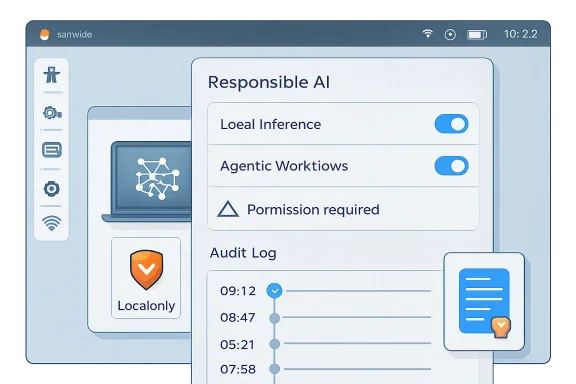
A responsible agentic design should follow a clear sequence:
Local inference does not solve every problem. A local model can still hallucinate, consume power, behave unpredictably, or expose sensitive data to another local process if isolation is poor. But it changes the trust model in an important way: the user’s files, logs, voice, screenshots, and system state do not automatically become input for someone else’s infrastructure.
Ubuntu’s packaging strategy is central here. Canonical is expected to rely heavily on Snap confinement for model delivery and AI capabilities. That approach will be controversial among some Linux users, but it gives Canonical a ready-made permission and sandboxing framework that can limit what an AI-powered component can access.
The local inference model offers several advantages:
The open-source world understands source code because code can be read, built, patched, forked, and audited. Models are different. Even when weights are downloadable, the model’s behavior is the product of vast training corpora, opaque data mixtures, and post-training processes that are difficult to reproduce. The result is transparency, but not necessarily accountability.
Canonical’s more cautious language is therefore wise. Choosing a model cannot be reduced to whether the weights are accessible. Ubuntu will need to evaluate license compatibility, redistribution rights, training-data claims, safety behavior, hardware performance, update cadence, and whether the model can be used in commercial or regulated environments.
Key model selection questions include:
Recall intensified that concern. The idea of a system feature that periodically captures screen snapshots to make past activity searchable immediately raised questions about privacy, security, corporate data retention, confidential communications, and abuse scenarios. Microsoft later revised the design with stronger controls and opt-in framing, but the reputational damage had already shaped the broader conversation.
Canonical appears to understand that copying this model would be disastrous for Ubuntu. Linux users are not likely to tolerate a persistent assistant that phones home, appears in system apps by default, or turns every workflow into a prompt box. Ubuntu’s opportunity is to treat AI less like a product mascot and more like a system capability with permissions.
Important differences Canonical must preserve include:
System administration is an obvious use case. Linux servers generate huge volumes of logs, metrics, package events, service states, container messages, and kernel warnings. A local or private AI assistant that summarizes incidents, correlates symptoms, and explains likely causes could help administrators work faster without sending sensitive operational data to a consumer AI provider.
This is especially relevant in regulated environments. Finance, healthcare, government, defense, research, and critical infrastructure organizations often cannot paste logs into external services. They need clear data boundaries, identity controls, retention policies, and vendor accountability. Ubuntu’s existing enterprise support model gives Canonical a path to package AI as a governed capability rather than a consumer experiment.
Enterprise opportunities include:
The temptation will be to over-personalize. Desktop AI products often drift toward chat panels, suggested prompts, content generation, and proactive notifications. Ubuntu should resist that pattern. The Linux desktop does not need another animated helper; it needs clear explanations, reversible actions, and user respect.
The most valuable consumer features may be humble. Imagine a system dialog that explains why Bluetooth audio is failing, identifies the relevant service, offers to restart it, and shows the exact command it would run. That is not glamorous, but it is the kind of feature that could convert frustration into learning.
Consumer-facing wins could include:
Canonical has an advantage here because Ubuntu is already a target platform for silicon vendors. Hardware makers want their AI capabilities exposed cleanly to developers, and Ubuntu is a natural place to do that. If Canonical can package optimized models and runtimes in a way that detects hardware automatically, it could make local AI less painful than today’s maze of drivers, quantization formats, Python environments, and GPU-specific instructions.
But performance must be framed honestly. A small local model can be excellent for dictation, summarization of short logs, OCR, and simple tool calling. It may be poor at complex reasoning, long coding tasks, specialized legal analysis, or open-ended research. Users will lose trust quickly if Ubuntu AI features pretend otherwise.
Hardware priorities should include:
The company has already indicated that early AI-backed features should arrive as opt-in previews and that future setup flows may allow users to enable or decline AI-native functionality. That is the right direction, but it should be implemented with unusual clarity. Users should not need to search forums to understand whether a model is installed, running, removable, or connected to a cloud provider.
The community also needs a say in model policy. Ubuntu is not merely a Canonical product; it is part of a broader open-source ecosystem with derivatives, flavors, upstream projects, and long-standing norms. Decisions about model licensing, data provenance, and default behavior should be documented publicly and revisited as the AI landscape changes.
A credible governance model should provide:
Linux Mint, Debian, Fedora, openSUSE, Arch-based distributions, and privacy-focused projects all have different relationships with upstream software, packaging systems, and user expectations. If Ubuntu handles AI well, it could strengthen its position as the practical desktop for newcomers and enterprises. If it handles AI poorly, it could accelerate migration to distributions perceived as more conservative or community-driven.
The competitive landscape is especially interesting because Canonical’s commercial incentives differ from Microsoft’s. Canonical sells support, management, security, and enterprise infrastructure, not a consumer productivity suite built around AI subscriptions. That reduces the pressure to turn every feature into a service upsell, though it does not eliminate business incentives around enterprise AI tooling.
Likely market responses include:
The most important early signals will not be flashy demos. They will be settings screens, package names, permission prompts, model documentation, and audit logs. Ubuntu users will inspect the implementation closely, and Canonical should assume that every process, network call, and default will be scrutinized.
What to watch next:
Canonical’s AI roadmap is therefore less a declaration of victory than a high-stakes design challenge. Ubuntu can become more accessible, more helpful, and more powerful by using AI in the right places, but only if Canonical treats user agency as a feature equal in importance to model capability. The responsible path is narrow, but if Ubuntu stays local by default, transparent by design, and genuinely optional in practice, it could show the wider operating-system market that AI integration does not have to mean surrendering control.
Source: How-To Geek Canonical plans responsible AI for Ubuntu Linux, rejecting Microsoft's Copilot model
 Overview
Canonical’s new AI direction arrives at a sensitive moment for desktop computing. Microsoft, Google, Apple, and nearly every major software vendor have spent the past three years embedding generative AI into products at a pace that often feels faster than user consent, enterprise policy, or security design can comfortably absorb. For many Windows users, the visibility of Copilot buttons, AI features in everyday apps, and the controversy around Recall turned AI from an exciting productivity layer into a symbol of vendor overreach.Ubuntu occupies a different place in the operating system market. It is both a popular Linux desktop distribution and a foundational platform for servers, cloud infrastructure, developer workstations, containers, edge systems, and AI training environments. That dual identity means Canonical cannot ignore AI, because much of the AI industry already runs on Linux, but it also cannot treat its users as a passive audience for whatever feature is fashionable this quarter.
The company’s engineering leadership is therefore framing AI in Ubuntu around two categories. Implicit AI would improve existing features in the background, such as speech-to-text, text-to-speech, accessibility, screen reading, camera focus, or troubleshooting assistance. Explicit AI would introduce more obvious agentic workflows for users who actively want them, such as system administration help, document generation, local automation, or controlled interactions with files, services, and applications.
The distinction matters because Ubuntu’s credibility depends on restraint. Linux users are not uniformly anti-AI, but they are often deeply skeptical of opaque background services, telemetry, forced cloud integration, and vague promises that convenience will somehow compensate for lost control. Canonical’s challenge is to prove that responsible AI in Ubuntu is not just a better press release than Microsoft’s Copilot strategy, but a different architectural philosophy.
Why Canonical Is Moving Now
AI is already part of the Linux ecosystem
Canonical is not discovering AI from the outside. Ubuntu is already widely used in machine learning development, GPU clusters, robotics, edge inference, data science workstations, Kubernetes deployments, and cloud-native infrastructure. For many developers, Ubuntu is the environment where models are trained, tested, packaged, and deployed.That makes the next step almost inevitable. If Linux powers the AI stack underneath modern applications, the desktop and server operating system layers will eventually expose AI capabilities directly. The real question is whether those capabilities arrive as carefully bounded system tools or as intrusive assistants competing for attention.
Canonical’s timing also follows the release cycle logic of Ubuntu. The LTS line is where enterprises expect stability, while interim releases provide room to test new desktop, packaging, and developer features. By targeting preview-style AI capabilities after the current long-term-support baseline, Canonical gives itself space to experiment without instantly changing the trust contract for conservative users.
Key reasons this moment matters include:
- AI workloads already depend heavily on Linux infrastructure
- Developer workstations increasingly need local model tooling
- Accessibility features can benefit from modern speech and language models
- Enterprises want controlled AI rather than unmanaged browser-based assistants
- New CPUs, GPUs, and NPUs are making local inference more practical
- Windows backlash has created an opening for a more restrained alternative
Implicit AI: The Least Controversial Path
Enhancing features users already understand
Canonical’s safest first step is implicit AI, because it does not require users to adopt a new mental model. A speech-to-text system that works better, runs locally, and respects user permissions is not necessarily experienced as an “AI feature.” It is experienced as a better operating system.This is where Ubuntu could make real gains quickly. Linux desktops have improved enormously, but accessibility and polish still lag behind the most integrated commercial platforms in some areas. High-quality dictation, voice isolation, screen reading, live captions, translation, OCR, and intelligent input correction could make Ubuntu more usable for people who have historically been underserved by the Linux desktop.
The significance is broader than convenience. Accessibility is one of the strongest ethical arguments for AI integration because the benefit is concrete, measurable, and user-centered. If Canonical can deliver local, private accessibility improvements, it will have a far stronger case than vendors that add AI image generation to every application because it looks impressive in a keynote.
Possible implicit AI targets include:
- First-class speech-to-text for dictation and accessibility
- Text-to-speech with more natural local voices
- Live captions for meetings, media, and system audio
- Camera and microphone enhancement for video calls
- Screen-reader improvements powered by contextual recognition
- Local OCR for screenshots, documents, and scanned content
- System diagnostics that explain logs in plain language
Explicit AI and Agentic Workflows
From assistant to controlled operator
The more ambitious part of Canonical’s plan involves agentic workflows. These are not just chatbots that answer questions; they are systems that can interpret context, call tools, perform tasks, and potentially make changes to the machine. On Linux, that could be powerful enough to help newcomers and dangerous enough to alarm administrators.A well-designed Ubuntu agent could help a user troubleshoot Wi-Fi, configure a development environment, explain a package conflict, analyze logs, or set up a self-hosted service with TLS. For a server administrator, it could summarize incidents, identify suspicious service failures, or recommend remediation steps based on local telemetry. In both cases, the core value is not personality; it is operational context.
This is where Ubuntu could offer something more meaningful than a generic assistant. Linux is famously powerful but often intimidating, with configuration spread across logs, services, package managers, permissions, shells, desktops, and documentation. An AI layer that explains what is happening on this specific machine could lower the barrier without hiding the system from the user.
A responsible agentic design should follow a clear sequence:
- Observe the system state with read-only access.
- Explain the likely issue in plain language.
- Recommend a specific action with consequences described.
- Request permission before making any change.
- Execute narrowly scoped actions using existing permissions.
- Log the decision and result for later review.
Local Inference as the Trust Anchor
Why running models on the device changes the debate
Canonical’s strongest claim is its stated bias toward local inference by default. In practical terms, that means AI features should run on the user’s machine where possible, using local models, local data, and explicit user configuration before any cloud service enters the picture. This is the opposite of the common web-era pattern in which user data quietly becomes a remote service dependency.Local inference does not solve every problem. A local model can still hallucinate, consume power, behave unpredictably, or expose sensitive data to another local process if isolation is poor. But it changes the trust model in an important way: the user’s files, logs, voice, screenshots, and system state do not automatically become input for someone else’s infrastructure.
Ubuntu’s packaging strategy is central here. Canonical is expected to rely heavily on Snap confinement for model delivery and AI capabilities. That approach will be controversial among some Linux users, but it gives Canonical a ready-made permission and sandboxing framework that can limit what an AI-powered component can access.
The local inference model offers several advantages:
- Reduced cloud dependency for core operating system features
- Better privacy posture for logs, voice, documents, and screenshots
- Clearer enterprise compliance boundaries
- Lower latency for some interactive tasks
- Offline functionality in restricted or disconnected environments
- Hardware-specific optimization through silicon partnerships
Open Weights Are Not the Same as Open Source
The licensing problem Linux users will notice
Canonical’s plan emphasizes open-weight models, but it also acknowledges a point many AI marketing campaigns blur: open weights are not the same thing as traditional open source. A model can make its parameters available while still hiding training data, filtering choices, reinforcement methods, safety tuning, or licensing restrictions. That matters deeply to a community built around inspectability and redistribution rights.The open-source world understands source code because code can be read, built, patched, forked, and audited. Models are different. Even when weights are downloadable, the model’s behavior is the product of vast training corpora, opaque data mixtures, and post-training processes that are difficult to reproduce. The result is transparency, but not necessarily accountability.
Canonical’s more cautious language is therefore wise. Choosing a model cannot be reduced to whether the weights are accessible. Ubuntu will need to evaluate license compatibility, redistribution rights, training-data claims, safety behavior, hardware performance, update cadence, and whether the model can be used in commercial or regulated environments.
Key model selection questions include:
- Can Canonical legally redistribute the model?
- Are the license terms compatible with Ubuntu’s values?
- Is the training-data provenance documented clearly enough?
- Can users remove or replace the model?
- Does the model run efficiently on common hardware?
- Are external services clearly separated from local features?
- Can the package be audited and updated responsibly?
The Microsoft Copilot Contrast
Why Ubuntu is trying not to look like Windows
The shadow over Canonical’s announcement is Microsoft Copilot. Microsoft has spent years placing Copilot across Windows, Microsoft 365, Edge, Paint, Notepad, Teams, GitHub, and enterprise workflows. Some of those integrations are genuinely useful, but the cumulative effect has been a sense that AI is being pushed into every corner of the user experience whether or not users asked for it.Recall intensified that concern. The idea of a system feature that periodically captures screen snapshots to make past activity searchable immediately raised questions about privacy, security, corporate data retention, confidential communications, and abuse scenarios. Microsoft later revised the design with stronger controls and opt-in framing, but the reputational damage had already shaped the broader conversation.
Canonical appears to understand that copying this model would be disastrous for Ubuntu. Linux users are not likely to tolerate a persistent assistant that phones home, appears in system apps by default, or turns every workflow into a prompt box. Ubuntu’s opportunity is to treat AI less like a product mascot and more like a system capability with permissions.
Important differences Canonical must preserve include:
- Local-first processing rather than cloud-first interaction
- Removable components rather than deeply embedded assistants
- Opt-in previews rather than surprise defaults
- Open tooling rather than closed service dependency
- Auditable actions rather than invisible automation
- Practical features rather than marketing-driven placement
Enterprise Implications
Controlled AI for servers, fleets, and compliance
For enterprises, Ubuntu’s AI roadmap is not primarily about desktop novelty. The bigger opportunity is managed local intelligence across developer workstations, servers, edge devices, and cloud infrastructure. If Canonical can make AI tools policy-aware, auditable, and removable, it could offer IT departments a safer alternative to unmanaged public chatbots.System administration is an obvious use case. Linux servers generate huge volumes of logs, metrics, package events, service states, container messages, and kernel warnings. A local or private AI assistant that summarizes incidents, correlates symptoms, and explains likely causes could help administrators work faster without sending sensitive operational data to a consumer AI provider.
This is especially relevant in regulated environments. Finance, healthcare, government, defense, research, and critical infrastructure organizations often cannot paste logs into external services. They need clear data boundaries, identity controls, retention policies, and vendor accountability. Ubuntu’s existing enterprise support model gives Canonical a path to package AI as a governed capability rather than a consumer experiment.
Enterprise opportunities include:
- Local log analysis during outages and security investigations
- Policy-aware automation for maintenance tasks
- Developer onboarding through environment setup assistance
- Private model deployment on corporate hardware
- Fleet-wide consistency through managed packages
- Audit trails for AI-recommended or AI-executed changes
- Support integration with Ubuntu Pro and Canonical services
Consumer Desktop Impact
Making Linux easier without making it less Linux
For consumers, the best version of Ubuntu AI would reduce friction without turning the desktop into a sales funnel. New Linux users often struggle with drivers, codecs, package formats, permissions, disk layouts, dual booting, and troubleshooting. A local assistant that explains problems accurately could make Ubuntu more welcoming.The temptation will be to over-personalize. Desktop AI products often drift toward chat panels, suggested prompts, content generation, and proactive notifications. Ubuntu should resist that pattern. The Linux desktop does not need another animated helper; it needs clear explanations, reversible actions, and user respect.
The most valuable consumer features may be humble. Imagine a system dialog that explains why Bluetooth audio is failing, identifies the relevant service, offers to restart it, and shows the exact command it would run. That is not glamorous, but it is the kind of feature that could convert frustration into learning.
Consumer-facing wins could include:
- Plain-language troubleshooting for Wi-Fi, Bluetooth, printers, and displays
- Guided software installation across Deb, Snap, Flatpak, and repositories
- Accessibility improvements that work offline
- Better onboarding for users migrating from Windows
- Privacy-preserving dictation without mandatory cloud accounts
- Context-aware help that teaches rather than hides Linux concepts
Hardware, Performance, and the NPU Question
The operating system has to meet the silicon
Canonical’s local inference ambitions depend heavily on hardware. Modern laptops increasingly ship with NPUs, while GPUs and CPUs continue to gain AI acceleration features. The challenge is that Linux support for these components can vary widely by vendor, driver maturity, firmware quality, and model framework compatibility.Canonical has an advantage here because Ubuntu is already a target platform for silicon vendors. Hardware makers want their AI capabilities exposed cleanly to developers, and Ubuntu is a natural place to do that. If Canonical can package optimized models and runtimes in a way that detects hardware automatically, it could make local AI less painful than today’s maze of drivers, quantization formats, Python environments, and GPU-specific instructions.
But performance must be framed honestly. A small local model can be excellent for dictation, summarization of short logs, OCR, and simple tool calling. It may be poor at complex reasoning, long coding tasks, specialized legal analysis, or open-ended research. Users will lose trust quickly if Ubuntu AI features pretend otherwise.
Hardware priorities should include:
- Automatic accelerator detection
- Graceful fallback to CPU execution
- Clear power and battery impact reporting
- Model size transparency before download
- Vendor-neutral support where possible
- Optimization for older and modest hardware
- No mandatory AI load on low-resource systems
Community Trust and Governance
The rollout will matter as much as the code
Canonical’s AI plan will succeed or fail on trust. Technical architecture is important, but the Ubuntu community will judge the rollout by defaults, wording, controls, packaging choices, and whether feedback changes the product. A careful plan can still feel coercive if users encounter AI prompts during setup without a clear explanation.The company has already indicated that early AI-backed features should arrive as opt-in previews and that future setup flows may allow users to enable or decline AI-native functionality. That is the right direction, but it should be implemented with unusual clarity. Users should not need to search forums to understand whether a model is installed, running, removable, or connected to a cloud provider.
The community also needs a say in model policy. Ubuntu is not merely a Canonical product; it is part of a broader open-source ecosystem with derivatives, flavors, upstream projects, and long-standing norms. Decisions about model licensing, data provenance, and default behavior should be documented publicly and revisited as the AI landscape changes.
A credible governance model should provide:
- A visible AI settings panel
- Per-feature enable and disable controls
- A list of installed models and runtimes
- Clear labels for local versus cloud inference
- Package removal instructions in the interface
- Public model selection criteria
- Documented audit logs for agentic actions
Competitive Implications for Linux Distros
Ubuntu’s move could divide the desktop market
Ubuntu’s AI roadmap will pressure other Linux distributions to define their own positions. Some will follow Canonical’s lead with local inference, accessibility tools, and agentic system helpers. Others may explicitly market themselves as AI-free Linux distributions, appealing to users who want a clean break from the AI wave.Linux Mint, Debian, Fedora, openSUSE, Arch-based distributions, and privacy-focused projects all have different relationships with upstream software, packaging systems, and user expectations. If Ubuntu handles AI well, it could strengthen its position as the practical desktop for newcomers and enterprises. If it handles AI poorly, it could accelerate migration to distributions perceived as more conservative or community-driven.
The competitive landscape is especially interesting because Canonical’s commercial incentives differ from Microsoft’s. Canonical sells support, management, security, and enterprise infrastructure, not a consumer productivity suite built around AI subscriptions. That reduces the pressure to turn every feature into a service upsell, though it does not eliminate business incentives around enterprise AI tooling.
Likely market responses include:
- Privacy-focused distros emphasizing no bundled AI
- Enterprise distros exploring governed local AI tooling
- Developer distros packaging model runtimes aggressively
- Desktop environments adding their own AI settings and APIs
- Hardware vendors favoring distributions with better accelerator support
- Cloud providers integrating Linux AI agents into management stacks
Strengths and Opportunities
Canonical’s plan is strongest where it treats AI as an operating-system capability rather than a branding exercise. If Ubuntu can combine local inference, confinement, open tooling, and practical workflows, it may offer the most credible mainstream alternative to cloud-first desktop AI.- Local-first defaults could give Ubuntu a privacy advantage over cloud-dependent assistants.
- Accessibility improvements offer a high-value use case with clear user benefit.
- Snap confinement provides a ready framework for limiting model and agent permissions.
- Enterprise support channels could turn AI governance into a managed, auditable offering.
- Hardware partnerships may improve Linux support for NPUs, GPUs, and optimized inference.
- Agentic troubleshooting could make Linux easier for newcomers without removing transparency.
- Open model evaluation could establish healthier norms for responsible AI packaging.
Risks and Concerns
The risks are just as real as the opportunities. AI features operate at the intersection of privacy, security, licensing, system performance, and user trust, and a mistake in any one of those areas could reinforce the very backlash Canonical is trying to avoid.- User trust could erode if AI components appear enabled by default without clear consent.
- Model licensing ambiguity could conflict with open-source expectations.
- Training-data concerns may make some users reject bundled models regardless of local execution.
- Agentic workflows could cause damage if permissions are too broad or actions are poorly logged.
- Low-end hardware could suffer if AI services consume memory, storage, CPU, or battery.
- Snap dependence may intensify existing criticism from users who dislike Canonical’s packaging strategy.
- Cloud fallback options could become controversial if interfaces are not clearly labeled and opt-in.
Looking Ahead
The 26.10 preview will be the first real test
The next major milestone will be how Canonical introduces AI-backed capabilities in Ubuntu’s interim release cycle. A preview that is clearly opt-in, removable, locally processed, and limited to practical features would reassure many users. A preview that feels promotional, vague, or difficult to disable would do the opposite.The most important early signals will not be flashy demos. They will be settings screens, package names, permission prompts, model documentation, and audit logs. Ubuntu users will inspect the implementation closely, and Canonical should assume that every process, network call, and default will be scrutinized.
What to watch next:
- Which AI features arrive first, especially whether accessibility leads the roadmap.
- How Canonical labels local and cloud inference in the user interface.
- Whether AI components are easy to remove without breaking unrelated system features.
- What model licenses and provenance details Canonical publishes before shipping.
- How enterprise management tools expose policy controls for AI features.
Canonical’s AI roadmap is therefore less a declaration of victory than a high-stakes design challenge. Ubuntu can become more accessible, more helpful, and more powerful by using AI in the right places, but only if Canonical treats user agency as a feature equal in importance to model capability. The responsible path is narrow, but if Ubuntu stays local by default, transparent by design, and genuinely optional in practice, it could show the wider operating-system market that AI integration does not have to mean surrendering control.
Source: How-To Geek Canonical plans responsible AI for Ubuntu Linux, rejecting Microsoft's Copilot model