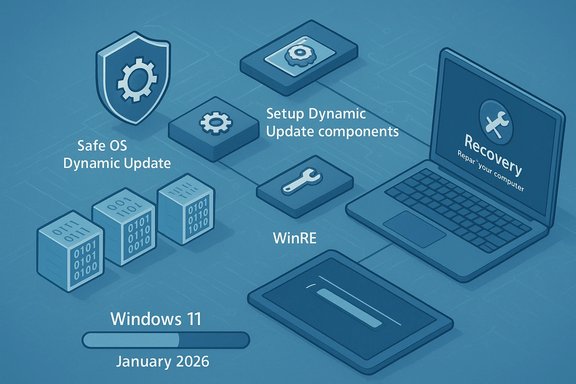
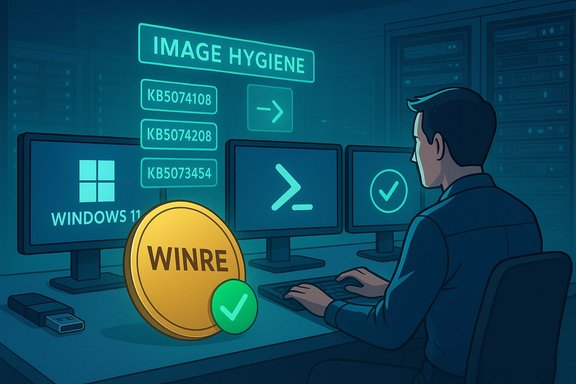
Microsoft has quietly published a trio of targeted Windows 11 setup and recovery dynamic updates — KB5074108, KB5074208 and KB5073454 — designed to refresh the Windows Recovery Environment (WinRE) and Setup binaries across multiple servicing branches, and administrators should treat them as high‑priority image‑hygiene items while also preparing for the operational risks that come with updating pre‑boot components.
Windows uses two compact, purpose‑built payloads to manage installation and recovery: the Setup runtime (the small set of binaries and appraiser/runtime components used during feature upgrades and media‑based installs) and the Windows Recovery Environment (WinRE) — often called the Safe OS — which runs pre‑boot for Reset this offline troubleshooting and cloud reinstall flows. Microsoft delivers surgical fixes to these trimmed runtimes using two dynamic‑update families: Setup Dynamic Updates and Safe OS (WinRE) Dynamic Updates. These packages are intentionally minimal but critically important to maintain recoverability and upgrade success.
Dynamic Updates are distributed via standard Windows servicing channels (Windows Update, Microsoft Update Catalog and WSUS) and When injected into an image or applied to the on‑device WinRE, many of these dynamic updates cannot be removed from that image — rollback typically requires restoring a preserved golden image or recovery media. That permanence raises both the value and the operational cost of mistakes.
Adopt a staged, evidence‑based approach to minimize operational risk and ensure recoverability.
Source: Neowin https://www.neowin.net/news/microso...8-kb5074208-kb5073454-setup-recovery-updates/
 Background
Windows uses two compact, purpose‑built payloads to manage installation and recovery: the Setup runtime (the small set of binaries and appraiser/runtime components used during feature upgrades and media‑based installs) and the Windows Recovery Environment (WinRE) — often called the Safe OS — which runs pre‑boot for Reset this offline troubleshooting and cloud reinstall flows. Microsoft delivers surgical fixes to these trimmed runtimes using two dynamic‑update families: Setup Dynamic Updates and Safe OS (WinRE) Dynamic Updates. These packages are intentionally minimal but critically important to maintain recoverability and upgrade success.Dynamic Updates are distributed via standard Windows servicing channels (Windows Update, Microsoft Update Catalog and WSUS) and When injected into an image or applied to the on‑device WinRE, many of these dynamic updates cannot be removed from that image — rollback typically requires restoring a preserved golden image or recovery media. That permanence raises both the value and the operational cost of mistakes.
What Microsoft released (the KBs explained)
KB5074108 — Safe OS Dynamic Update (24H2 and 25H2)
- Scope: Applies to Windows 11 versions 24H2 and 25H2, all editions.
- Summary: “This update makes improvements to the Windows recovery environment (WinRE).” The KB includes a concrete verification target: after installation the on‑device WinRE should report version 10.0.26100.7618. The update replaces the earlier KB5072537 entry and can be obtained via Windows Update, the Update Catalog and WSUS. No hos for the WinRE refresh to take effect.
KB5074208 — Setup Dynamic Update (23H2)
- Scope: Windows 11 version 23H2 (Home, Pro, Enterprise, Education and Enterprise Multi‑Session).
- Summary: Refreshes Setup binaries and files Setup uses for feature updates in the 23H2 servicing family. The update replaces a previously released setup DU (KB5071416) and lists exact file‑version manifests (for example: Appraiser.dll, acmigration.dll and bcd.dll entries published in the KB). No restart is required in many cases, though some replaced files can trigger a reboot when they are in use.
KB5073454 — Safe OS Dynamic Update (23H2)
- Scope: Windows 11 version 23H2 (all consumer and enterprise editions).
- Summary: Updates the WinRE payload for the 23H2 servicing family and sets an expected post‑install WinRE version of 10.0.22621.6489. The package replaces the previously released KB5072543 and is available through the same channels (Windows Update, Update Catalog, WSUS). No host restart is required for the WinRE refresh.
Why these updates matter (operational impact)
WinRE is rarely used in day‑to‑day operation, but when it is needed it is the last line of defense. A mismatched or stale WinRE can turn routine recovery tasks into prets or irrecoverable devices.- A stale WinRE may lack appropriate USB, storage or TPM helpers, causing USB input to stop working in recovery, blocking Reset or cloud reinstall flows, or preventing BitLocker from unlocking automatically.
- Setup DUs reduce upgrade failures by aligning the appraiser/runtime used during feature updates with current platform libraries and drivers.
- Because Safe OS DUs are applied to pre‑boot images, regressions are often visible only when recovery is actually needed, making early detection difficult without proactive testing.
Confirming the details (verification steps)
Every imaging and patching team should follow a short, repeatable verification checklist before expanding rollout.- Download the DU packages from the Microsoft Update Catalog and validate checksums.
- Inject the Setup DU into a copy of install.wim and the Safe OS DU into winre.wim using DISM (or your automation tooling).
- Mount ad image and confirm file versions against the KB‑published manifest.
- Verify the WinRE verification string on‑device with reagentc /info and run Microsoft's GetWinReVersion.ps1 tool as Administrator.
- Run real recovery scenarios on representative hardware: Reset this PC, cloud reinstall, Automatic Repair and BitLocker interactions.
- Preserve golden images and snapshots before injecting DUs — rollback requires restoring those artifacts.
- dism /Mount-Image /ImageFile:"<path>\winre.wim" /Index:1 /MountDir:C:\mnt — mount winre.wim for inspection.
- Run GetWinReVersion.ps1 (Microsoft‑published helper) — returns the installed WinRE version string.
- Event Viewer → Windows Logs → System — search for WinREAgent servicing events (e.g., Event ID 4501) for DU servicing success logs.
Risks, regressions and recent evidence
Dynamic Updates deliver essential fixes but have, at times, introduced regressions that required rapid follow‑up patches. Several operational hazards merit explicit attention:- Non‑removability: Once a DU is injected into an image, it is effectively permanent for that image; rollback demands a pre‑DU golden image or recovery media. This makes testing and staging mandatory.
- Hardware/firmware mismatch: WinRE is heavily trimmed — small driver mismatches can break input (keyboard/mouse), BitLocker flows, or other recovery behaviors on specific hardware families. Test on representative models.
- Unexpected behavior during Setup: Dynamic Update can fetch updated files just before or during an upgrade, changing the behavior of a previously vetted offline image. For large deployments, consider injecting validated DUs into images rather than relying on live dynamic acquisition.
- Operational surprises in restricted networks: Dynamic Update assumes network access to Microsoft endpoints; air‑gapped or highly restricted environments cannot rely on live acquisition and must pre‑stage validated DUs.
Adopt a staged, evidence‑based approach to minimize operational risk and ensure recoverability.
- Inventory and classification:
- Identify device families (OEM models) with unique firmware/USB stacks.
- Prioritize critical assets (domain controllers, VDI hosts, admin workstations) and imaging services.
- Prepare:
- Download DUs from the Microsoft Update Catalog and compute/record SHA‑256 checksums.
- Inject DUs into lab copies of images (install.wim and winre.wim) and validate file manifests.
- Validate:
- Execute the verification steps above (reagentc, GetWinReVersion.ps1, DISM inspection).
- Run recovery scenarios across representative hardware, including USB‑only input devices, BitLocker‑protected drives and cloud reinstall flows.
- Pilot:
- Roll out to a pilot ring (10–50 devices depending on fleet size), monitor logs, WinREAgent events, and h least two weeks.
- Gradual expansion:
- If pilot passes, expand to broader rings; retain golden images and snapshots for each ring to permit quick rollbacks.
- Emergency response:
- If field regressions occur, preserve failing devices for forensic analysis, suspend further DU rollout and coordinate with Microsoft support / OEM firmware teams.
- Download DUs and verify checksums.
- Inject into offline images and confirm file manifests.
- Test recovery scenarios on representative hardware.
- Pilot to a small group and monitor.
- Expand cautiously; keep rollback artifacts ready.
Practical guidance for home users and unmanaged endpoints
For most home users and unmanaged endpoints the simplest, most practical advice remains: allow Windows Update to install the update automatically and keep a current system backup plus external recovery media created from a known good Windows ISO. External recovery media (WinPE or a Windows install USB) often contains a fuller driver set and can rescue systems if on‑device WinRE exhibitsmpatibilities during recovery. If you run into an issue where WinRE is unresponsive, booting from external recovery media is the recommended workaround.Coordination with OEM firmware and Secure Boot certificates
Two non‑OS factors should be coordinated alongside WinRE/Setup DU rollouts:- OEM firmware updates: Because WinRE operates across firmware surfaces (UEFI, firmware drivers), imaging teams must test on hardware with the same OEM firmware versions as production devices. Firmware updates that alter USB controller behavior or boot sequences can change WinRE interactions.
- Secure Boot certificates: Microsoft has published guidance about Secure Boot certificate expirationsices with expired Secure Boot certificates may fail to boot securely or interact incorrectly with updated WinRE images. Administrators should review Microsoft’s Secure Boot certificate guidance and coordinate certificate/OEM updates as required before broad DU application.
Realistic expectations: what these DUs will and won't do
- These updates do not add new user‑facing features; they refresh tiny, critical components uscovery.
- They can materially reduce failed setups and improve recovery reliability when properly validated and applied.
- They will not fix unrelated user‑mode application bugs or broader OS stability issues outside of Setup/WinRE contexts.
- Because Microsoft’s public KB descriptions are intentionally terse, the real engineering detail lives in the KB file manifest and the package contents — administrators must validate file‑level expectations rather than rely on the short KB summary line.
Recommended monitoring after rollout
- Track WinREAgent servicing events in Event Viewer for successful DU application.
- Monitor help‑desk tickets related to Reset, Automatic Repair, BitLocker prompts, and USB input in recovery.
- Use EDR/telemetry to capture setup time crashes or hangs that could be related to updated appraiser Maintain a log of image manifests, DU package checksums, and deployment rings so any regression can be traced back to the DU version or the specific injected image.
Strengths and potential risks — critical analysis
Strengths- These DUs are surgical and small, letting imaging teams refresh only what they need without rebuilding entire ISOs.
- Microsoft provides concrete verification strings and file manifests, enabling reproducible validation of injected images.
- Distribution via Windows Update, Update Catalog and WSUS sund manual deployment workflows.
- Non‑removability of many Safe OS DUs once in an image creates operational friction; an erroneous injection demands a golden‑image restore.
- Hidden regressions in heavily trimmed pre‑boot runtimes can be catastrophic when they block a recovery path — they are often discovered only during actual recovery events.
- Dynamic Update’s network dependency and last‑minute binary acquisition can complicate root‑cause analysis during upgrade failures in large deployments.
Actionable summary for IT teams (what to do this week)
- Download KB5074108, KB5074208 and KB5073454 from the Microsoft Update Catalog and record the SHA‑256 checksums.
- Inject into lab images, validate file manifests against the KB, and test recovery scenarios on representative OEM hardware.
- Pilot to a small ring and monitor WinREAgent events, help‑desk ticket rates and telemetry for at least two weeks.
- Coordinate with OEM firmware teams and review Secure Boot certificate guidance before expanding rollout fleet‑wide.
Conclusion
KB5074108, KB5074208 and KB5073454 are behind‑the‑scenes but operationally important updates that keep Windows 11’s Setup and WinRE payloads aligned with a fast‑moving hardware and firmware landscape. They are small in download size but large in consequence: correctly applied, they reduce upgrade failure rates and preserve recoverability; incorrectly applied or insufficiently tested, they can embed irreversible pre‑boot regressions into recovery images. Treat these dynamic updates as mandatory image‑hygiene, verify them against the published manifests, run representative recovery tests, preserve golden images for rollback, and stage rollouts with telemetry and help‑desk readiness in place.Source: Neowin https://www.neowin.net/news/microso...8-kb5074208-kb5073454-setup-recovery-updates/