

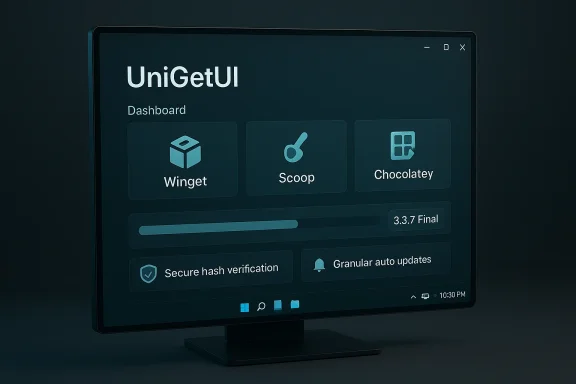
UniGetUI’s 3.3.7 Final arrives as one of those quiet releases that matters more for steadiness than spectacle. The app still does the same big job it has always promised—wrapping Winget, Chocolatey, Scoop, Pip, Npm, and .NET Tool into a single Windows-friendly interface—but this build is clearly tuned to make that experience less brittle and more predictable. The headline is not a flashy redesign; it is reliability, compatibility, and a few workflow fixes that should make the package-manager front end easier to trust in day-to-day use. The release also offers a useful reminder that on Windows, the most valuable updates are often the ones that stop things from going wrong. l context
UniGetUI exists to smooth over one of Windows’ most persistent power-user frustrations: package management is powerful, but the tooling is fragmented and often CLI-first. The project’s core appeal is that it combines multiple package sources into a single GUI, letting users install, update, remove, and monitor software without juggling separate command-line habits for each ecosystem. Its feature set is built around discoverability, bulk actions, per-package install options, update tracking, tray integration, backup/export, and custom install parameters, which makes it useful both for casual users and for people who routinely provision or maintain multiple PCs.
That broad ambition is what makes stability so important. A package manager UI is only as good as its trustworthiness: if installs fail in confusing ways, if update checks misreport versions, or if uninstall-and-update flows are inconsistent, users quickly fall back to doing things manually. The recent release train shows the project repeatedly aiming at those trust edges. Prior versions fixed reliability issues tied to XamlException crashes, corrected duplicated package listings, addressed phantom PowerShell 7 updates, and improved manager loading, shell launches, and integrity handling. 3.3.7 continues that same theme with a narrower but still meaningful set of fixes.
The 3.3.7 Final changelog is short, but its contents are telling. The release rolls back to .NET 8 and AppSdk 1.7, enables automatic updates for only selected packages, improves handling of packages with unknown versions, fixes .NET Tool update checking, improves toggle-switch translations, resolves a “Skip this version” issue after failed updates, improves NPM detection, refines uninstall-then-update behavior, and tightens the installer itself with crash, dark-mode, and iconography fixes. It also specifically says installation should not abort if the Autorun registry key cannot be created. That combination points to a project focused on minimizing friction, not expanding surface area.
The rollback to .NET 8 and AppSdk 1.7 is especially noteworthy. In software terms, rollbacks are not glamorous, but they often signal a practical response to compatibility or stability trade-offs. UniGetUI had already shown a willingness to downgrade AppSdk in a prior release after reliability issues, and 3.3.7 appears to be continuing that discipline rather than chasing newer runtime features for their own sake. That’s exactly the sort of decision a mature Windows utility should make when reliability matters more than novelty.
What changed in 3.3.7
The release is intentionally conservative
This is not a version that tries to reinvent the product. Instead, it cleans up a set of sharp edges in the areas that users hit most often: package version detection, update flows, installer behavior, and package-manager compatibility. That conservative approach is a strength, especially for a tool that sits between users and multiple downstream package sources.Reliability is the main story
The most important theme in the changelog is not a single feature, but the accumulation of fixes that reduce false failures and confusing UI behavior.- Rollback to .NET 8 and AppSdk 1.7
- Better handling of packages with unknown versions
- Fixes for .NET Tool update checking
- Improved NPM detection
- Better uninstall-then-update behavior
- Fixed “Skip this version” after a failed update
- Installer crash fixes
- Better installer dark mode support
- Improved installer iconography
- Don’t abort install when Autorun registry key creation fails
Why these are not “small” fixes
These are the kinds of changes users only notice when they are absent. A version detection bug can make a package look outdated when it is not. A failed skip-version action can create repeated update nags. A brittle installer can turn first-run setup into a bad impression. Even translation polish matters when it affects whether controls are understandable in the settings UI. In other words, 3.3.7 is about restoring confidence in the little decisions the app makes on the user’s behalf.The practical value for Windows users
Better trust in update data
UniGetUI’s value depends heavily on accurate metadata. If the app misreads package versions, users lose faith in update alerts and may begin ignoring the entire dashboard. Improvements to how the app handles packages with unknown versions are therefore more important than they sound, because they reduce ambiguity in the UI and help prevent incorrect update decisions.Less friction in mixed package-manager environments
The app’s selling point is that it unifies distinct ecosystems, but each ecosystem behaves differently. Winget, Scoop, Chocolatey, Pip, Npm, and .NET Tool all have their own conventions and edge cases. Improvements to NPM detection and .NET Tool update checking help UniGetUI behave more like a competent broker between those worlds rather than a generic wrapper. That kind of integration polish is what separates a convenience layer from a source of new problems.More predictable bulk maintenance
One of UniGetUI’s strongest features is bulk install, update, and uninstall. But bulk workflows only feel safe when individual package states are reliable. If one package fails and the app then mishandles skip logic or update recovery, users can end up in a confusing half-finished state. Fixing “Skip this version” after a failed update and improving “uninstall, then update” therefore have a direct impact on maintenance workflows, especially for users managing many machines or many dependencies.Why the .NET 8 rollback matters
Stability over trend-chasing
Rolling back to .NET 8 and AppSdk 1.7 suggests the maintainers have decided the newer stack was not the best trade-off for this branch. That may be due to runtime stability, packaging behavior, UI issues, or compatibility concerns, but whatever the exact cause, the intent is clear: keep the app reliable for its current audience rather than forcing adoption of a newer dependency stack prematurely.A sensible decision for a utility app
For a utility like UniGetUI, the best runtime is the one that disappears. Users do not care whether the app is built on the newest framework; they care whether it launches cleanly, renders correctly, and completes package operations without drama. The earlier 3.3.5 release took a similar stance when it fixed reliability issues and also downgraded AppSdk from 1.8 to 1.7, which makes 3.3.7 feel like part of an ongoing stabilization strategy rather than a one-off reaction.What this means in practice
- Fewer chances of framework-related regressions
- Better odds of predictable startup behavior
- Less exposure to UI-layer crashes
- More confidence in installer and in-app workflows
- A stronger foundation for incremental fixes in future releases
Update workflow improvements
Selective automatic updates
One of the most useful additions in the pre-release line, now carried into the 3.3.7 cycle, is the ability to automatically update only certain packages. That is a smarter model than a one-size-fits-all update policy, because not all software deserves the same treatment. Some tools can safely auto-update; others need more careful review, especially on systems where version changes can affect plugins, scripts, or compatibility with internal workflows.Version skipping that actually sticks
The fix for “Skip this version” after a failed update sounds modest, but it matters a lot for users who want control without micromanagement. If the app fails to respect a skip decision, update management becomes noisy and irritating. By correcting that behavior, UniGetUI reinforces one of its biggest promises: letting users decide which upgrades are worth taking and which ones should wait.Better uninstall-then-update behavior
Some package updates are cleaner if the old version is removed first. That can be especially true for applications with locked files, stubborn installers, or inconsistent upgrade paths. Improvements to uninstall-then-update make UniGetUI more resilient in real-world conditions, where “upgrade” is often not a single happy-path operation but a sequence of steps with opportunities to fail.Why users should care
- It reduces failed update loops
- It helps avoid repeated nagging
- It gives admins more control over rollout timing
- It makes the UI feel more intelligent
- It lowers the chance of partial or inconsistent package states
Package detection and metadata quality
Unknown version packages are a real-world problem
Package managers do not always provide neat, complete metadata. UniGetUI has to interpret whatever each source returns, and sometimes that means dealing with packages whose version information is unknown, missing, or inconsistent. Improvements in how the app handles those cases should reduce false warnings, mis-sorted lists, and confusing update markers.NPM detection gets a needed tune-up
NPM detection deserves its own mention because JavaScript tooling can be noisy, sprawling, and version-sensitive. If UniGetUI detects NPM packages poorly, then a whole class of developer tools becomes harder to manage. Improved detection therefore helps the app stay relevant for developers, not just general Windows users who rely on mainstream desktop software..NET Tool updates become less flaky
The changelog also calls out fixes for .NET Tool update checking. That matters because .NET Tool is one of the ecosystems where version information and update workflows can be especially important for developers who need reproducibility. Better checking here means fewer false positives and a cleaner sense of what actually needs maintenance.Metadata accuracy benefits everyone
- More trustworthy update lists
- Better filtering and sorting
- Fewer incorrect package states
- Less manual verification
- More confidence when managing developer tools and CLI utilities
Installer polish and first-run experience
Installer fixes are a quiet but important win
The installer got several improvements in this release: crash fixes, dark-mode fixes, and better iconography. Those issues might seem cosmetic, but the installer is often the first actual interaction a user has with the product. If the installer feels rough, the app inherits that first impression before the user even sees the package list.Why dark mode support matters
On modern Windows, dark mode is not a minor theme toggle anymore; it is part of expected UI coherence. A utility that manages system software should blend cleanly into the platform’s visual language. Fixing dark mode issues in the installer helps the project feel more native and less like a third-party afterthought.Autorun registry fallback is smart behavior
The line about not aborting installation if the Autorun registry key cannot be created is an excellent example of graceful degradation. If one optional registry action fails but the main install can still succeed, the installer should keep going. That is the right call for a tool that values usefulness over perfectionism, and it prevents an avoidable failure from blocking the entire setup.Installer takeaways
- Better first-run trust
- Fewer installation dead ends
- Cleaner visual consistency
- More resilience in restricted environments
- A smoother setup story for new users
How 3.3.7 fits the broader UniGetUI trajectory
This is a stabilization phase
Recent UniGetUI releases have repeatedly focused on reliability, package-manager loading, update-check correctness, integrity handling, and UI consistency. 3.3.3 improved manager loading and dynamic settings behavior; 3.3.4 fixed duplicated packages and phantom PowerShell updates; 3.3.5 addressed crashes caused by XamlException; and 3.3.7 continues the same hardening trend. The pattern is unmistakable: the project is maturing by removing failure points one by one.The app is becoming more enterprise-friendly by accident and by design
Even though UniGetUI remains a consumer-friendly GUI, many of the improvements also matter in managed environments: reliable update checks, better detection, more predictable installer behavior, and safer rollback decisions. That makes the app more attractive to advanced users, home labs, and IT-adjacent workflows where predictable package handling is more important than flashy features.The deeper pattern
The project is behaving like a mature Windows utility should. It is accepting that the hard part is not adding more buttons, but making existing buttons behave correctly under messy real-world conditions. That is usually the point where software becomes genuinely useful instead of merely impressive.Strengths and Opportunities
Strengths
- Reliable multi-manager integration across Winget, Chocolatey, Scoop, Pip, Npm, and .NET Tool.
- Selective auto-update control for users who want mixed policies.
- Improved installer resilience when optional registry actions fail.
- Better handling of uncertain package metadata, reducing confusion.
- Cleaner uninstall/update workflows for stubborn packages.
- Practical interface polish that improves trust rather than just aesthetics.
Opportunities
- Expand selective auto-update controls into more granular policy options.
- Improve recovery guidance when package-manager backends disagree.
- Surface clearer explanations for unknown-version packages.
- Add richer diagnostics for failed update attempts.
- Continue tightening installer behavior for enterprise d- Keep refining NPM and .NET Tool support for developer-heavy setups.
- Use the current stability phase to deepen telemetry around failure recovery.
Risks and Concerns
Compatibility trade-offs
The rollback to .NET 8 and AppSdk 1.7 is prudent, but it also hints that newer dependencies may have introduced stability or compatibility issues. That’s fine for now, but it means the maintainers will need to keep watching for regressions if they later move forward again.Package-manager edge cases never really end
Supporting multiple ecosystems means dealing with multiple sets of quirks, and no amount of polish can eliminate every source of inconsistency. NPM, .NET Tool, and unknown-version packages will continue to generate edge cases, especially as upstream tools evolve independently.Auto-update policy can become confusing
Selective auto-updating is a strong feature, but it also adds decision complexity. Users need to understand which packages are safe to automate and which ones should remain manual. If the UI does not clearly communicate those policies, the flexibility could become a burden rather than a benefit.Installer improvements do not eliminate trust risk
Even with crash fixes and better dark mode support, an installer is still the place where many users decide whether a tool feels polished. Any future regression there would be disproportionately visible. That makes installer quality an ongoing reputational issue, not just a technical one.What to Watch Next
The next release should be judged on consistency, not ambition
If UniGetUI keeps this trajectory, the most important thing to watch is whether the current reliability gains hold up across more machines and more package sources. A utility like this earns loyalty by staying boring in the best sense: predictable, durable, and hard to break.Key signals to monitor
- Whether selective auto-update expands into more advanced policy controls
- Whether unknown-version handling becomes more transparent in the UI
- Whether NPM and .NET Tool detection stay stable across future backend changes
- Whether installer polish remains strong across themed Windows setups
- Whether rollback decisions remain the exception rather than the norm
- Whether uninstall-then-update behavior continues improving for complex packages
The broader lesson for Windows users
The real value of UniGetUI 3.3.7 is that it treats software management as a trust problem. Package managers are only helpful when users believe the UI is telling them the truth and recovering gracefully from failure. This release pushes UniGetUI further in that direction, and that is exactly what a Windows software-management front end should be doing.UniGetUI 3.3.7 Final is not the kind of release that will wow anyone in a demo, but it is the kind that can quietly improve daily use for people who install, update, and uninstall software often. By rolling back risky dependencies, fixing package detection, hardening update behavior, and polishing the installer, the project is reinforcing its most important promise: making Windows package management simpler without making it less reliable. For users who care about clean workflows and fewer surprises, that is exactly the right kind of upgrade.
Source: neowin.net UniGetUI 3.3.7 Final
Last edited:
