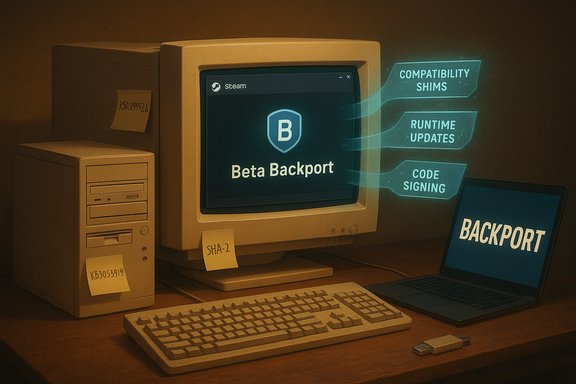
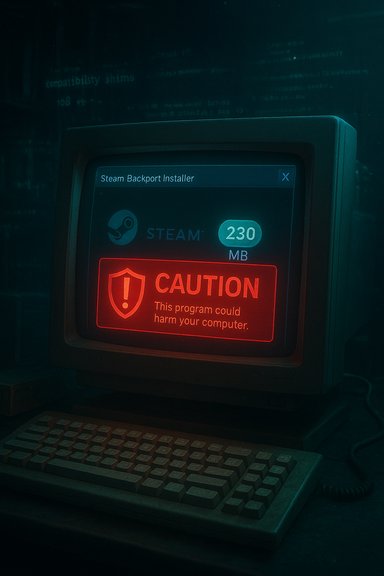
An unofficial community backport has breathed new life into a corner of PC gaming many considered all but retired: a December 4, 2025 Steam Client Beta build has been adapted to run on 64‑bit installs of Windows 7 SP1 and Windows 8.x, giving legacy machines a path to the latest Steam client features — albeit with important caveats about safety, support, and longevity.
Key items called out by community curators:
The community response is admirable — it is both a stopgap and a statement about the cultural value of long‑tail support for old hardware. Still, technical realities (embedded browser stacks, signed update flows, anti‑cheat kernel components) mean that such backports will always be fragile and eventually limited by upstream changes. Readers should therefore view this backport as a temporary lifeline — useful and impressive — but not a permanent guarantee of continued compatibility.
For hobbyists and preservationists who understand and accept these risks, the backport can be a valuable tool — but for anyone who values long‑term security, consistent online play, and official support, the right strategic move remains migration to a supported 64‑bit platform or alternative modern environment. Valve’s official shift to 64‑bit and the 2026 32‑bit cutoff are not just corporate housekeeping; they are the practical limits that ultimately define what community backports can — and cannot — sustain.
Source: Tom's Hardware https://www.tomshardware.com/video-...al-solution-gives-a-lifeline-to-legacy-users/
 Background
Why this matters now
Valve’s official support policy has steadily moved toward modern Windows platforms. Beginning with the change that stopped automatic updates to Steam on Windows 7 and Windows 8.x, and later the shift of Steam’s desktop client to a native 64‑bit build, Valve signaled that older OSes are no longer a priority for ongoing client updates. Industry coverage and Valve’s support notes make clear the practical effect: older clients may continue to launch for now, but will not receive fixes or security updates indefinitely. That engineering reality explains the community response: hobbyists and preservationists routinely create backports to bridge the compatibility gap and keep beloved hardware useful for gaming. The Tom’s Hardware report documents the most recent example: a community effort (credited to “Eazy Black” and amplified via The Bob Pony) that packages a December 4, 2025 Steam Client Beta into an installer claimed to run on Windows 7 SP1 x64 and Windows 8.x x64.What Valve officially changed
- Steam moved its Windows client to a default 64‑bit executable for modern Windows systems. This reduces Valve’s test matrix and lets the client use modern memory and security features.
- Valve set a timeline for 32‑bit client support to end (users should treat January 1, 2026 as the formal cutoff for updates to 32‑bit Windows clients).
These corporate moves are well documented in coverage from Ars Technica, PC Gamer and Windows Central and are the technical reasons why community backports are necessary to keep older OSes running newer client builds.
What the backport claims to deliver
The headline features
According to reports and the packaged installer landing page cited in Tom’s Hardware, the backport does the following:- Installs a modified Steam Client Beta (December 4, 2025 build) on Windows 7 SP1 x64 and Windows 8.x x64 systems.
- Works best on fully patched 64‑bit installations of those OSes (the backport is not intended for 32‑bit Windows).
- Recommends specific Windows updates and compatibility packages as prerequisites (service pack and runtime updates detailed below).
Where to get it (and why to be cautious)
Tom’s Hardware points readers to a roughly 230MB installer hosted on a community site (w7revived.chefkiss.dev) with mirrors offered by community curators. The report emphasizes the unofficial nature of these builds and repeats the community standard advice: use at your own risk. The Tom’s Hardware article and the community posts that circulated the backport note that responsibility for any system problems rests with the user.Technical prerequisites — verified and explained
The backport (and modern Steam components it depends on) expects certain platform features and runtime libraries. Community posts and the installer notes recommend either fully updating the OS or installing a handful of key updates. These recommendations line up with documented Microsoft updates and are sensible prerequisites for compatibility.Key items called out by community curators:
- Windows 7 Service Pack 1 (KB976932) — SP1 is still the baseline that exposes later servicing and runtime updates; it is the recognized prerequisite for post‑SP1 compatibility updates.
- Universal C Runtime (KB2999226) — many modern applications (and embedded browser runtimes) rely on the Universal CRT package; Microsoft documentation confirms KB2999226 is required on older Windows releases to run software built against recent Visual Studio toolchains.
- Telemetry/diagnostic updates (KB3080149) — listed in community guidance as part of the compatibility stack for older Windows point releases; this KB historically updated diagnostic components used by modern Microsoft servicing.
- SHA‑2 code signing support (KB4474419) — required on legacy Windows to validate modern update signatures and to interact reliably with modern signed binaries and package distribution. Microsoft’s SHA‑2 guidance documents explain why that patch remains critical for older systems.
How the backport likely works (technical analysis)
The Steam client is a composite application that bundles multiple subsystems: an embedded Chromium‑based WebHelper (CEF) for store/community pages, native libraries (networking, DRM, overlay), and a host process that integrates with device drivers and anti‑cheat middleware. When Valve stopped shipping newer versions for older OSes, two practical constraints emerged:- Upstream components (CEF and certain Windows libraries) require OS features and runtimes that Microsoft no longer updates on legacy releases.
- Maintaining both 32‑bit and 64‑bit binaries — plus extra compatibility shims — increases Valve’s engineering burden.
- Shipping a modified client that replaces or shims certain library calls so older OSes see the "expected" runtime interfaces.
- Bundling compatible versions of the Universal CRT and related runtime DLLs so the client doesn’t depend on missing platform components.
- Tweaking the embedded browser stack (or packaging a self‑contained CEF binary) so web‑rendering features don’t fail on older kernels.
The practical installation checklist (how to prepare)
These are community recommendations, distilled and cross‑checked against Microsoft documentation for the named KBs. Follow this checklist before attempting a backport:- Back up everything: personal files, documents, and any game saves not synced to Steam Cloud. This is non‑negotiable.
- Verify you are running a 64‑bit OS: Settings → System → About → check “System type.”
- Ensure Windows 7 is at least SP1 (KB976932). If not, install SP1 first.
- Install the Universal CRT update (KB2999226) for your OS build. This is essential for many modern binaries.
- Install SHA‑2 support (KB4474419) so future signed updates and modern cryptographic validation work properly.
- Consider installing the customer experience/diagnostic update KB3080149 if suggested by the backport notes; it historically updated telemetry components necessary for some modern services.
- Disable or properly configure third‑party security software before test‑install — some AV suites aggressively block modified binaries; re‑enable after verification.
- Test on an isolated machine or virtual machine first (ideal). If you only have one machine, set a system restore point and create a full disk image beforehand.
- Full backup and disk image.
- Confirm x64 and SP1 (KB976932).
- Install KB2999226, KB4474419, optionally KB3080149.
- Create a system restore or VHD before installing the backport.
- Install the 230MB backport package (or mirror) on an isolated system.
- Verify Steam login, overlay and a single game session before enabling everything.
Risk assessment — what can and can’t be guaranteed
Security
- No official support: This backport is unofficial. Valve will not troubleshoot or patch issues caused by modified clients. Tom’s Hardware and community notices explicitly state that running these builds is at the user’s risk.
- Attack surface: Running older OS releases increases exposure. Even with the recommended KBs applied, Windows 7 and Windows 8 no longer receive regular security fixes from Microsoft for most modern threats. Using an unofficial client on an EOL OS compounds risk.
- Binary provenance: Unless the backport’s binary has independently verifiable hashes and build details, users cannot know whether the installer contains malicious code. Community mirrors help availability but do not replace cryptographic verification.
Compatibility and reliability
- Anti‑cheat and DRM: Kernel‑level anti‑cheat systems (or DRM modules) may not accept or may behave unpredictably with modified client executables or shims. Users could see crashes or, in rare circumstances, account flags if a platform’s anti‑cheat detects tampering (most major shops require unmodified client behavior for online competitive services).
- Feature drift: As Valve updates server‑side APIs and services, the old or patched client may gradually lose functionality. Embedded browser features (store pages, community features) are particularly brittle if CEF or TLS libraries diverge from server expectations.
- Unverifiable claims: Community posts claim broad compatibility, but these are based on limited testing cohorts; treat sweeping "works for X titles" claims as anecdotal until verified across many configurations.
Legal and account issues
- While using an unofficial client is unlikely to automatically trigger account bans, any unofficial tool that modifies client behavior could contravene terms of service if it affects anti‑cheat integrity or attempts to circumvent security. There’s no public, absolute statement that installing a community backport will result in sanctions, but the safest approach is conservative use: limit online play in competitive titles, avoid cheating or tampering, and watch official policy updates from Valve.
Strengths — why the community effort is meaningful
- Preservation and accessibility: The backport preserves playability for machines that owners cannot or will not upgrade, supporting the preservation ethos of the PC gaming community.
- Short‑term utility: For single‑player titles and older libraries, the unofficial client can restore convenience (store browsing, library management, and overlay) without immediate hardware purchases.
- Engineering ingenuity: Community maintainers often stitch together shims and compatibility fixes that demonstrate deep platform knowledge — and sometimes these experiments surface real gaps vendors should address more gracefully.
Weaknesses and long‑term risks
- Maintenance burden on users: Each new Steam client release or server‑side change risks breaking community backports, meaning users must continually trust unofficial maintainers or re‑implement fixes themselves.
- Security fragility: Legacy OSes are not being hardened for modern threats; adding a modified client only increases the complexity of keeping a secure environment.
- Eventual unsustainability: As upstream components evolve (e.g., Chromium/CEF, TLS versions, anti‑cheat kernels), there will be practical limits where backports cannot emulate required OS features. Industry analysis shows Valve’s move to a 64‑bit client and the 2026 32‑bit cutoff reflect exactly this trajectory.
Alternatives — safer ways to keep playing
If you’re on a legacy machine but want to avoid unofficial installs, consider these safer, long‑term options:- Move to a supported 64‑bit Windows (clean install) if the hardware supports it. This is the most straightforward path to continued Steam updates and security patches.
- Use a modern lightweight Linux distribution and Steam for Linux (with Proton where necessary). This can resuscitate older hardware while giving access to updated client stacks.
- Set up a secondary modern PC as a Steam host and use Remote Play to stream sessions to your older device.
- Use cloud gaming services (GeForce Now, Xbox Cloud Gaming) to offload compute to the cloud — the client requirement is minimal.
- Retain the older client offline: avoid online features and stick to single‑player titles where anti‑cheat/customer checks are not required.
Practical recommendations (short checklist)
- If you choose to try the backport: test on an isolated or disposable machine first, verify checksums if provided, and run robust antivirus/behavioral monitoring on the installer before executing it.
- If you depend on anti‑cheat/competitive play: avoid unofficial clients for online multiplayer until there’s explicit, broad community validation that anti‑cheat interactions are safe.
- If you’re preservation‑focused: archive the original installer and a verified system image so you can roll back if something breaks.
- If you want long‑term reliability: plan migration to a supported 64‑bit Windows or a modern Linux distro; treat community backports as temporary maintenance rather than a permanent replacement.
What this episode reveals about PC gaming’s lifecycle
The backport is a microcosm of a larger dynamic: software vendors must modernize to reduce engineering debt, and a small but devoted community often fills the resulting gaps for legacy users. Valve’s 64‑bit migration reduces one kind of complexity and enables richer, more secure client development for the vast majority of users; conversely, it leaves a tiny fraction of players to either migrate or rely on community workarounds.The community response is admirable — it is both a stopgap and a statement about the cultural value of long‑tail support for old hardware. Still, technical realities (embedded browser stacks, signed update flows, anti‑cheat kernel components) mean that such backports will always be fragile and eventually limited by upstream changes. Readers should therefore view this backport as a temporary lifeline — useful and impressive — but not a permanent guarantee of continued compatibility.
Conclusion
The unofficial backport that brings the December 4, 2025 Steam Client Beta to Windows 7 SP1 x64 and Windows 8.x x64 is an impressive community engineering effort that extends the usable life of legacy gaming PCs. It addresses a real need for owners of older hardware and showcases the PC community’s ability to preserve experience and access. However, the benefits come with meaningful trade‑offs: security exposure on EOL operating systems, potential anti‑cheat and driver incompatibilities, and the ongoing maintenance burden of relying on unofficial builds.For hobbyists and preservationists who understand and accept these risks, the backport can be a valuable tool — but for anyone who values long‑term security, consistent online play, and official support, the right strategic move remains migration to a supported 64‑bit platform or alternative modern environment. Valve’s official shift to 64‑bit and the 2026 32‑bit cutoff are not just corporate housekeeping; they are the practical limits that ultimately define what community backports can — and cannot — sustain.
Source: Tom's Hardware https://www.tomshardware.com/video-...al-solution-gives-a-lifeline-to-legacy-users/