

Microsoft 365 Copilot Chat is now available to University of Nevada, Reno students through the university’s existing Microsoft licensing, and when you sign in with your NetID and use the Work option your prompts, responses, and viewed content are covered by enterprise data protections and are not used to train Microsoft’s underlying foundation models — but that reassurance comes with technical caveats, administrative controls, and behavioral responsibilities that every student should understand before using Copilot for course work or research.
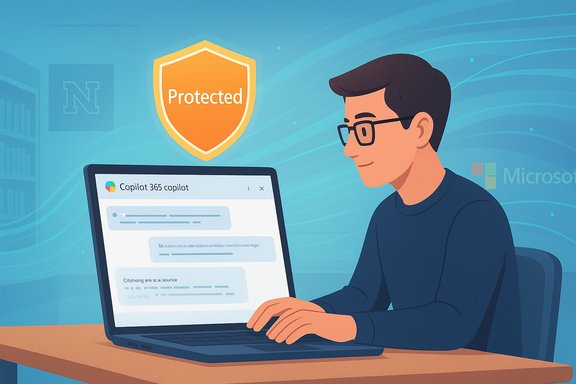
Microsoft’s Copilot family has been folded into both consumer and education offerings across 2024–2025, and the company has built an explicit distinction between consumer Copilot experiences (tied to personal Microsoft Accounts) and tenant‑grounded or work/school Copilot experiences (tied to Microsoft Entra / Azure AD accounts). When you access Copilot Chat with a work or school account you get Enterprise Data Protection (EDP) — visualized by a shield/Protected badge in the UI — and Microsoft states that prompts and responses in that protected mode are not used to train the underlying models. This distinction matters because the privacy, retention, and governance rules that apply to a managed university account differ materially from the consumer terms that govern personal Outlook/Hotmail accounts. Several universities and IT offices now publish step‑by‑step guidance and warnings to students: sign in with your campus account for EDP, avoid pasting regulated or sensitive data unless IT specifically clears the use case, and follow campus AI policies and academic integrity rules.
Source: University of Nevada, Reno Copilot chat for Students
 Background
Microsoft’s Copilot family has been folded into both consumer and education offerings across 2024–2025, and the company has built an explicit distinction between consumer Copilot experiences (tied to personal Microsoft Accounts) and tenant‑grounded or work/school Copilot experiences (tied to Microsoft Entra / Azure AD accounts). When you access Copilot Chat with a work or school account you get Enterprise Data Protection (EDP) — visualized by a shield/Protected badge in the UI — and Microsoft states that prompts and responses in that protected mode are not used to train the underlying models. This distinction matters because the privacy, retention, and governance rules that apply to a managed university account differ materially from the consumer terms that govern personal Outlook/Hotmail accounts. Several universities and IT offices now publish step‑by‑step guidance and warnings to students: sign in with your campus account for EDP, avoid pasting regulated or sensitive data unless IT specifically clears the use case, and follow campus AI policies and academic integrity rules. Overview: What UNR students are being offered
UNR’s published guidance tells students the access route, account requirements, and the university’s data‑protection stance:- Access: Visit m365.cloud.microsoft/chat and sign in with NetID@unr.edu using the Work or school account option. Microsoft’s multi‑factor authentication (MFA) will be required on first sign in.
- Protection promise: When you use the Work option while signed into your UNR Microsoft account, prompts and chat content are covered by the university’s contract with Microsoft and are not used to train the underlying large language models. The sign‑in flow will show a message about Enterprise Data Protection and require acceptance of Microsoft’s Terms of Use and Privacy statement to continue.
How Copilot Chat works (concise technical summary)
Microsoft 365 Copilot Chat is a web‑based conversational interface built on Microsoft’s commercially hosted large language models (including models in the GPT family and Microsoft’s own multimodal models). Implementation modes differ:- Consumer mode (personal Microsoft Account): May use broader telemetry and optional training‑consent flows depending on account settings. Avoid submitting private or institutional content while signed into a personal account.
- Work/School mode (Entra ID / Azure AD): Provides Enterprise Data Protection (EDP). Microsoft documents that prompts and responses in tenant‑grounded Copilot are not used to train foundation models, and Azure/OpenAI connectors operate inside Microsoft’s enterprise protections and contractual commitments.
Step‑by‑step: Access Copilot Chat at UNR (verified)
- Open a modern browser (Microsoft Edge recommended for full feature parity).
- Go to: m365.cloud.microsoft/chat.
- At the Microsoft sign‑in prompt enter your NetID@unr.edu and click Next. If you previously signed into your UNR Microsoft account you may be redirected.
- Choose “Work or school account” when prompted. This selects your Entra ID identity and triggers Enterprise Data Protection.
- Enter your password and complete multi‑factor authentication (MFA). You should then land in the Copilot Chat web UI.
- The first time you sign in you may see a message about “Microsoft Copilot with Enterprise Data Protection” and acceptance of Terms of Use and the Privacy statement; select Continue to ensure your interactions are covered by the university’s contract with Microsoft.
What “not used to train” actually means — verified context and caveats
Microsoft’s public explanation of EDP and commercial data protections clarifies three important technical points:- Prompts and responses in tenant‑protected Copilot sessions are not used to train Microsoft’s foundation models without explicit customer consent. That means university content entered while signed in with a work or school account will not be added to Microsoft’s model training corpora.
- Copilot still performs transient processing for safety and abuse detection; limited telemetry may be used to detect harmful or abusive behavior, but long‑term training on tenant data is not performed unless specifically enabled by the admin.
- The protections depend on the account and tenant configuration: consumer accounts can have different data flows and, by default, may contribute to telemetry used for product improvement unless the user opts out. Always use the work/school account for institutional material.
Why this matters for students — benefits and practical uses
Copilot Chat in work/school mode offers several immediate, practical benefits for university students:- Time savings on drafting and revision: Copilot can convert notes into structured outlines, suggest thesis sentences, and propose citation‑aware summaries that accelerate the revision loop.
- Research acceleration: Deep Research style features help gather and synthesize multiple sources, creating annotated summaries and extracting key quotations for literature reviews. Use Copilot as a scaffold — not a substitute — for rigorous scholarship.
- Multimodal help for visual subjects: Copilot can analyze screenshots, slide decks, and diagrams to create explainer text, label components, or generate practice questions tied to specific images — useful in anatomy, engineering, and design courses.
- Data work in Excel and analysis tasks: Natural‑language prompts can translate business questions into formulas, pivot tables, and chart recommendations, saving hours on routine data manipulation.
Risks, policy issues, and things IT must manage
The protective promise is strong, but there are real risks and operational responsibilities:- Academic integrity: Copilot can draft plausible essays and answers that may pass surface checks. Universities must update assessment design and honesty policies to require disclosure of AI assistance or to develop AI‑aware rubrics and in‑class assessments that verify student learning. Students must follow UNR’s Guidelines for AI Use.
- Sensitive/regulatory data: EDP reduces training risk but does not automatically make Copilot appropriate for regulated health, legal, or personally identifiable data. Institutional classification rules still apply — do not submit Level‑3/4 restricted data unless explicitly approved by IT and legal.
- Admin configuration and tenant scope: The EDP commitment is meaningful only when the tenant is configured correctly and when students actually authenticate with their work/school account. Admins can also limit Copilot access, pin the experience, or block m365.cloud.microsoft/chat if policies require it.
- Hallucinations and accuracy: AI responses can be plausible but wrong. Always verify Copilot‑generated facts, equations, or code before using them in graded work or research outputs. Copilot can cite sources but should not be treated as a primary scholarly authority.
Best practices for students (concise checklist)
- Always sign in using NetID@unr.edu and choose Work or school account to get EDP protections.
- Avoid submitting highly sensitive research or regulated data without IT/legal clearance.
- Treat Copilot outputs as drafts that require verification and citation; do not copy verbatim into submissions without attribution if your course policy requires disclosure.
- Keep prompts focused and contextual: include the scope, sources, and required constraints to get more useful, verifiable responses.
- Document your AI usage if your course or department requires disclosure — save prompts and Copilot outputs as part of your revision record.
- If you see the EDP shield icon or a “Protected” badge you’re in tenant mode; if not, sign out and re‑authenticate with your UNR account.
For UNR IT: recommended governance and rollout controls
A responsible institutional deployment of Copilot Chat should include:- Clearly published student guidance and a mandatory AI‑use page linked from student portals (covering access, allowed data types, and academic integrity rules).
- DLP (Data Loss Prevention) rules to prevent sensitive files from being uploaded to Copilot or to warn users when they paste restricted content.
- Retention and audit policy alignment with Microsoft Purview and the institution’s legal hold and eDiscovery processes.
- Instructor and staff training on AI‑aware pedagogy and assessment redesign.
- A clear support path: helpdesk scripts for students who see consumer mode instead of EDP mode, and an escalation plan for possible data incidents.
Troubleshooting common sign‑in and UX issues
- If you don’t see the Work and Web tabs or the Protected badge, confirm you signed in with your NetID@unr.edu and that your account is properly licensed. Some Copilot features require specific Microsoft 365 licensing and tenant configuration.
- If a consumer Copilot appears instead of the tenant‑grounded experience, sign out of all Microsoft accounts in the browser and sign back in with your UNR account, or try an in‑private window. Edge is recommended to get the full integrated experience.
- If you are blocked from m365.cloud.microsoft/chat, your admin may have disabled Copilot via policy; contact UNR IT for clarification.
Comparison: Personal (consumer) Copilot vs. Work/School Copilot
- Data use: Consumer Copilot may feed telemetry into model improvement unless opted out; Work/School Copilot under EDP is not used to train underlying models.
- Visibility and control: Tenant Copilot allows admin controls, DLP, auditing and compliance tooling; consumer Copilot does not provide the same enterprise governance.
- Feature parity: Some Copilot features (agents, higher‑usage tiers, Copilot+ PC optimizations) can vary across consumer and tenant experiences and by regional rollout. Expect feature gaps during phased rollouts.
Final analysis — strengths, gaps, and what to watch
Strengths- The UNR deployment gives students a high‑value productivity tool that integrates with the Microsoft 365 apps already used for coursework. This reduces friction and provides clear pedagogical utility (drafting, summarizing, multimodal analysis).
- Microsoft’s EDP commitments, as documented in official Microsoft guidance, deliver a meaningful contractual and technical guarantee that tenant data won’t be used to train underlying foundation models — a crucial privacy reassurance for institutional use.
- The protection depends on correct account use and tenant settings. Accidental use of the consumer Copilot, misuse of Copilot for restricted data, or failure to follow academic policies can create real exposure. UNR must maintain clear, repeated communication and technical controls.
- AI hallucinations, citation errors, and the risk of outsourcing core learning tasks require changes to assessment design and institutional enforcement of AI use policies.
- New features, agent pricing, and regional rollouts can change what students can do with Copilot; students should treat Copilot outputs like any other secondary source and verify claims before relying on them in graded or published work.
- Any institutional statement that generically promises “no data is used to train LLMs” should be read in the context of account type and admin configuration. The tenant‑grounded promise is verifiable in Microsoft’s documentation, but organizational customization or future contractual changes could alter operational details; when in doubt, consult UNR IT and the university’s AI policies.
Conclusion
UNR’s Copilot Chat rollout gives students a powerful, enterprise‑protected AI assistant accessible at m365.cloud.microsoft/chat when signed in with a NetID work/school account. Microsoft’s Enterprise Data Protection framework — and the EDP badge you’ll see in the UI — provide a contractual and technical guarantee that Copilot interactions in tenant mode are not used to train Microsoft’s foundation models, but that guarantee rests on correct authentication, tenant configuration, licensing, and responsible use. Students should embrace Copilot for drafting, research scaffolding and multimodal study aids while following UNR’s Guidelines for AI Use, avoiding submission of restricted data, and always verifying AI outputs before citing or submitting them for credit.Source: University of Nevada, Reno Copilot chat for Students
