

South African IT leaders face a simple, time‑sensitive reality: the operating system that protected and powered most workplaces for the last decade is gone, and moving to Windows 11 Pro is no longer just a nice‑to‑have — it’s a strategic imperative for security, compliance and long‑term productivity. (mybroadband.co.za)
Windows 10 reached its official end of support on October 14, 2025, which means no more routine security updates, feature fixes, or mainstream technical assistance from Microsoft for the majority of Windows 10 editions. That calendar deadline fundamentally changes risk calculations for organisations that still rely on legacy builds.
A recent MyBroadband feature — published as sponsored content by a Microsoft distributor — lays out the marketing case for migrating South African businesses to Windows 11 Pro: it highlights AI‑enhanced productivity features, Autopatch/Hotpatch update workflows, and a stronger security baseline through App Control, Microsoft Defender and Windows Hello for Business. The piece positions Windows 11 Pro as the practical OS for modern business users and encourages enterprises to use partner services to manage the migration. (mybroadband.co.za)
This article summarises the vendor’s claims, verifies the technical and licensing facts where possible, cross‑references authoritative documentation, and offers a pragmatic, risk‑aware roadmap for South African organisations planning an upgrade.
For South African organisations this is not an abstract risk: ransomware costs and phishing exposure have been rising locally, and regional reporting shows South Africa among the highest‑impact countries in Africa for ransomware and related attacks. Those trends make operating system hardening and modern endpoint controls practical business priorities, not optional upgrades.
Verification and context: Windows Autopatch is a Microsoft service that automates quality updates and other servicing tasks. Hotpatch — the ability to apply certain monthly security fixes without an immediate restart — is real and has been rolled out as part of Microsoft’s Autopatch/Intune management stack, but the functionality and licensing are targeted at enterprise management scenarios. Hotpatch is described in Microsoft’s release notes and guidance as an extension of Windows Update and is dependent on Autopatch or Intune policies and device eligibility (including specific Windows 11 versions and management enrollment). In short: the technology exists, it materially reduces restarts for eligible devices, but it is not a free, out‑of‑the‑box capability for unmanaged Pro endpoints.
Verification and caution: those performance and security reduction figures are presented without a referenced study in the article and read like partner marketing claims. Independent, peer‑reviewed studies quantifying a uniform 50% productivity gain or a 62% drop in incidents attributable solely to the OS are not publicly available; productivity outcomes depend heavily on device class, software stack, management maturity and user training. Treat these numbers as vendor claims that require proof points (benchmarks, before‑and‑after telemetry) before being used in board‑level business cases. I could not find independent verification of those exact percentages. (mybroadband.co.za)
Verification and context: Microsoft’s documentation confirms that Windows 11 brings a stronger hardware‑rooted security baseline — TPM 2.0, Secure Boot, virtualization‑based security (VBS) and features such as App Control (the modern managed WDAC variant), BitLocker and Windows Hello for Business are central to Microsoft’s “secure by design” narrative. Those features can materially raise the difficulty of successful attacks when properly configured, but effective protection still depends on correct deployment, patching and integration with endpoint detection and response tools. App Control for Business is managed through Intune and Microsoft Defender tooling, and some advanced controls and reporting are primarily available to organisations with Microsoft management and licensing in place.
Verification: Windows 11 continues to receive feature updates, security fixes and platform improvements. Microsoft’s servicing model for Windows 11 uses periodic feature updates plus monthly cumulative updates; additional services such as Autopatch add managed automation. That said, organisations must plan for change control: continuous updates are a double‑edged sword if IT teams lack robust testing and deployment processes.
If your organisation is still on Windows 10 or running unmanaged fleets, act now with a measured program:
In short: upgrading to Windows 11 Pro is the sensible and defensible first step for South African businesses, but realising the security and operational benefits requires careful planning, correct licensing and the right management stack. Treat the migration as a security programme, verify vendor claims with pilot telemetry, and align device refresh plans with the organisation’s threat and compliance profile. The clock is no longer rhetorical — action now reduces risk and turns compliance into a competitive advantage. (mybroadband.co.za)
Source: MyBroadband https://mybroadband.co.za/news/indu...companies-must-upgrade-to-windows-11-pro.html
 Overview
Windows 10 reached its official end of support on October 14, 2025, which means no more routine security updates, feature fixes, or mainstream technical assistance from Microsoft for the majority of Windows 10 editions. That calendar deadline fundamentally changes risk calculations for organisations that still rely on legacy builds.A recent MyBroadband feature — published as sponsored content by a Microsoft distributor — lays out the marketing case for migrating South African businesses to Windows 11 Pro: it highlights AI‑enhanced productivity features, Autopatch/Hotpatch update workflows, and a stronger security baseline through App Control, Microsoft Defender and Windows Hello for Business. The piece positions Windows 11 Pro as the practical OS for modern business users and encourages enterprises to use partner services to manage the migration. (mybroadband.co.za)
This article summarises the vendor’s claims, verifies the technical and licensing facts where possible, cross‑references authoritative documentation, and offers a pragmatic, risk‑aware roadmap for South African organisations planning an upgrade.
Background: why the timing matters
Microsoft’s lifecycle calendar converted a long‑running “eventually” into a hard deadline. After October 14, 2025, continuing to run unsupported Windows 10 builds substantially increases exposure to newly discovered vulnerabilities and reduces the pool of vendors and security tools that will continue to test and certify against older OS versions. Many third‑party vendors (security vendors, line‑of‑business software vendors and even game publishers) have already signalled reduced support for Windows 10 over time.For South African organisations this is not an abstract risk: ransomware costs and phishing exposure have been rising locally, and regional reporting shows South Africa among the highest‑impact countries in Africa for ransomware and related attacks. Those trends make operating system hardening and modern endpoint controls practical business priorities, not optional upgrades.
What MyBroadband (and its partner author) say — and what’s verifiable
The MyBroadband article emphasises several advantages of Windows 11 Pro for businesses. Below I list the article’s key claims, then verify or correct each against independent Microsoft documentation and industry reporting.Claim: Windows 11 Pro delivers AI‑optimised features — Autopatch and Hotpatch reduce user disruption
MyBroadband highlights that Windows Autopatch and Hotpatch let admins automate updates and, in some cases, install security fixes without device restarts, reducing employee interruptions. (mybroadband.co.za)Verification and context: Windows Autopatch is a Microsoft service that automates quality updates and other servicing tasks. Hotpatch — the ability to apply certain monthly security fixes without an immediate restart — is real and has been rolled out as part of Microsoft’s Autopatch/Intune management stack, but the functionality and licensing are targeted at enterprise management scenarios. Hotpatch is described in Microsoft’s release notes and guidance as an extension of Windows Update and is dependent on Autopatch or Intune policies and device eligibility (including specific Windows 11 versions and management enrollment). In short: the technology exists, it materially reduces restarts for eligible devices, but it is not a free, out‑of‑the‑box capability for unmanaged Pro endpoints.
Claim: Windows 11 Pro increases “workflow speed” by 50% and reduces security incidents by 62%
The MyBroadband piece asserts large percentage gains for businesses that adopt Windows 11 Pro. (mybroadband.co.za)Verification and caution: those performance and security reduction figures are presented without a referenced study in the article and read like partner marketing claims. Independent, peer‑reviewed studies quantifying a uniform 50% productivity gain or a 62% drop in incidents attributable solely to the OS are not publicly available; productivity outcomes depend heavily on device class, software stack, management maturity and user training. Treat these numbers as vendor claims that require proof points (benchmarks, before‑and‑after telemetry) before being used in board‑level business cases. I could not find independent verification of those exact percentages. (mybroadband.co.za)
Claim: Built‑in security — App Control, Microsoft Defender and Windows Hello for Business implement a zero‑trust posture
MyBroadband points to App Control for Business, Microsoft Defender tools and Windows Hello as core security gains in Windows 11 Pro. (mybroadband.co.za)Verification and context: Microsoft’s documentation confirms that Windows 11 brings a stronger hardware‑rooted security baseline — TPM 2.0, Secure Boot, virtualization‑based security (VBS) and features such as App Control (the modern managed WDAC variant), BitLocker and Windows Hello for Business are central to Microsoft’s “secure by design” narrative. Those features can materially raise the difficulty of successful attacks when properly configured, but effective protection still depends on correct deployment, patching and integration with endpoint detection and response tools. App Control for Business is managed through Intune and Microsoft Defender tooling, and some advanced controls and reporting are primarily available to organisations with Microsoft management and licensing in place.
Claim: Windows 11 Pro is “constantly updated and improved”
The article emphasises the continual update cadence of Windows 11 as an advantage. (mybroadband.co.za)Verification: Windows 11 continues to receive feature updates, security fixes and platform improvements. Microsoft’s servicing model for Windows 11 uses periodic feature updates plus monthly cumulative updates; additional services such as Autopatch add managed automation. That said, organisations must plan for change control: continuous updates are a double‑edged sword if IT teams lack robust testing and deployment processes.
The real licensing and edition gap — Pro vs Enterprise
One crucial shortcoming in many sponsored “move to Windows 11 Pro” messages is conflating what the OS edition provides by default versus what managed services and enterprise licensing add on top.- Windows 11 Pro provides enhanced device management controls vs Home: BitLocker device encryption, group policy support, Hyper‑V, remote desktop host, and encryption management. It’s designed for small and medium businesses.
- Windows Autopatch and the most advanced hotpatching workflows are marketed as Microsoft management services and are typically available to organisations with enterprise management licensing (e.g., Windows/365 Enterprise suites, Microsoft 365 E3/E5 or specific Autopatch entitlements). Hotpatch itself has been rolled out in enterprise channels and is tightly integrated with Autopatch/Intune policies. In practice, many of the zero‑touch, no‑reboot update capabilities require enterprise level management and appropriate licenses.
Security fundamentals — what Windows 11 actually adds
Windows 11 raises the baseline in a few measurable ways. Below are the most consequential technical changes and the business implications.TPM 2.0 and hardware root of trust
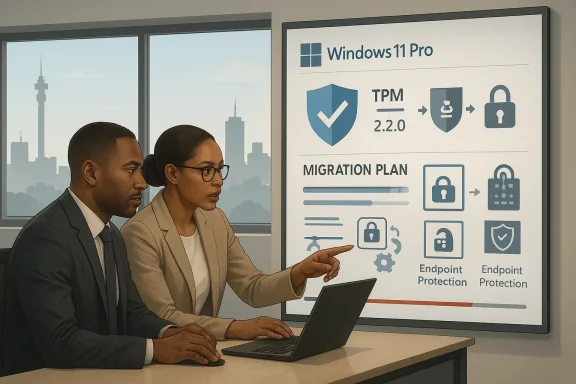
Windows 11’s system requirements call for a Trusted Platform Module (TPM) 2.0 or equivalent firmware TPM. TPM provides hardware‑backed keys for encryption and credential protection, and it significantly raises the bar against credential theft and some classes of firmware attacks. Organisations should confirm device TPM state and supply chain trust when refreshing devices.Virtualization‑based security (VBS) and Memory Integrity
VBS isolates critical OS components in a protected environment, reducing the attack surface available to kernel‑level exploits. Memory integrity (core isolation) is an example that helps prevent in‑memory code‑injection attacks. These features are powerful when supported by firmware and drivers but can be disabled where incompatible drivers exist. Expect coordination with hardware vendors during migration.App Control for Business (managed application allowlisting)
Microsoft’s modern App Control (WDAC‑based) lets organisations implement allow‑lists and managed installers through Intune/Defender tooling. Properly used, this is one of the most effective ways to prevent unknown or malicious binaries from running. The management experience continues to evolve and requires testing before wide deployment.Windows Hello for Business (passwordless, TPM‑backed sign‑in)
Windows Hello for Business replaces passwords with device‑bound credentials (biometrics or PINs), which are cryptographically tied to TPM. This reduces phishing and credential theft risks when correctly configured and integrated with identity systems.Microsoft Defender enhancements
Windows 11 ships with integrated Defender technologies; when organisations pair Defender with Defender for Endpoint and an enterprise management platform, they gain advanced telemetry, automated investigations and broader threat hunting capability. This is an ecosystem play — the OS alone is not equivalent to managed detection and response.South African threat environment — why the upgrade is not cosmetic
Ransomware recovery costs and phishing remain acute issues locally. Recent reporting shows South African organisations facing large average ransomware recovery costs, and regional assessments identify high ransomware detection volumes. Those realities increase the cost of inaction: unsupported OS versions are attractive targets because exploits are likely to persist unpatched in the wild. Migrating to a modern platform and enforcing stronger endpoint controls are defensive measures with measurable ROI when weighed against ransom recovery, downtime and regulatory impact.Notable strengths of the MyBroadband/Tarsus case (what’s accurate and compelling)
- Security modernisation is real. Windows 11’s hardware‑rooted features (TPM, VBS), combined with App Control and Defender tooling, provide a materially higher security baseline when implemented correctly. These are not marketing buzzwords — they reflect real defensive capabilities.
- Patching automation can reduce friction. Autopatch and hotpatching legitimately reduce restart pain and patch latency for eligible, managed devices; for distributed workforces this lowers user disruption and improves patch compliance.
- Productivity features tied to AI are maturing. Features such as Click to Do, Windows Recall and Windows Copilot (and the Copilot+ device designation) provide new in‑OS AI shortcuts and workflows that can improve certain knowledge‑worker flows — particularly on Copilot+ hardware. These are real capabilities worth evaluating for knowledge work scenarios.
Practical risks and where the marketing glosses over complexity
- Licensing and edition mismatch. The article’s language can blur the line between “Windows 11 Pro features” and enterprise cloud management features. Autopatch/Hotpatch and some advanced endpoint management benefits are tied to Microsoft enterprise licensing and Intune/Autopatch services, not automatically to every Pro device. Organisations should check entitlements before budgeting upgrade programs.
- Hardware compatibility and refresh costs. TPM 2.0, Secure Boot and certain AI features are hardware‑dependent. Older fleets may require significant refresh budgets or selective virtualisation strategies. Expect end‑of‑life and procurement cycles to factor prominently into TCO calculations.
- App compatibility and legacy software risk. Legacy line‑of‑business applications can break on new OS builds. Vendor certification, testing windows and fallback plans (containerisation or VMs) must be part of migration planning.
- Vendor marketing claims need measurement. Bold productivity or incident‑reduction percentages in vendor content should be validated with pilot telemetry and KPIs before being used in procurement cases. The MyBroadband/partner article makes strong claims that are not independently substantiated in the piece itself. (mybroadband.co.za)
A practical migration checklist for South African businesses
Below is a pragmatic, sequential plan to move from Windows 10 (or unmanaged legacy PCs) to a Windows 11 Pro (or Enterprise)‑managed estate.- Inventory and classification. Catalogue devices by model, TPM status, OS build, installed LOB apps and management state. Identify devices that meet Windows 11 hardware requirements and those that need replacement.
- Risk‑based prioritisation. Tier devices by risk exposure (e.g., internet‑facing endpoints, executives, merchant terminals) and plan high‑risk device upgrades first.
- License review. Map current Microsoft licences (Pro, E3/E5, Microsoft 365) and decide where Autopatch, Intune, Defender for Endpoint or other services are required. Confirm costs and entitlements.
- Pilot group. Run a controlled pilot on representative users: test App Control policies, Windows Hello for Business enrolment, BitLocker key escrow and any LOB app compatibility. Capture telemetry for productivity and stability.
- Driver and firmware validation. Coordinate with OEMs for firmware/driver updates required to enable TPM, Secure Boot and VBS features. Verify BIOS/UEFI settings for Intel PTT or AMD fTPM where discrete TPM is absent.
- Management baseline. Decide on Intune/Endpoint Manager profiles, Autopatch policies and Defender configurations. If you aim for hotpatch benefits, budget for Autopatch/Intune and device eligibility checks.
- Application remediation. For LOB apps that fail under Windows 11, consider vendor updates, packaging as MSIX containers, or supporting them via a Windows 10 VM running inside a Windows 11 host.
- User training and change management. Communicate passwordless flows (Windows Hello), new AI features and any new login or MFA steps. Training reduces helpdesk load.
- Rollout and monitoring. Staged deployment with automated telemetry collection for incidents, app failures and endpoint protection alerts. Use those metrics to tune App Control and Defender policies.
- Post‑migration compliance review. Confirm encryption posture, key escrow, and audit trails for regulatory obligations such as POPIA or industry‑specific rules.
Cost and procurement considerations for South African IT buyers
- Device refresh vs in‑place upgrade: Older devices that lack TPM/UEFI or adequate firmware support often require replacement; factor this into capital budgets.
- Managed services vs in‑house: If Autopatch/Intune/Defender licensing is new to your organisation, include onboarding and operational costs with partners or MSPs. Partner‑assisted migrations can accelerate deployments but must be held to SLAs and measurable outcomes.
- Procurement timing: With global device supply fluctuations and local procurement lead times, start hardware replacement planning early — vendor promotions will not eliminate the need for planning and testing.
Final assessment and recommendation
Windows 11 Pro is a pragmatic next step for South African companies that need a modern security baseline, improved manageability and access to new productivity features. The MyBroadband article correctly highlights many of these benefits and makes an urgent commercial case to upgrade. However, the article simplifies licensing nuance and presents specific productivity/security percentage gains without independent backing; those numbers should be treated as vendor claims until proven in pilots. (mybroadband.co.za)If your organisation is still on Windows 10 or running unmanaged fleets, act now with a measured program:
- Prioritise the highest‑risk endpoints for immediate upgrade or containment.
- Invest in an enterprise management baseline (Intune/Autopatch/Defender) if you require zero‑touch patching and advanced threat telemetry.
- Use pilot telemetry to validate any vendor productivity claims before committing broad rollouts or refreshed device budgets.
Quick reference — what to check first (the essentials)
- Confirm Windows 10 end‑of‑support is past and plan accordingly.
- Run PC Health Check and inventory TPM 2.0/UEFI status across your fleet.
- Validate licensing if you expect to use Autopatch/Hotpatch and advanced Defender telemetry.
- Pilot App Control policies and Windows Hello for Business in a non‑production group.
In short: upgrading to Windows 11 Pro is the sensible and defensible first step for South African businesses, but realising the security and operational benefits requires careful planning, correct licensing and the right management stack. Treat the migration as a security programme, verify vendor claims with pilot telemetry, and align device refresh plans with the organisation’s threat and compliance profile. The clock is no longer rhetorical — action now reduces risk and turns compliance into a competitive advantage. (mybroadband.co.za)
Source: MyBroadband https://mybroadband.co.za/news/indu...companies-must-upgrade-to-windows-11-pro.html
