

Microsoft has published an advisory for CVE-2025-62210, a high-severity cross‑site scripting (XSS) / spoofing vulnerability affecting Dynamics 365 Field Service (online), and multiple independent trackers assigned a CVSS v3.1 base score of 8.7—a signal that organizations should treat this as an urgent remediation and detection priority.
Dynamics 365 Field Service is a cloud SaaS offering used by organizations to manage field operations, including work orders, scheduling, and mobile worker interactions. A vulnerability classified as CWE‑79 (Improper Neutralization of Input During Web Page Generation / XSS) in a tenant‑facing component lets an attacker inject or cause rendering of attacker‑controlled script or content. When that injected content is presented to legitimate users or automation, it becomes a spoofing vector—an attacker can convincingly impersonate UI elements, system messages, or trusted links and thereby escalate to credential theft, session capture, or automation abuse. Multiple public vulnerability indexes list the issue and align on the core facts: XSS in Dynamics 365 Field Service (online), attacker-supplied input is not properly neutralized during page generation, and the impact is high for confidentiality and integrity. Microsoft’s Security Update Guide is the canonical source for this CVE, but note that MSRC’s advisory pages are rendered by a JavaScript single‑page application and sometimes require interactive browsing to extract the KB/build mapping for your environment. Administrators should view the MSRC entry directly from a secure administrative workstation to obtain the exact remediation artifacts.
Source: MSRC Security Update Guide - Microsoft Security Response Center
 Background / Overview
Dynamics 365 Field Service is a cloud SaaS offering used by organizations to manage field operations, including work orders, scheduling, and mobile worker interactions. A vulnerability classified as CWE‑79 (Improper Neutralization of Input During Web Page Generation / XSS) in a tenant‑facing component lets an attacker inject or cause rendering of attacker‑controlled script or content. When that injected content is presented to legitimate users or automation, it becomes a spoofing vector—an attacker can convincingly impersonate UI elements, system messages, or trusted links and thereby escalate to credential theft, session capture, or automation abuse. Multiple public vulnerability indexes list the issue and align on the core facts: XSS in Dynamics 365 Field Service (online), attacker-supplied input is not properly neutralized during page generation, and the impact is high for confidentiality and integrity. Microsoft’s Security Update Guide is the canonical source for this CVE, but note that MSRC’s advisory pages are rendered by a JavaScript single‑page application and sometimes require interactive browsing to extract the KB/build mapping for your environment. Administrators should view the MSRC entry directly from a secure administrative workstation to obtain the exact remediation artifacts.What the public record actually confirms
- Vulnerability: CWE‑79 — Cross‑Site Scripting (XSS) in Dynamics 365 Field Service (online).
- CVE: CVE‑2025‑62210, published 11 November 2025.
- Severity: CVSS v3.1 = 8.7 (High) with a vector that indicates network attack surface, low attack complexity, low privileges required, and user interaction required (practical exploitation often leverages a victim viewing or interacting with crafted content). Reported vector: CVSS:3.1/AV:N/AC:L/PR:L/UI:R/S:C/C:H/I:H/A:N.
- Exploitability: At the time of publication there are no widely published public proof‑of‑concepts; however the vulnerability class (XSS) is well understood and historically easy to weaponize into credential capture, session theft, or UI spoofing chains.
Technical analysis — how this class of bug works and why it matters
XSS → Spoofing: attack mechanics in a Dynamics context
Cross‑site scripting appears in several technical flavors (reflected, stored, DOM‑based). Public trackers describe this CVE as a stored XSS variant in Dynamics 365 Field Service (online), meaning attacker‑supplied input can be persisted in tenant data and later rendered to other users. When rendered, that content can:- Execute JavaScript in the context of the authenticated user’s session, enabling theft of session tokens, cookies, or OAuth bearer tokens accessible to the web app.
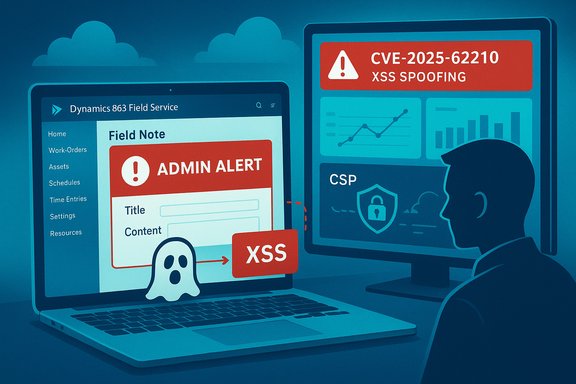
- Modify the page DOM to display spoofed UI elements—fake admin alerts, forged links, or deceptive prompts that encourage an operator to take dangerous actions (reset credentials, approve connectors, install packages).
- Trigger automation flows (for example, clicking a forged link that then invokes a Power Automate flow or opens a privileged console) when the orchestration between the web UI and backend connectors lacks robust provenance checks.
Privileges and preconditions
Published vectors indicate low privileges required (PR:L) but some user interaction is typically required (UI:R)—a low‑privileged, authenticated user can place an XSS payload into a field that will later be viewed by other users or operators. Because Field Service is a multi‑tenant SaaS with numerous integration touchpoints, attackers who can upload or post content (for example, via external customer portals, partner uploads, or misconfigured connectors) gain a high-leverage foothold.Scope: Changed vs Unchanged
The published vector lists Scope as Changed (S:C) in some trackers—this indicates that exploitation may allow an attacker to affect resources beyond the immediate component or user context (for example, by moving an exploited session into automation that runs under a different trust boundary). That amplifies the severity relative to a purely local DOM trick.Evidence, credibility and the “existence & technical detail” metric
The metric you supplied—measuring confidence in a vulnerability’s existence and the technical detail available—is vital for operational decision‑making. For CVE‑2025‑62210 the evidence chain is:- Vendor listing on MSRC (canonical source). Administrators should read the MSRC advisory for KB mapping; the page may require interactive access.
- Independent CVE aggregators (cvedetails, cvefeed) that mirror the vendor’s description and publish CVSS scoring. These trackers assigned CVSS 8.7 and list CWE‑79 as the weakness.
- Industry coverage (Patch Tuesday roundups) that list the Dynamics Field Service entries among November security fixes—these help confirm vendor action and that a remediation or mitigation exists.
Operational impact — plausible attack scenarios
- Internal phishing escalation: A malicious work order note rendered as a trusted “admin” alert convinces a dispatcher to click a link, which steals an authentication cookie and enables account takeover.
- Automation pivot: An injected script manipulates a UI button that triggers a backend connector (Power Automate/Logic Apps) to run a privileged flow—resulting in unauthorized changes to configuration or data exports.
- Cross‑tenant / provenance confusion: If integration metadata or “source” attributes can be spoofed, attackers can make external content appear to come from internal systems, increasing success rates for BEC and wire scams.
- Data exfiltration at scale: Stored XSS can be crafted to iterate over page elements and extract large inventories (customer lists, notes, connectors) and post them to attacker endpoints.
Immediate remediation and mitigation (Priority actions)
The canonical remediation is to apply the vendor fix described in Microsoft’s advisory. For cloud (online) services, Microsoft frequently deploys server‑side patches to the service; however tenants may need to:- Verify the tenant’s service patch/state in the Microsoft 365 / Dynamics admin center and apply any recommended tenant‑configuration changes.
- Update any client‑side customizations, portlets, or unmanaged JavaScript that could reintroduce vulnerable rendering logic.
- Rotate tokens/secrets that may have been captured if suspicious activity is observed.
- Enforce least privilege on roles that can create or edit free text fields or upload content. Reduce who can publish notes, attachments, or custom pages.
- Harden connectors and automation: require explicit multi‑step approval for automation flows that modify configuration or perform exports. Add out‑of‑band confirmation for high‑risk flows.
- Deploy a Web Application Firewall (WAF) with rules tailored to known XSS patterns and tune it to block suspicious payloads on tenant‑facing endpoints.
- Implement or strengthen Content Security Policy (CSP) for any tenant‑administered pages or custom web resources to limit inline script execution and external script sourcing.
- Train operators: issue a short, direct advisory to staff to not act on unexpected admin‑looking prompts without verification and to report suspicious UI elements immediately.
- Confirm MSRC advisory for CVE‑2025‑62210 and extract KB/patch mapping from the vendor page in a JavaScript‑capable browser.
- Check the Dynamics 365 admin center and your tenant notices for automatic service updates or tenant configuration suggestions.
- Apply any vendor‑provided fixes or guidance; if the service is already patched server‑side, harden your tenant configuration and customizations.
- Restrict edit/upload privileges, and place inbound content moderation / sandboxing where possible.
- Roll WAF rules and CSP report‑only policies to detect attempted payloads; move to enforce once the false‑positive rate is acceptable.
- Rotate integration keys and review recent automation runbooks and connector approvals for unusual activity.
Developer and configuration hardening (permanent fixes)
- Treat all untrusted text as unsafe: use server‑side encoding and sanitization libraries before persisting or rendering content (context‑dependent encoding for HTML, URL, JavaScript, attribute contexts).
- Avoid storing raw HTML from external users unless it is sanitized by a vetted sanitizer (for example, use a well‑maintained HTML sanitizer that removes script tags, event attributes, and dangerous URL protocols).
- When custom web resources are required, do not rely on client‑side only validation; enforce sanitization server‑side and remove inline script usage.
- Use CSP with nonces and strict script-src rules to reduce the chance that an injected payload can run.
- Lock down automation triggers: require manual approvals for flows started from user‑contributed content and use least‑privilege service principals for flows that perform sensitive actions.
Detection and post‑incident response
Detection priorities:- Monitor application audit logs for suspicious content submissions, abnormal numbers of content edits, or new custom web resources created by low‑privileged accounts.
- Look for unusual automation runs initiated shortly after content edits or uploads (this can indicate an injected script triggered a flow).
- Search SIEM for patterns of outbound data exfiltration from tenant services (large exports, repeated downloads, or requests to new external endpoints).
- Enable CSP report‑only mode to log attempted violations and identify likely malicious scripts or payload sources.
- Isolate the affected tenant resources (disable affected connectors, stop suspect automation runs).
- Rotate credentials and client secrets that could have been exfiltrated.
- Snapshot logs and preserve evidence for forensic analysis.
- Conduct a focused content sweep for stored payloads (work order notes, customer comments, uploaded filenames) and sanitize or remove malicious content.
- Notify affected users and perform an emergency review of privileged sessions for signs of compromise.
Prioritization: who should act and how quickly
- Tenants that allow external users, guest contributors, or partner uploads: Immediate (within 24 hours). Attack surface is largest where untrusted authors can create content.
- Tenants with permissive automation (connectors that act on content without multifactor confirmation): Immediate to harden approvals and require out‑of‑band confirmations.
- Tenants with strict internal content controls but high administrative access: High (within 72 hours) to verify patch status and sanitize any custom web resources.
Known limitations and unverifiable details (cautionary notes)
- Microsoft advisories frequently omit step‑by‑step exploit recipes for XSS and spoofing issues to prevent rapid exploitation; this means exact vulnerable parameters and payloads are not listed in the public advisory. Administrators must rely on the vendor’s KB mapping for patch artifacts and use defensive telemetry to detect abuse.
- Some public mirrors and scrapers may lag or incompletely index the MSRC entry because the MSRC update guide is a JavaScript app; always open the MSRC advisory interactively from a secure admin workstation to capture the canonical KB/patch mapping.
- At publication there were no widely distributed public proof‑of‑concepts. That reduces immediate mass‑exploitation risk, but XSS is a low‑technical barrier for weaponization—the window from disclosure to exploitation can be short once details or payload patterns leak. Treat the absence of PoCs cautiously.
Strengths and risks — critical appraisal
Strengths- Vendor acknowledgement and advisory presence in MSRC raise confidence and provide official remediation paths; multiple independent trackers mirror the advisory, increasing verifiability.
- The vulnerability class (XSS) is well known, and defensive patterns (CSP, sanitizers, WAF, least‑privilege roles) are immediately actionable and effective if applied correctly.
- Stored XSS in a tenant service is high leverage: it can be used to target administrators, automate privileged flows, or exfiltrate data at scale. The impact is magnified when automation (Power Automate, Logic Apps) acts on UI‑driven events without strong provenance checks.
- Vendor advisories that are intentionally terse can leave defenders with operational uncertainty about the exact trigger points; this complicates short‑term triage and increases reliance on rapid patch mapping and mitigation policies.
Action checklist (compact, prioritized)
- Confirm MSRC advisory and KB/patch mapping for CVE‑2025‑62210 using an interactive browser from a secure admin machine.
- Verify tenant patch status and apply vendor guidance. If server‑side patching is performed by Microsoft, validate tenant configuration and custom resources.
- Restrict content‑edit privileges and tighten automation approvals immediately.
- Deploy WAF rules and enable CSP report‑only for tenant pages; iterate to enforcement.
- Scan tenant data for anomalous HTML/script fragments; sanitize or remove malicious records.
- Rotate integration keys if there is any suspicion of exfiltration.
- Instrument detection: SIEM hunts, CSP reports, automation audit trails, and session/token anomalies.
- Document actions taken and prepare stakeholder communications if user data or credentials were exposed.
Conclusion
CVE‑2025‑62210 is a confirmed and serious spoofing/XSS vulnerability affecting Dynamics 365 Field Service (online) that merits prompt, prioritized action. Vendor acknowledgement, mirrored CVE entries, and Patch Tuesday coverage converge to give defenders both the confidence and the urgency to respond: validate MSRC guidance, apply vendor fixes or tenant hardening, and deploy layered mitigations (role restrictions, CSP, WAF, automation gating) to reduce exposure while validation is underway. Because XSS in a multi‑tenant SaaS product targets trust and automation as much as code execution, defenders must act quickly to close the window for spoofing‑driven social engineering and automation pivoting.Source: MSRC Security Update Guide - Microsoft Security Response Center
