

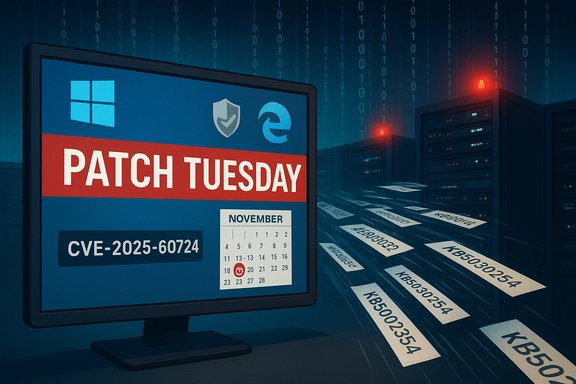
Microsoft users should update now: a critical heap‑overflow in the Microsoft Graphics Component (GDI+) and a high‑risk Chromium/V8 flaw in Microsoft Edge are part of November’s emergency Patch Tuesday and expose both desktop machines and document‑processing servers to remote code execution unless patched immediately.
Microsoft’s November 2025 security release addresses 63 CVEs across Windows, Office, Edge and developer tools. Among them, CVE‑2025‑60724 — a heap‑based buffer overflow in the Microsoft Graphics Component (GDI+) — is rated critical and carries an approximate CVSS of 9.8. The same Patch Tuesday also closes multiple Edge/Chromium V8 issues (one tracked as CVE‑2025‑13042) that affect Edge versions older than 142.0.3595.80. Multiple independent security vendors and trackers confirm the scope and severity of these flaws. CERT‑In and several national CERTs have been active in recent months flagging Microsoft patch cycles as high‑priority for Indian and international users; organizations that delay updates risk exposure, especially where document previewing services or web upload parsers are in use. For organizations still running Windows 10 after October 14, 2025, extended support arrangements (ESU) or rapid upgrades are required to keep receiving these security fixes.
Action priorities (short version):
Security posture is an operational discipline: apply the patches, validate the deployment, and harden where patching cannot be immediate. These steps will materially reduce the window of exposure from remote code execution threats affecting Microsoft products.
Source: Techlusive Microsoft Users At High Risk: Indian Govt Recommends Updating Your Devices Now
 Background
Microsoft’s November 2025 security release addresses 63 CVEs across Windows, Office, Edge and developer tools. Among them, CVE‑2025‑60724 — a heap‑based buffer overflow in the Microsoft Graphics Component (GDI+) — is rated critical and carries an approximate CVSS of 9.8. The same Patch Tuesday also closes multiple Edge/Chromium V8 issues (one tracked as CVE‑2025‑13042) that affect Edge versions older than 142.0.3595.80. Multiple independent security vendors and trackers confirm the scope and severity of these flaws. CERT‑In and several national CERTs have been active in recent months flagging Microsoft patch cycles as high‑priority for Indian and international users; organizations that delay updates risk exposure, especially where document previewing services or web upload parsers are in use. For organizations still running Windows 10 after October 14, 2025, extended support arrangements (ESU) or rapid upgrades are required to keep receiving these security fixes.What the two highest‑risk issues are — explained plainly
1) CVE‑2025‑60724 — GDI+ (Microsoft Graphics Component) heap overflow (RCE)
- What it is: a heap‑based buffer overflow in the Graphics Device Interface Plus (GDI+) used to render images and metafiles.
- How it can be exploited: an attacker crafts a malicious metafile (or another specially crafted graphics resource) and embeds it in a document, image or upload. When that file is parsed by a vulnerable component — whether on a desktop, server or in an automated document‑processing pipeline — the overflow can be triggered and arbitrary code executed.
- Why it’s dangerous: GDI+ is used widely — Office document rendering, thumbnailers, web‑service upload processors, and many third‑party apps consume its parsing logic. That ubiquity converts a single parsing bug into a broad attack surface. In some server contexts, exploitation can occur without any end‑user opening a file (for example, when web applications automatically parse uploaded documents).
2) Edge (Chromium) V8 vulnerability — Remote Code Execution via crafted web content
- What it is: a V8/Chromium engine flaw that allows memory corruption and potential code execution when Edge processes malicious JavaScript or HTML.
- Affected versions: Edge Stable releases prior to 142.0.3595.80 (Microsoft’s security notes list affected ranges and the fixed channel versions).
- How it can be exploited: a user need only visit a malicious web page or be tricked into loading a crafted resource; the engine’s bug can then be triggered to execute code in the browser context or escalate further depending on other mitigations.
- Why it’s dangerous: browsers are exposed to the internet and frequently used for sensitive workflows (webmail, enterprise portals). A successful exploit can lead to remote code execution with the rights of the user, drive‑by compromise, or staged follow‑on attacks.
How security teams and home users should respond — immediate playbook
Applying the vendor fixes is the only reliable mitigation. The following actions are prioritized by urgency.For home users (quick, actionable)
- Open Windows Update → Check for updates → Install all available security updates and reboot if required.
- Open Microsoft Edge → Settings → About Microsoft Edge. If your version is below 142.0.3595.80, click “Update” and restart the browser. Edge typically auto‑updates but manual verification is recommended.
- Update any Microsoft Office applications (including Office for Android and Office LTSC for Mac) via Microsoft Update or platform app stores.
- Keep antivirus/EDR running and up to date; do a full scan after patching.
For IT administrators and defenders (prioritized, tactical)
- Map CVE → KB → OS/build precisely before deployment. Use Microsoft’s Security Update Guide/MSRC to translate CVE numbers into the exact servicing KBs for each Windows/Server/Office SKU. Patch packages and KB IDs are the authoritative deployment unit for WSUS, SCCM/ConfigMgr, Intune, or catalog downloads.
- Patch servers that parse or preview user‑supplied documents as highest priority:
- Mail servers with preview panes, document conversion services, content management systems and any web endpoint that accepts and parses uploaded files must be patched immediately.
- If you cannot patch immediately, disable automatic parsing/preview features, place uploads into a sanitized queue, or sandbox parsing inside hardened containers.
- Push Edge updates via enterprise channels or ensure managed update rings include the November security release; verify client versions after rollout.
- Use canary/staging channels to smoke test updates for compatibility on critical workloads; for emergency patches with high risk you may still choose an accelerated rollout after targeted verification.
- For Windows 10 machines still in operation, ensure they are covered by Extended Security Updates (ESU) or upgraded to Windows 11; unsupported Windows installs will not receive vendor patches and remain exposed.
Technical verification and cross‑checks
Multiple independent trackers and vendors report identical technical facts about the GDI+ bug and Edge V8 fixes:- Microsoft’s Security Update Guide and Edge release notes list the affected components and remedial versions.
- NVD and Rapid7/Nessus plug‑ins and vulnerability databases list CVE‑2025‑60724 as a GDI+ heap overflow with links to Microsoft’s advisory pages.
- CrowdStrike, Tom’s Guide and other security outlets independently analyzed the November 2025 patch set and highlighted CVE‑2025‑60724 and the Edge V8 fixes as urgent remediation priorities. These independent writeups corroborate the exploit vectors (malicious metafiles and crafted web content), severity ratings, and the impact on document‑processing services and browsers.
Operational risk analysis — who’s most exposed and why
- Web services that accept and parse uploaded documents are the highest risk group. Because the GDI+ flaw can be triggered by server‑side parsing, unattended uploads (e.g., file converters, previewers, OCR pipelines) can be exploited without any direct end‑user action. That elevates the urgency for web gateway, CMS, and file‑upload workflows.
- Organizations with large fleets of Windows 10 machines are at extra risk if those devices are out of support (post‑EOL) or not enrolled in ESU. Unpatched endpoints increase lateral movement opportunities for attackers.
- Users who rely on browser plugins, legacy document viewers, or who have elevated privileges in their browser session (for example, use of extensions that run native code) face an elevated danger from the Edge V8 bug because browser compromise can be leveraged into credential theft, token capture, or next‑stage payload delivery.
Why the timing matters — real‑world attackability
Two attributes make the GDI+ issue particularly urgent:- Low user interaction requirement: a crafted metafile inside a document or an uploaded image can trigger the vulnerability during automated processing or preview generation.
- Broad code‑path coverage: GDI+ is invoked by many components (Office, print/thumbnail subsystems, server‑side renderers), so a single exploit technique can reach many targets.
Deployment checklist — step‑by‑step (recommended order)
- Inventory: identify all Windows desktops, laptops, servers, and cloud VMs, and any systems that run Office (Windows, Mac, Android) or provide document previews. Map affected builds to KBs.
- Prioritize: mark public‑facing file upload and document‑processing services, mail servers with preview, domain controllers and admin consoles for immediate patching.
- Patch servers first (especially those parsing uploads), then client‑facing devices, then enterprise management infrastructure (SCCM, Intune, WSUS agents).
- Update Microsoft Edge across all endpoints; force an update for managed environments if auto‑update lag is detected.
- Monitor logs and EDR/IDS/IPS for suspicious activity that correlates with successful exploit attempts (unexpected child processes, anomalous network connections, new persistence). Increase telemetry on document parsers during and after patching windows.
- Validate: after deployment, verify patching via inventory scans, and confirm fixed Edge version numbers and KB installation states.
- Post‑incident steps: scan file stores for potentially malicious artifacts, and forensically examine any signs of compromise around the time before patches were applied.
Hardening and compensating controls (if you cannot patch immediately)
- Disable automatic previews/parsing or sandbox them in isolated containers that can be quickly destroyed if compromised.
- Configure mail servers to block or quarantine unknown document types and to disable thumbnail generation on inbound attachments.
- Apply principle of least privilege to services that parse documents; run parsers as low‑privilege service accounts and restrict their outbound network access.
- Network segmentation: isolate file‑processing servers from critical domain resources and admin workstations.
- Use web content filters and browser isolation solutions for untrusted browsing sessions to reduce the blast radius of browser exploits.
These mitigations reduce risk while you work through patch rollouts but are not substitutes for applying vendor patches.
Strengths of Microsoft’s response — and where gaps remain
- Strengths:
- Microsoft released a comprehensive cumulative update set with precise KBs and release notes, enabling systematic remediation via enterprise tools.
- The company coordinated Edge/Chromium security updates with Windows fixes so that browser and OS remediation steps align closely.
- Public CVE entries and vendor advisories make mapping quick for patch managers.
- Gaps and risks:
- The ubiquity of GDI+ means that any unpatched parser—especially third‑party services and legacy apps—remains a risk; many organizations underestimate server‑side parsing exposure.
- Patching logistics remain a friction point for enterprises with complex application compatibility testing, and for regions where many users still run out‑of‑support Windows versions. Extended Security Update coverage is available but adds cost and operational overhead.
- Public advisories often omit exploit PoC details for good reason; however, defenders must then rely on vendor KBs and third‑party analysis for operational detection rules, increasing reliance on external security vendors.
Practical Q&A (concise)
- Will a single click exploit my system?
It depends. For desktop clients, exploiting via a crafted document often requires at least opening the file (or previewing it). For servers that automatically parse uploaded files, no user action may be necessary—malicious uploads can trigger parsing‑time exploitation. - Does Edge update itself?
Yes — Edge auto‑updates on most installs, but administrators and users should still check About → Microsoft Edge to confirm that the patched version (142.0.3595.80 or later) is installed. Managed environments should deploy updates centrally. - I’m on Windows 10 — am I covered?
If your Windows 10 is post‑EOL (after October 14, 2025) and not enrolled in ESU, you will not receive Microsoft’s security updates. You must either enroll in ESU, upgrade to Windows 11, or isolate and mitigate manually.
Final assessment and recommendations
This month’s Patch Tuesday contains at least two vulnerabilities that elevate operational urgency: CVE‑2025‑60724 (GDI+ heap overflow RCE) and a Chromium/V8 Edge flaw that affects older Edge versions. Both carry realistic exploitation paths — malicious metafiles and crafted web content — and therefore require immediate remediation across desktops, servers, and browser fleets.Action priorities (short version):
- Patch document‑processing servers and mail servers immediately.
- Update Edge to 142.0.3595.80 or later across all endpoints.
- Apply the November cumulative Windows/Office updates and verify KB installation.
- Harden upload/preview pipelines and enforce sandboxing if immediate patching is delayed.
- For Windows 10 endpoints, confirm ESU enrollment or plan upgrades; avoid leaving unsupported devices on the network.
Security posture is an operational discipline: apply the patches, validate the deployment, and harden where patching cannot be immediate. These steps will materially reduce the window of exposure from remote code execution threats affecting Microsoft products.
Source: Techlusive Microsoft Users At High Risk: Indian Govt Recommends Updating Your Devices Now
