

Nine years ago, on May 1, 2017, Windows Central argued that Microsoft was preparing to reposition Universal Windows Platform apps around the Windows desktop, not phones, as Build approached and Windows 10 Mobile’s collapse made the old “one app everywhere” pitch untenable. That was not just a messaging tweak. It was the moment Microsoft began conceding, in public if not always in product language, that Windows developers would not be dragged into the future by mobile gravity. They would have to be met where they already lived: Win32, desktop workflows, real windows, real file systems, real customers.
The irony is that the 2017 UWP pivot was both too late and strangely prophetic. It failed as a grand unifying religion, but many of its instincts survived in less dogmatic form. Today’s Windows App SDK, WinUI, packaged desktop apps, Store liberalization, and “use the framework that fits” posture all carry the fingerprints of that period, minus the fantasy that developers would abandon decades of Windows software practice because Microsoft had coined a cleaner acronym.
The problem with UWP in 2017 was never only technical. It was semiotic. Developers heard “Universal Windows Platform” and, fairly or not, translated it as “the app model for Windows Phone, Xbox, and a Microsoft Store that my users do not open.”
That was poison for a platform whose real job was to modernize Windows desktop development. Microsoft wanted UWP to be seen as the successor path to Win32: safer deployment, cleaner lifecycle management, consistent APIs, Store commerce, sandboxing, adaptive interfaces, and the promise of one codebase spanning multiple device families. But the company had attached that story to its weakest consumer platform.
Windows 10 Mobile was not merely struggling by 2017; it had become reputational ballast. Lumia’s decline, the app gap, and Microsoft’s repeated resets in mobile hardware made any developer pitch involving phones sound less like ambition and more like sunk-cost accounting. A universal platform tied to a non-universal market was always going to be hard to sell.
That is why Daniel Rubino’s original argument still reads as a useful time capsule. The key insight was that Microsoft had to stop selling UWP as a phone-first miracle and start selling it as a serious desktop app system. In other words, the only way for “universal” to survive was for “desktop” to become the center of gravity again.
That distinction mattered. A UWP app could be in the Microsoft Store without being meaningful on a phone. A developer could target desktop and ignore Xbox. A game could share some plumbing across Windows 10 and Xbox without implying that every interface, input model, or business case transferred cleanly across devices.
But Microsoft’s public language blurred those lines. The company wanted the emotional payoff of “write once, run everywhere” without fully inheriting the technical and design liabilities of that promise. The result was predictable: users expected magic, developers saw constraints, and Microsoft spent years explaining what UWP was not.
The damage compounded because UWP arrived after Windows 8 had already trained many PC users to distrust “modern” Windows apps. Metro-style apps, full-screen tablet assumptions, Store-first distribution, and phone-like app lifecycles all made sense inside Microsoft’s 2012 bet on touch-first computing. On the desktop, they often felt like ideology masquerading as interface design.
By 2017, the company was trying to reframe UWP as the opposite of that: not toy apps for a phone, but a path for powerful desktop software. The difficulty was that Microsoft had already taught its audience to associate the new app model with everything Windows desktop users disliked about the previous era.
That admission was simple: Win32 was not going away. It had too much software, too many workflows, too many enterprise dependencies, and too much developer muscle memory. Any Windows modernization strategy that began by treating Win32 as legacy debris was doomed before it reached the first budget meeting.
The Desktop Bridge mattered because it reversed the direction of persuasion. Instead of telling Adobe, Spotify, or some line-of-business vendor to rebuild everything as a sandboxed UWP app, Microsoft could say: bring your existing app forward, package it more cleanly, gain Store distribution if you want it, and adopt modern capabilities over time. That was a far more credible pitch.
The Windows Central article’s examples — Photoshop Elements, djay Pro, high-profile games, Xbox reach — captured the kind of showcase Microsoft desperately needed. These were not calculator clones or lightweight weather widgets. They were attempts to prove that “Store app” did not have to mean “lesser app.”
Even then, the distinction was slippery. A bridged Win32 app in the Store did not validate the full UWP thesis; it validated the Store as a possible distribution channel and packaging improvement for desktop software. That was useful, but it also diluted the purity of Microsoft’s message. If the best way to make UWP attractive was to let Win32 come along, then Win32 was still the platform with leverage.
Phones were supposed to create the gravitational field that pulled developers into UWP. Instead, the desktop remained the only Windows market large enough to justify serious investment. The platform strategy had to be rebuilt around the market that existed, not the one Microsoft wished it had won.
That is why the 2017 framing is so revealing. Microsoft was not abandoning universality as a concept; it was changing the proof point. Rather than “your phone app can also run on a PC,” the pitch became “your serious PC app can participate in a modern Windows ecosystem, and maybe that investment travels to other device categories later.”
This was the right instinct. It was also a brutal reversal. For years, Microsoft had tried to make Windows feel more like a mobile OS because mobile platforms had captured developer attention and consumer time. By 2017, the company was inching back toward the idea that Windows’ future depended on making the desktop better on its own terms.
The desktop did not need to win an internal strategy debate. It merely needed to remain indispensable. UWP’s survival depended on acknowledging that fact.
That did not make the story cheerful. For Windows phone fans, the implication was bleak: Microsoft would not solve the app gap by shipping one more heroic handset. A hypothetical Surface Phone could have been beautiful, clever, and doomed if the software ecosystem remained thin.
Rubino’s 2017 argument understood that sequence. First make the app model credible where Windows still has scale. Then, and only then, think about smaller or newer device categories that could benefit from that software base. The order mattered because Microsoft had already tried the reverse and lost.
The trouble was that Microsoft was asking users and developers for patience after years of resets. Windows Phone 7 gave way to Windows Phone 8. Windows Phone 8 gave way to Windows 10 Mobile. Silverlight and XNA gave way to WinRT and UWP. Each transition was defensible in isolation; collectively, they taught developers that Microsoft’s mobile story was unstable.
UWP inherited that mistrust. Even when the technology improved, the memory of abandoned paths lingered. Developers do not evaluate platforms only by API surface. They evaluate the probability that the vendor will still care in five years.
For consumers, the Store often felt inconsistent. Some apps were polished. Others were thin wrappers, neglected ports, or curiosities. The catalog lacked the inevitability of Apple’s App Store and the scale habits of Google Play. On Windows, users already knew how to get software: search the web, download an installer, click through prompts, and hope they had chosen the right button.
For developers, Store distribution brought benefits but also questions. Why submit to Microsoft’s rules if customers were already reachable through direct downloads, Steam, enterprise deployment tools, winget, or the web? Why accept Store constraints if the desktop version had fewer limitations and a proven monetization path?
Microsoft eventually loosened up because it had to. The modern Microsoft Store is more pragmatic than the old vision: more accepting of unpackaged and conventional desktop apps, less obsessed with forcing every developer through a single model, and more realistic about Windows as an open software environment.
That evolution vindicates the critique embedded in the 2017 moment. The Store could support Windows app modernization, but it could not command it. Windows is not iOS. Its openness is messy, but that mess is also the reason the platform remains so durable.
That was a quiet confession. UWP had not displaced Win32. Win32 had not frozen in amber. The future would not be one clean break but a negotiated settlement.
Project Reunion, which became the Windows App SDK, took the useful parts of the UWP ambition and repackaged them for a world that refused to be simplified. Modern UI, lifecycle features, windowing, notifications, packaging options, and newer APIs could be consumed by desktop developers without requiring them to pretend the last three decades of Windows software did not exist.
This is the crucial through-line from 2017 to now. Microsoft did not win by making UWP the one true platform. It made progress by dismantling the wall between “modern” and “classic” Windows development. The company stopped asking developers to cross a border and started moving the border.
That does not mean the Windows App SDK is free of frustration. Developers still complain about maturity gaps, documentation churn, deployment complexity, performance questions, and the uneasy coexistence of WinUI, WPF, WinForms, native C++, .NET, Electron, WebView2, and everything else. But the philosophical posture is healthier. It says Windows development is plural because Windows itself is plural.
UWP failed as a totalizing platform mandate. It did not replace Win32. It did not make Windows phones viable. It did not turn the Microsoft Store into the default software marketplace for PCs. It did not erase the need for WPF, WinForms, Electron, Qt, native Win32, or web apps.
Yet UWP helped normalize ideas that are now part of the modern Windows development vocabulary. Cleaner app packaging matters. Runtime capabilities should not always be locked to a specific OS release. Sandboxing and declared capabilities are useful, even if not every desktop app can live inside the strictest model. Adaptive UI remains important across screen sizes and input modes. Store distribution can coexist with traditional distribution.
The difference is that those ideas no longer need to be bundled into a single ideological package. A developer can modernize a desktop app incrementally. A company can adopt MSIX packaging without rewriting its interface. A Win32 app can use newer Windows APIs. A WinUI app can be unapologetically desktop-first.
That is a more modest vision than UWP’s original pitch, but it is also more compatible with reality. Windows rarely advances by revolution. It advances by absorbing the revolution into compatibility layers until nobody remembers which side won.
Developers will not build for a Windows future just because Microsoft announces one. They will build if the market is real, the tools are stable, the APIs are useful, and the migration path does not insult their existing investment. That was true for UWP. It is true for AI features now.
The Windows App SDK’s newer role as a vehicle for modern APIs, including AI-adjacent capabilities, shows how Microsoft has internalized at least part of the UWP lesson. If local AI features require developers to adopt an entirely separate app universe, they will remain demos. If they can be added to existing desktop applications with tolerable friction, they have a chance.
This is where the ghost of UWP becomes useful rather than embarrassing. Microsoft learned that developers do not want purity; they want reach, stability, capability, and control. A platform that helps them improve existing apps will beat a platform that demands a ritual cleansing.
The same applies to users. Windows users do not care whether an app is Win32, UWP, WinUI, WPF, Electron, or a web shell unless something goes wrong. They care whether it launches quickly, respects their settings, works offline when needed, integrates with the OS, and does not look like it was beamed in from a different product universe.
That posture fits Windows. This operating system has always been a federation of eras: Control Panel beside Settings, Win32 beside WinRT, old shell assumptions beside Fluent Design, enterprise policy beside consumer services, local files beside cloud sync. Critics call that incoherence. Users call it compatibility.
A cleaner Windows might be easier to explain, but it would not necessarily be more useful. Microsoft’s challenge is not to make Windows conceptually pure. It is to make its impurity productive.
UWP tried to solve Windows’ complexity by replacing it with a modern app model. The Windows App SDK tries to manage that complexity by building connective tissue. One approach demanded conversion. The other permits coexistence. For a platform with Windows’ history, coexistence was always the more plausible path.
That is why the May 1, 2017, article remains interesting. It caught Microsoft halfway between evangelism and realism. The company still talked as if UWP might become the future of Windows apps, but the strategy was already bending toward desktop pragmatism.
Microsoft’s 2017 desktop pivot around UWP left behind a handful of durable lessons that still apply to Windows development today:
Microsoft’s UWP vision failed when it asked the Windows world to become simpler than it was, but it mattered because it forced the company to confront what modernization could and could not mean on a platform built on continuity. Nine years later, the best version of that vision is not universal in the old sense. It is incremental, desktop-first, bridge-heavy, and humble enough to admit that Windows developers were never waiting for permission to be modern; they were waiting for Microsoft to meet them halfway.
Source: Windows Central On this day nine years ago, Microsoft tried to reshape Windows apps with a new UWP vision
The irony is that the 2017 UWP pivot was both too late and strangely prophetic. It failed as a grand unifying religion, but many of its instincts survived in less dogmatic form. Today’s Windows App SDK, WinUI, packaged desktop apps, Store liberalization, and “use the framework that fits” posture all carry the fingerprints of that period, minus the fantasy that developers would abandon decades of Windows software practice because Microsoft had coined a cleaner acronym.
 Microsoft Tried to Save UWP by Letting It Stop Sounding Like Windows Phone
The problem with UWP in 2017 was never only technical. It was semiotic. Developers heard “Universal Windows Platform” and, fairly or not, translated it as “the app model for Windows Phone, Xbox, and a Microsoft Store that my users do not open.”That was poison for a platform whose real job was to modernize Windows desktop development. Microsoft wanted UWP to be seen as the successor path to Win32: safer deployment, cleaner lifecycle management, consistent APIs, Store commerce, sandboxing, adaptive interfaces, and the promise of one codebase spanning multiple device families. But the company had attached that story to its weakest consumer platform.
Windows 10 Mobile was not merely struggling by 2017; it had become reputational ballast. Lumia’s decline, the app gap, and Microsoft’s repeated resets in mobile hardware made any developer pitch involving phones sound less like ambition and more like sunk-cost accounting. A universal platform tied to a non-universal market was always going to be hard to sell.
That is why Daniel Rubino’s original argument still reads as a useful time capsule. The key insight was that Microsoft had to stop selling UWP as a phone-first miracle and start selling it as a serious desktop app system. In other words, the only way for “universal” to survive was for “desktop” to become the center of gravity again.
The Word “Universal” Did Too Much Work and Explained Too Little
Microsoft’s naming problem was bigger than branding. “Universal” suggested to consumers that any app would run everywhere. In practice, it meant something more specific and less magical: shared APIs, shared tooling, shared Store plumbing, shared commerce mechanisms, and the possibility of targeting different Windows device families from one development approach.That distinction mattered. A UWP app could be in the Microsoft Store without being meaningful on a phone. A developer could target desktop and ignore Xbox. A game could share some plumbing across Windows 10 and Xbox without implying that every interface, input model, or business case transferred cleanly across devices.
But Microsoft’s public language blurred those lines. The company wanted the emotional payoff of “write once, run everywhere” without fully inheriting the technical and design liabilities of that promise. The result was predictable: users expected magic, developers saw constraints, and Microsoft spent years explaining what UWP was not.
The damage compounded because UWP arrived after Windows 8 had already trained many PC users to distrust “modern” Windows apps. Metro-style apps, full-screen tablet assumptions, Store-first distribution, and phone-like app lifecycles all made sense inside Microsoft’s 2012 bet on touch-first computing. On the desktop, they often felt like ideology masquerading as interface design.
By 2017, the company was trying to reframe UWP as the opposite of that: not toy apps for a phone, but a path for powerful desktop software. The difficulty was that Microsoft had already taught its audience to associate the new app model with everything Windows desktop users disliked about the previous era.
Project Centennial Was the Escape Hatch Hiding in Plain Sight
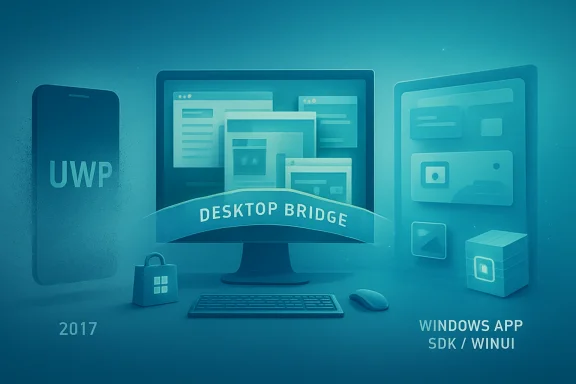
The most practical part of Microsoft’s UWP strategy was not pure UWP at all. It was the bridge technology that let existing desktop applications enter the Microsoft Store without being rewritten from scratch. Project Centennial, later known through the Desktop Bridge, was an admission dressed up as a migration plan.That admission was simple: Win32 was not going away. It had too much software, too many workflows, too many enterprise dependencies, and too much developer muscle memory. Any Windows modernization strategy that began by treating Win32 as legacy debris was doomed before it reached the first budget meeting.
The Desktop Bridge mattered because it reversed the direction of persuasion. Instead of telling Adobe, Spotify, or some line-of-business vendor to rebuild everything as a sandboxed UWP app, Microsoft could say: bring your existing app forward, package it more cleanly, gain Store distribution if you want it, and adopt modern capabilities over time. That was a far more credible pitch.
The Windows Central article’s examples — Photoshop Elements, djay Pro, high-profile games, Xbox reach — captured the kind of showcase Microsoft desperately needed. These were not calculator clones or lightweight weather widgets. They were attempts to prove that “Store app” did not have to mean “lesser app.”
Even then, the distinction was slippery. A bridged Win32 app in the Store did not validate the full UWP thesis; it validated the Store as a possible distribution channel and packaging improvement for desktop software. That was useful, but it also diluted the purity of Microsoft’s message. If the best way to make UWP attractive was to let Win32 come along, then Win32 was still the platform with leverage.
The Desktop Won Because It Never Had to Campaign
Microsoft’s desktop-first pivot was less a strategic masterstroke than a recognition of reality. Windows’ power was still on PCs: office desktops, gaming rigs, engineering workstations, school laptops, trading floors, hospitals, factories, government fleets, and home machines running software with histories longer than some product managers’ careers.Phones were supposed to create the gravitational field that pulled developers into UWP. Instead, the desktop remained the only Windows market large enough to justify serious investment. The platform strategy had to be rebuilt around the market that existed, not the one Microsoft wished it had won.
That is why the 2017 framing is so revealing. Microsoft was not abandoning universality as a concept; it was changing the proof point. Rather than “your phone app can also run on a PC,” the pitch became “your serious PC app can participate in a modern Windows ecosystem, and maybe that investment travels to other device categories later.”
This was the right instinct. It was also a brutal reversal. For years, Microsoft had tried to make Windows feel more like a mobile OS because mobile platforms had captured developer attention and consumer time. By 2017, the company was inching back toward the idea that Windows’ future depended on making the desktop better on its own terms.
The desktop did not need to win an internal strategy debate. It merely needed to remain indispensable. UWP’s survival depended on acknowledging that fact.
Windows 10 Mobile’s Collapse Made the Platform Pitch More Honest
The decline of Windows 10 Mobile was painful for loyal users, but it clarified Microsoft’s developer story. As long as phones remained part of the headline pitch, UWP sounded like a rescue plan for a failed ecosystem. Once phones receded, Microsoft could talk more honestly about desktop modernization, Xbox, mixed reality, and new device categories.That did not make the story cheerful. For Windows phone fans, the implication was bleak: Microsoft would not solve the app gap by shipping one more heroic handset. A hypothetical Surface Phone could have been beautiful, clever, and doomed if the software ecosystem remained thin.
Rubino’s 2017 argument understood that sequence. First make the app model credible where Windows still has scale. Then, and only then, think about smaller or newer device categories that could benefit from that software base. The order mattered because Microsoft had already tried the reverse and lost.
The trouble was that Microsoft was asking users and developers for patience after years of resets. Windows Phone 7 gave way to Windows Phone 8. Windows Phone 8 gave way to Windows 10 Mobile. Silverlight and XNA gave way to WinRT and UWP. Each transition was defensible in isolation; collectively, they taught developers that Microsoft’s mobile story was unstable.
UWP inherited that mistrust. Even when the technology improved, the memory of abandoned paths lingered. Developers do not evaluate platforms only by API surface. They evaluate the probability that the vendor will still care in five years.
The Store Was Supposed to Be the Stage, but It Was Never the Star
Microsoft needed the Store to become proof that modern Windows apps could be discovered, installed, updated, purchased, and trusted more easily than traditional desktop software. That was the theory. In practice, the Store became one more contested front in a broader argument about Windows identity.For consumers, the Store often felt inconsistent. Some apps were polished. Others were thin wrappers, neglected ports, or curiosities. The catalog lacked the inevitability of Apple’s App Store and the scale habits of Google Play. On Windows, users already knew how to get software: search the web, download an installer, click through prompts, and hope they had chosen the right button.
For developers, Store distribution brought benefits but also questions. Why submit to Microsoft’s rules if customers were already reachable through direct downloads, Steam, enterprise deployment tools, winget, or the web? Why accept Store constraints if the desktop version had fewer limitations and a proven monetization path?
Microsoft eventually loosened up because it had to. The modern Microsoft Store is more pragmatic than the old vision: more accepting of unpackaged and conventional desktop apps, less obsessed with forcing every developer through a single model, and more realistic about Windows as an open software environment.
That evolution vindicates the critique embedded in the 2017 moment. The Store could support Windows app modernization, but it could not command it. Windows is not iOS. Its openness is messy, but that mess is also the reason the platform remains so durable.
Project Reunion Was the Quiet Confession
By the time Microsoft announced Project Reunion in 2020, the old UWP-versus-Win32 framing had effectively exhausted itself. The company’s new language was about reuniting the Windows developer platform: making modern APIs available to desktop apps, decoupling pieces from the OS release cycle, and reducing the penalty for not choosing the “right” app model at project birth.That was a quiet confession. UWP had not displaced Win32. Win32 had not frozen in amber. The future would not be one clean break but a negotiated settlement.
Project Reunion, which became the Windows App SDK, took the useful parts of the UWP ambition and repackaged them for a world that refused to be simplified. Modern UI, lifecycle features, windowing, notifications, packaging options, and newer APIs could be consumed by desktop developers without requiring them to pretend the last three decades of Windows software did not exist.
This is the crucial through-line from 2017 to now. Microsoft did not win by making UWP the one true platform. It made progress by dismantling the wall between “modern” and “classic” Windows development. The company stopped asking developers to cross a border and started moving the border.
That does not mean the Windows App SDK is free of frustration. Developers still complain about maturity gaps, documentation churn, deployment complexity, performance questions, and the uneasy coexistence of WinUI, WPF, WinForms, native C++, .NET, Electron, WebView2, and everything else. But the philosophical posture is healthier. It says Windows development is plural because Windows itself is plural.
UWP Lost the Religion but Won Some of the Architecture
It is tempting to call UWP a failure and leave it there. That is emotionally satisfying, especially for anyone who invested in a Microsoft client platform only to watch the company revise the story. But it is too simple.UWP failed as a totalizing platform mandate. It did not replace Win32. It did not make Windows phones viable. It did not turn the Microsoft Store into the default software marketplace for PCs. It did not erase the need for WPF, WinForms, Electron, Qt, native Win32, or web apps.
Yet UWP helped normalize ideas that are now part of the modern Windows development vocabulary. Cleaner app packaging matters. Runtime capabilities should not always be locked to a specific OS release. Sandboxing and declared capabilities are useful, even if not every desktop app can live inside the strictest model. Adaptive UI remains important across screen sizes and input modes. Store distribution can coexist with traditional distribution.
The difference is that those ideas no longer need to be bundled into a single ideological package. A developer can modernize a desktop app incrementally. A company can adopt MSIX packaging without rewriting its interface. A Win32 app can use newer Windows APIs. A WinUI app can be unapologetically desktop-first.
That is a more modest vision than UWP’s original pitch, but it is also more compatible with reality. Windows rarely advances by revolution. It advances by absorbing the revolution into compatibility layers until nobody remembers which side won.
The AI PC Era Makes the Old UWP Debate Feel Familiar Again
There is a reason this anniversary lands differently in 2026. Microsoft is once again trying to define a new class of Windows experiences around a platform shift, this time with AI PCs, Copilot+ hardware, NPUs, local models, and native app integration. The details are different, but the old lesson is uncomfortably relevant.Developers will not build for a Windows future just because Microsoft announces one. They will build if the market is real, the tools are stable, the APIs are useful, and the migration path does not insult their existing investment. That was true for UWP. It is true for AI features now.
The Windows App SDK’s newer role as a vehicle for modern APIs, including AI-adjacent capabilities, shows how Microsoft has internalized at least part of the UWP lesson. If local AI features require developers to adopt an entirely separate app universe, they will remain demos. If they can be added to existing desktop applications with tolerable friction, they have a chance.
This is where the ghost of UWP becomes useful rather than embarrassing. Microsoft learned that developers do not want purity; they want reach, stability, capability, and control. A platform that helps them improve existing apps will beat a platform that demands a ritual cleansing.
The same applies to users. Windows users do not care whether an app is Win32, UWP, WinUI, WPF, Electron, or a web shell unless something goes wrong. They care whether it launches quickly, respects their settings, works offline when needed, integrates with the OS, and does not look like it was beamed in from a different product universe.
Microsoft’s Best Windows Strategy Is Now Anti-Utopian
The most important change since 2017 is that Microsoft’s Windows developer story has become less utopian. That is a compliment. The company’s strongest pitch today is not “rewrite everything for our new model.” It is “modernize what makes sense, keep what works, and use newer capabilities where they create value.”That posture fits Windows. This operating system has always been a federation of eras: Control Panel beside Settings, Win32 beside WinRT, old shell assumptions beside Fluent Design, enterprise policy beside consumer services, local files beside cloud sync. Critics call that incoherence. Users call it compatibility.
A cleaner Windows might be easier to explain, but it would not necessarily be more useful. Microsoft’s challenge is not to make Windows conceptually pure. It is to make its impurity productive.
UWP tried to solve Windows’ complexity by replacing it with a modern app model. The Windows App SDK tries to manage that complexity by building connective tissue. One approach demanded conversion. The other permits coexistence. For a platform with Windows’ history, coexistence was always the more plausible path.
That is why the May 1, 2017, article remains interesting. It caught Microsoft halfway between evangelism and realism. The company still talked as if UWP might become the future of Windows apps, but the strategy was already bending toward desktop pragmatism.
The Lesson Microsoft Should Not Have to Learn Twice
The anniversary is not just a nostalgia exercise for Windows phone diehards or UWP developers. It is a reminder of how platform strategy succeeds or fails in the Windows ecosystem. The winning move is rarely the most elegant one.Microsoft’s 2017 desktop pivot around UWP left behind a handful of durable lessons that still apply to Windows development today:
- Microsoft was right that Windows app development needed modernization, but wrong to believe developers would accept that modernization as a wholesale replacement for Win32.
- UWP’s association with Windows phones made the platform harder to sell, even when its desktop capabilities improved.
- The Desktop Bridge and later Windows App SDK mattered because they respected existing software rather than treating it as technical debt to be purged.
- The Microsoft Store became more credible when Microsoft stopped insisting that Store distribution required one narrow app model.
- Windows’ future depends less on a single blessed framework than on stable bridges between old code, modern APIs, and new hardware capabilities.
- The AI PC push will face the same test UWP faced: developers will follow practical value, not platform slogans.
Microsoft’s UWP vision failed when it asked the Windows world to become simpler than it was, but it mattered because it forced the company to confront what modernization could and could not mean on a platform built on continuity. Nine years later, the best version of that vision is not universal in the old sense. It is incremental, desktop-first, bridge-heavy, and humble enough to admit that Windows developers were never waiting for permission to be modern; they were waiting for Microsoft to meet them halfway.
Source: Windows Central On this day nine years ago, Microsoft tried to reshape Windows apps with a new UWP vision