

Microsoft has quietly shipped a new Validation OS ISO—labelled the Validation OS 2601 release—that brings a focused set of factory- and diagnostics-oriented improvements to the Windows 11–based miniature OS used by OEMs and test labs. The headline change is the ability to manage the Windows Recovery Environment (WinRE) offline from within Validation OS via a new optional package, but the update also adds network and printing capabilities, tightens some common service dependencies, and carries a crucial compatibility warning for certain ARM64 configurations. For manufacturers, hardware bring‑up teams, and systems integrators, this release tightens the toolset used on factory floors—but it also raises new configuration and migration decisions that deserve careful attention.
Microsoft’s Validation OS is not a consumer product; it’s a purpose-built, lightweight Windows 11 derivative intended for hardware validation, diagnostics, and repair workflows on the factory floor. It deliberately boots into a command-line environment to reduce UI complexity and increase reliability in automated environments. Validation OS supports running Win32 apps, can be customized via ImageBuilder / GenImage tooling, and is distributed as architecture-specific ISOs (x64 and arm64) and WIM/VHDX base images for OEM use.
The platform is modular: Microsoft exposes many features as optional packages that image builders can include or omit, enabling tightly-controlled images tailored for a device’s manufacturing and test scenario. That modular approach is central to how Microsoft evolves Validation OS: new capabilities appear as optional packages so OEMs can add only what they need.
Key takeaways:
For organizations and automation scripts that depend on WMIC inside Validation OS, this matters:
Recommended next steps for teams evaluating or adopting the 2601 release:
Source: Neowin Microsoft updates Windows 11 Validation ISO with WinRE enhancements and more
 Background: what is Validation OS and why it matters
Microsoft’s Validation OS is not a consumer product; it’s a purpose-built, lightweight Windows 11 derivative intended for hardware validation, diagnostics, and repair workflows on the factory floor. It deliberately boots into a command-line environment to reduce UI complexity and increase reliability in automated environments. Validation OS supports running Win32 apps, can be customized via ImageBuilder / GenImage tooling, and is distributed as architecture-specific ISOs (x64 and arm64) and WIM/VHDX base images for OEM use.The platform is modular: Microsoft exposes many features as optional packages that image builders can include or omit, enabling tightly-controlled images tailored for a device’s manufacturing and test scenario. That modular approach is central to how Microsoft evolves Validation OS: new capabilities appear as optional packages so OEMs can add only what they need.
What’s new in the 2601 release (ISO prefix 26100.7705.260126-1049)
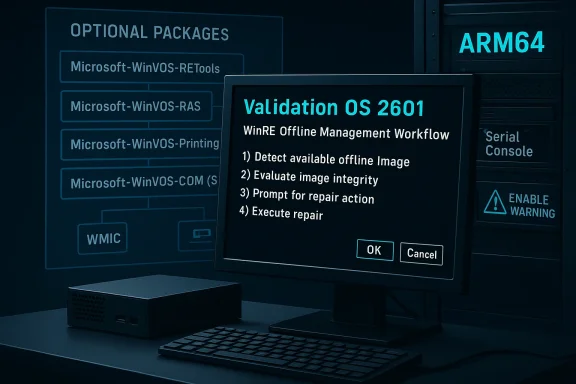
This release centers on enabling a small number of high-value diagnostics and connectivity features while preserving the lean base image that makes Validation OS reliable for production lines. The main additions are:- Offline WinRE management: The new Microsoft-WinVOS-RETools optional package provides the ability to manage the Windows Recovery Environment (WinRE) offline from Validation OS. That means build and repair workflows can prepare, inspect, or update the recovery environment on a device image without booting the full retail OS.
- Remote Access Service (RAS): The new Microsoft-WinVOS-RAS optional package adds RAS support, enabling dial-up / PPP-style legacy access and certain VPN/RAS scenarios that some diagnostics stacks still rely on.
- Enhanced printing (x64 only): Microsoft-WinVOS-Printing adds improved printing support for x64 Validation OS images where on-site test labs and calibration rigs need to push labels or test prints.
- System Event Notification Service (SENS): SENS support is now provided through the Microsoft-WinVOS-COM optional package, covering scenarios where event-driven workflows need to react to system notifications.
- Secur32 in base image: The Security Support Provider Interface (commonly exposed via Secur32.dll) has been added into the base Validation OS image to provide a more complete authentication/security stack for low-level tools and utilities.
- Known issue for Serial Console on some ARM64 systems: Including Serial Console (SAC) support on certain arm64 platforms can make the machine unstable or prevent boot. The release notes advise that the only reliable mitigation is to include the Serial Console feature explicitly during initial image customization rather than letting it be pulled in implicitly.
- WMIC retirement alignment: Microsoft is continuing the deprecation and legacy-placing of the Windows Management Instrumentation Command-line (WMIC) utility in Validation OS as WMIC is removed from Windows 11 itself—so scripting and automation that still depend on WMIC should be planned for migration.
Why offline WinRE control matters (and how it can be used)
Offline management of WinRE from Validation OS is the biggest practical addition in this release and one that can materially change factory and service workflows.What offline WinRE brings to the table
- Prepare recovery images without full Windows: Teams can modify WinRE images (for example, replace recovery tools, update a custom recovery image, or refresh drivers that WinRE needs) without booting the retail OS.
- Automated pre‑shipment validation: WinRE can be validated as part of the same scripted production pass used for other diagnostics, reducing the chance of devices leaving the factory with an out-of-date or broken recovery environment.
- Faster field repairs: Service technicians using a Validation OS USB image can inspect and repair a device’s WinRE partition offline—helpful for devices that won’t boot into the retail OS but can load the Validation OS environment.
Practical considerations for implementers
- Include Microsoft-WinVOS-RETools in any image that will manage or repair WinRE partitions.
- Validate WinRE images on identical hardware and firmware configurations; recovery drivers and storage controller compatibility are common sources of WinRE failures.
- Build WinRE tests into automated line verification and gate deployment rules so a device cannot be signed off for shipment without a validated recovery environment.
- Treat WinRE updates like firmware updates: test rollback scenarios, ensure reliable atomic replacement, and preserve existing recovery keys/configuration where required.
Network, printing and service support: why the optional packages matter
Rather than inflate the base image, Microsoft continues to expand Validation OS through optional packages. That design keeps the default footprint small, but gives OEMs flexibility.- Microsoft-WinVOS-RAS-Package: Restores Remote Access Service support for environments that use legacy dial or PPP-based access or specialized RAS-based VPNs for diagnostics. This can be useful in field service tools or remote debugging rigs that still rely on RAS APIs.
- Microsoft-WinVOS-Printing-Package (x64): Adds improved printing support so test benches, label printers, or QC printers can be driven directly from Validation OS. The package is restricted to x64—ARM64 devices won’t receive that enhanced printing stack in this release, which matters for manufacturers of ARM‑based devices that need on-site printouts.
- Microsoft-WinVOS-COM (SENS): Packaging SENS into the COM package brings event notification plumbing required by some test harnesses and third-party diagnostic frameworks.
The ARM64 Serial Console problem: what you need to know
One recurring theme across Validation OS releases has been the instability caused by mixing Serial Console (SAC) support and certain other optional packages—particularly on ARM64 devices. The 2601 release reiterates that including Serial Console support implicitly (for example, by allowing default image composition to include it) can cause machines to become unstable and fail to boot.Key takeaways:
- Scope: The problem affects certain ARM64 systems; it is not universally reproducible across all ARM hardware.
- Symptoms: Instability and boot failures when the serial console feature is present but not deliberately configured during image creation.
- Mitigation: Explicitly include the Serial Console (SAC) support feature during initial custom image generation on ARM64 platforms if you need serial console functionality. In other words, don’t rely on implicit or default inclusion in GenImage/ImageBuilder—declare the feature deliberately.
- Testing imperative: Because OEM hardware differs widely in firmware and peripheral initialization, validate serial console inclusion in a dedicated staging run before rolling images into production.
WMIC deprecation: planning your migration
WMIC—the classic WMI command-line client—has been on the deprecation path for a while in Windows. Validation OS is following suit: Microsoft has relocated the WMIC package to legacy areas and indicated it will be removed when WMIC is removed from Windows 11.For organizations and automation scripts that depend on WMIC inside Validation OS, this matters:
- Immediate action: Identify and inventory all WMIC-dependent scripts in your build and diagnostic toolchain.
- Migration options:
- Use PowerShell CIM cmdlets (Get-CimInstance, Invoke-CimMethod) for many WMI operations.
- Use the older Get-WmiObject (available in some PowerShell modules) where it still exists, but prefer CIM for forward compatibility.
- Consider direct use of Windows APIs from lightweight tools if PowerShell is not available in a given Validation OS composition.
- Validation OS packages: If you rely on WMIC, plan for it to be placed in a Legacy bundle—don’t assume it will be present in future images.
- Test migration paths: Replace WMIC calls with PowerShell equivalents and validate on both x64 and ARM64 images; some PowerShell modules behave differently across architectures.
Security implications of including Secur32 in the base image
Adding Secur32.dll to the base image is a double-edged sword. Secur32 implements the Security Support Provider Interface (SSPI) functions used by authentication stacks. Including it in the base image:- Pros:
- Improves compatibility for test and repair utilities that need authentication primitives.
- Reduces the need to add extra packages for basic auth-dependent operations during diagnostics.
- Cons:
- Slightly increases the base image’s attack surface by adding an authentication-related DLL to the default footprint.
- Could tempt teams to run more networked services in Validation OS images, increasing exposure.
Practical guidance: building and customizing Validation OS images safely
Here’s a recommended, practical approach for OEMs and lab engineers adopting the 2601 release:- Start with the official Validation OS 2601 ISO and extract the base WIM/VHDX images into a controlled build environment.
- Create a small matrix of intended configurations (e.g., factory diagnostics stick, field repair USB, test bench VHDX) and select the minimum set of optional packages for each configuration.
- For any ARM64 image that needs serial console support, explicitly include the serial console package during image composition—don’t rely on defaults.
- If you need offline WinRE management, add Microsoft-WinVOS-RETools to the image, then exercise a small set of offline WinRE operations in a staging lab to confirm compatibility with your recovery partition layout.
- Replace WMIC scripts iteratively with PowerShell CIM cmdlets; keep a fallback plan (legacy WMIC package) only for the shortest possible timeframe.
- For print or RAS requirements, validate Microsoft-WinVOS-Printing (x64) and Microsoft-WinVOS-RAS in the exact test setups that will run on the line (printer hardware, label languages, network access points).
- Automate regression tests that include: boot to Validation OS from USB, run the WinRE offline checks, execute any device drivers or vendor diagnostics, and confirm safe remapping and partitioning operations.
- Keep image provenance and signing clear. Maintain a binary artifact repository for every validated image and include metadata about optional packages and their versions.
Strengths of the 2601 release
- Targeted capability growth: Microsoft continues to keep the base image lean while expanding functionality via optional packages—this preserves reliability for minimal images and gives teams flexible tools when they need them.
- WinRE offline control: Allowing WinRE manipulation from Validation OS streamlines factory and service workflows and reduces the need to boot full retail images for recovery operations.
- Modularity that supports automation: Having RAS, printing, and SENS as optional packages means factory images can be kept minimal and only add features where necessary.
- Transparent release notes: Microsoft’s public release notes for Validation OS (including the 2601 entry) are a welcome improvement for enterprise users that depend on predictable behavior in production settings.
Risks and limitations to watch
- ARM64 fragility with Serial Console: The repeated serial console instability on some ARM64 platforms is a clear danger for manufacturers that rely on serial debugging or headless test setups. Failing to follow the explicit inclusion mitigation can brick a validation image or halt a production line.
- Legacy tooling removal (WMIC): Environments that rely heavily on WMIC-based automation must plan and execute migrations—failure to do so will cause support headaches when WMIC disappears from images.
- Architecture asymmetry: The x64-only printing enhancements create an uneven capability surface between x64 and ARM64 Validation OS images; organizations with mixed-architecture lines need separate validation plans.
- Increased complexity from package interactions: Optional packages are powerful, but their interactions can be non-trivial. Expect to invest time into a combinatorial test matrix for package combinations used in production.
- Security trade-offs: Adding Secur32 into the base image may be necessary for compatibility, but it slightly expands the default attack surface. Teams should harden images and enforce strict service activation policies.
What this means for different audiences
For OEMs and factory automation teams
This release is a practical incremental improvement. Build teams should:- Update image composition pipelines to include REtools where WinRE manipulation is required.
- Explicitly declare serial console features on ARM64 devices and validate thoroughly.
- Migrate WMIC scripts, and update line automation before phasing in new images.
For service and repair centers
Field technicians benefit from offline WinRE control: they can inspect and update recovery environments without a full OS reinstall. Ensure technicians have validated the necessary Validation OS image for the device models they service.For driver and tooling vendors
If your tooling interacts with WinRE or relies on SSPI, confirm it functions correctly inside the new Validation OS composition. The inclusion of Secur32 may remove some friction, but vendor testing remains essential.Final assessment and recommended next steps
The Validation OS 2601 release continues Microsoft’s incremental, pragmatic approach to a niche but critical toolset for hardware validation and service. Offline WinRE management is the most consequential addition; it materially reduces friction between factory diagnostics and recovery validation. At the same time, the persistent ARM64 serial console issue and the WMIC deprecation reminder urge caution: manufacturers must preserve disciplined image composition governance and migrate legacy automation.Recommended next steps for teams evaluating or adopting the 2601 release:
- Plan a rolling validation: stage the 2601 images in a pre-production lane, run a full battery of line tests, and only promote images with passing results to the production pipeline.
- Audit and migrate WMIC usage immediately; target PowerShell CIM cmdlets as the long-term replacement.
- Treat the Serial Console issue as a hard requirement: on ARM64 include it explicitly and validate boot and stability before deployment.
- If you need offline WinRE management, build reproducible test cases that exercise typical recovery scenarios: partition recognition, driver loading in WinRE, and bcdboot/dism interactions.
- Document package dependencies and produce a published bill of materials for each validated image so that future audits and updates become tractable.
Source: Neowin Microsoft updates Windows 11 Validation ISO with WinRE enhancements and more
