

The Wii U’s unusual gamepad—an oversized controller with an embedded touchscreen that mirrors the console’s output—has long been one of Nintendo’s most interesting hardware experiments and one of its worst maintenance decisions: when the gamepad dies, the console often becomes effectively unusable. A recent community breakthrough changes that calculus. Developer MattKC and collaborators have reverse‑engineered the link between Wii U and GamePad and published a working software clone called Vanilla Wii U that allows modern Linux devices (including the Steam Deck) to present themselves to a Wii U as a genuine GamePad, receive the console’s video stream and return controller input. This piece unpacks how the GamePad link actually works, why replacements never appeared commercially, what the Vanilla project does technically, and what this means for retro‑console preservation — with a critical look at risks, legal questions, and practical limitations.
The Wii U GamePad is not a Bluetooth controller or a Bluetooth‑like low‑bandwidth remote: it’s essentially a lightweight client that streams video and audio from the console and sends back input and some RPC messages. To do that, Nintendo used 802.11n Wi‑Fi in the 5 GHz band as the transport layer and layered four custom protocols (video, audio, input, and light RPC) over an obfuscated WPA‑protected link rather than relying on off‑the‑shelf Miracast or similar consumer standards. The GamePad contains its own SoC (codename DRC) and real‑time OS; the console side runs a complementary radio/stack (DRH) responsible for packetizing and streaming the console’s output. The stream itself is encoded as H.264 (AVC) and pushed to the GamePad, while input is returned in compact binary packets. Those architectural choices gave Nintendo the bandwidth and latency characteristics it wanted for video‑over‑Wi‑Fi in 2012, but they also made third‑party replacement hardware difficult. The GamePad link runs on 5 GHz 802.11n (for the necessary throughput), and Nintendo deliberately altered the WPA handshake by changing how the Pairwise Transient Key (PTK) bytes are arranged. The result: mainstream Wi‑Fi stacks and consumer devices could not authenticate with a Wii U without code changes. Community projects report that the practical workaround uses platforms that allow kernel/userland Wi‑Fi manipulation (Linux, BSD) and leverages the GamePad’s WPS‑triggered pairing to initiate the exchange. That combination lets a patched Linux Wi‑Fi stack pretend to be the original GamePad and complete the modified handshake, after which the H.264 video and input packets flow. Nintendo’s public support documents focus on internet connectivity and consumer Wi‑Fi modes for online play (WEP/WPA/WPA2, mostly 2.4 GHz in consumer Wi‑Fi docs) and do not document the private GamePad protocol used between console and controller. That absence is one reason why the GamePad’s wireless link has always been a black box to most users and repair shops.
One clear lesson emerges: hardware design choices intended to secure an ecosystem can have long tails for device longevity. The Wii U GamePad’s bespoke Wi‑Fi protections achieved their short‑term goal, but they also delayed and complicated future repair and replacement. The community’s response — careful reverse engineering, open tooling, and shared documentation — is a practical corrective that benefits owners and keeps a piece of gaming history playable for the long term.
Conclusion
The project that started as a curiosity—“can we clone a Wii U GamePad?”—has matured into a tangible preservation path: software that can substitute for a dead GamePad and let owners play their Wii U consoles again. It’s not a polished commercial product yet, nor is it a guaranteed drop‑in; but it is a workable, auditable solution that showcases the power of community engineering to extend hardware lifetimes. For anyone invested in their Wii U library, the arrival of Vanilla is an important development: it converts a brittle, single‑point failure into an engineering challenge with a community of people actively solving it.
Source: Hackaday The Issue With Wii U Gamepads And How To Clone Them
 Background / Overview
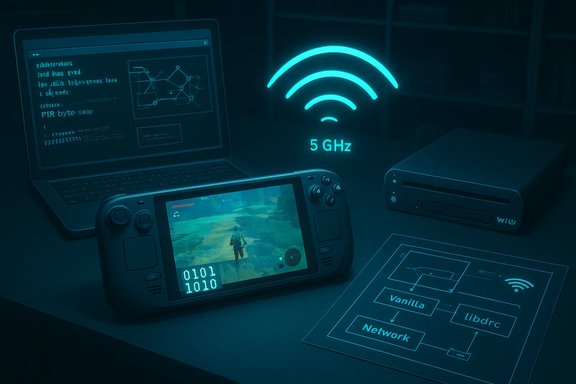
The Wii U GamePad is not a Bluetooth controller or a Bluetooth‑like low‑bandwidth remote: it’s essentially a lightweight client that streams video and audio from the console and sends back input and some RPC messages. To do that, Nintendo used 802.11n Wi‑Fi in the 5 GHz band as the transport layer and layered four custom protocols (video, audio, input, and light RPC) over an obfuscated WPA‑protected link rather than relying on off‑the‑shelf Miracast or similar consumer standards. The GamePad contains its own SoC (codename DRC) and real‑time OS; the console side runs a complementary radio/stack (DRH) responsible for packetizing and streaming the console’s output. The stream itself is encoded as H.264 (AVC) and pushed to the GamePad, while input is returned in compact binary packets. Those architectural choices gave Nintendo the bandwidth and latency characteristics it wanted for video‑over‑Wi‑Fi in 2012, but they also made third‑party replacement hardware difficult. The GamePad link runs on 5 GHz 802.11n (for the necessary throughput), and Nintendo deliberately altered the WPA handshake by changing how the Pairwise Transient Key (PTK) bytes are arranged. The result: mainstream Wi‑Fi stacks and consumer devices could not authenticate with a Wii U without code changes. Community projects report that the practical workaround uses platforms that allow kernel/userland Wi‑Fi manipulation (Linux, BSD) and leverages the GamePad’s WPS‑triggered pairing to initiate the exchange. That combination lets a patched Linux Wi‑Fi stack pretend to be the original GamePad and complete the modified handshake, after which the H.264 video and input packets flow. Nintendo’s public support documents focus on internet connectivity and consumer Wi‑Fi modes for online play (WEP/WPA/WPA2, mostly 2.4 GHz in consumer Wi‑Fi docs) and do not document the private GamePad protocol used between console and controller. That absence is one reason why the GamePad’s wireless link has always been a black box to most users and repair shops. How the GamePad Link Actually Works — Technical Breakdown
Radio and transport: 5 GHz 802.11n for bandwidth and latency
The GamePad stream requires far higher sustained bandwidth and lower contention than what 2.4 GHz consumer links typically offered in 2012. Nintendo used 5 GHz 802.11n channels and a custom protocol stack layered atop WPA‑style encryption. That delivers the headroom necessary for 720p/480p H.264 streaming and bi‑directional input. Users have long reported interference when household routers operate on overlapping 5 GHz channels, which further confirms the GamePad’s reliance on that band.Obfuscated WPA: a byte‑swapped PTK
Rather than using an unmodified standard like Miracast, Nintendo altered the WPA PTK byte ordering so a stock Wi‑Fi implementation cannot derive the same cipher state. Community reverse engineering shows the console and GamePad perform an unusual byte rearrangement during PTK derivation, effectively obfuscating the WPA handshake and denying connection to generic stacks. This defensive tweak blocked simple third‑party clones and was the principal reason commercial replacements never reached the market. Note: the byte‑swap technique and exact PTK permutation originate from community reverse engineering and the Vanilla/libdrc projects; Nintendo never published this detail. Treat the exact permutation as reconstructed from traffic analysis rather than an official specification.Pairing and WPS: the user‑visible trigger
The GamePad’s sync button triggers a WPS‑like procedure that puts the console in pairing mode. Because WPS is designed for automated pairing, the community discovered they could use it as the entry point to the nonstandard WPA exchange — essentially trigger first, then apply the custom PTK manipulation in software to complete authentication. That trick is key: without being able to intervene at the handshake level, no device can pair. The exploit surface is low for the average consumer but essential for software‑based GamePad emulation.Video and input formats
Once authenticated, the console streams an H.264 (AVC) video feed to the GamePad. Inputs are returned as compact binary packets; latency targets are tight because many Wii U titles require quick response for platforming and fighting games. The vanilla projects capture the stream and forward inputs in a way the console accepts, effectively imitating the GamePad firmware behavior. The open‑source implementations decode and present the video locally while translating local input back into the expected packet format.Vanilla Wii U: What It Is, What It Supports
Vanilla is an open‑source work‑in‑progress that reproduces the GamePad’s expected behavior in software. It’s authored to run primarily on Linux, and maintainers provide builds and packaging help for popular distributions. The project’s stated platforms include:- Steam Deck (one of the most practical single‑device replacements thanks to its screen and inputs),
- General Linux hosts (with compatible 5 GHz Wi‑Fi adapters),
- Nintendo Switch (experimental, requires Broadcom firmware patch or external USB Wi‑Fi adapter),
- Android (currently frontend only),
- Raspberry Pi (with a supported external Wi‑Fi adapter),
- Windows and iOS are listed as partial or planned platforms (frontends or in progress).
- Wi‑Fi adapter: must support 802.11n 5 GHz and be compatible with Linux driver tooling. Community testing indicates some chipsets (rt2800usb, ath9k family) behave better.
- Platform: Linux/BSD are required if you need to implement the PTK byte‑swap and low‑level Wi‑Fi behavior. Purely closed systems (stock Nintendo Switch without custom firmware, stock Windows/macOS without special drivers) cannot replicate the handshake.
- Performance: CPU to decode H.264 and present the stream matters; handhelds like the Steam Deck are good fits because they combine a screen and a capable SoC.
A Practical Setup Roadmap (high‑level)
- Obtain a Linux machine with a 5 GHz capable Wi‑Fi NIC that is known to work (check Vanilla/libdrc compatibility lists). Examples reported by community projects include certain Atheros and Ralink USB adapters.
- Install the Vanilla binaries or build from source (CMake build instructions and distro packaging are provided).
- Put the Wii U console into GamePad pairing mode (press the GamePad sync button) to trigger the WPS‑style handshake.
- Use the patched Linux Wi‑Fi stack or userland helper to apply the PTK byte rearrangement during the handshake, allowing the host to authenticate to the Wii U. This is the step that requires driver/hardware support and is the core of the project’s engineering effort.
- Once connected, the console will stream H.264 to the host; Vanilla decodes and displays it. Local inputs are transformed into the Wii U’s expected binary packets and sent back.
Why Third‑Party GamePads Never Appeared (and Why That’s Changing)
At a glance, the Wii U GamePad looks like a perfect candidate for clones: touchscreen, camera‑less streaming, and a well‑defined console pairing. In reality, three interlocking reasons killed the aftermarket market:- Nonstandard handshake: Nintendo’s PTK byte swap forced anyone wanting to act like an official GamePad to implement Wii U‑specific logic in their Wi‑Fi stack. That’s a substantial engineering barrier for consumer peripheral makers who prefer to rely on standard stack behavior.
- Hardware integration & certification: the GamePad is not a simple HID; games rely on precise latency and video behavior. Building a robust replacement requires low‑latency video decoding, reliable Wi‑Fi radios, a thoroughly tested packet timing profile, and likely licensing or reverse engineering — all expensive.
- Low demand at the time: the Wii U’s commercial failure made the install base and replacement market weak, so it wasn’t worth the investment for big accessory makers.
What This Means for Preservation — Practical and Ethical Implications
The community effort to clone the GamePad represents a meaningful step for retro preservation. Without replacements, functional Wii U consoles are effectively trapped behind a single, failure‑prone peripheral. An open‑source software clone:- Restores access to the console for owners whose GamePad hardware has failed,
- Enables experimentation with alternative controllers and modern handhelds (the Steam Deck becomes a drop‑in GamePad),
- Extends the usable life of hardware that Nintendo no longer services.
Strengths of the Vanilla Approach
- Open, collaborative engineering: public repos, documented build steps, and community testing mean the work improves rapidly and is auditable.
- Device flexibility: Steam Deck + Linux, laptops, and some ARM SBCs can be repurposed as GamePads without a manufacturing run.
- Low cost for end users: many owners already have a capable device; the primary additional cost is a compatible 5 GHz Wi‑Fi adapter if needed.
- Preservation impact: the approach reduces single‑point failure risk for Wii U owners and keeps software playable even if original hardware is scarce.
Risks, Caveats, and Unverifiable Claims
- Legal exposure: reverse engineering proprietary protocols can be legally sensitive in some jurisdictions. While interoperability exceptions exist in many places, the legal status varies and may be contested by vendors. Projects like Vanilla aim to stick to interoperability principles, but users should be aware this is community‑driven work that sits in a gray area for redistribution of firmware/firmware patches. This is not legal advice.
- Security tradeoffs: using WPS to trigger pairing is convenient but known to be insecure in general Wi‑Fi contexts. The project’s use of WPS is limited to a local, one‑time pairing flow with a console in physical proximity, but asking users to enable or rely on WPS in other contexts could increase attack surface. Additionally, manipulating WPA internals requires kernel/driver hooks; mistakes or poorly vetted modules can introduce vulnerabilities. Treat experimental kernels/drivers conservatively (use a dedicated machine or VM where possible).
- Stability and latency: some Wi‑Fi chipsets and drivers exhibit timestamp/TSF drift and other timing issues that cause stream desync or higher latency, degrading the gameplay experience. Community testing shows not all adapters are equal; the project’s compatibility lists are essential reading. Expect tinkering.
- Unverified technical details: the byte swap in the PTK and the exact handshake implementation were reconstructed by reverse engineering and traffic analysis. While the reconstruction is credible and reproducible by the maintainers, it is not an official Nintendo disclosure. Any absolute claim about the exact algorithm should carry cautionary language.
- Supportability: Vanilla is a community project. It will not have Nintendo’s support or warranty coverage. Users who rely on their Wii U for daily use should keep original hardware where possible or consider professional repairs before switching to experimental solutions.
Broader Opportunities and Community Momentum
The Vanilla project has already sparked other related efforts. Conversations in retro and modding communities point to hardware firmware proxies (microcontroller‑based intermediaries), integration layers for emulators, and alternative frontends that let PC emulators and host systems present themselves as GamePads without full Wi‑Fi driver tricks. Some projects focus on using ESP‑class microcontrollers for USB‑level bridging (input passthrough), while others combine software decoding with GPU acceleration for smoother local video playback. This push-and-pull of approaches shows the ecosystem is maturing beyond a proof‑of‑concept into multiple viable paths for owners to choose from. A likely near‑term win: modding dedicated portable devices (the PlayStation Portal, Steam Deck, or similar) into GamePad replacements. Those devices already have screens and inputs; adapting their Wi‑Fi and driver stacks is an engineering exercise the community seems poised to complete. If successful, this will turn the GamePad problem into a general‑purpose preservation capability for Wii U owners.Practical Recommendations for Wii U Owners
- If you have a functioning GamePad, treat it as a fragile spare: keep it charged occasionally and avoid battery over‑discharge. Consider getting a repair kit or professional help if the GamePad exhibits poor battery life or connectivity problems. This reduces immediate failure risk.
- If your GamePad is dead and you’re technically comfortable:
- Read the Vanilla project README and wiki thoroughly and confirm your Wi‑Fi adapter is on the compatibility list.
- Use a spare Linux machine or a Steam Deck for experimentation rather than your main workstation. Keep backups and snapshots.
- Follow security cautions: avoid enabling WPS on your main network or exposing experimental drivers to sensitive networks.
- For less technical users, connect with the community: there are active threads, guides, and packaged builds that minimize the hands‑on kernel work. Community packages and AUR helpers exist for those on Arch derivatives. Still, be prepared for troubleshooting and incremental improvements.
Final Assessment
The Vanilla Wii U project and related reverse‑engineering work represent an important, practical milestone for console preservation. By documenting the GamePad’s true architecture (5 GHz 802.11n transport, obfuscated WPA/PTK handshake, H.264 video stream, WPS pairing trigger) and publishing tools to emulate it, the community has turned an intractable single‑point failure into a solvable software problem — at least for technically skilled users. That’s a win for owners, historians, and hobbyists who value access to playable hardware over time. At the same time, this work is experimental: it depends on specific Wi‑Fi chipsets, relies on reverse engineering (not official specifications), and introduces legal and security questions that the interested community must navigate carefully. The practical reality for most users will be incremental: as project packaging improves, as device compatibility lists grow, and as a few polished frontends appear (Steam Deck integration being the obvious first big success), the path from “dead GamePad” to “playable Wii U” will become easier. Until then, the conservative approach is to treat these tools as preservation aids for knowledgeable users rather than a mass market replacement.One clear lesson emerges: hardware design choices intended to secure an ecosystem can have long tails for device longevity. The Wii U GamePad’s bespoke Wi‑Fi protections achieved their short‑term goal, but they also delayed and complicated future repair and replacement. The community’s response — careful reverse engineering, open tooling, and shared documentation — is a practical corrective that benefits owners and keeps a piece of gaming history playable for the long term.
Conclusion
The project that started as a curiosity—“can we clone a Wii U GamePad?”—has matured into a tangible preservation path: software that can substitute for a dead GamePad and let owners play their Wii U consoles again. It’s not a polished commercial product yet, nor is it a guaranteed drop‑in; but it is a workable, auditable solution that showcases the power of community engineering to extend hardware lifetimes. For anyone invested in their Wii U library, the arrival of Vanilla is an important development: it converts a brittle, single‑point failure into an engineering challenge with a community of people actively solving it.
Source: Hackaday The Issue With Wii U Gamepads And How To Clone Them
