

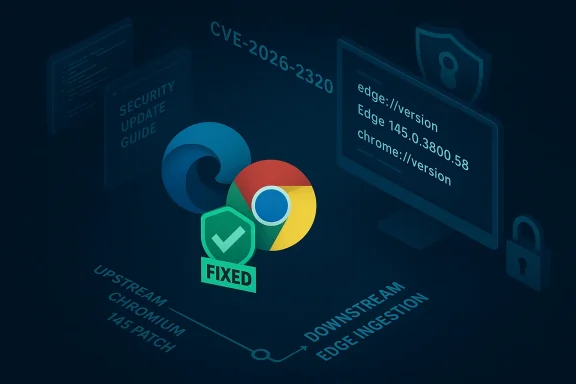
Chromium’s CVE-2026-2320 is listed in Microsoft’s Security Update Guide because Microsoft needs to tell Edge users when the upstream Chromium fix has been ingested and shipped in a downstream Edge build — and the quickest, most reliable way to confirm that for any particular device is to check the browser’s version string. ([chromereleases.g//chromereleases.googleblog.com/2026/02/stable-channel-update-for-desktop_10.html))
Chromium is the open-source engine that powers multiple mainstream browsers, including Google Chrome and Microsoft Edge (the modern, Chromium‑based Edge). When a vulnerability is discovered and fixed upstream in Chromium or Chrome, Google publishes the fix and assigns a CVE. Downstream consumers — Microsoft for Edge, Opera, Brave, Vivaldi, Electron application vendors and anyone shipping an embedded WebView — must merge and ship those fixes on their own release cadence. That creates a brief but real window in which Chrome may already be patched upstream while other Chromium-based products are not yet remediated. Microsoft’s Security Update Guide (SUG) documents those Chromium-origin CVEs to show Edge’s downstream remediation status: when the SUG entry says “no longer vulnerable,” Microsoft is s Edge build has ingested the upstream patch. (chromereleases.googleblog.com)
CVE‑2026‑2320 is described by Chromium as an “inappropriate implementation in File input” that allows UI spoofing via crafted HTML and specific user gestures. Upstream, Google fixed the issue in the Chromium/Chrome 145 channel (fixed build: 145.0.7632.45), and Microsoft then incorporated Chromium 145 into Edge builds. The result: Edge builds based on Chromium 145 are treated as remediated when Microsoft reports ingestion in their SUG and release notes.
Below are concise, platform‑specific steps with the exact places to look are.
If you’ve already checked edge://settings/help or chrome://settings/help and your build is up to date, you can treat Microsoft’s SUG statement that Edge is “no longer vulnerable” as valid for that build — but keep an eye on embedded Chromium instances and product release notes to close the remaining blind spots.
Source: MSRC Security Update Guide - Microsoft Security Response Center
 Background / Overview
Chromium is the open-source engine that powers multiple mainstream browsers, including Google Chrome and Microsoft Edge (the modern, Chromium‑based Edge). When a vulnerability is discovered and fixed upstream in Chromium or Chrome, Google publishes the fix and assigns a CVE. Downstream consumers — Microsoft for Edge, Opera, Brave, Vivaldi, Electron application vendors and anyone shipping an embedded WebView — must merge and ship those fixes on their own release cadence. That creates a brief but real window in which Chrome may already be patched upstream while other Chromium-based products are not yet remediated. Microsoft’s Security Update Guide (SUG) documents those Chromium-origin CVEs to show Edge’s downstream remediation status: when the SUG entry says “no longer vulnerable,” Microsoft is s Edge build has ingested the upstream patch. (chromereleases.googleblog.com)CVE‑2026‑2320 is described by Chromium as an “inappropriate implementation in File input” that allows UI spoofing via crafted HTML and specific user gestures. Upstream, Google fixed the issue in the Chromium/Chrome 145 channel (fixed build: 145.0.7632.45), and Microsoft then incorporated Chromium 145 into Edge builds. The result: Edge builds based on Chromium 145 are treated as remediated when Microsoft reports ingestion in their SUG and release notes.
What CVE-2026-2320 actually is
High-level description
- The public summary states: “Inappropriate implementation in File input in Google Chrome prior to 145.0.7632.45 allowed a remote attacker who convinced a user to engage in specific UI gestures to perform UI spoofing via a crafted HTML page.” That matches the NVD/CVE entry and Chromium release notes. The core problem is UI misrepresentation: an attacker-controlled page could present UI elements or file dialog behavior in a way that misleads the user into accepting or performing an action they did not intend.
- Security impact classification is Medium in Chromium’s initial report, and industry trackers list CVSS v3 around 6.5 (reflecting a network vector, low attacker prerequisites, and required user interaction). Several vulnerability trackers and security vendors summarize the vulnerability as a UI-spoofing risk tied to the file-selection workflow, particularly on platforms that use a GTK file dialog variant.
Technical mechanics (compact)
The problem arises when dialog preselection or accept-button behavior can be coerced by timing/user-gesture patterns. In plain terms: with the right page and a specific user action (for example, holding Enter while a file selection dialog is expected), the browser could interpret that input in a way that automatically accepts the dialog or otherwise misrepresents the UI, letting a crafted page appear to have asked for — or have received — a consent or file that the user didn’t explicitly authorize. Snyk and other analysis point to the GTK “SelectFileDialogLinuxGtk” logic as the surface that was adjusted in the upstream patch. If you need to plan mitigations, treat UI spoofing as a phishing/consent bypass vector, not as silent remote code execution.Is it being exploited in the wild?
At the time the upstream patch published, there were no widely‑publicized proofs-of-concept or verified campaigns reported. Chromium and Google frequently restrict exploit details until a majority of users are patched to reduce risk of weaponization; that is standard disclosure practice. Absence of a public PoC does not guarantee the flaw is not weaponizable, so reasonable operational caution is warranted. (chromereleases.googleblog.com)Why Microsoft lists Chromium CVEs in the Security Update Guide
- Microsoft’s Security Update Guide is not claiming Microsoft created the bug. Instead, the SUG acts as Microsoft’s authoritative downstream record of whether Microsoft products are affected and when they are patched. When a Chromium-origin CVE appears in SUG, it indicates: Microsoft recognizes the upstream issue, has evaluated the downstream impact for Edge, and is telling customers the remediation’s product versions. (msrc.microsoft.com)
- This visibility is critical for enterprise compliance, vulnerability management and audit trails. Security teams frequently run vulnerability scanners and asset inventories against SUG entries. Listing Chromium CVEs in SUG brip between upstream fixes and Microsoft’s product lifecycle so admins know whether the Edge builds deployed in their environment include the upstream patch.
- Practically: you should not assume Edge is protected just because Chrome has an update. Always verify the Edge build (or the embedded WebView2 / packaged Chromium runtime) against the fixed build numbers Microsoft documents. Microsoft’s SUG entry and Edge release notes are the authoritative downstream signal that ingestion has happened.
Which builds are fixed (upstream and downstream)
- Upstream (Google/Chromium): Chrome/Chromium fixed CVE‑2026‑2320 in Chromium/Chrome 145 — the published fixed build was 145.0.7632.45 (Chrome Releases notes list the issue as part of the Chrome 145 stable promotion). If your Chrome desktop reports a version >= 145.0.7632.45, Chrome itself is patched upstream. (chromereleases.googleblog.com)
- Downstream (Microsoft Edge): Microsoft published Edge builds based on Chromium 145 (Edge 145.x series). Microsoft’s Edge 145 release notes and update channels list the Chromium security fixes included; catalog and third‑party packaging indexes (Patch My PC, vendor catalogues) show Edge 145 builds such as 145.0.3800.58 carrying the same set of Chromium CVEs (including CVE‑2026‑2320). If your Edge is version 145.0.3800.x or newer, it has ingested the Chromium 145 fixes according to Microsoft’s published artifacts. Always compare the full Edge product version string shown in edge://version to the Microsoft ingestion statement to confirm.
How to see the version of your browser (quick, reliable checks)
The single fastest way to confirm whether your device’s browser includes a specific CVE fix is to read the browser’s About / Version information and compare that to the fixed build numbers published upstream (Chrome) and downstream (Edge SUG / Edge release notes).Below are concise, platform‑specific steps with the exact places to look are.
Microsoft Edge (desktop: Windows / macOS / Linux)
- Open Microsoft Edge.
- Menu (Settings and more, three dots) → Help and feedback → About Microsoft Edge.
- Or type edge://settings/help in the address bar and press Enter. This triggers an update check and displays the installed Edge version.
- For the full mapping info, open edge://version. The “Chromium” line shows which Chromium revision your Edge build uses — use that to map ingestion of Chromium fixes. Compare the Edge product version (e.g., 145.0.3800.58) to Microsoft’s published fixed-in ingestion entry in SUG or Release Notes to confirm the patch is present.
Google Chrome (desktop: Windows / macOS / Linux)
- Open Chrome.
- Menu → Help → About Google Chrome — or type chrome://settings/help and press Enter.
- Chrome will show the full version string and (if out-of-date) will download the update then prompt you to relaunch. If the version shown is equal or newer than the upstream fixed build (Chromium 145.0.7632.45 for CVE‑2026‑2320), Chrome is patched upstream. Use chrome://version for a more detailed view. (chromereleases.googleblog.com)
Command-line / scripted checks (useful for admins)
- On Windows (Edge/Chrome installed in Program Files), you can run in PowerShell or CMD:
- msedge --version
- chrome --version
These commands return a short product/versor quick inventory or automation. Use in scripts or remote monitoring tools to collect installed versions across a fleet. - For macOS and Linux, the same command-line flags (chrome --version / msedge --version) work when the binary is on PATH. For packaged installs (MSI, DEB, RPM), operating system package metadata and dpkg/rpm queries can also reveal versions for mass inventory.
Mobile and managed devices
- Mobile (iOS/Android): Open the app → Settings → About (or view the app store record). Because mobile rollouts can lag, confirm the app store version matches or exceeds the patched build and consult vendor release notes if precise mapping is required for a CVE.
- Enterprise fleets: use Intune, SCCM/ConfigMgr, Jamf, or your MDM inventory to query installed Edge/Chrome versions across devices. If you rely on WebView2 or Electron-based applications, inventory those separately because they embed their own Chromium runtimes and may not update automatically with the desktop browser.
Step-by-step: Confirming you are no longer vulnerable to CVE‑2026‑2320
- Identify the fixed build upstream: Chrome/Chromium 145.0.7632.45. (Chromium/Chrome release notes list CVE‑2026‑2320 in the Chrome 145 promotion.) (chromereleases.googleblog.com)
- Check your local browser:
- Edge: edge://version — note the Edge product version and the “Chromium” line.
- Chrome: chrome://version — note the Chrome product version.
- Or use msedge --version / chrome --version for scripted checks.
- Map the versions:
s ≥ 145.0.7632.45, Chrome is patched upstream. - If Edge reports version 145.0.3800.x (or newer) or your Edge release notes / SUG entry list the ingestion of Chromium 145, Edge is patched downstream. If your Edge product version is older than the published Edge build that ingested the patch, update Edge (edge://settings/help) and restart.
- If you manage many devices, export the inventory and compare each device’s reported version to the fixed baseline — prioritize remediation for devices that report older builds.
Enterprise implications and hidden risk surfacem runtimes: Many enterprise apps (Electron apps, self‑contained kiosks, internal tools using WebView2, third‑party packaged browsers) embed a specific Chromium revision and do not update automatically with the system browser. Those runtimes can remain vulnerable long after Edge and Chrome are patched. Inventory and vendor coordination are critical: ask software vendors which Chromium revision they ship and when they plan to update.
- Progressive rollouts and staged updates: Chrome and Edge often stage rollouts. Two identical devices checked at the same time can report different point releases until the update wave completes. Always measure protection by the installed product version, not by assumption. Consult Microsoft’s SUG and Edge release notes for specific ingestion statements. (chromereleases.googleblog.com)
- Audit evidence: If your compliance program requires proof of remediation, capture the About/version pages, device inventory exports, and the corresponding vendor release note or SUG entry. SUG entries are designed to serve as authoritative downstream statements for Microsoft products.
Recommended mitigations and practical steps
- Immediate (all users):
- Open your browser → About (edge://settings/help or chrome://settings/help). If an update is available, download and restart. This is on path for most users.
- For admins (short-term):
- Run a fleet inventory for installed Edge and Chrome versions.
- Cross‑reference each version against the fixed builds (Chromium 145.0.7632.45 upstream; Edge 145.x downstream ingestion as documented). (chromereleases.googleblog.com)
- Use Intune/SCCM/Jamf to push the patched Edge 145 stable builds to managed devices; apply WebView2 runtime updates where required.
- Identify and patch embedded Chromium runtimes (Electron apps, kiosk images, WebView2-hosted apps) bydeploying updated application bundles.
- For higher-risk environments:
- Consider compensating controls such as temporary site whitelisting, selective policy restrictions on file dialog behaviors, or additional user training to avoid accepting dialogs where the provenance is uncertain until your environment is fully remediated.
Strengths of Microsoft’s approach — and the caveats
Strengths:- Transparent downstream signaling — Microsoft’s SUG and Edge release notes close the gap between upstream fixes and downstream ingestion, helping enterprises with vulnerability management and audit needs.
- Version-based confirmation — Relying on product version strings (edge://version / chrome://version) produces an objective, verifiable inventory-based remediation check.
- Embedded/pinned Chromium runtimes remain blind spots — Electron apps, custom kiosks, and apps bundling WebView2 do not auto-update with the desktop browser and frequently get overlooked in patch cycles. Inventorying these is operationally challenging but essential.
- Disclosure timing — Chromium and vendors may restrict technical details until a majority of users are patched. That reduces PoC circulation but leaves defenders with little forensic detail in the short term; assume the issue is exploitable and prioritize patching. (chromereleases.googleblog.com)
Quick checklist you can use right now
- Open Edge → edge://settings/help. If an update is offered, install and restart. Confirm the final edge://version product version is 145.0.3800.x or newer.
- Open Chrome → chrome://settings/help. Confirm Chrome’s version is ≥ 145.0.7632.45. (chromereleases.googleblog.com)
- For managed fleets, export the version inventory and compare it to the upstream fixed build and Microsoft ingestion statements; remediate devices that are older.
- Identify applications that bundle Chromium (Electron, WebView2, kiosk images). Contact vendors or plan redeployments for those apps.
Conclusion
CVE‑2026‑2320 is a medium‑severity UI spoofing issue that Chromium fixed in the Chrome 145 promotion. Microsoft lists the CVE in its Security Update Guide because Edge consumes Chromium and Microsoft must document when Edge builds have ingested the upstream fix. The authoritative operational check is simple and fast: check your browser’s About/Version page (edge://version or chrome://version) and compare the installed build against the fixed build numbers published upstream and in Microsoft’s downstream statements. For enterprises, the critical follow‑up is a full inventory of desktop browsers and embedded Chromium runtimes followed by prioritized remediation for any installation that reports a version older than the documented ingestion baseline. (chromereleases.googleblog.com)If you’ve already checked edge://settings/help or chrome://settings/help and your build is up to date, you can treat Microsoft’s SUG statement that Edge is “no longer vulnerable” as valid for that build — but keep an eye on embedded Chromium instances and product release notes to close the remaining blind spots.
Source: MSRC Security Update Guide - Microsoft Security Response Center
