

Chromium’s recent memory-safety bug tracked as CVE‑2026‑3922 — a use‑after‑free in the MediaStream component — has been cataloged in Microsoft’s Security Update Guide to tell Microsoft Edge customers whether the upstream Chromium fix has been ingested and shipped in downstream Edge builds, and to give administrators a reliable way to confirm whether their installs are protected. erview
CVE‑2026‑3922 is described upstream as a use‑after‑free vulnerability in MediaStream that can be triggered by a crafted HTML page and that could allow a remote attacker to cause heap corruption inside the renderer process. Public vulnerability feeds and the Chromium CNA list the fix as delivered in Chrome builds at or beyond Chromium/Chrome 146.0.7680.71.
Because Microsoft Edge (the modern Chromium‑based browser) is built on the same open‑source engine, Microsoft records Chromium‑origin CVEs in the Security Update Guide (SUG). That entry is not an admission that Microsoft created the bug — it is a downstream status marker that tells Edge users when Microsoft’s Edge builds have consumed the Chromium upstream patch and are therefore no longer vulnerable. In practice that means: when you see CVE‑2026‑3922 in SUG, check the Edge build you have installed and compare it to the fixed Chromium build to confirm whether the Edge instance on your systems has tle explains what CVE‑2026‑3922 is, why it appears in Microsoft’s Security Update Guide, how to check a browser’s version and underlying Chromium build, practical mitigation options for users and administrators, and where blind spots commonly appear (for example, embedded Chromium runtimes). The goal is to give clear, actionable steps so you can determine whether you — or the systems you manage — need to update.
CVE‑2026‑3922 is one more reminder that modern browsers are built from shared upstream components: the open‑source Chromium project, Google Chrome (upstream consumer), and downstream vendors like Microsoft Edge form a chain that requires clear communication and verification. Microsoft’s Security Update Guide entries for Chromium CVEs are a practical downstream signal — but they are a signal, not an automatic fix. Administrators must still read the browser’s About/Version data, compare the embedded Chromium revision to the fixed‑in build, and update or mitigate accordingly to close the risk window.
If you want immediate steps: open edge://version on a representative machine, copy the Chromium version line, and compare it to the fixed Chromium build (Chrome 146.0.7680.71). If your Chromium entry is older, schedule the Edge update now and follow the enterprise checklist above.
Conclusion: treat CVE‑2026‑3922 as a high‑value patching priority for any environment that runs Chromium‑based browsers, verify ingestion via About/Version pages and centralized inventory, and pay special attention to embedded runtimes that may not auto‑update.
Source: MSRC Security Update Guide - Microsoft Security Response Center
CVE‑2026‑3922 is described upstream as a use‑after‑free vulnerability in MediaStream that can be triggered by a crafted HTML page and that could allow a remote attacker to cause heap corruption inside the renderer process. Public vulnerability feeds and the Chromium CNA list the fix as delivered in Chrome builds at or beyond Chromium/Chrome 146.0.7680.71.
Because Microsoft Edge (the modern Chromium‑based browser) is built on the same open‑source engine, Microsoft records Chromium‑origin CVEs in the Security Update Guide (SUG). That entry is not an admission that Microsoft created the bug — it is a downstream status marker that tells Edge users when Microsoft’s Edge builds have consumed the Chromium upstream patch and are therefore no longer vulnerable. In practice that means: when you see CVE‑2026‑3922 in SUG, check the Edge build you have installed and compare it to the fixed Chromium build to confirm whether the Edge instance on your systems has tle explains what CVE‑2026‑3922 is, why it appears in Microsoft’s Security Update Guide, how to check a browser’s version and underlying Chromium build, practical mitigation options for users and administrators, and where blind spots commonly appear (for example, embedded Chromium runtimes). The goal is to give clear, actionable steps so you can determine whether you — or the systems you manage — need to update.
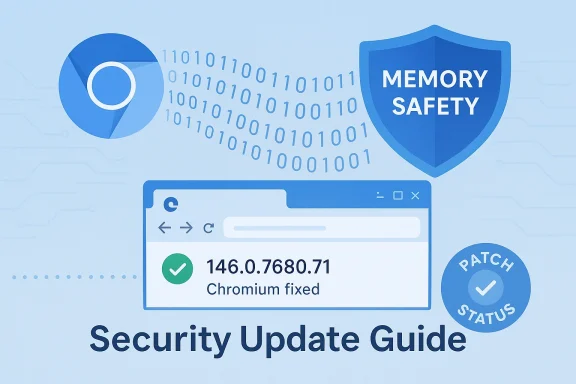 What CVE‑2026‑3922 actually is
The vulnerability, in plain language
- At its core, CVE‑2026‑3922 is a use‑after‑free (CWE‑416) in the MediaStream subsystem of Chromium. A use‑after‑free happens when code continues to use memory after it has been freed, which can lead to heap corruption and unpredictable behavior. In worst‑case scenarios memory corruption can be escalated into remote code execution within the renderer sandbox.
- The bug is triggered by a crafted webpage that interacts with the browser’s media stack — code paths used for getUserMedia / camera and microphone access, or other web media constructs. Because media code often touches native codecs and complex data paths, these areas regularly appear in high‑severity CVEs.
Severity and exploitation
- Public databases classify the bug as High severity. At the time of writing there is no authoritative public statement indicating an active exploit in the wild for CVE‑2026‑3922; upstream advisories and CVE records only show the vulnerability and the fixed Chromium release. Administrators should treat the bug as serious because use‑after‑free bugs in renderer/media code are historically attractive to attackers.
- Whether a given exploit is reliable or restricted by complex conditions matters a great deal for real‑world risk. When vendors report a bug as “fixed upstream” but do not report exploitation in the wild, the safe operational response is to verify patch status and, where practical, apply updates promptly.
Why the CVE appears in Microsoft’s Security Update Guide
Upstream vs downstream: how CVEs propagate
- The Chromium project assigns and publishes CVE identifiers for issues found in the open‑source engine. Google patches Chrome releases and pushes those fixes into Chromium. Downstream consumers of Chromium — most notably Microsoft Edge — then ingest those fixes into their own builds on a separate release cadence. Microsoft’s Security Update Guide is the downstream mechanism for documenting when Edge has ingested and shipped the upstream fix.
- The Security Update Guide entry therefore serves two purposes: it informs Edge customers that the vulnerability exists upstream, and it signals whether Microsoft’s Edge builds are still affected or have been updated. That allows administrators to reconcile the upstream fixed‑in Chromium/Chrome version with the downstream Edge versions deployed in their environment.
Practical meaning for end users and admins
- If you are a consumer using Chrome: update Chrome to the release that contains the fix (Chrome's in‑product updater is usually the fastest route). If you are an Edge user: don’t assume that Chrome being updated implies Edge is updated — check Edge’s About/Version page and Microsoft’s SUG or Edge release notes to confirm ingestion.
- Microsoft documents these Chromium‑origin CVEs so enterprises can see the downstream status; the SUG entry is effectively Microsoft’s “we tracked it, and here’s when/if we shipped the patch” message.
How to see the browser version — step‑by‑step (end users)
The most reliable way to determine whether your browser is protected is to read the browser’s version string and the underlying Chromium build, then compare that to the fixed build number reported by Chromium/Chrome.Google Chrome (desktop)
- Open Chrome.
- Click the three‑dot menu (upper‑right), then choose Help → About Google Chrome.
- The About page will display the full version string (for example: 146.0.7680.71).
- Chrome will automatically check for and apply updates on that page.
- Alternatively, type chrome://version in the address bar and press Enter to see the full build line and extra metadata.
Microsoft Edge (desktop)
- Open Edge.
- Click the three‑dot menu (upper‑right) → Help & feedback → About Microsoft Edge.
- The About page displays the Edge product version; it will trigger an update check and show a restart prompt when an update is ready.
- For more granular detail (including the underlying Chromium revision), type edge://version in the address bar and press Enter. Use the Chromium entry shown there to compare to the Chrome fixed build if you need exact parity.
macOS and Linux (desktop)
- The same UI steps apply on macOS; Linux users can also run chrome --version or msedge --version if the browser binary is on PATH. For macOS, About pages are under the application menu. Command‑line approaches vary by distribution and packaging.
Android and iOS (mobile)
- Android: Open Play Store → My apps → Chrome or Edge → the app page shows the current installed version. In the browser, go to Settings → About (or Help → About) to see the version string.
- iOS: iOS does not expose the full Chromium engine details to users. Use the App Store app page or the iOS Settings → General → iPhone Storage → app entry to see the installed app’s version. Mobile releases typically lag or differ by channel; treat mobile separately and update from the official app store.
Quick command‑line and scripted checks (administrators)
- Windows PowerShell: you can query the file version of the browser binary:
- (Get‑Item "C:\Program Files (x86)\Microsoft\Edge\Application\msedge.exe").VersionInfo.ProductVersion
- Use WMIC or Get‑Item for Chrome’s binary to extract the version for automation.
- On macOS and Linux, command‑line invocations of the browser binary (chrome --version, msedge --version, google-chrome --version) can return the version string if the binary is on the PATH. Behaviour varies between distributions.
How to interpret what you see — mapping versions to the fix
Fixed‑in Chromium build
- Public CVE records and Chromium advisories list the fixed build for CVE‑2026‑3922 as Chrome/Chromium 146.0.7680.71 (i.e., Chrome prior to that release was vulnerable). To conclude your Edge install is protected, the Edge version must include the same or later Chromium revision. Use edge://version to confirm the underlying Chromium revision.
Why “Edge version X” may not equal “Chromium version X”
- Although Edge’s product version numbering generally follows Chromium’s major series, the downstream ingestion process is not instantaneous. Microsoft consumes upstream Chromium patches on its own cadence, tests and re‑packages them, and then ships Edge updates. That means an Edge build might lag the exact Chrome fix by days or weeks. The Security Update Guide entry tells you whether Microsoft considers the Edge builds you run to be vulnerable or not.
Practical comparison steps
- Get the Chromium fixed‑in build from the CVE record (e.g., 146.0.7680.71).
- Open edge://version on your target machine and read the Chromium field. If it’s equal or greater than the fixed build, the ingestion is present. If not, update Edge or apply mitigations.
- If the About page in Edge shows a product version that clearly predates the expected Chromium series (for example, Edge 144 while the fix is in Chromium 146), treat the device as unpatched until Edge shows a build embedding the fix.
Enterprise and managed‑environment guidance
Where enterprises typically check and report
- Microsoft’s Security Update Guide is the canonical downstream resource to check whether Microsoft has ingested a Chromium CVE. Enterprise security or patch teams should track SUG entries for Chromium CVEs and use internal inventory tools (SCCM/WSUS/Intune/third‑party patch management) to verify installed Edge versions across the estate.
- For scripted inventories, query the browser binary on endpoints, or use management reporting from Intune / SCCM. The binary version map approach (file version of msedge.exe) is reliable for Windows desktops and servers.
Rollout and mitigation priorities
- Prioritize internet‑facing and high‑privilege systems where the browser is frequently used to access untrusted sites.
- Roll updates via your normal enterprise channel (Edge updater or managed deployment) as soon as Microsoft marks the SUG entry as remediated for the Edge channel you run.
Blind spots — WebView2, Electron apps, kiosks, and embedded Chromium
- Many organizations overlook embedded Chromium runtimes. Applications bundling Chromium (Electron apps, WebView2‑based apps that pin a runtime, custom kiosk images) do not necessarily receive browser updates on the same cadence as the desktop browser and can remain vulnerable even after Edge is patched. Inventory these runtimes and reach out to vendors or rebuild installers where required. This is a common enterprise blind spot and can keep endpoints exposed.
Short‑term mitigations and operational tactics
If you cannot immediately update every affected endpoint, consider these mitigations to reduce risk:- Restrict site permissions:
- Remove or limit default access to camera/microphone via browser site settings and enterprise policies.
- Configure the browser to require user interaction (prompt) rather than auto‑allowing media access from sites. This reduces the attack surface in MediaStream pathways that CVE‑2026‑3922 targets.
- Block or isolate risky content:
- Use web filters / proxy rules to block untrusted pages that serve complex, unvetted media content.
- Consider disabling or restricting WebRTC/MediaStream use for user groups that do not need it.
- Harden sandbox and OS controls:
- Ensure operating system mitigations (ASLR, DEP, modern sandbox features) are enabled and up to date. While not a substitute for patching, they make exploitation harder.
- Monitor for indicators:
- Watch for unusual renderer process crashes, hung media processes, or increased crash telemetry that could indicate attempts to trigger memory‑safety issues.
- Apply targeted updates:
- For high‑risk or critical hosts, manually install the browser update (or the fixed WebView2/embedded runtime supplied by the app vendor) rather than waiting for the broader managed rollout.
How to confirm your Edge install is no longer vulnerable (quick checklist)
- Locate the fixed Chromium build for CVE‑2026‑3922 (e.g., Chromium/Chrome 146.0.7680.71).
- On a target machine open edge://version and read the Chromium version line.
- If the Chromium version shown is the same or later than the fixed build, your Edge build has likely ingested the upstream fix. If it’s earlier, update Edge through your normal channel.
- For enterprise fleets, reconcile this per host via scriptable queries or management console reporting and verify against the SUG/Edge release notes to correlate ingestion statements.
Critical analysis: strengths, caveats, and remaining risks
Strengths of Microsoft’s approach
- The Security Update Guide provides a single downstream feed where administrators can see when Microsoft has acknowledged and ingested upstream Chromium fixes — that reduces ambiguity and removes the need for each admin to parse Chromium commits. Publishing Chromium CVEs in SUG is an operationally pragmatic approach for large enterprise customers.
- Edge’s auto‑update mechanism means many consumer and enterprise devices will receive the ingestion quickly, provided updates are not administratively blocked. The About page also triggers update checks and is the quickest manual remediation point.
Caveats and practical limitations
- Mapping between Chrome’s fixed build and Edge’s product version is not always one‑to‑one. Edge’s downstream ingestion can lag, and Edge may repackage the change with additional Microsoft‑side testing; do not assume parity without checking the Chromium revision shown by edge://version.
- The Security Update Guide entry is useful, but it is a status signal rather than a technical fix description for every affected platform (e.g., it won’t say “this Electron app is vulnerable” — that requires independent vendor checks). Blind spots such as embedded runtimes, kiosks, and device images remain a real operational risk.
- Public CVE records sometimes lag or provide limited exploit telemetry. Absence of a public “exploit in the wild” statement is not a guarantee no exploitation exists; sensitive incidents are often privately disclosed. Treat use‑after‑free bugs with caution and prioritize patching accordingly.
Where verification can fail
- If devices have reached end‑of‑life for the browser channel (for instance, locked to an old Edge or Chrome vers app compatibility), they may not receive updates. Such devices should be isolated, migrated, or replaced.
- Some enterprise update mechanisms (WSUS, disconnected environments) may delay patch ingestion. Ensure management and distribution systems are configured to pull the latest Edge updates when a critical Chromium ingestion is published.
Final recommendations — a prioritized action plan
- Immediate: Check the fixed Chromium build for CVE‑2026‑3hrome on representative endpoints using edge://version or chrome://version. If versions are older, schedule a prompt update.
- High priority (within 24–72 hours for high‑risk systems): Patch Edge browsers (or Chrome) to the channel/build that contains the fix. For managed fleets, deploy the Edge update via your standard patching channel and verify with automated inventory.
- Medium priority: Inventory embedded Chromium runtimes (Electron apps, WebView2 embedders, kiosks). Contact vendors or rebuild with updated runtimes where necessary.
- Mitigate while patching: Restrict site‑level camera/microphone permissions and block untrusted media‑heavy sites for users who do not need MediaStream functionality. Monitor browser crash telemetry for anomalous renderer crashes.
- Process improvement: Add SUG Chromium‑origin CVEs to your vulnerability‑management feed and automate a cross‑check between the SUG ingestion status and your fleet’s reported Edge Chromium revisions. This reduces manual uncertainty in future incidents.
CVE‑2026‑3922 is one more reminder that modern browsers are built from shared upstream components: the open‑source Chromium project, Google Chrome (upstream consumer), and downstream vendors like Microsoft Edge form a chain that requires clear communication and verification. Microsoft’s Security Update Guide entries for Chromium CVEs are a practical downstream signal — but they are a signal, not an automatic fix. Administrators must still read the browser’s About/Version data, compare the embedded Chromium revision to the fixed‑in build, and update or mitigate accordingly to close the risk window.
If you want immediate steps: open edge://version on a representative machine, copy the Chromium version line, and compare it to the fixed Chromium build (Chrome 146.0.7680.71). If your Chromium entry is older, schedule the Edge update now and follow the enterprise checklist above.
Conclusion: treat CVE‑2026‑3922 as a high‑value patching priority for any environment that runs Chromium‑based browsers, verify ingestion via About/Version pages and centralized inventory, and pay special attention to embedded runtimes that may not auto‑update.
Source: MSRC Security Update Guide - Microsoft Security Response Center
