

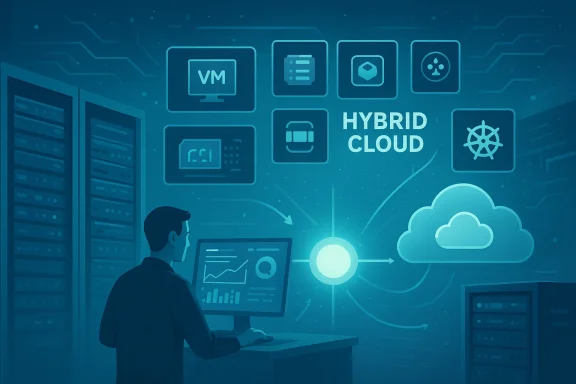
Virtualisation remains the quiet engine of enterprise IT in 2026: despite cloud and containers grabbing headlines, organisations still rely on hypervisors and VM platforms to deliver predictable performance, isolate workloads, and bridge the on‑premises / public cloud gap—and the latest ET CIO roundup of the Top 7 Virtualisation Software solutions captures that reality while also reflecting a market in transition. (cio.economictimes.indiatimes.com)
Overview
Enterprise IT in 2026 is defined by two opposing pressures: the continuing shift to hybrid and multicloud operating models, and the need to control costs and vendor risk as licensing and platform economics change. Recent industry research shows a broad adoption of hybrid-cloud architectures and a high degree of virtualization across organisations—statistics that explain why hypervisors and VM platforms are still core infrastructure choices for CIOs.At the same time, the virtualization vendor landscape has been altered by major commercial moves and licensing overhauls. That combination—broad adoption plus commercial churn—means enterprises must be more strategic about hypervisor selection, migration paths, and how virtualization fits into AI‑ready hybrid architectures. This article expands on the ET CIO Top 7 list, verifies key claims, and offers a practical, critical appraisal for infrastructure teams planning virtualization for the next three to five years. (cio.economictimes.indiatimes.com)
Background: why virtualization still matters in 2026
Virtual machines remain the most straightforward way to run legacy enterprise workloads, provide VDI, and isolate multi‑tenant or regulated workloads. The Red Hat "State of Virtualization" research—cited by ET CIO—reports that roughly 85% of organisations use a hybrid cloud model, and roughly 71% say more than half their IT infrastructure is virtualised, underscoring why hypervisors are still central to enterprise architecture. Those survey findings line up with other industry signals that enterprises are combining VMs, containers, and public cloud instances into mixed footprints.Concretely, virtualization still supports:
- Legacy application consolidation and lifecycle management
- Virtual Desktop Infrastructure (VDI) and DaaS for remote work
- Security zoning, sandboxing and compliance controls
- Predictable infrastructure for latency‑sensitive and regulated workloads
- On‑premises foundations for AI/ML inferencing where data gravity or cost requires it
How I evaluated the Top 7 list
The ET CIO article lists and briefly reviews seven platforms: VMware vSphere ESXi, Microsoft Hyper‑V, IBM PowerVM, Google Compute Engine, Citrix Hypervisor, Oracle VirtualBox, and Red Hat OpenShift Virtualisation. I validated product claims against vendor technical documentation and independent market/industry reporting, cross‑referencing at least two sources for each substantive claim (product capabilities, licensing model, and typical use cases). Where vendor claims were dated, I used recent vendor documentation and third‑party analyses to ensure accuracy for 2026 readers. (cio.economictimes.indiatimes.com)My analysis emphasises practical enterprise criteria:
- Scalability, high availability and live‑migration capabilities
- Hybrid/cloud interoperability and Kubernetes integration
- Licensing model risk and audit exposure
- Suitability for modern workloads including GPU/AI
- Operational complexity and skills required to run/manage
The Top 7 — detailed analysis, pros, cons and migration notes
Broadcom VMware vSphere ESXi
VMware remains the technical standard for traditional enterprise virtualization: vSphere ESXi and vCenter deliver mature features—vMotion (live migration), Distributed Resource Scheduler (DRS), vSAN for software‑defined storage, NSX for network virtualization, and tight lifecycle tooling—making vSphere the default for large datacenter consolidation and complex multi‑tier workloads. Vendor documentation and product roadmaps continue to show investment in lifecycle, observability and integration with Kubernetes (Tanzu) and VMware Cloud stacks.Why enterprises still choose it:
- Feature depth and ecosystem integrations for storage, networking, backups and third‑party tooling
- Operational maturity: mature troubleshooting, monitoring and third‑party tooling
- Broad hardware compatibility and vendor certifications
- Licensing and commercial model changes after Broadcom’s acquisition have created unpredictability: perpetual licensing was phased out and subscription-based bundles became the norm, driving many customers to reassess total cost of ownership and to budget for ongoing OPEX instead of CAPEX. Several high‑profile disputes and court rulings in EMEA have underlined the commercial friction. Enterprises should not assume historical licensing terms will persist.
- Avoid rushed “rip‑and‑replace” projects—map critical dependencies such as NSX and vSAN integrations.
- For customers facing renewals, conduct an audit of core counts, CPU core‑packing and renewal dates to model costs under subscription pricing.
- Validate third‑party tooling compatibility and support with replacement hypervisors before migrating critical workloads.
Microsoft Hyper‑V
Hyper‑V is the native hypervisor built into Windows Server and remains a pragmatic choice for Microsoft‑centric shops and organisations seeking cost predictability. Hyper‑V provides live migration, Storage Spaces Direct (S2D) for HCI, Shielded VMs, and deep integration with Windows Admin Center, System Center and Azure hybrid services—attributes that make it attractive for enterprises standardised on Microsoft stacks. Microsoft documentation confirms Hyper‑V’s enterprise capabilities and hybrid tooling.Why organisations pick Hyper‑V:
- Licensing elasticity: Hyper‑V is included with Windows Server licensing (Datacenter edition offers unlimited VM rights), often producing a lower incremental software cost than third‑party hypervisors.
- Tight Azure integration for hybrid operations and DR using Azure Site Recovery and Azure Arc.
- Familiar tooling and automation (PowerShell / Windows Admin Center) which lowers the learning curve for Windows admins.
- Feature parity with VMware still varies in edge cases (network virtualization, third‑party ecosystem breadth).
- Hyper‑V excels when the environment is Microsoft‑centric; mixed OS and heterogenous ecosystems may prefer more platform‑agnostic stacks.
- Windows customers with strong Azure footprints will find smoother hybrid operations.
- When replacing VMware with Hyper‑V, verify GPU/vGPU needs carefully—vGPU support differs across hypervisors and vendors.
IBM PowerVM
PowerVM is a specialised enterprise virtualization platform for IBM Power Systems, designed for mission‑critical AIX, IBM i and Linux workloads. Its strengths are in logical partitioning (LPARs), Live Partition Mobility (LPM), deep hardware integration and features geared to large transactional workloads. Documentation and technical books describe unique capabilities—micro‑partitioning, shared processor pools, and LPM encryption/compression for secure migration—that make PowerVM a backbone for legacy enterprise systems.Why it still matters:
- Reliable platform for SAP, enterprise databases and workloads where POWER processors are preferred for performance and licensing models.
- Strong high‑availability and workload mobility built into the Power architecture.
- PowerVM is tightly coupled to IBM Power hardware—migration outside the Power ecosystem requires significant re‑engineering and often application refactoring.
- Licensing, hardware maintenance and specialist skills can be costlier than commodity x86 alternatives.
- Treat PowerVM migrations as application‑level modernization projects—expect code, OS or middleware changes for non‑Power targets.
- Where possible, containerise or refactor workload components ahead of infrastructure migration to reduce risk.
Google Compute Engine (GCE)
GCE represents the cloud‑native approach to running VMs: an IaaS offering that delivers custom machine types, managed instance groups, live‑maintenance migration, autoscaling and a broad suite of cloud services for observability, storage and AI acceleration. Google’s product docs emphasise programmability, autoscaling via managed instance groups, and integration with Kubernetes and AI tooling—making Compute Engine the natural choice for workloads where elasticity and integration with cloud data services matter.Why enterprises use GCE:
- Elastic scale, rich set of machine types (including GPU/accelerator families) and strong managed operations.
- Good fit for cloud‑native applications, bursting workloads and analytics pipelines tied to other Google Cloud services.
- Cost predictability relies on careful reservation and committed use planning; egress and storage patterns can create surprises.
- GCE is not a direct hypervisor replacement for on‑premises vSphere features like integrated SAN‑level encryption or some hardware offloads—these must be re‑architected in the cloud model.
- Use “Migrate to VMs” tools and plan for networking/security model changes during lift‑and‑shift moves.
- Consider hybrid operation models—e.g., use GCE for burst/AI workloads while keeping latency‑sensitive stateful services on‑prem.
Citrix Hypervisor (formerly XenServer)
Citrix Hypervisor remains an enterprise choice for high‑density VDI and GPU‑accelerated desktop workloads. Built on Xen, Citrix Hypervisor provides GPU passthrough and vGPU support, live migration and VDI‑centric optimisations and tight integration with Citrix Virtual Apps and Desktops. Documentation and design guides emphasise HDX, vGPU support and transport optimisations aimed at delivering consistent VDI user experience at scale.Why Citrix Hypervisor is relevant:
- VDI‑optimised capabilities and validated GPU/VDI profiles with NVIDIA for multi‑user GPU sharing.
- Often lower cost for VDI than full VMware stacks and integrated with Citrix workspace services.
- Best value when used within the Citrix ecosystem—organisations using different VDI stacks may find integration harder.
- Citrix’s market position has shifted as desktop virtualization and DaaS converge, making long‑term roadmap diligence important.
- If moving VDI to Citrix Hypervisor, validate GPU driver stacks and licensing for NVIDIA/AMD/Intel vGPU.
- Measure user experience at scale (latency, codec behaviour) before production cutover.
Oracle VirtualBox
VirtualBox is a lightweight, cross‑platform virtualization product commonly used for development, testing and local VM usage. It is not positioned as a full enterprise datacenter hypervisor but remains useful for labs, developer workstations and low‑scale testing environments. VirtualBox supports snapshots, cross‑platform guests, and is free/open‑source—making it a zero-cost tool for non‑production scenarios. (cio.economictimes.indiatimes.com)Why teams still use it:
- Free and simple to install on developer desktops across Windows, Linux and macOS.
- Great for reproducible developer/test environments and compatibility testing.
- Not designed or supported for large‑scale enterprise production workloads—lack of enterprise HA, centralised management and robust vendor support limits its usefulness at scale.
- For production consolidation, evaluate server‑grade hypervisors or cloud IaaS instead. (cio.economictimes.indiatimes.com)
- Use VirtualBox for ephemeral dev/test; avoid production dependencies.
- For CI/CD pipelines, consider container images or dedicated cloud dev/test tenants for parity with production. (cio.economictimes.indiatimes.com)
Red Hat OpenShift Virtualisation
OpenShift Virtualisation (aka KubeVirt integrated into Red Hat OpenShift) lets teams run VMs alongside containers in the same Kubernetes control plane—effectively turning Kubernetes into a unified platform for both VM and cloud‑native workloads. This approach supports incremental modernization where applications need VM semantics but benefit from Kubernetes management, CI/CD and policy frameworks. Red Hat’s report and product docs highlight live migration, VM templates and unified lifecycle management inside OpenShift.Why it’s strategically important:
- Bridges legacy VM workloads and cloud‑native pipelines, enabling platform engineers to manage both VM and container lifecycles with Kubernetes tooling.
- Useful for organisations adopting GitOps, service mesh and unified observability while keeping existing VM apps.
- Operational complexity: running stateful VMs on Kubernetes requires cluster design changes, storage considerations and Kubernetes expertise.
- Licensing ties to OpenShift subscriptions and Red Hat support can be cost considerations for large VM estates.
- Use OpenShift Virtualisation for phased modernization—migrate non‑critical VMs first.
- Ensure storage, network and backup workflows are Kubernetes‑native and tested for VM performance and recovery.
Cross‑cutting themes enterprises must evaluate now
1) Licensing and vendor risk
Broadcom’s changes to VMware licensing accelerated market reappraisal—subscription models, minimum core packs, and end of perpetual renewals are real commercial risks for long‑term cost control. Verify renewal dates, core counts and contractual exit clauses before committing to multi‑year renewals. Independent reporting and court rulings have already forced practical workarounds in some regions.2) AI and GPU readiness
Modern AI workloads often need GPUs, and not all hypervisors handle vGPU sharing or GPU partitioning the same way. If your roadmap includes inference or training at the edge or on‑prem, prioritise hypervisors and HCI stacks with validated GPU support and concrete reference architectures. Citrix, VMware and public cloud providers have specific GPU profiles; test them under realistic loads.3) Hybrid and Kubernetes integration
Kubernetes matters for platform standardisation. Platforms that unify VMs and containers (OpenShift Virtualisation, VMware Tanzu) or provide seamless migration to cloud VMs (Compute Engine, Azure integration for Hyper‑V) will reduce friction during modernization. But this integration increases operational complexity and skills requirements—factor training and platform engineering capabilities into your total cost model.4) Observability, governance and AIOps
As infrastructure becomes hybrid and multi‑vendor, unified observability and policy enforcement are non‑negotiable. Look for solutions that integrate with your SIEM, APM and backup platforms and that provide cross‑platform governance to manage compliance and change control at scale. Recent vendor research emphasises observability and cross‑platform governance as top priorities.Practical selection checklist for CIOs and infrastructure teams
- Inventory and audit: capture physical host CPU core counts, vCPU usage, VM density and licensing renewal dates.
- Workload classification: map which VMs are latency sensitive, which require GPUs, which can move to cloud, and which are candidates for containerisation.
- Cost model scenarios: compute TCO under current vendor renewal, VMware‑subscription model, Azure/GCP migration and open‑source replacements (e.g., KVM/Proxmox/XCP‑ng).
- Skills and runbook readiness: estimate training required for platform shift (vSphere → Hyper‑V or to Kubernetes), and plan a phased pilot.
- Exit and interoperability: ensure data portability, backup compatibility and a tested migration path before committing to long‑term contracts.
- Run a short 90‑day pilot on non‑production workloads with your replacement candidate.
- Validate backup, snapshot and recovery SLAs at scale.
- Stress‑test GPU and I/O workloads to confirm performance parity.
Risks and red flags to watch
- Blindly following price alone: cheaper hypervisors can raise operational costs if they lack ecosystem integrations or force manual workarounds.
- Ignoring long tails: dozens of small but critical VMs (e.g., in finance, telecom or manufacturing) can make migrations tedious and expensive—identify them early.
- Underestimating vendor lock‑in from networking and storage integrations (NSX, vSAN, NSX‑like services); moving away from those can require re-architecting application networking and security.
- Neglecting legal and procurement timing: contract end dates, minimum purchase commitments and migration windows must be coordinated to avoid support gaps. Recent legal cases show regulators and courts may intervene—don’t assume vendor flexibility in renewal disputes.
Implementation tips (operational playbook)
- Start with an inventory, then build a dependency map: VMs, storage LUNs, network VLANs, and linked services (DB licenses, backup agents).
- Create a test harness: schedule representative load tests for CPU, memory, disk I/O and GPU workloads.
- Migration phases:
- Non‑critical dev/test VMs (prove process)
- Batch and reporting workloads (low risk)
- Tier‑2 services with fallback plans
- Mission‑critical workloads (only after runbooks and recovery tests)
- Build automation and infrastructure as code to make rollbacks and repeatable deploys easier.
- Adopt cross‑platform observability and centralised patch and configuration management before cutover.
Conclusion
The ET CIO Top 7 list accurately reflects the diversity of virtualization choices enterprises face in 2026: from the time‑tested power of VMware vSphere to the cloud‑native elasticity of Google Compute Engine, to the Kubernetes‑integrated path offered by Red Hat OpenShift Virtualisation. Each platform serves a clear set of use cases—and each carries trade‑offs around licensing, skills and integration risk. (cio.economictimes.indiatimes.com)For organisations planning their next three years of infrastructure, the priorities are clear:
- Reconcile licensing exposure with a solid migration and renewal plan.
- Choose platforms that align to hybrid and AI workloads without creating unmanageable operational complexity.
- Use pilots to validate GPU, networking and backup behavior at scale before a broad migration.
Source: ET CIO Top 7 Virtualisation Software for Enterprises in 2026