

Meta has quietly moved WhatsApp’s Windows client away from a native WinUI/UWP implementation and repackaged it as a WebView2-wrapped instance of WhatsApp Web, a change that is rolling out via the Microsoft Store and already showing measurable differences in memory use, system integration, and user experience.
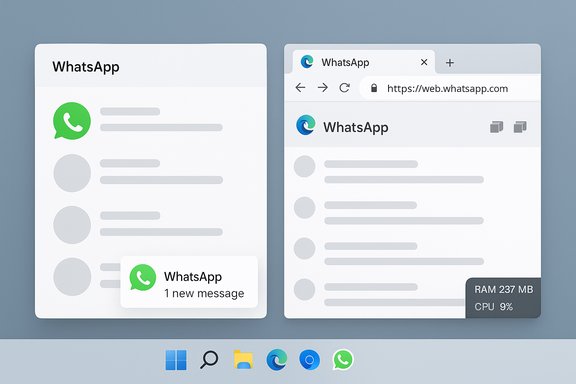
WhatsApp’s desktop story has been a series of architectural swings: from early web wrappers to Electron-like containers and, more recently, a genuinely native client built on Windows UI frameworks that prioritized performance and tight OS integration. In mid‑2025 the company began shipping a beta that substituted the native Windows binary with a host that loads web.whatsapp.com inside Microsoft Edge’s WebView2 runtime. That beta has now moved into broader distribution, and the stable Store listing for Windows shows a new build being pushed to users. The practical result: what once felt like a compact Windows app now behaves like a browser tab in a window. That shift brings obvious engineering advantages for Meta — a single codebase, faster feature parity across platforms, and fewer platform-specific engineers — but it also brings user-facing trade-offs: heavier resource usage, a less native UI, and fragile OS-level behaviors like notifications and Do Not Disturb handling. Community and reporting threads flagged these regressions quickly after the rollout began.
Practical actions are straightforward: enable Secure Storage if you rely on E2EE history, test the new client before wide deployment, and prefer a browser PWA if you care about predictable performance. The broader consequence is less technical and more strategic: as web-first architectures win on engineering efficiency, the Windows desktop loses a bit of its distinctiveness. That erosion deserves attention from platform vendors, IT managers, and end users who still value tightly integrated, resource‑efficient native applications.
Source: VOI.ID Meta Stop Original WhatsApp Apps In Windows 11, Change To Web Version
 Background / Overview
WhatsApp’s desktop story has been a series of architectural swings: from early web wrappers to Electron-like containers and, more recently, a genuinely native client built on Windows UI frameworks that prioritized performance and tight OS integration. In mid‑2025 the company began shipping a beta that substituted the native Windows binary with a host that loads web.whatsapp.com inside Microsoft Edge’s WebView2 runtime. That beta has now moved into broader distribution, and the stable Store listing for Windows shows a new build being pushed to users. The practical result: what once felt like a compact Windows app now behaves like a browser tab in a window. That shift brings obvious engineering advantages for Meta — a single codebase, faster feature parity across platforms, and fewer platform-specific engineers — but it also brings user-facing trade-offs: heavier resource usage, a less native UI, and fragile OS-level behaviors like notifications and Do Not Disturb handling. Community and reporting threads flagged these regressions quickly after the rollout began. What changed technically
From WinUI/UWP to WebView2 (Chromium) wrapper
The previous WhatsApp for Windows was built with Windows platform frameworks (WinUI/UWP), compiled to native code and interacting directly with Windows APIs for rendering, notifications, and background tasks. The new build embeds the web interface in a WebView2 control — Microsoft’s supported way to host web content using the Edge (Chromium) engine inside desktop apps. WebView2 spawns multiple Chromium processes (renderers, GPU, network helpers) and relies on the browser engine for rendering and feature logic. That architecture fundamentally alters process topology and resource characteristics. Key technical consequences:- The app runs as a WebView2 host, so msedgewebview2 / Edge-derived subprocesses are visible in Task Manager.
- Memory and CPU behavior now mirror Chromium-based browsers more than optimized native processes.
- OS integrations that relied on native APIs (live previews, jump lists, tight notification hooks) are either proxied through web APIs or lost entirely.
Why WebView2? The engineering pitch
Meta’s choice is pragmatic: one web codebase reduces duplication, simplifies QA, and accelerates feature parity for Channels, Communities, and other cross-platform features. Every release needs fewer platform-specific changes; server-side feature flags and web-first UI updates roll out instantly without separate native app builds. For a company at Meta’s scale, the engineering case is straightforward. However, that operational simplicity is achieved by shifting costs to client performance and platform fidelity.User-visible impacts: performance, notifications, and integration
Memory and CPU
Independent tests and user reports show the new WebView2-wrapped client uses significantly more RAM in typical workloads. Benchmarks vary by machine and workload, but the direction is consistent: idle memory use often climbs into the hundreds of megabytes range, and active sessions — especially with large group chats, media-heavy threads, or multiple open windows — can move into the 1–2+ GB range on many consumer systems. That’s a meaningful hit for laptops with 8 GB of RAM or for users who keep many apps open.- Observed behavior: additional msedgewebview2 and helper processes appear; per-process memory rises; animations and UI transitions feel less snappy.
- Practical impact: slower conversation navigation, choppy animations, longer cold starts after system sleep or reboot.
System integration and notifications
Native apps can use Windows notification APIs, integrate with Focus assist/Do Not Disturb in a predictable way, and offer accessibility hooks. Web wrappers replace many of those integrations with web notification logic and service-worker behavior, which is subject to different lifecycle and throttling rules. Users and community testers reported:- Notification delivery timing and Do Not Disturb interaction that differs from native expectations.
- Broken or less reliable notification grouping and action buttons in some scenarios.
- Less-consistent behavior with accessibility tools and third-party assistive technologies.
Resource/battery trade-offs
Chromium-based runtimes tend to be heavier on memory and CPU in exchange for broad compatibility. On battery-sensitive devices — ultrabooks and tablets — that can translate to reduced battery life under sustained usage, and increased thermal pressure on thin-and-light hardware.Security, E2EE, and storage implications
End‑to‑end encryption (E2EE) and message security at the protocol level are unchanged by a UI layer swap: the WhatsApp encryption model between endpoints remains intact. But the local storage and backup semantics do change.- Web clients rely on browser-style storage and service workers; native apps use platform-optimized local stores. That alters how encryption artifacts and local caches are managed and how forensic or archival workflows behave.
- Meta’s migration guidance for other desktop app deprecations has emphasized Secure Storage and PIN‑backed recovery flows as the mechanism to preserve E2EE history across device moves. If you care about preserving encrypted message history, verify Secure Storage is enabled and a recovery PIN is set before you migrate. Treat claims about automatic history preservation as contingent on these settings.
Versioning, rollout, and what’s mandatory
Several outlets and community trackers identified new Microsoft Store builds tied to the WebView2 migration; one repeatedly quoted version is 2.2584.3.0 as the package rolling via the Store. That number appears in multiple write‑ups but reflects external reporting — confirm the exact build number on your device’s Microsoft Store listing before making operational decisions. Reported timelines for forced logouts and mandatory migration vary between outlets and in-app notices; always treat in-app prompts as the authoritative source for your account and device.Practical advice: what users and IT should do now
For individual users (non‑technical):
- Before updating: check for any in-app migration notices and follow official guidance to enable Secure Storage/backups if you want to preserve E2EE history.
- If the updated app feels sluggish, try the PWA route: open web.whatsapp.com in Edge or Chrome and install it as a Progressive Web App (Install > Apps > Install this site as an app). PWAs are often lighter-weight and managed by the browser’s process model.
- Delay:** If your machine is resource-limited and the Store update is optional, postpone the upgrade until you can test the new client on a spare device. This reduces the risk of a performance hit affecting your primary workflow.
For power users and enthusiasts:
- Use a dedicated browser profile for the WhatsApp PWA to isolate caches, extensions, and service-worker behavior.
- Monitor msedgewebview2 processes in Task Manager to understand memory allocation. Consider lightweight browser alternatives for PWAs if Edge’s single-process count is problematic, but be mindful of WebView2 dependence.
For IT admins and desktop managers:
- Pilot ring: deploy the new client to a small test cohort before rolling enterprise‑wide. Evaluate notification behavior, accessibility compatibility, and CPU/memory footprints.
- Policy controls: if the Microsoft Store update is the distribution method, leverage Group Policy or endpoint management tools to control Store updates or block the newer package until you’re ready. Document helpdesk scripts for re-auth and Secure Storage guidance.
- Compliance & archiving: web clients complicate eDiscovery and deterministic archival. Revisit compliance workflows that relied on a desktop client and consider alternative communications platforms if your retention requirements cannot be met.
Alternatives and workarounds
- Progressive Web App (PWA): often the best compromise. Install web.whatsapp.com as a PWA from Edge or Chrome to get a dedicated window without a Store-based wrapper. PWAs are updated through the web code path and can be easier to manage than single-purpose wrappers.
- Official browser: use WhatsApp Web in a lightweight browser session; pin it to the taskbar or use a separate profile.
- Third‑party wrappers (Franz, Rambox, etc.: convenient but add another layer of credential handling and potential privacy risks — audit before use.
- Different messaging platform: for users or organizations that require native apps and predictable integration, consider Signal, Microsoft Teams, or Slack — these maintain native desktop clients with different resource trade-offs.
Critical analysis: strengths, weaknesses, and ecosystem risk
Strengths (for Meta and product engineering)
- Rapid feature parity: Channels, Communities, and other web-first features can reach desktop and mobile simultaneously.
- Lower maintenance cost: One web code path means fewer platform-specific engineers and test suites, faster rollbacks, and centralized QA.
- Faster iteration: web-based fixes and feature toggles can deploy faster than store-approved native app binaries.
User-facing weaknesses and risks
- Resource bloat: WebView2 introduces Chromium process overhead that’s visible on machines with constrained RAM or CPU budgets. The result is slower perceived performance and higher battery draw.
- Weakened OS integration: Notifications, Do Not Disturb behavior, accessibility, and native UI aesthetics deteriorate when the app becomes a web wrapper rather than a platform-first client.
- Privacy model shift at the edges: although E2EE remains intact, local storage semantics change and may complicate forensic and archival workflows.
Ecosystem-level concerns
- Incentivizing web-wrappers: If major, high-used apps migrate to WebView/Chromium wrappers en masse, the Windows native app ecosystem loses a major differentiator — the native experience. That diminishes incentives for third-party developers to invest in Windows‑first experiences, potentially making the platform feel more generic.
- Chromium consolidation: WebView2’s adoption reinforces Chromium’s dominance in embedded runtimes; the result is portability at the cost of runtime monoculture and potential single-vector performance impacts across many apps.
Verified facts, caveats, and what remains unclear
What can be verified now:- Multiple reputable outlets reported the change from a native WinUI/UWP app to a WebView2-wrapped client for Windows, and testers have measured higher RAM use and weaker Windows integration.
- The rollout is distributed through the Microsoft Store; reports named a specific store build in circulation (commonly quoted as 2.2584.3.0), but build numbers and deployment windows can vary by region and channel — validate on your Store listing.
- The precise corporate drivers (internal org charts, layoffs, or team reductions) behind the change: plausible and widely reported, but unverified without a formal Meta statement. Treat staffing narratives as contextual analysis rather than a documented reason.
- Any firm, universal deprecation date for the old native client across all users worldwide: a variety of outlets referenced in‑app prompts and 60‑day grace windows in other Meta deprecations, but confirm the specific enforcement schedule via in‑app notices or Meta help documentation before acting.
Recommendations — concise checklist
- End users:
- Enable Secure Storage and set a recovery PIN if you want to safeguard E2EE chat history before migration.
- Consider installing web.whatsapp.com as a PWA instead of the Store wrapper for better lifecycle predictability.
- Delay the Store update on performance‑sensitive machines until you’ve tested it on a spare device.
- IT admins:
- Pilot the new build on a controlled ring.
- Update helpdesk instructions to cover forced re-auth and Secure Storage guidance.
- Block the Store package or schedule staged deployment if your environment requires predictable native behavior.
- Developers & ecosystem watchers:
- Monitor WebView2 runtime updates and Edge releases for performance improvements; Chrome/Edge engine optimizations can materially change memory profiles over time.
Conclusion
Meta’s pivot to a WebView2-wrapped WhatsApp for Windows is a classic engineering trade-off: dramatic gains in cross-platform speed and maintainability at the cost of native performance, OS integration, and resource efficiency. For many users on modern, well‑resourced hardware, the change will be tolerable and even welcome for feature parity. For power users, enterprises, and anyone on constrained hardware, the move will feel like a downgrade — and it’s worth preparing now.Practical actions are straightforward: enable Secure Storage if you rely on E2EE history, test the new client before wide deployment, and prefer a browser PWA if you care about predictable performance. The broader consequence is less technical and more strategic: as web-first architectures win on engineering efficiency, the Windows desktop loses a bit of its distinctiveness. That erosion deserves attention from platform vendors, IT managers, and end users who still value tightly integrated, resource‑efficient native applications.
Source: VOI.ID Meta Stop Original WhatsApp Apps In Windows 11, Change To Web Version
