

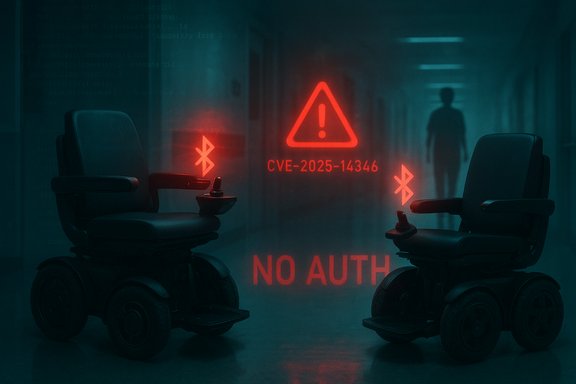
WHILL’s Model C2 electric wheelchairs and Model F power chairs are affected by a critical Bluetooth authentication flaw (tracked as CVE-2025-14346) that allows an attacker within wireless range to pair with a chair and issue movement and configuration commands without credentials, creating a real-world safety and privacy risk for users, caregivers, and facilities that deploy these mobility devices.
WHILL Inc.’s Model C2 and Model F are widely used personal mobility devices that combine battery-powered drivetrain, electronic steering, and a companion mobile app for configuration and remote features. These chairs are designed for everyday mobility and are frequently used in public, clinical, and institutional settings where Bluetooth connectivity provides convenience features such as mobile unlocking, speed-profile changes, and firmware management.
The U.S. Cybersecurity and Infrastructure Security Agency (CISA) published an advisory describing this class of problem—Missing Authentication for a Critical Function (CWE-306)—and the agency’s typical mitigation framework for network- and device-level exposure. CISA-grade advisories repeatedly emphasize isolating vulnerable devices, minimizing Internet exposure, and using secure remote access patterns while patches or compensating controls are deployed.
The advisory attached to this disclosure reports a CVSS v3.1 base score of 9.8, classifying the issue as Critical, because the attack requires no privileges or user interaction, is network (wireless) accessible, and yields high confidentiality and integrity impact (control and configuration of the device). This severity aligns with other CISA-coordinated findings where embedded devices expose privileged functions without authentication, and it frames the issue as both a safety and cybersecurity emergency.
CISA-style mitigations for missing-authentication device findings remain the recommended operational controls while vendor patches are validated: isolate devices from networks where feasible, place devices and their management systems behind firewalls or segmented VLANs, and avoid exposing device management interfaces to the Internet.
Operators must take a layered approach: verify vendor-supplied fixes, apply short-term operational controls (disable Bluetooth when not needed, segment management traffic), and deploy monitoring and detection to catch unauthorized pairings or configuration changes. Demand verifiable firmware and app release notes from WHILL and insist on documented, testable fixes before returning devices to unsupervised public use.
The incident also underlines a systemic lesson for procurement and device manufacturers: mobility and medical-adjacent devices must be engineered with secure-by-default pairing and proven update chains, and organizations that deploy them must treat those devices with the same rigor used for other safety-critical systems.
Source: CISA WHILL Model C2 Electric Wheelchairs and Model F Power Chairs | CISA
 Background
WHILL Inc.’s Model C2 and Model F are widely used personal mobility devices that combine battery-powered drivetrain, electronic steering, and a companion mobile app for configuration and remote features. These chairs are designed for everyday mobility and are frequently used in public, clinical, and institutional settings where Bluetooth connectivity provides convenience features such as mobile unlocking, speed-profile changes, and firmware management.The U.S. Cybersecurity and Infrastructure Security Agency (CISA) published an advisory describing this class of problem—Missing Authentication for a Critical Function (CWE-306)—and the agency’s typical mitigation framework for network- and device-level exposure. CISA-grade advisories repeatedly emphasize isolating vulnerable devices, minimizing Internet exposure, and using secure remote access patterns while patches or compensating controls are deployed.
The advisory attached to this disclosure reports a CVSS v3.1 base score of 9.8, classifying the issue as Critical, because the attack requires no privileges or user interaction, is network (wireless) accessible, and yields high confidentiality and integrity impact (control and configuration of the device). This severity aligns with other CISA-coordinated findings where embedded devices expose privileged functions without authentication, and it frames the issue as both a safety and cybersecurity emergency.
What the vulnerability allows — technical overview
How the flaw is described
- The vulnerability is a Bluetooth authentication omission on the wheelchair’s device-side Bluetooth service. The affected chairs do not require authentication for pairing or for executing high-risk commands exposed over Bluetooth.
- An attacker in Bluetooth radio range can:
- Pair with the chair without credentials.
- Issue movement commands (drive, turn, stop).
- Override speed restrictions or change speed profiles.
- Modify configuration profiles stored on the device (which may include behavior that influences safety margins or app-based access controls).
Attack surface and exploitable vector
- Attack vector: Bluetooth (short-range wireless) — an adversary must be physically near the device (e.g., in the same room, parking area, or within tens of meters depending on environmental factors).
- Complexity: Low — pairing and issuing standard commands is straightforward when the device fails to enforce authentication.
- Privileges required: None — the device accepts pairing and control without credentials.
- User interaction: None — an attacker can act without any action by the legitimate user.
- Potential automation: Because Bluetooth scanning and basic pairing can be scripted, an attacker could scan public places (transit hubs, clinics, malls) for vulnerable chairs and attempt automated interactions at scale.
Immediate impact: safety, privacy, and operational risk
Safety risks (primary)
- Unauthorized movement — an attacker could command forward/back motion, turns, or stops, potentially causing collisions, trapped limbs, or falls.
- Override of speed restrictions — attackers could increase maximum speeds or disable slow modes, which is especially dangerous in crowded or indoor environments.
- Disable or block emergency controls — if the chair’s emergency modes are not isolated, attackers could prevent users or caregivers from bringing the device to a safe stop.
Privacy and data integrity
- Configuration profiling — remote reading of configuration could leak personal usage profiles, distances traveled, or device identifiers that enable tracking.
- Firmware and configuration integrity — being able to alter profiles or settings risks sustained compromise or persistent safety-degrading changes that survive reboots.
Operational and institutional risk
- Facilities that provide mobility-as-a-service or that manage fleets of devices (hospitals, care homes, airports) face both liability and continuity risks if multiple chairs are targeted simultaneously.
- Attackers could use compromised chairs as local sensors or pivot points if those devices bridge or connect to facility Wi‑Fi or management platforms—exposing Windows workstations and backend systems to lateral movement risks described in modern ICS/IoT advisories.
Vendor response and reported mitigations
WHILL’s advisory material (the coordinating notice attached to this disclosure) reports the vendor implemented a set of mitigations on December 29, 2025. The reported changes include:- Device-side speed profile protection — firmware safeguard to prevent unauthorized modification of speed profiles from the mobile application.
- Unlock command restriction during motion — the firmware blocks unlock commands from the mobile app or smart key while the wheelchair is in motion.
- Application JSON file obfuscation — the mobile application’s configuration files were converted from plain JSON into a binary/obfuscated form on Android and iOS to impede casual tampering or configuration theft.
CISA-style mitigations for missing-authentication device findings remain the recommended operational controls while vendor patches are validated: isolate devices from networks where feasible, place devices and their management systems behind firewalls or segmented VLANs, and avoid exposing device management interfaces to the Internet.
How to verify whether a given unit is affected or patched
- Check the chair’s firmware version: access the WHILL app or the device’s on-board diagnostics to retrieve firmware and Bluetooth stack version strings.
- Compare the installed firmware/string to the vendor’s official release notes or WHILL Support advisory that lists a fixed firmware revision or build date.
- Confirm the mobile app version and whether the app shows an update applied on the device (app release notes may document the JSON obfuscation change).
- For fielded fleets, maintain an inventory spreadsheet that records chassis serials, MAC addresses, firmware strings, and last update timestamps.
Practical mitigation checklist (immediate actions for users, clinicians, and facility operators)
Short-term controls (apply immediately)- Disable Bluetooth when not required. For individual users: switch off the chair’s Bluetooth if you do not actively use companion functionalities that require it.
- Remove unnecessary app pairings. Unpair any mobile devices that are not actively used to manage the chair.
- Limit physical proximity exposure. Do not leave chairs unattended in high-traffic public areas where malicious actors could approach within Bluetooth range.
- Use local supervision during updates. If an update is applied, do so under the supervision of staff and verify basic functions and emergency stop operations before returning the chair to a user.
- Segment management services. Put any fleet- or enterprise-management systems that talk to chairs on a dedicated, firewalled management VLAN; do not allow general-purpose network access.
- Harden mobile management endpoints. Ensure phones/tablets used for chair management run supported OS builds, device-level encryption, strong passcodes, and mobile device management (MDM) policies that restrict side-loading or app cloning.
- Restrict maintenance access. Limit who can pair or configure chairs—use least privilege and keep an audit trail of maintenance pairings and updates.
- Temporary operational policy. Consider limiting chairs’ use in crowded public events or moving them to supervised locations until remediation is verified.
- Monitor Bluetooth pairing logs on the WHILL mobile app and any fleet management console for unexpected pairing attempts or new paired device IDs.
- Use device telemetry (if available) to alert on configuration changes, unexpected speed-profile modifications, or repeated pairing rejections.
- Hunt for anomalous behavior on site (wheelchair moving when unattended, changes in max speed settings, or app-config reports of remote unlocks) and treat these as incident indicators.
- Obtain vendor-confirmed fixed firmware and app versions.
- Test the behavioral mitigations in a controlled environment (for example: confirm unlock-while-in-motion is blocked; ensure speed profiles cannot be modified by an unpaired or unauthorized app instance).
- After validation, deploy the firmware/app update across the fleet with staged rollout and monitoring.
Detection and incident response guidance
If a chair appears to have been controlled or configured by an unauthorized actor:- Immediately power down or engage the manual emergency stop if safe to do so and if doing so does not endanger the user.
- Isolate the device—remove it from any management networks and disable Bluetooth.
- Capture forensic details: record timestamps, device serial, app version, paired device IDs, and any log entries from the app or device.
- Perform a safety check before returning the device to the user; inspect motor, brakes, battery, and control systems.
- Report the incident to WHILL support and to local authorities if there was physical harm or a clear malicious act.
- Follow incident response playbooks used by your security/healthcare operations center: contain, preserve evidence, assess impact, remediate, and communicate to affected users.
Broader implications: medical device regulation, procurement, and accessibility
- Mobility devices combine medical-device-like safety considerations with consumer wireless convenience. Vulnerabilities that enable remote physical control raise unique regulatory and legal exposure for manufacturers and purchasers.
- Procurement teams should require clear security disclosures, secure update mechanisms, and verified default-security settings (e.g., mandatory authenticated pairing) in purchase contracts.
- Accessibility advocates and care providers must balance the urgency of secure configurations with the functional needs of users—some safety mitigations (e.g., disabling Bluetooth) can impair useful accessibility features, so policies should be user-centered and provide safe alternatives.
- Device manufacturers must adopt secure-by-design principles: authenticated pairing, first-boot provisioning that forces credential setup, role-based remote access, and robust, signed firmware update paths.
Why this class of vulnerability is increasingly common — and what to demand from vendors
The root causes that produce missing-authentication flaws on connected devices are typically:- Convenience-first defaults that prioritize quick pairing and simple setup over explicit authentication.
- Reuse of consumer-grade Bluetooth profiles and lack of server-side access control checks.
- Insufficient code-level enforcement of authorization checks on critical control paths.
- Default secure pairing flows (for example, pairing that requires confirmation on a local device or a physical switch).
- Signed firmware updates and manifest verification.
- Audit logging and tamper-evident event streams for pairing and configuration changes.
- A documented coordinated disclosure and patching policy from the vendor, with public CVE and advisory references for transparency.
Cross-checks, verification status, and caveats
- The coordinating advisory that accompanied this disclosure reports the vulnerability as CVE-2025-14346 with a CVSS v3.1 score of 9.8, and lists the affected models Model C2 and Model F as “all versions” in scope. This matches the technical description for a missing-authentication Bluetooth control interface and aligns with other CISA-style advisories for embedded devices that expose privileged management functions without authentication.
- The vendor-reported mitigations and the stated deployment date (December 29, 2025) are included in the advisory package associated with this disclosure. However, independent public confirmation of the vendor release notes or a downloadable firmware bulletin could not be located via public search at the time of this article; organizations must verify the WHILL firmware/app changelog or WHILL Support statements before declaring systems remediated. Where vendor claims cannot be independently confirmed, treat the claim as vendor-provided and require direct verification.
- The defensive guidance in this article follows standard CISA and ICS hardening guidance—minimize network exposure, isolate devices, enforce secure remote access, and perform risk assessments—because these controls are the canonical compensating measures for unauthenticated embedded device functions until vendor fixes are validated.
Practical checklist for Windows/IT teams supporting facilities with WHILL chairs
- Inventory:
- Record every WHILL device model, serial number, Bluetooth MAC, firmware and app version.
- Immediate hardening:
- Disable Bluetooth on devices that do not need on-the-fly pairing.
- Ensure management endpoints (mobile apps, fleet portals) are on segmented networks.
- Patch and validate:
- Request vendor documentation that lists the fixed firmware/app versions and required update steps.
- Validate mitigations in a test device before fleet-wide rollout.
- Monitoring:
- Enable logging on management consoles; set alerts for new pairing events or configuration changes.
- Correlate logs with facility access control and EHR/clinical systems for anomalous sequences.
- Incident readiness:
- Ensure staff know the physical emergency-stop procedures and preserve device logs if an incident occurs.
- Add WHILL support contact details to your incident response playbook.
Conclusion
CVE-2025-14346 affecting the WHILL Model C2 and Model F is a textbook high-risk IoT safety issue: a short-range wireless interface that should be protected by authentication instead permits unauthenticated pairing and privileged control. The technical consequences—unauthorized movement, speed overrides, and profile tampering—translate directly into safety hazards for users and liability exposure for operators.Operators must take a layered approach: verify vendor-supplied fixes, apply short-term operational controls (disable Bluetooth when not needed, segment management traffic), and deploy monitoring and detection to catch unauthorized pairings or configuration changes. Demand verifiable firmware and app release notes from WHILL and insist on documented, testable fixes before returning devices to unsupervised public use.
The incident also underlines a systemic lesson for procurement and device manufacturers: mobility and medical-adjacent devices must be engineered with secure-by-default pairing and proven update chains, and organizations that deploy them must treat those devices with the same rigor used for other safety-critical systems.
Source: CISA WHILL Model C2 Electric Wheelchairs and Model F Power Chairs | CISA
