

A measurable exodus is under way: ordinary PC users — not just hobbyists and developers — are seriously considering replacing Windows with Linux, driven by Windows’ tightened hardware gates, the end of free support for a major Windows release, and a steady maturation of desktop Linux that finally makes it accessible to non‑experts.
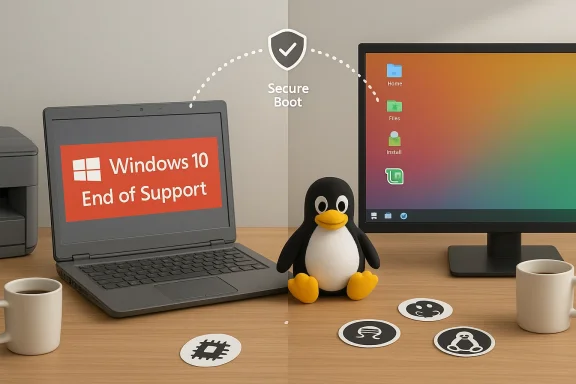
The desktop landscape shifted decisively in 2025–2026. Microsoft’s formal end of free support for Windows 10 on October 14, 2025 changed the calculus for millions of PCs that were still happily running a decade‑old OS; Microsoft’s guidance and follow‑up messaging pushed many users toward Windows 11 or toward migration options, including paid Extended Security Updates or alternative operating systems. Microsoft’s official support notice on the Windows lifecycle spells this out plainly.
At the same time, two interlocking forces accelerated interest in alternatives. First, Windows 11 enforces stricter minimums — TPM 2.0, Secure Boot, UEFI, and a list‑based CPU eligibility model — leaving many otherwise serviceable machines ineligible for official upgrades without a hardware refresh. Second, Microsoft has tightly integrated AI into Windows as a first‑class feature set (branded Copilot in Windows and a new Copilot+ PC device category), encouraging users to buy new AI‑enabled hardware rather than keep older, perfectly functional systems. Microsoft and its partners have explicitly promoted the Copilot+ PC category and on‑device AI features as reasons to refresh hardware.
Those twin pressures are the context for a surge in Linux interest: people are asking whether a functioning PC that won’t run Windows 11 any more needs to be thrchild, or repurposed — or whether Linux can give it a second life without handing all of their data and workflows to a commercial cloud. Community conversations and editorial coverage show this debate moving from niche forums into mainstream conversation.
Windows 11’s minimum requirements are not just about memory or disk: Microsoft demands hardware features intended to enable modern protection stacks (VBS, HVCI, BitLocker tied to TPM, and on‑device AI acceleration). The upshot is that many two‑to‑five‑year‑old PCs are eligible but a large installed base of 6th–7th‑generation Intel or early Ryzen machines falls outside Microsoft’s approved CPU lists, effectively forcing a choice: accept an unsupported OS, pay for ESU, or replace hardware.
That reality matters because it converts what used to be a voluntary upgrade into a near‑compulsion for those who care about security updates. For many home users — students, retirees, small business owners — buying a new PC is a significant and unwelcome expense. Linux becomes a practical third path: keep the hardware you have, regain security‑support lifetime from a LTS Linux distro, and avoid the forced hardware refresh cycle.
For users skeptical about cloud telemetry, or those who resent an OS that increasingly sells services inside the desktop, this feels like a nudge toward vendor lock‑in. It’s not just about features; it’s about ecosystem commitment: the more your computer depends on a vendor’s cloud and exclusive hardware, the harder it is to remain platform‑agnostic. That friction energises some users to explore Linux as a privacy‑leaning, low‑baggage alternative. Community reactions reflect this sentiment.
Benefits that attract practical users include:
However, anti‑cheat systems remain the primary friction point: some publishers and developers still rely on Windows‑centric kernel‑level anti‑cheat (EAC, BattlEye, or custom solutions) that historically blocked Proton or Steam Deck play. The situation is evolving — EAC and some other vendors have improved Linux support and some titles are playable — but a potential switcher who depends ome must check compatibility carefully. Recent coverage documents both wins (games restored to Steam Deck compatibility) and losses (titles that remain blocked because of anti‑cheat policies).
At the same time, conservative voices in forums emphasize the continued strength of Windows for gaming, enterprise compatibility, and the minimal friction of staying with a preinstalled OS on new machines. The debate is no longer purely technical; it’s a tradeoff of values — control and sustainability versus convenience and broad commercial compatibility.
The choice is personal and pragmatic: if you value control, privacy, and longer life for existing hardware, Linux is worth a careful trial. If you depend on specific Windows‑only applications or online services that require Windows anti‑cheat support, a hybrid approach (VM, dual‑boot, or buying new hardware) may be the better path. The important thing is to make that choice deliberately: test, verify compatibility, and select the migration path that minimizes risk while maximizing the benefits that matter most to you.
Source: The Business Standard Users are ditching Windows for Linux. Here’s why
 Background / Overview
The desktop landscape shifted decisively in 2025–2026. Microsoft’s formal end of free support for Windows 10 on October 14, 2025 changed the calculus for millions of PCs that were still happily running a decade‑old OS; Microsoft’s guidance and follow‑up messaging pushed many users toward Windows 11 or toward migration options, including paid Extended Security Updates or alternative operating systems. Microsoft’s official support notice on the Windows lifecycle spells this out plainly.At the same time, two interlocking forces accelerated interest in alternatives. First, Windows 11 enforces stricter minimums — TPM 2.0, Secure Boot, UEFI, and a list‑based CPU eligibility model — leaving many otherwise serviceable machines ineligible for official upgrades without a hardware refresh. Second, Microsoft has tightly integrated AI into Windows as a first‑class feature set (branded Copilot in Windows and a new Copilot+ PC device category), encouraging users to buy new AI‑enabled hardware rather than keep older, perfectly functional systems. Microsoft and its partners have explicitly promoted the Copilot+ PC category and on‑device AI features as reasons to refresh hardware.
Those twin pressures are the context for a surge in Linux interest: people are asking whether a functioning PC that won’t run Windows 11 any more needs to be thrchild, or repurposed — or whether Linux can give it a second life without handing all of their data and workflows to a commercial cloud. Community conversations and editorial coverage show this debate moving from niche forums into mainstream conversation.
Why this moment feels different
The Windows trigger: end of support + hardware gating
The practical forcing function is simple: Windows 10’s end of free support on October 14, 2025 means that millions of systems that would otherwise have been left alone now present a real security risk unless patched through ESU or upgraded to Windows 11 — if compatible. Microsoft’s advisory documents and update notes make clear that after that date, routine security and quality updates are no longer provided except through paid or enterprise mechanisms.Windows 11’s minimum requirements are not just about memory or disk: Microsoft demands hardware features intended to enable modern protection stacks (VBS, HVCI, BitLocker tied to TPM, and on‑device AI acceleration). The upshot is that many two‑to‑five‑year‑old PCs are eligible but a large installed base of 6th–7th‑generation Intel or early Ryzen machines falls outside Microsoft’s approved CPU lists, effectively forcing a choice: accept an unsupported OS, pay for ESU, or replace hardware.
That reality matters because it converts what used to be a voluntary upgrade into a near‑compulsion for those who care about security updates. For many home users — students, retirees, small business owners — buying a new PC is a significant and unwelcome expense. Linux becomes a practical third path: keep the hardware you have, regain security‑support lifetime from a LTS Linux distro, and avoid the forced hardware refresh cycle.
The product direction trigger: Copilot, NPUs and hardware‑first AI
Microsoft’s push to make AI a system‑level selling point for Windows 11 — combined with the Copilot+ PC certification (guaranteeing on‑device NPU capability, certain TOPS performance, and partner certification) — reframes the upgrade story as hardware‑first, not software‑first. OEMs now promote NPUs, hybrid local/cloud inference, and features like File Explorer AI, Recall, and Super Resolution as reasons to buy a new machine. Microsoft’s and partner press messaging ainforce that the best Copilot experiences require new silicon.For users skeptical about cloud telemetry, or those who resent an OS that increasingly sells services inside the desktop, this feels like a nudge toward vendor lock‑in. It’s not just about features; it’s about ecosystem commitment: the more your computer depends on a vendor’s cloud and exclusive hardware, the harder it is to remain platform‑agnostic. That friction energises some users to explore Linux as a privacy‑leaning, low‑baggage alternative. Community reactions reflect this sentiment.
What Linux offers now — and why it’s more convincing than before
Performance, life extension, and practical flexibility
Linux distributions have improved dramatically on hardware support, driver quality, and graphical polish. Modern distros such as Ubuntu, Linux Mint, Fedora, and several SteamOS‑based variants boot quickly, detect hardware, and ship with polished desktop environments that are recognizable to Windows users. For older machines, Linux often represents a direct and measurable performance improvement: less memory overhead, lighter background services, and more predictable update behavior. Tech guides and how‑tos for installing and dual‑booting show the process is now procedural and approachable.Benefits that attract practical users include:
- Lower resource usage on many distros, giving older CPUs and small SSDs new life.
- Absence of built‑in ads or forced service pushes; distros do not bundle commercial app promotions.
- Privacy advantages by design: most Linux distributions do not implement telemetry at the scale of commercial desktop OS vendors.
- Granular control over what runs and when — from background services to update cadence.
The gaming caveat — much improved, but not universal
Gaming on Linux has moved from hobbyist novelty to mainstream viability because of Valve’s Proton compatibility layer and increasing publisher support for Linux and SteamOS. The Steam Hardware & Software Survey — an imperfect but useful indicator of change among gamers — shows Linux share on Steam rising into the low single digits, a record high driven in part by the Steam Deck and SteamOS derivatives. That momentum matters because it signals both increased compatibility and attention from developers.However, anti‑cheat systems remain the primary friction point: some publishers and developers still rely on Windows‑centric kernel‑level anti‑cheat (EAC, BattlEye, or custom solutions) that historically blocked Proton or Steam Deck play. The situation is evolving — EAC and some other vendors have improved Linux support and some titles are playable — but a potential switcher who depends ome must check compatibility carefully. Recent coverage documents both wins (games restored to Steam Deck compatibility) and losses (titles that remain blocked because of anti‑cheat policies).
The practical migration story: how people are actually doing it
Pathways people choose
There are three common migration patterns emerging:- Test first: run Linux in a virtual machine or boot a live USB to try the distro without changing disks. This is the least risky path and is recommended for cautious users. Guides on dual‑booting or live testing make this approachable.
- Dual‑boot: keep Windows for essential Windows‑only applications and use Linux for day‑to‑day tasks. This is a transition strategy for people who need to preserve access to some Windows software. Community threads and how‑tos provide procedural steps for partitioning and managing bootloaders.
- Full conversion: wipe Windows and move to Linux as the primary OS. This is common among users who don’t depend on niche Windows apps or who have found acceptable Linux equivalents (LibreOffice, cross‑platform apps, or Proton‑compatible Steam games). Many personal accounts describe a moment of relief after the full switch.
Typical timeline and expectations
- Preparation: 30–90 minutes to download an ISO, create bootable media, and back up files.
- Trial: booting from a USB takes minutes; testing hardware and applications may take ll: average desktop installs complete in 15–45 minutes for mainstream distros with guided installers.
- Post‑install tuning: installing missing drivers, codecs, or favorite apps may take an hour or more depending on needs.
Strengths and opportunities
The strengths Windows challengers highlight
- Cost and sustainability: Linux is free, and repurposing hardware reduces electronic waste by giving older computers a useful second life.
- Transparency and control: open‑source development means you can audit and change the software stack; for many users that equals greater trust.
- Modularity: choose a minimal install for performance or a full desktop for convenience — the user drives the experience.
- Security posture: while Linux is not invulnerable, the attack surface and distribution mechanisms differ from commodity Windows ecosystems, and enterprise‑grade distros offer long‑term security support.
Opportunity: a smoother consumer path
The Linux ecosystem now benefits from vastly improved user‑facing tooling: polished graphical installers, App Store‑like software centers, better driver auto‑detection, and communities dedicated to newcomers. These improvements make Linux a practical consumer alternative for more people than ever before. Tech outlets documenting step‑by‑step Linux installs and distro recommendations have helped mainstream the process.Risks, limits, and things you must verify before switching
Not a universal replacement
- Windows‑only professional software: industry suites for architecture, design, CAD, certain scientific tools, and some enterprise apps may be available only on Windows. For professionals reliant on niche commercial tools, Linux may not be feasible. This is often the decisive constraint for creative professionals and corporate desktops. Flag this as a blocking factor: verify app compatibility before migrating.
- Games and online services: even with Proton, some multiplayer or anti‑cheat‑protected titles remain incompatible or require workarounds. Always check the specific game and server policies. There is documented variance: some titles now run cleanly, others remain blocked for anti‑cheat reasons.
- Hardware oddities: uncommon printers, proprietary scanners, or vendor‑locked peripherals occasionally need extra drivers or manual configuration. Most mainstream hardware is supported well, but specialty devices may require research.
Community support vs. vendor support
Linux support is primarily community and vendor‑forum driven rather than centralized hotline support. That matters when users want guaranteed service levels; enterprises can buy paid support from vendors (Red Hat, Canonical, SUSE) but consumers rely on forums, documentation, and local tech shops.The unverifiable or shifting claims
- Claims about “five‑fold increases” in Google Trends for phrases such as “How to install Linux” were reported in recent commentary and aggregator articles, but raw Google Trends figures change rapidly and depend on time windows and geographic filters. TBS reported a steep surge as of February 2026; readers should interpret such figures as directional rather than a precise metric of migrations. If you want to verify exact search‑volume multipliers, extract the date ranges and regional filters directly from Google Trends yourself.
How to evaluate whether Linux is right for you (a practical checklist)
- Inventory your essential Windows applications. Can you find native Linux equivalents, or can they run under Wine/Proton or in a VM?
- Verify hardware compatibility: test your Wi‑Fi, printer, webcam, and graphics with a live USB.
- Try before you commit: boot a live session or install in a VM for a few days to feel the workflow.
- Back up your data before installing. Use disk images for safety.
- Consider a dual‑boot approach if you need Windows rarely but can mostly use Linux.
- For gamers: check ProtonDB, the game’s anti‑cheat policy, and community reports on Steam Deck/Proton compatibility.
- If you need vendor support or centralized updates, select a commercially supported distribution (e.g., Ubuntu LTS, Red Hat variants, SUSE) and review paid support options.
Real community voices — what people are saying
User threads and longform personal accounts capture a consistent set of themes: relief from update‑driven instability, appreciation for revived hardware performance, frustration at being forced to buy new hardware by vendor policy, and cautious praise for Linux usability. These are not isolated opinions on enthusiast forums; aggregated community posts over the last year show a clear pattern of neutral-to-positive migration experiences and practical how‑tos for newcomers.At the same time, conservative voices in forums emphasize the continued strength of Windows for gaming, enterprise compatibility, and the minimal friction of staying with a preinstalled OS on new machines. The debate is no longer purely technical; it’s a tradeoff of values — control and sustainability versus convenience and broad commercial compatibility.
What the industry is watching next
- Will major game publishers accelerate support for anti‑cheat on Proton/SteamOS, or will new anti‑cheat clauses lock Linux users out of certain titles? Recent developments show progress and setbacks in parallel: some games regain Linux compatibility while others double down on Windows‑only anti‑cheat. Expect this to remain a critical battleground for Linux’s mainstream adoption among gamers.
- Will Microsoft soften hardware gating or expand concierge upgrade programs? Microsoft has occasionally clarified install paths and updated messaging around requirements, but the strategic push toward Copilot+ hardware suggests a long‑term emphasis on certified, AI‑capable devices rather than broad backward compatibility. Watch policy updates and OEM messaging.
- Will Linux distributions continue to invest in newcomer friendliness and commercial polish? The answer appears to be yes: distributions and commercial vendors are investing in improved installers, driver stacks, and curated software stores — making the switch less intimidating for general users.
Conclusion
The current shift toward Linux among everyday users is real and measurable, but it’s not a single “mass migration” event — it’s a structural response to vendor policy changes, evolving product directions, and a markedly improved Linux desktop experience. For many users — particularly those with older machines blocked from Windows 11 or those uncomfortable with a product strategy that increasingly ties desktop value to new hardware and cloud services — Linux now represents a rational, practical, and ethical alternative.The choice is personal and pragmatic: if you value control, privacy, and longer life for existing hardware, Linux is worth a careful trial. If you depend on specific Windows‑only applications or online services that require Windows anti‑cheat support, a hybrid approach (VM, dual‑boot, or buying new hardware) may be the better path. The important thing is to make that choice deliberately: test, verify compatibility, and select the migration path that minimizes risk while maximizing the benefits that matter most to you.
Source: The Business Standard Users are ditching Windows for Linux. Here’s why
