

I rebuilt my home lab around XCP‑ng, put the Xen stack through a week of real-world tinkering, and — despite solid hypervisor performance — I’m moving back to Proxmox VE for everyday home‑lab and self‑hosting work.
The virtual‑infrastructure landscape for home labs has never been more crowded. Proxmox VE sits near the top of the list for many enthusiasts because it combines KVM virtualization and LXC containers in a single, integrated web UI, plus cluster, storage, and backup features out of the box. But alternatives such as TrueNAS Scale, Unraid, Harvester, and XCP‑ng (Xen + orchestration tools) offer compelling tradeoffs: different licensing models, different performance characteristics, and different approaches to storage and management. This article walks through a hands‑on migration from Proxmox to XCP‑ng, what worked, what didn’t, and why Proxmox still wins for the usual home‑lab workflows.
Summary of the experiment: I installed XCP‑ng on an older Ryzen 5 1600 machine with 16 GB RAM and a GTX 1080, deployed the default management options (XO Lite and the Xen Orchestra Appliance), tested a variety of guests (Linux, Windows 11, FreeBSD), and evaluated day‑to‑day operability: UI, resource overhead, backup and automation capabilities, device passthrough, and container support. The raw Xen hypervisor and XCP‑ng were performant, but ancillary UX and licensing choices shaped the final verdict.
Key practical point: the typical XOA VM is deployed with a small but non‑negligible footprint (the community standard setup starts around 2 vCPU and 2 GiB RAM for the appliance), and XO itself can require more RAM for larger installations or proxies. That baseline can matter on older machines or mini‑PCs where every vCPU and gigabyte counts.
If your goal is to minimize overhead and run many small services (home automation, media servers, reverse proxies), Proxmox’s native LXC + QEMU ecosystem typically offers a more efficient, simpler path.
Proxmox’s integrated LXC + KVM model, single‑pane admin UI, and community‑friendly feature set make it easier to host mixed workloads on constrained hardware without the extra step of maintaining a management appliance. XCP‑ng is excellent when you want Xen specifically, when you need features the Xen stack offers, or when you’re prepared to self‑host and maintain Xen Orchestra. For my home lab, the balance of convenience, container support, and resource efficiency makes returning to Proxmox the pragmatic choice — while keeping XCP‑ng on a separate, lighter system for ongoing tinkering.
If you plan to evaluate either platform, test your specific hardware (NICs, GPUs, and storage controllers), validate backup and replication workflows, and make an explicit choice between time (self‑maintenance) and cash (appliance subscription) before committing your production workloads.
Source: XDA I switched from Proxmox to XCP-ng for my home lab, but I'd rather go back to PVE
 Background / Overview
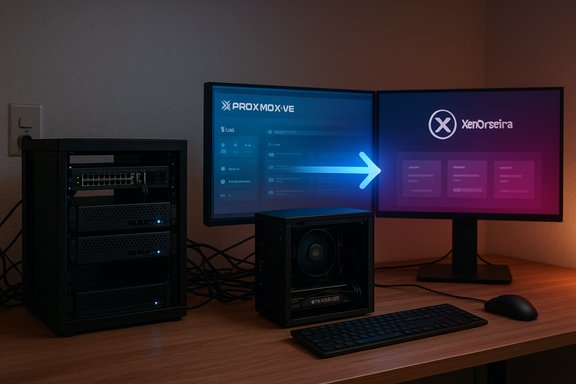
The virtual‑infrastructure landscape for home labs has never been more crowded. Proxmox VE sits near the top of the list for many enthusiasts because it combines KVM virtualization and LXC containers in a single, integrated web UI, plus cluster, storage, and backup features out of the box. But alternatives such as TrueNAS Scale, Unraid, Harvester, and XCP‑ng (Xen + orchestration tools) offer compelling tradeoffs: different licensing models, different performance characteristics, and different approaches to storage and management. This article walks through a hands‑on migration from Proxmox to XCP‑ng, what worked, what didn’t, and why Proxmox still wins for the usual home‑lab workflows.Summary of the experiment: I installed XCP‑ng on an older Ryzen 5 1600 machine with 16 GB RAM and a GTX 1080, deployed the default management options (XO Lite and the Xen Orchestra Appliance), tested a variety of guests (Linux, Windows 11, FreeBSD), and evaluated day‑to‑day operability: UI, resource overhead, backup and automation capabilities, device passthrough, and container support. The raw Xen hypervisor and XCP‑ng were performant, but ancillary UX and licensing choices shaped the final verdict.
First impressions: install and setup
Installer and first boot
XCP‑ng uses a traditional, menu‑driven installer that’s quick and straightforward on bare metal. The ISO boots to a text UI; basic configuration (installation target, timezone, network via DHCP) finishes in minutes. Unlike Proxmox’s Debian‑based installer with a browser UI readily available for host management after install, XCP‑ng leaves the host management primarily to external interfaces (XO Lite locally; Xen Orchestra externally). This means an additional management step is required to reach feature parity with what Proxmox gives you out of the box.XO Lite vs Xen Orchestra Appliance (XOA)
After installation, XCP‑ng exposes an IP with the local lightweight UI, XO Lite, which provides emergency management tasks but intentionally keeps the host lean. For full management, the usual path is to deploy the Xen Orchestra Appliance (XOA) as a VM on the host. The official XOA is a packaged, supported Xen Orchestra appliance intended to be a turnkey admin experience — but it comes with resource overhead and licensing choices that affect home‑lab use.Key practical point: the typical XOA VM is deployed with a small but non‑negligible footprint (the community standard setup starts around 2 vCPU and 2 GiB RAM for the appliance), and XO itself can require more RAM for larger installations or proxies. That baseline can matter on older machines or mini‑PCs where every vCPU and gigabyte counts.
Day‑to‑day management: UX and resource tradeoffs
Resource footprint
Proxmox’s management UI runs directly on the host with relatively low overhead because it’s integrated into the Debian host OS; you don’t need to give away 2 CPU cores and a couple of gigabytes to a dedicated virtual appliance just to have the full management experience. In contrast, XCP‑ng’s recommended management model pushes you toward running Xen Orchestra (appliance) as a VM, which consumes host resources continuously. On robust servers this is trivial; on consumer hardware it isn’t.What XO Lite can and can’t do
XO Lite is useful for emergency operations (start/stop VMs, basic monitoring), but it does not replace the full feature set of Xen Orchestra (scheduling, advanced backups, proxies, automation). For most home users, that means either building Xen Orchestra from source or deploying the official XOA, with the latter being the easiest route but the former being free if you can accept some manual work.Backup, automation, and paywalls: the licensing friction
One of the most consequential differences between the Proxmox and XCP‑ng ecosystems is how advanced features are distributed and licensed.- Proxmox VE: open core model with the full management UI, LXC support, clustering, HA, and snapshot/backup capabilities available in the community edition. Enterprise repositories and official support are paid, but the base platform remains feature‑rich and usable with no subscription for many home labs.
- XCP‑ng + Xen Orchestra: the open‑source Xen Orchestra project is available to compile and run from source, and many features exist in the community codebase. However, the official Xen Orchestra Appliance (XOA) is the supported turnkey product and places additional features (e.g., some backup features, proxies, convenience tooling) behind paid tiers or appliance licensing. There are documented pricing tiers and feature matrices for Xen Orchestra, and the appliance is marketed with subscription tiers for easier deployment and support. You can build a functionally complete XO from source, but doing so takes additional effort and you may miss some hub‑connected services exposed to XOA subscribers.
- Clicking into backup, replication, or some automation dialogs in the XOA UI often invoked a trial/purchase flow or showed limited functionality unless a license was active.
- There is a path around the paywall — compile Xen Orchestra from source or use community scripts and Docker images — but that shifts the cost from cash to time and maintenance effort.
Hypervisor performance: Xen vs KVM
VM performance and Windows 11 support
The Xen hypervisor is not “dead” — it remains a capable option for many workloads. In hands‑on tests:- Standard Linux guests (Debian, Pop_OS!, Artix) installed and performed smoothly with minimal configuration.
- FreeBSD and other non‑Linux guests behaved as expected.
- Windows 11 VMs required enabling UEFI Secure Boot and vTPM/TPM 2.0 emulation — features XCP‑ng supports via the secureboot-certs tooling and pool certificate propagation. With the right guest configuration and the Citrix PV drivers installed, Windows 11 ran acceptably well. The XCP‑ng docs explain the secureboot-certs workflow and the caveats around signed drivers and Secure Boot states.
USB and PCI passthrough
XCP‑ng 8.3 introduced a series of improvements around device passthrough, PCI handling, and UX for host device management — including clearer commands to enable/disable dom0 PCI access and improved USB passthrough visibility in Xen Orchestra UI updates. The community conversation and release notes show that 8.3 targeted these gaps and made passthrough more approachable than earlier Xen releases. That said, some edge cases and vendor‑specific quirks persist for particular hardware.Containers: the native missing piece
One of the single largest reasons I returned to Proxmox was native container support. Proxmox integrates LXC containers and the Proxmox Container Toolkit (pct) directly into the platform; containers coexist with VMs, use the same storage/network model, and are manageable from the same web UI. That is an enormous productivity win for single‑board servers, mini PCs, and modest home labs that want to run lightweight services without the overhead of a full VM. Proxmox has supported LXC since early versions and documents the integration thoroughly. XCP‑ng does not provide first‑class LXC hosting on the host itself. Yes, you can run Kubernetes or container platforms inside VMs (or use Hub recipes for K8s), and yes, you can dedicate a VM to Docker/Podman/LXC workloads — but that adds overhead both in resource consumption and operational complexity. For machines with limited CPU and memory, the extra VM for containers plus the XOA appliance can cumulatively make the stack heavier than expected.If your goal is to minimize overhead and run many small services (home automation, media servers, reverse proxies), Proxmox’s native LXC + QEMU ecosystem typically offers a more efficient, simpler path.
The paywall question: practical consequences
XCP‑ng + Xen Orchestra occupies an interesting middle ground: the core hypervisor is open and free; the management plane is open source but packaged and supported as a commercial appliance with subscription tiers. This hybrid model has a few practical consequences worth calling out directly:- For users who prioritize a fast, supported, turnkey experience with scheduled backups, replication, and proxies, buying XOA or a XO subscription can be reasonable and time‑saving.
- For home lab hobbyists who prioritize free software and are willing to compile and maintain tooling, XO from source or community Docker images fill in many functional gaps — but require more maintenance and the occasional manual update.
- When feature gating puts critical tasks (like scheduled backups or proxies) behind subscription barriers, small/home users need to evaluate whether their time is worth more than cash — or vice versa.
Migration considerations: practical steps to move back to Proxmox
If you’ve tried XCP‑ng and want to return to Proxmox, here’s a practical cut‑through plan I used and would recommend for a small home lab:- Inventory VMs and their disk formats (XCP‑ng typically uses VHD, and Citrix drivers may be present).
- Export critical VM disks as VHD/XVA or convert them to QCOW2/VMDK depending on the migration path.
- On the Proxmox host, create matching VM shells and import the disks into the local storage or ZFS datasets.
- Reinstall or reconfigure guest agents: remove Citrix PV tools in Windows guests and install QEMU guest agent / VirtIO drivers when appropriate, or perform in‑place reconfiguration.
- Recreate or migrate container workloads to LXC templates on Proxmox where possible.
- Re-establish backups and snapshot policies (Proxmox Backup Server or built‑in snapshot scheduling).
- Validate network, passthrough devices, and any GPU assignments — Proxmox requires hardware passthrough configuration but supports it robustly.
Strengths of XCP‑ng (what to keep using it for)
- Solid hypervisor performance: Xen remains robust for server workloads; its architecture scales for multi‑host pools. Community reports and release notes show ongoing investment.
- Modern guest firmware support: XCP‑ng 8.3 and later added clearer Secure Boot and vTPM tooling that enables Windows 11 guests without heavy hacks. The secureboot-certs workflow is explicit and documented.
- Flexible orchestration options: Xen Orchestra (community or appliance) provides a powerful management API, backup modes (including delta/forever incremental and continuous replication in paid tiers), and headless automation if you choose to self‑host XO.
- PCI and USB passthrough improvements: 8.3 improved PCI handling and made device passthrough more manageable through XAPI tooling and UI enhancements.
Weaknesses and risks (why Proxmox won me back)
- Resource overhead for the management appliance: Allocating 2 vCPU and 2+ GiB to the official appliance is not free — that’s an important cost on constrained hosts. If you’re running everything on a single small box, that fairly small appliance consumption materially reduces resources for guests.
- Feature gating of convenience tooling: Locking some backup/automation conveniences behind paid XOA tiers raises the maintenance bar for hobbyists who want a simple, no‑surprises stack. While the source path exists, it’s not a frictionless switch.
- No native LXC: The lack of lightweight, host‑native containers is a practical UX loss for many home users who prefer LXC for lightweight services and fast iteration. Proxmox’s container integration remains a major productivity advantage.
- Some hardware quirks remain: As with any hypervisor, specific NICs, RAID controllers, or GPU models can require extra work. Proxmox’s Linux basis sometimes eases driver compatibility in very old or very new hardware scenarios.
Objective verification of key technical claims
- XCP‑ng 8.3 includes Secure Boot and TPM tooling (secureboot-certs install and VM secureboot flag), with documentation that explains potential pitfalls around driver signing and BitLocker behavior. The docs show the explicit secureboot-certs workflow.
- Xen Orchestra offers both a supported appliance (XOA) and an open‑source project you can compile. The appliance is marketed with subscription tiers and a feature matrix; the community can build XO from source and use community scripts to automate installation. The official pricing pages and community posts document these choices.
- XOA/XO proxy and small appliance deployments commonly start with recommendations in the ~2 vCPU / 2 GiB RAM neighborhood; community troubleshooting and documentation discuss increasing the XOA VM resources for larger workloads.
- Proxmox’s integrated LXC support is a long‑standing feature; it’s documented in Proxmox’s official feature pages and LXC docs.
- The free ESXi return (ESXi 8.0U3e) and the community reaction in 2025 created additional choices for home labers; multiple outlets and commentary documented Broadcom/VMware’s reinstatement of an entry‑level free download in 2025. This market context influenced many lab choices in the same timeframe.
Practical recommendations for home‑lab readers
- If you prioritize low friction, integrated containers, and a single admin pane: Proxmox VE remains the most straightforward choice for small home labs.
- If you want to experiment with Xen, value a different hypervisor architecture, or prefer the Xen stack and are comfortable with a small appliance or compiling open‑source tooling: XCP‑ng + XO is a solid platform — but plan to allocate resources for the appliance or invest time to self‑build XO.
- If you run on very low‑power hardware (mini PCs, NUCs, older consumer boxes): factor in the appliance overhead. Consider running Xen Orchestra in a remote VM or Docker container on a different machine to save local host resources.
- For Windows 11 guests on Xen, follow the secureboot‑certs workflow and be careful with driver signing and BitLocker; test BitLocker/TPM interactions in a disposable VM first.
- For backups: if you need an easy, supported backup solution with reporting and proxies, budget for XOA or use a separate backup tool that integrates with the hypervisor APIs you can access.
Conclusion
XCP‑ng proved itself as a competent, modern Xen implementation: fast, capable, and actively maintained. The platform now supports Secure Boot and TPM emulation for modern guest OS needs, and recent releases improved device passthrough and host tools. That said, the practical realities of home labs — limited CPU and RAM, desire for lightweight containers, and a strong preference for “install and run” management — push many users back to Proxmox VE.Proxmox’s integrated LXC + KVM model, single‑pane admin UI, and community‑friendly feature set make it easier to host mixed workloads on constrained hardware without the extra step of maintaining a management appliance. XCP‑ng is excellent when you want Xen specifically, when you need features the Xen stack offers, or when you’re prepared to self‑host and maintain Xen Orchestra. For my home lab, the balance of convenience, container support, and resource efficiency makes returning to Proxmox the pragmatic choice — while keeping XCP‑ng on a separate, lighter system for ongoing tinkering.
If you plan to evaluate either platform, test your specific hardware (NICs, GPUs, and storage controllers), validate backup and replication workflows, and make an explicit choice between time (self‑maintenance) and cash (appliance subscription) before committing your production workloads.
Source: XDA I switched from Proxmox to XCP-ng for my home lab, but I'd rather go back to PVE
