

Linux is one of the most capable operating systems you can put on a PC, but for many desktop users the decision to stay on Windows or macOS is less about ideology and more about software gravity. The core problem is not whether Linux is good; it is that some workflows still depend on first-party apps, niche creative tools, and gaming ecosystems that simply do not translate cleanly. That tension shows up again and again in user discussions: Linux can be great for servers, old hardware, and technical work, yet still fail as a daily desktop for people who rely on Adobe, CAD/CNC, or specific game launchers and subscription services . In other words, the desktop Linux story is not about merit alone — it is about whether the software you need is actually there when you need it.
The argument against Linux on the desktop is often misunderstood as a complaint about the operating system itself. In practice, it is usually a complaint about the ecosystem surrounding it. Linux may boot faster, use fewer resources, and offer more control, but control is not the same as compatibility. For a lot of people, the desktop is not a playground for experimentation; it is a production machine where work must happen on schedule, with minimal friction.
That distinction matters because Linux already dominates in places where the software stack is narrow and well understood. Servers, appliances, routers, containers, VMs, and embedded devices are all domains where Linux thrives. A user can happily run Linux on Proxmox, Unraid, a Raspberry Pi, or a network appliance while still avoiding it as a primary desktop because the requirements are different. The operating system is not being judged in the abstract; it is being judged against specific applications and habits that have been built up over years.
There is also a cultural component. Linux desktop users often value flexibility, transparency, and a lighter footprint, while mainstream users tend to value continuity. Continuity means being able to open old projects, sync cloud services, use familiar hardware, and launch the same applications without a compatibility detour. That is why desktop Linux can feel both excellent and unfinished at the same time. It is often technically ready before it is socially or commercially ready.
The most revealing part of the discussion is not what Linux can do, but what it still cannot persuade major vendors to support. When the missing pieces are premium creative tools, game ecosystems, or vendor-specific utilities, the result is a desktop that looks appealing in theory and inconvenient in practice. That is why so many Linux advocates end up describing it as their server OS, their hobby OS, or their emergency rescue OS — but not always their main workstation.
This is especially true for creative and professional software. Adobe remains the canonical example, but the problem reaches far beyond photo editing. CAD, CAM, video pipelines, cloud sync tools, business utilities, and device-specific vendor software all create their own islands of dependency. If those programs only run well on Windows or macOS, then the decision is already made for the user.
Linux compatibility layers help, but they do not erase the gap. WINE and Proton have improved significantly, and many games now run surprisingly well, yet the difference between “some things work” and “my whole workflow works” is enormous. A gamer can tolerate a title-specific workaround; a professional cannot tolerate a broken export path in the middle of a client deadline.
The problem is not just technical capability. It is the layers around gaming that still drag the experience back toward Windows. Anti-cheat, launchers, subscription services, and platform-specific ecosystems can matter just as much as raw performance. If a game runs but the login service does not, or the anti-cheat blocks the session, the user experience is functionally broken.
For many users, Game Pass is the decisive issue. It is not enough to say that a title might run through Proton or WINE if the game library the user actually pays for is tied to a Windows app or Windows-authenticated service. Even a polished Linux setup can become a patchwork of workarounds once the gaming use case expands beyond Steam.
This is where Linux’s strengths can actually become part of the problem. A user who is comfortable in the command line, understands networking, and runs Linux servers may expect the desktop transition to be easy. Yet technical fluency does not create missing software. In some ways, it makes the gap more frustrating, because the user knows how capable the platform could be if only the ecosystem matched it.
The same logic applies to maker and fabrication workflows. CNC software is a good example because those tools often depend on old assumptions, specific drivers, or vendor choices that never got rewritten for Linux. If the machine works, the operating system chosen for the workstation often becomes the one that supports it — not the one that is most elegant.
Servers are where Linux’s composability shines. It scales from a tiny board computer to a hypervisor cluster, and it does so with the same core philosophy: small components, transparent behavior, and strong admin control. That makes it a natural fit for home labs and professional environments alike.
There is also a trust argument that matters. Linux tends to expose fewer surprises because administrators can see more of what is happening under the hood. That does not make it magical or perfectly secure, but it does make it feel like a system you can reason about. For many operators, that transparency is the real value.
This is where the market has a chicken-and-egg problem. Vendors hesitate because the market share is smaller. Users stay away because the vendors are absent. The result is a self-reinforcing cycle in which Linux desktop share remains modest even though the platform is widely admired.
The point becomes clearer when you compare it to macOS. Apple can justify its ecosystem because it controls the hardware, the software, and the services. Linux has none of that unified commercial ownership, which is a strength in one sense and a weakness in another. The openness that makes Linux powerful also makes it harder to coordinate a consumer-first desktop strategy.
That makes desktop choice a question of friction, not prestige. If one OS lets you edit photos, run CNC software, play your favorite games, and sync your files with the least interruption, that is the OS you will keep. Technical elegance only matters when it does not block the job.
This is also why Linux evangelism sometimes misses the mark. The debate is often framed around what Linux can do in principle, while the user is asking what it can do today without compromise. Those are not the same question. A desktop migration is rarely blocked by one giant flaw; it is blocked by a dozen small ones.
For enterprises, the picture is more nuanced. Linux already powers a huge amount of backend infrastructure, and in that world it is often the least risky option because the environment is known and controlled. But on employee desktops, enterprises still lean toward Windows or macOS because those platforms are easier to standardize around and easier to support through third-party vendors.
At the same time, the pressure points are not going away. Creative software, gaming ecosystems, vendor-specific utilities, and cloud services will continue to determine whether Linux feels like a real replacement or merely a powerful alternative. The platform will keep improving, but the market decides when improvement becomes adoption.
Source: How-To Geek Why I don't use Linux on my desktop PC
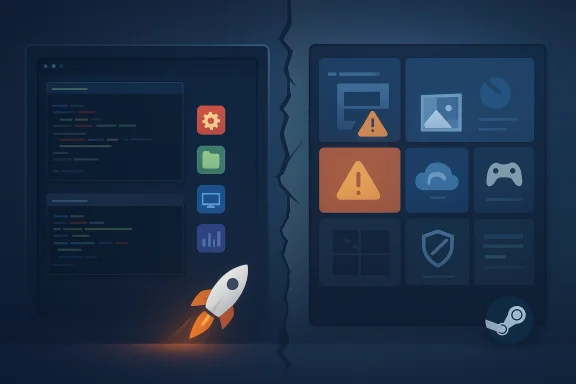 Overview
The argument against Linux on the desktop is often misunderstood as a complaint about the operating system itself. In practice, it is usually a complaint about the ecosystem surrounding it. Linux may boot faster, use fewer resources, and offer more control, but control is not the same as compatibility. For a lot of people, the desktop is not a playground for experimentation; it is a production machine where work must happen on schedule, with minimal friction.That distinction matters because Linux already dominates in places where the software stack is narrow and well understood. Servers, appliances, routers, containers, VMs, and embedded devices are all domains where Linux thrives. A user can happily run Linux on Proxmox, Unraid, a Raspberry Pi, or a network appliance while still avoiding it as a primary desktop because the requirements are different. The operating system is not being judged in the abstract; it is being judged against specific applications and habits that have been built up over years.
There is also a cultural component. Linux desktop users often value flexibility, transparency, and a lighter footprint, while mainstream users tend to value continuity. Continuity means being able to open old projects, sync cloud services, use familiar hardware, and launch the same applications without a compatibility detour. That is why desktop Linux can feel both excellent and unfinished at the same time. It is often technically ready before it is socially or commercially ready.
The most revealing part of the discussion is not what Linux can do, but what it still cannot persuade major vendors to support. When the missing pieces are premium creative tools, game ecosystems, or vendor-specific utilities, the result is a desktop that looks appealing in theory and inconvenient in practice. That is why so many Linux advocates end up describing it as their server OS, their hobby OS, or their emergency rescue OS — but not always their main workstation.
Why the desktop is the hardest market
Desktop operating systems are judged by the weakest link in the daily chain. If one missing app blocks work, the rest of the operating system’s strengths fade into the background. That is why Linux can be beloved by power users and still lose the desktop default battle.Why servers are different
On servers, the software list is shorter, the expectations are more uniform, and the user is usually in control of the whole stack. Those conditions are ideal for Linux, which is why it wins so convincingly there.Why hobbies are not the same as workflows
People often enjoy testing Linux distributions, customizing them, and learning how they work. But daily work is not the same as enjoying a system. A hobby OS can tolerate friction that a production OS cannot.The Compatibility Problem
The biggest practical obstacle to desktop Linux is not the interface, the package manager, or even the learning curve. It is the simple fact that many users depend on software that was built first for Windows or macOS and only sometimes for Linux. The How-To Geek piece makes that the central issue: the author likes Linux, uses it heavily for servers, and still cannot rely on it as a desktop because the apps they need are missing or incomplete . That is a brutally common reason to stay put.This is especially true for creative and professional software. Adobe remains the canonical example, but the problem reaches far beyond photo editing. CAD, CAM, video pipelines, cloud sync tools, business utilities, and device-specific vendor software all create their own islands of dependency. If those programs only run well on Windows or macOS, then the decision is already made for the user.
Linux compatibility layers help, but they do not erase the gap. WINE and Proton have improved significantly, and many games now run surprisingly well, yet the difference between “some things work” and “my whole workflow works” is enormous. A gamer can tolerate a title-specific workaround; a professional cannot tolerate a broken export path in the middle of a client deadline.
First-party app support is the real gatekeeper
A Linux desktop can be elegant, stable, and customizable and still lose because the vendor has not shown up. The absence of first-party support is often more decisive than performance.Compatibility layers are not universal solutions
WINE and Proton are often discussed as if they solve everything. They do not. They solve a lot, but a lot is not enough when one missing capability blocks a profession.Cloud services are part of the stack now
The modern desktop is no longer just local software. It includes account sync, device pairing, cloud storage, and subscription software. If those services are not fully supported, the desktop feels incomplete.- Missing native apps can be more important than missing features.
- Compatibility hacks often break silently after updates.
- Vendor support matters more for professionals than enthusiasts.
- “Runs somehow” is not the same as “works reliably.”
- Many users can live with one workaround, but not five.
Gaming: Better Than Before, Still Not Universal
Gaming is one of the strongest areas where Linux has changed the conversation, but it remains a mixed story. The author notes that Minecraft works well and that some games run through Steam’s Proton layer, including titles with good ratings on ProtonDB, but the broader library still creates friction . That reflects the modern Linux gaming reality: impressive progress, uneven coverage.The problem is not just technical capability. It is the layers around gaming that still drag the experience back toward Windows. Anti-cheat, launchers, subscription services, and platform-specific ecosystems can matter just as much as raw performance. If a game runs but the login service does not, or the anti-cheat blocks the session, the user experience is functionally broken.
For many users, Game Pass is the decisive issue. It is not enough to say that a title might run through Proton or WINE if the game library the user actually pays for is tied to a Windows app or Windows-authenticated service. Even a polished Linux setup can become a patchwork of workarounds once the gaming use case expands beyond Steam.
Proton changed the baseline
Proton is a major reason Linux gaming is no longer dismissible. It made the platform viable for far more players than before and reduced the stigma around trying Linux for games.But the ecosystem still decides the outcome
A game can launch, crash, half-work, or require extra configuration depending on launchers, overlays, anti-cheat, and cloud sync. Those adjacent systems often matter more than the game engine itself.The hidden cost is cognitive load
Even when Linux can run a game, users may spend more time checking compatibility ratings, flags, and community notes. That is fine for enthusiasts, but not for casual players who want the button to work.- Steam Proton widened the playable library.
- Anti-cheat remains a stubborn barrier.
- Non-Steam platforms are still a weak spot.
- Subscription ecosystems often anchor users to Windows.
- Gaming is better on Linux, but not friction-free.
Creative Workflows Still Favor Windows and macOS
The clearest reason many desktop users resist Linux is that their work lives inside software families that are tied to Windows or macOS. The author’s own examples — Lightroom Classic, VCarve Pro, Fusion 360, and Adobe tools — are exactly the kind of applications that create a hard stop for migration . That is not a philosophical objection. It is an operational one.This is where Linux’s strengths can actually become part of the problem. A user who is comfortable in the command line, understands networking, and runs Linux servers may expect the desktop transition to be easy. Yet technical fluency does not create missing software. In some ways, it makes the gap more frustrating, because the user knows how capable the platform could be if only the ecosystem matched it.
The same logic applies to maker and fabrication workflows. CNC software is a good example because those tools often depend on old assumptions, specific drivers, or vendor choices that never got rewritten for Linux. If the machine works, the operating system chosen for the workstation often becomes the one that supports it — not the one that is most elegant.
Professional software lock-in is real
A platform is not just an OS; it is the sum of the software that pays your bills. That is why even highly technical users stay on Windows or macOS.WINE is helpful but uneven
WINE can be impressive, but “impressive” and “dependable” are different categories. For production use, reliability beats possibility.Hardware-specific software is particularly sticky
CNC, device programming, and industry tools often remain tied to Windows because the vendor never invested in cross-platform support. That makes migration expensive even when the hardware itself is standard.- Creative work depends on vendor support.
- Some apps are unusable without native integration.
- Hardware workflows can lock in the OS choice.
- Command-line comfort does not solve app availability.
- The best desktop is often the one your tools already support.
Linux as the Server King
The most persuasive part of the Linux case is still the server side. The author describes running Linux on Proxmox, Unraid, virtual machines, Docker containers, Raspberry Pi systems, and even networking equipment, and that is exactly where Linux feels unbeatable . Once the task becomes infrastructure rather than personal productivity, Linux’s advantages become obvious.Servers are where Linux’s composability shines. It scales from a tiny board computer to a hypervisor cluster, and it does so with the same core philosophy: small components, transparent behavior, and strong admin control. That makes it a natural fit for home labs and professional environments alike.
There is also a trust argument that matters. Linux tends to expose fewer surprises because administrators can see more of what is happening under the hood. That does not make it magical or perfectly secure, but it does make it feel like a system you can reason about. For many operators, that transparency is the real value.
Why Linux fits infrastructure so well
Linux wins when the environment is modular, the administrator is technical, and the workload is predictable. Those conditions describe most servers and home labs.Why containers amplify the advantage
Containers have become a huge part of modern computing, and Linux is their native habitat. That ecosystem reinforces the operating system’s position in backend infrastructure.Why routers and appliances matter
A lot of the modern internet already runs on Linux indirectly. That includes routers, switches, embedded devices, and network services that users never notice until they fail.- Linux scales from tiny devices to enterprise workloads.
- Home lab users benefit from its flexibility.
- Container ecosystems strongly favor Linux.
- Hardware vendors often build on Linux quietly.
- It is the default language of modern infrastructure.
The Vendor Support Gap
The author’s most important complaint is not that Linux lacks features, but that big companies do not support it as a first-class desktop platform . That is a broader market issue than a personal preference. If Adobe, Apple, and game publishers do not invest in Linux, desktop adoption stalls no matter how polished the distributions become.This is where the market has a chicken-and-egg problem. Vendors hesitate because the market share is smaller. Users stay away because the vendors are absent. The result is a self-reinforcing cycle in which Linux desktop share remains modest even though the platform is widely admired.
The point becomes clearer when you compare it to macOS. Apple can justify its ecosystem because it controls the hardware, the software, and the services. Linux has none of that unified commercial ownership, which is a strength in one sense and a weakness in another. The openness that makes Linux powerful also makes it harder to coordinate a consumer-first desktop strategy.
Why big-company support changes everything
Native support from major vendors would do more for Linux adoption than another hundred distributions ever could. Users follow their software, not their ideals.Why market share arguments cut both ways
Companies often say Linux is too small to matter, but small markets grow only when someone chooses to invest in them. Without early support, the market stays small by design.Why macOS keeps winning certain users
Apple’s hardware-software integration creates a smoother experience for users who live inside its ecosystem. Linux cannot compete on that same axis without major vendor participation.- Native software support drives adoption.
- Ecosystem gaps create migration barriers.
- Vendor indifference slows desktop growth.
- Hardware integration is a major advantage for Apple.
- Linux’s openness is powerful, but commercially fragmented.
Why Many Power Users Still Stay Put
There is a tendency in tech circles to assume that power users naturally prefer Linux. In reality, many power users prefer whatever platform best supports their full workflow. The author’s stance is a perfect example: they are fluent in Linux, use it daily in other contexts, and still stay on Windows or macOS because the desktop apps matter most .That makes desktop choice a question of friction, not prestige. If one OS lets you edit photos, run CNC software, play your favorite games, and sync your files with the least interruption, that is the OS you will keep. Technical elegance only matters when it does not block the job.
This is also why Linux evangelism sometimes misses the mark. The debate is often framed around what Linux can do in principle, while the user is asking what it can do today without compromise. Those are not the same question. A desktop migration is rarely blocked by one giant flaw; it is blocked by a dozen small ones.
Power users are still workflow users
Being technical does not make you immune to workflow dependencies. It often makes those dependencies more visible.“Good enough” has to be measured in context
A feature that is excellent for one user may be irrelevant for another. Linux may be perfect for one machine and useless for another.Familiarity is not laziness
Staying on Windows or macOS is not always resistance to change. Sometimes it is rational avoidance of avoidable downtime.- Workflow matters more than ideology.
- Familiar tools create sticky ecosystems.
- Small compatibility gaps accumulate quickly.
- Power users often have the least tolerance for friction.
- A desktop OS must earn trust daily.
Consumer vs Enterprise Impact
For consumers, Linux’s desktop challenge is mainly about convenience and completeness. People want their games, their cloud accounts, their photo libraries, and their peripherals to work without a manual search. They may appreciate Linux’s philosophy, but they are less willing to troubleshoot it every time an update or launcher changes behavior.For enterprises, the picture is more nuanced. Linux already powers a huge amount of backend infrastructure, and in that world it is often the least risky option because the environment is known and controlled. But on employee desktops, enterprises still lean toward Windows or macOS because those platforms are easier to standardize around and easier to support through third-party vendors.
Consumer expectations are higher than they look
Consumers may not ask for much individually, but they expect the whole stack to feel seamless. If a service, app, or device fails, the OS takes the blame.Enterprise priorities are different
IT departments care about manageability, supportability, and vendor accountability. Those priorities often favor the ecosystems with the widest official support.Linux wins where control matters most
Linux is still the best answer when you want to own the stack. It remains extremely strong in labs, servers, appliances, and bespoke environments.- Consumers want simplicity.
- Enterprises want standardization.
- Linux excels where control matters.
- Desktop adoption requires vendor cooperation.
- Supportability is often more important than ideology.
Strengths and Opportunities
The strongest case for Linux desktop growth is that the platform is already good enough in many areas that the remaining gaps are increasingly commercial, not technical. As more software becomes cross-platform, Linux’s reputation improves almost automatically. The author’s own openness to switching under better conditions shows how close the platform is to winning over reluctant users .- Linux is free and widely accessible.
- It performs well on old and new hardware.
- It remains excellent for programming and technical work.
- Server and home-lab ecosystems are already deeply mature.
- Proton and WINE have improved gaming compatibility.
- Open-source desktop innovation continues at a steady pace.
- Users who already live in Linux servers are easier to convert.
Where momentum could build
A few major vendor decisions could move the needle quickly. If creative apps, game publishers, and cloud services all offered solid Linux support, the desktop conversation would change almost overnight.Risks and Concerns
The biggest risk for Linux desktop adoption is that success in infrastructure may mask weakness in consumer software support. Linux can continue dominating servers while still remaining marginal on the desktop if major vendors do not treat it as a priority. That split would preserve its reputation as powerful but incomplete.- App availability still outweighs technical elegance.
- WINE and Proton reduce friction but do not eliminate it.
- Driver and peripheral support can still vary by vendor.
- Major creative workflows remain Windows/macOS-centric.
- Game anti-cheat and launcher ecosystems still cause problems.
- Fragmentation can confuse new users.
- The desktop market rewards continuity more than purity.
The danger of overpromising
Linux advocates sometimes sell the experience as a near-perfect alternative, which sets the wrong expectation. A more honest pitch is usually more effective: it is excellent for some users and still blocked for others.Looking Ahead
The most likely future for Linux on the desktop is not a sudden takeover, but a gradual normalization. More users will try it, especially if they already use Linux elsewhere, and some will stay because their needs are modest or their software stack is sufficiently cross-platform. That is the path of least resistance for a platform that is already technically strong but commercially uneven.At the same time, the pressure points are not going away. Creative software, gaming ecosystems, vendor-specific utilities, and cloud services will continue to determine whether Linux feels like a real replacement or merely a powerful alternative. The platform will keep improving, but the market decides when improvement becomes adoption.
The key things to watch
- Whether major app vendors ship native Linux support.
- Whether Proton and WINE keep closing gaming gaps.
- Whether more peripherals ship with Linux-friendly drivers.
- Whether cloud sync and identity services become more consistent.
- Whether Linux desktop distributions can simplify onboarding further.
Source: How-To Geek Why I don't use Linux on my desktop PC
