

I spent most of my adult life defending Windows like it was a family heirloom, and yet one month with a 14-inch MacBook Pro later I’m writing this from the other side: I switched hardware and operating system, and three concrete things convinced me I’m not going back. The reasons are simple but consequential — dramatically longer battery life, fewer real-world slowdowns, and macOS Sonoma’s modern, productivity-first features — and together they change what “portable work” feels like. This isn’t a love letter or a sales pitch; it’s an evidence-backed, critical look at why a Windows die‑hard can legitimately prefer a MacBook today — and where that choice introduces trade-offs that matter to power users.
Apple’s move to custom silicon in 2020 began a multi‑year pivot away from x86 processors and toward energy‑efficient ARM‑based designs tailored for macOS. That engineering shift — coupled with macOS being optimized for Apple’s system-on-chip architecture — is the single most consequential technical change for the Mac ecosystem in a decade. The result is laptops that routinely show a higher performance-per-watt ratio than many Windows laptops built around traditional Intel or AMD processors.
Meanwhile, macOS Sonoma (the most recent macOS generation for mainstream users) introduces user‑level features aimed at making everyday tasks faster and less fiddly. Those software-level improvements, paired with the hardware changes, are what make switching more than cosmetic: they alter the working experience in tangible ways.
This article verifies key technical claims and real‑world outcomes using published benchmark databases and independent lab-style reviews, then translates those results into practical advice for Windows users considering a MacBook switch.
Technical explanation (high level): Apple’s SoC design bundles CPU, GPU, memory controller, neural engine and media engines into one tightly integrated package with a unified memory architecture. macOS is compiled and optimized for that architecture, so a lot of system-level context switching, memory copying and driver overhead that eats power on heterogeneous hardware is reduced. That’s what yields the “performance per watt” advantage — higher throughput while consuming less energy.
Caveats and nuance:
Why Windows sometimes feels slower on the same hardware class:
The takeaway is practical: test the specific scenarios you care about. If your day is full of browser tabs, document editing, video conferencing, and occasional media exports, Apple Silicon MacBooks will likely feel faster and less tethering. If your day revolves around Windows‑only engineering suites, AAA gaming, or hardware tinkering, Windows remains the pragmatic choice.
Switching platforms always involves some loss and some gain. What’s changed in the last few years is that the gains on MacBooks are larger and more measurable than they once were — especially on battery life and day‑to‑day smoothness. That’s why a Windows stan can try a MacBook for a month and honestly say they’re not going back.
Source: Mashable I’m a Windows stan, but I just switched to a MacBook – 3 reasons I’m never going back
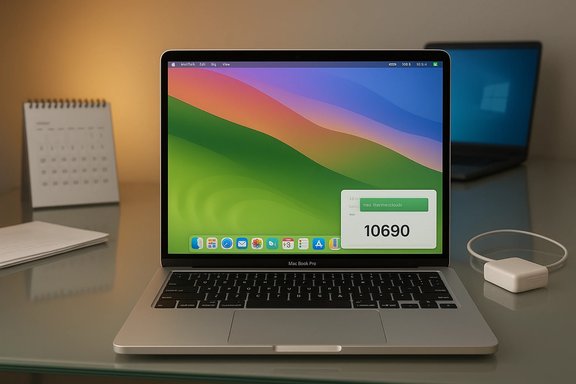 Background / Overview
Apple’s move to custom silicon in 2020 began a multi‑year pivot away from x86 processors and toward energy‑efficient ARM‑based designs tailored for macOS. That engineering shift — coupled with macOS being optimized for Apple’s system-on-chip architecture — is the single most consequential technical change for the Mac ecosystem in a decade. The result is laptops that routinely show a higher performance-per-watt ratio than many Windows laptops built around traditional Intel or AMD processors.Meanwhile, macOS Sonoma (the most recent macOS generation for mainstream users) introduces user‑level features aimed at making everyday tasks faster and less fiddly. Those software-level improvements, paired with the hardware changes, are what make switching more than cosmetic: they alter the working experience in tangible ways.
This article verifies key technical claims and real‑world outcomes using published benchmark databases and independent lab-style reviews, then translates those results into practical advice for Windows users considering a MacBook switch.
Why battery life is the headline — and the numbers that back it up
One of the most immediate differences you notice moving from many modern Windows notebooks to an Apple Silicon MacBook is battery runtime. Independent lab tests — using continuous web surfing over Wi‑Fi and normalized display brightness — have repeatedly shown that the larger MacBook Pro models can last well beyond the typical premium Windows laptop, sometimes by many hours.- Typical premium Windows laptops in mainstream lab tests tend to average around 8–12 hours on continuous web‑surfing tests depending on configuration and power profile.
- The 16‑inch MacBook Pro models equipped with Apple silicon chips have recorded runtimes in the ~19 hours range under the same testing methodology; the 14‑inch MacBook Pro variants commonly exceed 12–16 hours depending on CPU/GPU configuration and display settings.
- More generally, Apple’s M‑series chips (M1, M2, and later) consistently show larger battery margins in real-world testing compared with many x86‑based competitors.
Technical explanation (high level): Apple’s SoC design bundles CPU, GPU, memory controller, neural engine and media engines into one tightly integrated package with a unified memory architecture. macOS is compiled and optimized for that architecture, so a lot of system-level context switching, memory copying and driver overhead that eats power on heterogeneous hardware is reduced. That’s what yields the “performance per watt” advantage — higher throughput while consuming less energy.
Caveats and nuance:
- Battery life is workload dependent. Heavy tasks like sustained 3D rendering, lengthy HPC jobs, or prolonged gaming will erode runtimes rapidly, and the more powerful GPU configurations can reduce runtime compared with a lower-power variant.
- Configurations matter: a MacBook with an M2 Max and high GPU core counts draws more power under load than an M2 Pro in light workloads; the 16‑inch MacBook’s larger battery offsets that to produce the headline numbers.
- “Average laptop” is a moving target. The industry includes ultralight ARM and low‑TDP Windows designs with exceptional battery life, and some recent Windows laptops (especially those using ARM Windows or specialized power-efficient silicon) can approach MacBook numbers in similar tests.
Performance and “less slowdown”: what the benchmarks mean for daily use
The second major reason Windows users switch is responsiveness: fewer pauses, quicker single‑ and multi‑task interactions, and a snappier day‑to‑day feel. Benchmarks and user reports converge on the idea that Apple’s SoCs deliver both high single‑core performance and strong multi‑core throughput — often better than many mid‑range Intel chips while using far less power.- Synthetic benchmarks collected across many units show Apple M‑series multi‑core scores commonly landing in the low‑to‑mid five‑digits on modern test suites, with multi‑core results varying by chip and test run but frequently outpacing similarly priced Windows laptops in the same tests.
- The practical implication: operations that are sensitive to single‑thread responsiveness (tab switching, UI animation, opening documents) feel noticeably faster, while multithreaded workloads (media exports, compiles) scale well without thermal runaway.
Why Windows sometimes feels slower on the same hardware class:
- Windows must support a vast range of hardware configurations and drivers; the resulting compatibility layer and background services can produce occasional stalls or driver-induced latency.
- OEM firmware and Windows power management vary widely across vendors; two otherwise identical Intel laptops may behave differently because of BIOS/firmware tuning.
- Browser and app ecosystems on macOS are often compiled for the Apple ARM architecture, reducing translation overhead for common apps.
- You can achieve desktop-class performance on Windows with high‑end silicon (Core i9, top‑tier AMD) and aggressive cooling. Those systems can beat a MacBook in raw benchmark figures, but they often do so at the cost of battery life and thermal noise.
- Performance on macOS is excellent for many creative and development workflows, but some niche professional software remains Windows‑centric or runs better in native Windows builds.
macOS Sonoma: small features that compound into clear productivity gains
The third big reason to stay on a Mac after switching is the cumulative effect of modern OS features — the kind of refinements that reduce friction across repeated habits.- Password and passkey sharing: Sonoma expands password management with a secure “shared group” model that lets you share credentials and passkeys with trusted contacts. That replaces the old Post‑It or insecure note workflow that many users resort to for family account sharing.
- Animated lock‑screen screensavers and desktop widgets: these aren’t productivity per se, but they improve the polish of the environment. For users who spend long hours on a laptop, aesthetic coherence decreases cognitive friction.
- FaceTime reaction gestures and SharePlay: the ability to trigger on‑screen effects with simple hand gestures during video calls, and to co‑watch media with other Apple device users, demonstrates Apple’s push to unify social and collaborative experiences across devices.
- Game Mode: Apple recently added a “Game Mode” that prioritizes CPU/GPU and input latency for supported titles, improving responsiveness for gaming on Apple Silicon machines. It’s a pragmatic acknowledgment that Macs will never be the definitive gaming platform, but they can provide better frame‑rate stability and input latency for supported games.
- The features are integrated and polished across Apple’s devices; the mental model is simple and cohesive.
- Small but secure conveniences (like encrypted password groups) reduce risky user behavior.
- MacOS’s user interface consistency combined with tight hardware‑software integration yields fewer “surprises” — unexpected driver updates, inconsistent OEM utilities, or unpredictable hardware quirks that sometimes plague Windows laptops.
- Some Sonoma features only reach their full potential inside Apple’s ecosystem. The password sharing and SharePlay experience is most frictionless when all parties have Apple devices.
- Game Mode helps, but the Mac game library is still far smaller than Windows’, and many AAA titles are absent or run poorly due to limited native support or absent DRM/anti‑cheat compatibility.
Strengths: why these three reasons add up to a real, measurable advantage
- Battery life equals mobility. For frequent travelers or people who deliberately avoid tethering to power, the difference is practical, not theoretical. Longer runtimes reduce charger paranoia and enable working without interruption.
- Consistent, snappy performance. Faster single‑thread responsiveness and predictable system behavior improve everyday productivity — especially when your workload is tab‑heavy, document‑focused, or involves frequent context switches.
- Polished OS features. Sonoma’s features remove small but persistent points of friction — password sharing, FaceTime gestures, and integrated media-sharing features that just work across devices.
Risks and downsides — what you lose when you leave Windows
No switch is without cost. For a Windows enthusiast, the following trade-offs are real and deserve honest attention.- Gaming limitations: The Mac gaming ecosystem is smaller. Native game availability lags Windows by a substantial margin for AAA titles, and titles that do exist may be optimized for different APIs. While Apple has improved gaming support (Metal ports, Game Mode, and better developer tools), the breadth of native Windows games and mature anti‑cheat ecosystems remain Windows‑first.
- Software compatibility: Some specialized enterprise, engineering, or industry‑specific tools remain Windows‑only or perform better on Windows. While virtualization and cloud solutions exist, they introduce overhead, complexity, or additional licensing costs.
- Customization and repairability: Windows laptops (and desktop PCs) often offer more granular hardware customization and easier upgradability depending on OEM. In contrast, modern MacBooks are tightly integrated; component upgrades and third‑party repairs are more constrained and can be more expensive.
- Ecosystem lock‑in: macOS features shine when you’re inside Apple’s ecosystem. If you rely heavily on cross‑platform integrations with Android phones or Windows‑only services, the switch can complicate workflows.
- Habit friction: Muscle memory such as using CTRL for copy/paste versus COMMAND on a Mac, or the differences in right‑clicking behavior, will cost time upfront. These are minor but persistent annoyances for long-time Windows users.
- Enterprise management: IT departments standardized on Windows tooling may find macOS adoption adds complexity for device management, VPNs, and specialized security tooling. For corporate users, that can be a showstopper.
Practical migration checklist for Windows users who want to try a MacBook
- Inventory the apps you rely on. Mark anything Windows‑only or tied to specific drivers (printers, scanners, enterprise VPN clients).
- Confirm compatibility strategies:
- Native macOS alternatives exist? Good.
- Virtualization (Parallels, VMware) or cloud desktops viable? Acceptable compromise.
- Booting into Windows via Boot Camp is not available on Apple Silicon — plan for virtualization or cloud-hosted Windows.
- Test key workflows on trial hardware if possible (borrow, rent, or use a lab device).
- Prepare device migration:
- Export bookmarks, password vaults, and email archives.
- Migrate files using cloud storage or direct transfer; consider disk format compatibility for external drives.
- Learn macOS basics: Spotlight, COMMAND‑based shortcuts, Mission Control, and system preferences.
- Budget for adapters: dongles for legacy USB‑A, Ethernet, or specialized ports may be needed unless you buy a MacBook with native ports.
Mitigations for Windows features you’ll miss
- Snap Layouts and advanced window tiling: Third‑party window managers on macOS provide comparable features (tiling tools, keyboard shortcuts). They’re not native but can be very effective.
- Paint and tiny Windows utilities: Lightweight alternatives exist for most small utilities. If a precise Windows-only tool is essential, run it in a virtualized Windows install.
- Hardware variety: If you need a gaming‑optimized laptop or a workstation with specific GPU choices, a high‑end Windows laptop or desktop remains the better fit.
The verdict: who should switch, and who should stay
Switch to a MacBook if:- You prioritize battery life and snappy, consistent responsiveness for productivity and creative workloads.
- You value an integrated hardware/software experience and are comfortable inside (or willing to invest in) Apple’s ecosystem.
- Your primary apps are macOS‑supported, or you can comfortably run any Windows‑only tools via virtualization.
- You need the broadest possible game library, Windows‑only enterprise apps, or extreme hardware customization.
- You rely on niche drivers or specialized peripheral support that is Windows‑centric.
- Repairability and component upgradability are top priorities.
Final thoughts
Switching from Windows to a MacBook is not a trivial preference shift — it changes the shape of daily work. For many people, the difference is liberating: the long battery life, the predictably smooth performance, and modern OS conveniences combine to reduce friction and boost effective productivity. For gamers, certain enterprise professionals, and users tethered to Windows‑only workflows, the trade-offs may be prohibitive.The takeaway is practical: test the specific scenarios you care about. If your day is full of browser tabs, document editing, video conferencing, and occasional media exports, Apple Silicon MacBooks will likely feel faster and less tethering. If your day revolves around Windows‑only engineering suites, AAA gaming, or hardware tinkering, Windows remains the pragmatic choice.
Switching platforms always involves some loss and some gain. What’s changed in the last few years is that the gains on MacBooks are larger and more measurable than they once were — especially on battery life and day‑to‑day smoothness. That’s why a Windows stan can try a MacBook for a month and honestly say they’re not going back.
Source: Mashable I’m a Windows stan, but I just switched to a MacBook – 3 reasons I’m never going back
