

This Windows feature has become the quiet reason many power users never fully defect to Linux. Windows Subsystem for Linux (WSL) gives you a real Linux environment inside Windows, which means you can use Linux tools, packages, shells, and development workflows without giving up the desktop you already know. For people who split their time between coding, gaming, and mainstream enterprise software, that compromise is often enough to keep Windows installed and Linux relegated to a subsystem rather than a full-time operating system.
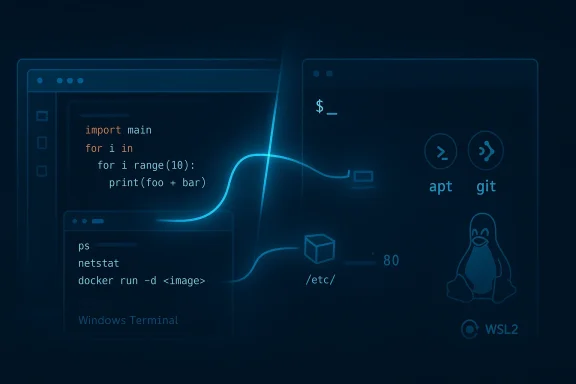
WSL has always occupied a uniquely strategic place in the Windows ecosystem. Microsoft created it to solve a practical problem: modern development increasingly depends on Linux tooling, even when the machine on your desk is running Windows. The feature was never meant to be a novelty; it was designed to reduce friction for developers who needed Bash, apt, Python, Node, Git, or Linux-native build tools without leaving Windows behind.
The original version of WSL used a translation approach, which was clever but limited. It helped bridge the gap between Linux habits and Windows realities, but it was never going to satisfy everyone who wanted a more faithful Linux environment. WSL2 changed the equation by using a real Linux kernel in a lightweight virtualized environment, which dramatically improved compatibility and made the subsystem feel much more legitimate for serious development work.
That matters because WSL is not just a convenience feature for hobbyists. It is part of Microsoft’s broader effort to keep Windows relevant for engineers who increasingly compare laptops on developer experience, Unix compatibility, container support, battery life, and setup speed. In that market, Windows has to justify itself against both macOS and native Linux, and WSL is one of the company’s strongest answers.
The feature also reflects a broader shift in Microsoft’s philosophy. Instead of insisting that developers adapt to Windows-only assumptions, Microsoft has spent years making Windows more welcoming to cross-platform workflows. Windows Terminal, winget, sudo for Windows, and WSL all point in the same direction: the company wants Windows to feel like a modern engineering workstation, not a locked-down legacy box.
That is why WSL resonates so strongly with users who are tempted by Linux but never quite switch. It is not just that WSL runs Linux. It is that WSL lets Windows borrow the best parts of Linux selectively, without forcing a complete lifestyle change. For a lot of people, that is the difference between curiosity and commitment.
For many users, that is enough. The command-line side of Linux is where a lot of the practical value lives, especially for development work, scripting, and deployment prep. WSL makes it easy to run local servers, manage packages, execute shell scripts, and work with Linux-native tooling while keeping the rest of Windows intact.
That practical middle ground matters more than people admit. A lot of operating system loyalty is really workflow loyalty, and WSL respects that by letting you keep the habits you already built on Windows. You are not choosing between ecosystems; you are combining them.
That distinction matters because it explains why WSL can be “enough” for so many people. Most users do not need Linux as an identity statement; they need it as a tool. WSL treats it exactly that way.
That difference can become expensive fast. If your work depends on consistency, a small quirk in fonts, networking, device support, or vendor tooling can become a recurring nuisance. Linux often offers more control, but control is not always the same thing as convenience, and power users know that distinction well.
That matters because operating system choices are rarely made on ideology alone. They are made on what the computer does at 5 p.m., not just at 10 a.m. If your system needs to be both a workhorse and a gaming machine, Windows still has the edge for most people.
That is why WSL is such a powerful retention tool. It lets people enjoy Linux where it matters without abandoning a workflow they already trust. In business terms, that is a remarkably effective moat.
That integration is part of the reason WSL has become so central to Microsoft’s developer story. It narrows the gap between Windows and Linux enough to make the Windows desktop feel like a credible place to do Linux-oriented work. For many developers, that is all they needed from Microsoft.
That is not really a flaw so much as a boundary. WSL is not trying to replace Linux entirely; it is trying to make Linux “available enough” for the tasks where most users actually need it. For many workflows, that is a more useful goal than perfect imitation.
That focus is telling. The company knows that if WSL is going to remain compelling, it has to move beyond “good enough” and into “actually preferable” for a larger share of users. That is a much harder bar, but it is also the one that matters.
There is also a difference between wanting more control and having time to use it. Linux often gives you more room to shape the machine exactly the way you like, but that freedom also means more decision-making. Windows, by contrast, can be molded enough to be comfortable without turning setup into an ongoing hobby.
That reality is also why Microsoft keeps investing in WSL rather than treating it as a side experiment. If Windows can satisfy developers through WSL, it keeps those users inside the broader Windows ecosystem and preserves the company’s relevance in modern software work.
That strategy makes a lot of sense. If Microsoft can make WSL fast, predictable, and manageable, it strengthens the case for Windows laptops in engineering teams, universities, startups, and mixed-platform workplaces. A better WSL is not just a better subsystem; it is better positioning for Windows itself.
That’s important because trust is the real currency here. If Windows can feel stable, efficient, and developer-friendly, then WSL becomes proof that Microsoft understands how modern work actually happens. That is a stronger argument than simple feature parity.
For IT departments, that matters a great deal. A powerful feature that cannot be governed often stays on the sidelines. A powerful feature that can be controlled, audited, and standardized can become part of the official platform strategy.
That hybrid model also blunts some of Linux’s emotional appeal. A lot of people are drawn to Linux because they want openness, control, and a terminal-first workflow. WSL gives them much of that without requiring them to sacrifice the Windows desktop they already use for everything else.
The result is a more interesting market. Windows does not need to become Linux; it just needs to become the easiest place to reach Linux-like productivity while keeping mainstream compatibility. That is a very Microsoft-shaped strategy, and so far it is working better than many critics expected.
The opportunity is even bigger than the feature itself. If Microsoft can keep improving file performance, networking, and enterprise controls, WSL can become the default Linux bridge for a much wider audience. That would deepen Windows’ appeal without forcing users into a radical platform change.
Another concern is complexity hiding under polish. Better onboarding can make WSL easier to start, but it does not remove the underlying differences between Windows and Linux filesystems, networking, or permission models. Users can still run into the same old edge cases, just with a friendlier setup path.
And then there is compatibility risk. Any change to networking behavior or filesystem handling can create new friction for existing scripts, containers, and developer tooling. WSL has become useful precisely because it sits in the middle; the danger is making that middle ground too rigid.
If the next wave of WSL updates truly improves file speed, networking behavior, onboarding, and governance, then Windows will become even harder to leave for anyone whose work is split between Windows-native apps and Linux-centric development. That would not make Linux less important. It would make Windows more adaptable.
Source: How-To Geek This is the one Windows feature that convinced me I don't need Linux
 Background
WSL has always occupied a uniquely strategic place in the Windows ecosystem. Microsoft created it to solve a practical problem: modern development increasingly depends on Linux tooling, even when the machine on your desk is running Windows. The feature was never meant to be a novelty; it was designed to reduce friction for developers who needed Bash, apt, Python, Node, Git, or Linux-native build tools without leaving Windows behind.The original version of WSL used a translation approach, which was clever but limited. It helped bridge the gap between Linux habits and Windows realities, but it was never going to satisfy everyone who wanted a more faithful Linux environment. WSL2 changed the equation by using a real Linux kernel in a lightweight virtualized environment, which dramatically improved compatibility and made the subsystem feel much more legitimate for serious development work.
That matters because WSL is not just a convenience feature for hobbyists. It is part of Microsoft’s broader effort to keep Windows relevant for engineers who increasingly compare laptops on developer experience, Unix compatibility, container support, battery life, and setup speed. In that market, Windows has to justify itself against both macOS and native Linux, and WSL is one of the company’s strongest answers.
The feature also reflects a broader shift in Microsoft’s philosophy. Instead of insisting that developers adapt to Windows-only assumptions, Microsoft has spent years making Windows more welcoming to cross-platform workflows. Windows Terminal, winget, sudo for Windows, and WSL all point in the same direction: the company wants Windows to feel like a modern engineering workstation, not a locked-down legacy box.
That is why WSL resonates so strongly with users who are tempted by Linux but never quite switch. It is not just that WSL runs Linux. It is that WSL lets Windows borrow the best parts of Linux selectively, without forcing a complete lifestyle change. For a lot of people, that is the difference between curiosity and commitment.
What WSL Actually Solves
The biggest appeal of WSL is simple: it lets you keep Windows as your main operating system while still having access to Linux when you need it. That means no dual boot, no dedicated Linux laptop, and no need to rebuild your entire workflow around a different set of defaults. You can stay in the same desktop environment and still open a proper Linux shell whenever the task calls for it.For many users, that is enough. The command-line side of Linux is where a lot of the practical value lives, especially for development work, scripting, and deployment prep. WSL makes it easy to run local servers, manage packages, execute shell scripts, and work with Linux-native tooling while keeping the rest of Windows intact.
The day-to-day use case
What makes WSL especially compelling is that it fits into ordinary routines instead of demanding exceptional ones. You can use it for Node, Python, Git, Docker-adjacent tasks, and quick experiments that would otherwise require a separate Linux machine. If a project or tool expects a Linux environment, WSL usually gives you enough of one to stay productive.That practical middle ground matters more than people admit. A lot of operating system loyalty is really workflow loyalty, and WSL respects that by letting you keep the habits you already built on Windows. You are not choosing between ecosystems; you are combining them.
- Linux tools without leaving Windows
- No dual boot or second machine
- Good fit for development and scripting
- Works well with editors like VS Code
- Keeps your Windows desktop workflow intact
Where WSL fits best
WSL is strongest when the work is command-line heavy and the interaction with Linux is functional rather than graphical. It is excellent for building, testing, and automating. It is less compelling when the goal is to live inside a full Linux desktop with all the quirks, drivers, and customization that comes with it.That distinction matters because it explains why WSL can be “enough” for so many people. Most users do not need Linux as an identity statement; they need it as a tool. WSL treats it exactly that way.
Why the Linux Switch Still Fails for Many Windows Users
The most obvious reason people hesitate to leave Windows is compatibility. The enterprise world still runs heavily on Windows, and a lot of the software stack that professionals use every day is built with Windows or macOS in mind. Linux may run many of those tools, but “runs” is not the same as “behaves exactly as expected.”That difference can become expensive fast. If your work depends on consistency, a small quirk in fonts, networking, device support, or vendor tooling can become a recurring nuisance. Linux often offers more control, but control is not always the same thing as convenience, and power users know that distinction well.
Gaming remains a major factor
Gaming is another practical reason many users stay on Windows. Linux gaming has improved enormously, but Windows still offers the path of least resistance for the widest range of titles and hardware configurations. If you want a machine that handles both work and games with minimal friction, Windows remains the safer bet.That matters because operating system choices are rarely made on ideology alone. They are made on what the computer does at 5 p.m., not just at 10 a.m. If your system needs to be both a workhorse and a gaming machine, Windows still has the edge for most people.
- Enterprise software often expects Windows
- Vendor support is usually stronger on Windows
- Gaming compatibility remains easier on Windows
- Switching means giving up a polished existing workflow
- Linux flexibility does not always equal practical simplicity
Workflow inertia is real
The less obvious factor is personal setup. Many users spend years refining Windows with shortcuts, terminal tools, file manager habits, and utility apps that fit their style. Walking away from that ecosystem is not a clean break; it is an act of rebuilding.That is why WSL is such a powerful retention tool. It lets people enjoy Linux where it matters without abandoning a workflow they already trust. In business terms, that is a remarkably effective moat.
The Technical Appeal of WSL
A lot of WSL’s value comes from how little it asks of the user. It integrates well with the Windows desktop, supports file sharing across environments, and works with editors and terminals that are already familiar to Windows users. In the best cases, it feels less like a sandbox and more like a natural extension of the operating system.That integration is part of the reason WSL has become so central to Microsoft’s developer story. It narrows the gap between Windows and Linux enough to make the Windows desktop feel like a credible place to do Linux-oriented work. For many developers, that is all they needed from Microsoft.
The important tradeoffs
Of course, WSL is not identical to native Linux. GUI support exists, but the subsystem is still strongest on the command line and in development scenarios. Hardware access, certain system-level tools, and workflows that depend on full OS control can still expose the differences between a guest environment and a native install.That is not really a flaw so much as a boundary. WSL is not trying to replace Linux entirely; it is trying to make Linux “available enough” for the tasks where most users actually need it. For many workflows, that is a more useful goal than perfect imitation.
- Strong integration with Windows tools
- Supports modern development workflows
- Good for shells, scripting, and package management
- Not a full replacement for native Linux desktop use
- Some hardware and system-level edge cases remain
Why performance matters so much
WSL’s usefulness rises or falls on performance details that developers feel every day. File access between Windows and Linux paths, startup speed, and local networking behavior all have outsized influence on whether WSL feels smooth or slightly annoying. Microsoft has explicitly focused on those weak spots in its more recent WSL messaging.That focus is telling. The company knows that if WSL is going to remain compelling, it has to move beyond “good enough” and into “actually preferable” for a larger share of users. That is a much harder bar, but it is also the one that matters.
Why Windows Still Wins on Practicality
The biggest reason many users stay on Windows is not technical purity. It is convenience. Windows remains the system where more software, more peripherals, more enterprise tools, and more casual workflows simply work with less thought. That predictability is a powerful thing, especially for people who do not want their operating system to become a project.There is also a difference between wanting more control and having time to use it. Linux often gives you more room to shape the machine exactly the way you like, but that freedom also means more decision-making. Windows, by contrast, can be molded enough to be comfortable without turning setup into an ongoing hobby.
The enterprise reality
In business settings, Windows has the advantage of being the default assumption. That affects everything from support processes to identity management to line-of-business applications. A Linux workstation may be better for some developers, but in many organizations it is still easier to be the person using Windows.That reality is also why Microsoft keeps investing in WSL rather than treating it as a side experiment. If Windows can satisfy developers through WSL, it keeps those users inside the broader Windows ecosystem and preserves the company’s relevance in modern software work.
- Windows is still the safest enterprise default
- Hardware and app support are broader
- You can keep gaming and working on the same OS
- WSL reduces the need for a second machine
- Consistency often matters more than ideology
How Microsoft Is Using WSL to Reinforce Windows
Microsoft’s recent behavior makes clear that WSL is no longer just a developer convenience. The company is actively improving the subsystem and treating it as part of a larger Windows quality push. Its roadmap now centers on file performance, network compatibility, easier onboarding, and better enterprise policy controls. Those are not vanity features; they are the kinds of improvements that determine whether a platform is truly adopted.That strategy makes a lot of sense. If Microsoft can make WSL fast, predictable, and manageable, it strengthens the case for Windows laptops in engineering teams, universities, startups, and mixed-platform workplaces. A better WSL is not just a better subsystem; it is better positioning for Windows itself.
The quality-first message
Microsoft is also tying WSL into a broader Windows 11 reliability narrative. The company has talked about better File Explorer behavior, more predictable updates, and a smoother daily experience overall. In that context, WSL becomes part of a broader promise that Windows is becoming less noisy and more trustworthy.That’s important because trust is the real currency here. If Windows can feel stable, efficient, and developer-friendly, then WSL becomes proof that Microsoft understands how modern work actually happens. That is a stronger argument than simple feature parity.
The enterprise angle
Microsoft’s management controls for WSL also tell an important story. Intune and policy guidance now frame WSL as something that can be centrally managed, including settings that control networking, kernels, and subsystem behavior. That suggests Microsoft wants WSL to be standardizable, not merely tolerated.For IT departments, that matters a great deal. A powerful feature that cannot be governed often stays on the sidelines. A powerful feature that can be controlled, audited, and standardized can become part of the official platform strategy.
- File performance is now a strategic priority
- Onboarding is being simplified for new users
- Networking behavior is getting more attention
- Enterprise policy support is expanding
- WSL is now part of Windows’ quality narrative
The Competitive Implications
WSL matters because it gives Windows a response to one of Linux’s strongest selling points: access to Unix-like tooling. Instead of asking developers to choose sides, Microsoft is offering a hybrid. That is a smart competitive move, because it sidesteps a direct “Windows versus Linux” purity contest and instead competes on convenience and continuity.That hybrid model also blunts some of Linux’s emotional appeal. A lot of people are drawn to Linux because they want openness, control, and a terminal-first workflow. WSL gives them much of that without requiring them to sacrifice the Windows desktop they already use for everything else.
Why rivals should care
For macOS, WSL is evidence that Windows can now speak to developers in a more credible way. For Linux, it is proof that Microsoft no longer needs to block the Unix workflow to keep users. That makes the competitive landscape more about friction than ideology.The result is a more interesting market. Windows does not need to become Linux; it just needs to become the easiest place to reach Linux-like productivity while keeping mainstream compatibility. That is a very Microsoft-shaped strategy, and so far it is working better than many critics expected.
- Reduces the need to fully switch to Linux
- Makes Windows more attractive to developers
- Keeps users inside Microsoft’s ecosystem
- Competes on workflow convenience rather than purity
- Raises the bar for Linux-only evangelism
Strengths and Opportunities
WSL’s greatest strength is that it solves a real problem with minimal disruption. It gives users access to Linux tooling, scripting, and package management while preserving the Windows environment they already depend on. That balance makes it one of the most practical features Microsoft has ever shipped for power users.The opportunity is even bigger than the feature itself. If Microsoft can keep improving file performance, networking, and enterprise controls, WSL can become the default Linux bridge for a much wider audience. That would deepen Windows’ appeal without forcing users into a radical platform change.
- Real Linux access without full migration
- Strong fit for developers and automation
- Preserves existing Windows workflows
- Improving enterprise manageability
- Potential to reduce dual-boot setups
- Helps Windows compete with Unix-like platforms
- Supports a broader “quality first” Windows story
Risks and Concerns
WSL is impressive, but it is not magic. One risk is that Microsoft’s improvements may be real yet incremental, leaving power users underwhelmed if the subsystem still requires careful tuning for certain workflows. Performance gains only matter if they are obvious in daily use, not just in benchmark slides.Another concern is complexity hiding under polish. Better onboarding can make WSL easier to start, but it does not remove the underlying differences between Windows and Linux filesystems, networking, or permission models. Users can still run into the same old edge cases, just with a friendlier setup path.
Enterprise caution
There is also a governance tradeoff. Tighter policy controls are good for IT departments, but they can limit the flexibility that advanced users value. The more Microsoft formalizes WSL as a managed feature, the more likely it is to become opinionated in ways that some power users will dislike.And then there is compatibility risk. Any change to networking behavior or filesystem handling can create new friction for existing scripts, containers, and developer tooling. WSL has become useful precisely because it sits in the middle; the danger is making that middle ground too rigid.
- Improvements may feel too small for some users
- Networking changes can break edge cases
- Simplified setup may not remove real complexity
- Enterprise controls may reduce flexibility
- Performance gains may vary by workload
- Microsoft must avoid breaking familiar workflows
Looking Ahead
The real question is not whether WSL is useful. It clearly is. The question is whether Microsoft can keep improving it enough to make Windows feel like the best default for developers who still want Linux tools in their toolkit. The company’s current roadmap suggests it understands exactly where the pressure points are.If the next wave of WSL updates truly improves file speed, networking behavior, onboarding, and governance, then Windows will become even harder to leave for anyone whose work is split between Windows-native apps and Linux-centric development. That would not make Linux less important. It would make Windows more adaptable.
What to watch
- Observable gains in file-heavy developer workloads
- Cleaner localhost and port behavior
- Simpler setup steps for new users
- More polished Intune and policy support
- Updated documentation that reflects new defaults
Source: How-To Geek This is the one Windows feature that convinced me I don't need Linux
