

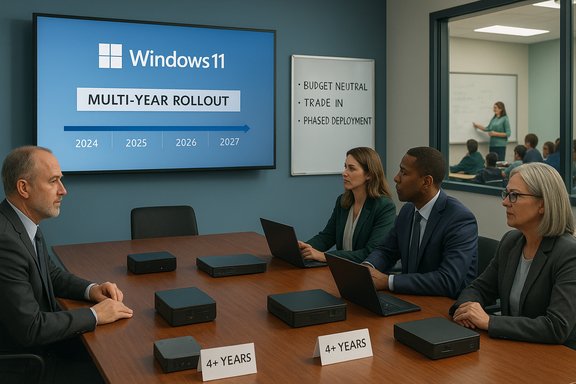
William Penn School District’s IT leadership told the board this month that the district faces a mandatory migration off older Windows 10 hardware and toward Windows 11 — and that a multi‑year, budget‑neutral device refresh focused first on equipment older than four years is the practical path forward. The proposal, presented by Mister Deans, calls for prioritizing replacements for machines that cannot meet Windows 11’s hardware baseline, adopting a hybrid procurement model (mini‑desktops for stationary staff and laptops for mobile roles), and returning to the board with formal line‑item costs and a staged refresh schedule before purchases begin.
Windows 10’s mainstream support formally ended on October 14, 2025, and Microsoft has published clear guidance for organizations that must decide whether to upgrade existing devices, enroll in Extended Security Updates (ESU), or replace aging hardware. Microsoft’s lifecycle notices confirm the end‑of‑support date and outline consumer ESU as a time‑limited bridge through October 13, 2026. That calendar reality is the practical driver behind the William Penn School District (WPSD) conversation. According to the board presentation summarized in local reporting, the district inventory shows roughly 636 devices in use and that about 343 are at or near end‑of‑life; many staff machines are Dell models and some equipment dates back to 2012. Mister Deans told the board he will return with precise budget figures and a replacement cadence that spreads cost across multiple years to avoid a single large capital spike.
This article synthesizes the district’s stated plan, validates the technical and calendar constraints that make a refresh necessary, and provides a practical assessment: what the district’s choices imply for security, procurement, classroom continuity, and long‑term lifecycle planning.
However, the board must insist on transparent numbers: year‑by‑year costs, trade‑in assumptions, warranty and support terms, and a firm pilot plan that validates Autopilot/Intune provisioning and application compatibility. The calendar anchors are set by Microsoft’s lifecycle: Windows 10 is out of routine support as of October 14, 2025, and consumer ESU runs only until October 13, 2026 — which is likely the real reason the district is targeting completion in calendar 2026. Treat ESU as a controlled breathing space, not a strategy. If the district follows a staged, inventory‑driven rollout, validates pilot outcomes before scale, and presents the board with precise, auditable procurement scenarios, the refresh can be an orderly modernization — protecting student and staff data while building a platform that supports modern classroom tools and the next wave of education technology.
Source: Citizen Portal AI William Penn SD plans districtwide device refresh ahead of Windows 11 deadline
 Background / Overview
Windows 10’s mainstream support formally ended on October 14, 2025, and Microsoft has published clear guidance for organizations that must decide whether to upgrade existing devices, enroll in Extended Security Updates (ESU), or replace aging hardware. Microsoft’s lifecycle notices confirm the end‑of‑support date and outline consumer ESU as a time‑limited bridge through October 13, 2026. That calendar reality is the practical driver behind the William Penn School District (WPSD) conversation. According to the board presentation summarized in local reporting, the district inventory shows roughly 636 devices in use and that about 343 are at or near end‑of‑life; many staff machines are Dell models and some equipment dates back to 2012. Mister Deans told the board he will return with precise budget figures and a replacement cadence that spreads cost across multiple years to avoid a single large capital spike.This article synthesizes the district’s stated plan, validates the technical and calendar constraints that make a refresh necessary, and provides a practical assessment: what the district’s choices imply for security, procurement, classroom continuity, and long‑term lifecycle planning.
Why the deadline matters: the technical and security reality
Microsoft’s fixed lifecycle and what ESU buys you
Microsoft’s public guidance is unambiguous: Windows 10 reached end of support on October 14, 2025. After that date routine security updates and technical assistance cease, unless an organization enrolls eligible devices in a limited ESU program. The consumer ESU window runs through October 13, 2026; enterprise ESU options have different terms and pricing channels. This makes late‑2026 a common operational deadline for organizations that choose to use ESU as a short extension while they finish a hardware refresh program. ESU is a bridge, not a long‑term solution. It provides security‑only updates for qualifying Windows 10, version 22H2 devices; it does not restore feature updates or make old hardware compatible with Windows 11 security features. Reliance on ESU beyond its sunset date simply delays the inevitable replacement requirement and concentrates risk into an expiration cliff. Independent coverage and IT community guidance echo the same message: use ESU sparingly and plan refreshes around it.Windows 11 baseline: what old machines typically lack
Windows 11’s minimum system requirements are higher than those of Windows 10 in critical security areas. To run Windows 11 a device must meet a short list of enforced hardware prerequisites: a compatible 64‑bit CPU (on Microsoft’s approved list), at least 1 GHz with two or more cores, 4 GB RAM, 64 GB storage, UEFI firmware with Secure Boot, and TPM 2.0. These baseline requirements are the heart of the new security model — Secure Boot and TPM 2.0 enable hardware‑backed cryptographic protections and make features like secured‑core and device attestation possible. Microsoft’s documentation and technical guidance make these requirements explicit. For many devices manufactured before the mid‑2010s, TPM 2.0 and UEFI/Secure Boot either aren’t present or are disabled in firmware. Some machines can be made compliant by enabling firmware features (fTPM on many AMD platforms or an onboard discrete TPM module), but older motherboards or sealed OEM systems often have no remediation path — making full replacement the only practical option. Best practice is to inventory and run PC Health Check or enterprise tooling (Intune, other MDM agents) to get an authoritative device eligibility map.What William Penn’s proposal seeks to accomplish
Key elements reported from the board presentation
- A multi‑year, budget‑neutral refresh targeting devices older than four years first, with formal numbers to be presented before procurement begins.
- A hybrid acquisition model: mini‑desktop replacements for stationary staff roles and laptops for mobile roles where flexibility is needed.
- An inventory baseline of roughly 636 devices, with ~343 identified at or near end‑of‑life; many staff devices are Dells and a portion date to 2012.
- A commitment to work with the DCIU (the district’s intermediate unit partner that previously helped produce a 10‑year technology audit) to evaluate platforms and procurement pathways, including whether to reassess device platforms (Apple, Chromebooks, Dell) for some roles.
Procurement models, budgeting, and the “budget‑neutral” promise
How districts make a refresh budget‑neutral (realistic levers)
A political promise of “budget‑neutral” requires concrete mechanisms. Typical levers districts use include:- Leasing or Device‑as‑a‑Service (DaaS) programs that convert capital expenses into operating budgets and smooth payments over 3–5 years.
- Trade‑in and manufacturer buyback programs that recover residual value and reduce net replacement cost.
- Staggered replacement waves aligned with fiscal cycles so year‑one outlays are modest and subsequent years absorb the remainder.
- Prioritizing administrative/security‑critical machines for immediate replacement while repurposing or donating older student devices for low‑risk tasks.
- Using education volume licensing and OEM education discounts or grants to lower per‑unit cost.
What the board should insist on seeing before approving procurement
- A detailed cost model with multiple procurement scenarios (buy outright, lease, DaaS, bulk OEM discount) and sensitivity ranges for pricing.
- A device replacement schedule mapping roles to proposed device types (teacher laptops, admin mini‑desktops, student devices) and showing the age cohorts targeted each year.
- A pilot validation plan including Autopilot / Intune provisioning tests, driver compatibility checks for critical LOB apps, and a teacher feedback loop.
- Sustainability and disposal plans — secure wipe and vendor recycling or donation pathways, plus anticipated trade‑in revenues.
- Risk‑mitigation budgeting for application incompatibilities and short‑term ESU licensing for mission‑critical legacy systems that cannot be replaced immediately.
Technical choices: Windows 11, alternatives, and platform reassessment
Stick with Windows 11, or diversify platforms?
William Penn’s staff indicated they will evaluate platforms — including Apple, Chromebooks, and Dell — to decide which best supports current programs and trends. That reassessment is sensible. A single‑platform standard reduces helpdesk complexity, but mixed environments can be fiscally efficient where Windows‑only applications are limited to specific roles.- Chromebooks: low per‑device cost, easy cloud provisioning, and long battery life make them attractive for many student use cases where web‑first learning is sufficient. However, Chromebook education ecosystems are not always compatible with Windows‑only assessment or specialized LOB software.
- macOS/iPadOS: excellent for certain creative, AV, or curriculum niches; higher per‑device cost and different management tooling require dedicated IT expertise.
- Windows 11: required where district LOB software or assessment systems are Windows‑centric, or where on‑device AI features or secured‑core features are a priority.
Cloud options: Windows 365 / Azure Virtual Desktop as a stopgap or permanent model
Cloud‑hosted desktops (Windows 365, Azure Virtual Desktop) let districts deliver Windows 11 experiences to thin or legacy endpoints. This can be a strategic alternative to replacing every older physical device immediately, but it comes with recurring subscription costs, higher networking requirements, and the need to manage identity and conditional access carefully. For a district with aging student laptops that only need browser and productivity access, cloud desktops can stretch budgets while preserving a consistent Windows environment for exams and assessments that require it.Risks and operational pitfalls the district must anticipate
Security and compliance exposure from delayed migration
Running unsupported Windows 10 devices beyond the ESU sunset — or without enrollment in ESU — increases exposure to unpatched vulnerabilities. Schools handle sensitive student data and are subject to local privacy and breach notification rules; an exploit of an unpatched endpoint can cascade into costly incidents, regulatory scrutiny, and loss of community trust. Insurance carriers and auditors are increasingly treating unsupported software as a risk factor for cyber insurance claims.Application compatibility and peripheral risk
Specialist assessment tools, exam proctoring software, scientific instruments, and older AV peripherals don’t always have certifiable Windows 11 drivers. A sound pilot must validate every category of LOB software and classroom peripheral before large‑scale replacement or migration. Plan for targeted exceptions and replacement of accessories rather than wholesale device swaps where hardware compatibility is the blocker.Hidden costs and operational friction
Expect non‑obvious expenses: staging and imaging labor, teacher release time for training, spare‑parts inventories, docking/charger standardization, and a temporary increase in helpdesk tickets during rollout windows. These costs can absorb a sizeable portion of the savings projected on paper if not budgeted. Staging a pilot and measuring helpdesk volumes per 1,000 devices pre‑ and post‑deploy is the best way to quantify those impacts and validate ROI claims.Practical, tactical next steps William Penn should demand (and the board should require)
Immediate (30–60 days)
- Approve a device audit using PC Health Check and MDM‑level inventory to produce: CPU family, TPM presence/status, UEFI/Secure Boot status, RAM, storage, and warranty. This will convert the reported “~343 end‑of‑life” estimate into an actionable, modelable dataset.
- Request three procurement scenarios (buy, lease, DaaS) for the first wave (e.g., 20–30% of the oldest staff devices), including pilot units and warranty/accidental damage coverage.
- Identify critical LOB apps and peripherals and schedule pilot compatibility tests for those items.
Short term (3–6 months)
- Pilot Autopilot + Intune provisioning with a small school or administrative cluster to validate images and OOBE flows.
- Produce a year‑by‑year refresh schedule showing exact cohorts, device counts, and cashflow needs.
- Lay out an ESU fallback plan for mission‑critical devices that cannot be replaced before October 2026, including exact enrollment costs and expiration dates.
Longer term (12–36 months)
- Migrate identity and conditional access to Azure AD / Entra where practical to take advantage of policy gating and Intune capabilities.
- Standardize peripherals (docks, chargers) to reduce spare inventories and simplify support.
- Publish a public communications cadence for staff and families: timelines, device loaner policies, data backup instructions, and expectations around BYOD. Good communications reduce panic and support load.
Why this is also an opportunity, not only a cost center
Upgrading the district’s fleet to Windows 11–capable hardware and modern provisioning tooling (Autopilot, Intune) delivers more than compliance. Expect measurable operational gains:- Fewer emergency security incidents and lower TCO from improved manageability.
- Faster provisioning and replacement cycles (fewer technician hours per device) using Autopilot and cloud imaging.
- Access to integrated accessibility tools and AI‑assisted authoring that can reduce teacher planning time and support differentiated instruction.
Red flags and claims that need verification
- The board should require verifiable vendor quotes and estimated trade‑in values before accepting a “budget‑neutral” promise. Local procurement figures sometimes differ materially from vendor MSRP or published ESU rates, so line‑item clarity is essential.
- The district’s statement that some devices date to 2012 strongly suggests many endpoints will be incompatible with Windows 11 even after firmware changes. That cohort should be treated as replacements, not upgrades; attempt to force an unsupported install is an operational and security risk.
- Any suggestion that ESU can be a multi‑year plan for the whole fleet should be resisted; ESU timelines and rules are regionally variable and intended as a temporary stopgap. Treat ESU as insurance to buy time for a structured refresh.
Verdict: what the board should approve now
- Approve the IT team’s plan to develop formal, line‑item budget scenarios and a clear multi‑year replacement schedule before any procurement. The board should not approve purchases on a conditional “budget‑neutral” statement alone.
- Fund a pilot procurement (small initial cohort) and a professional services block for staging, imaging, and teacher PD. This buys confidence while keeping the major capital decision deferred until full numbers are in.
- Require a risk and compliance memo showing where legacy devices interface with student data systems and a documented ESU strategy for unavoidable legacy endpoints.
Conclusion
William Penn School District’s headline decision is the right one in principle: inventory, prioritize, and plan a phased replacement that protects the district’s security posture and instructional continuity while smoothing budget impact. The district’s proposed hybrid replacement model — mini‑desktops for stationary staff, laptops for mobile roles — and its emphasis on focusing replacements on devices older than four years are consistent with best practices in K‑12 IT lifecycle management.However, the board must insist on transparent numbers: year‑by‑year costs, trade‑in assumptions, warranty and support terms, and a firm pilot plan that validates Autopilot/Intune provisioning and application compatibility. The calendar anchors are set by Microsoft’s lifecycle: Windows 10 is out of routine support as of October 14, 2025, and consumer ESU runs only until October 13, 2026 — which is likely the real reason the district is targeting completion in calendar 2026. Treat ESU as a controlled breathing space, not a strategy. If the district follows a staged, inventory‑driven rollout, validates pilot outcomes before scale, and presents the board with precise, auditable procurement scenarios, the refresh can be an orderly modernization — protecting student and staff data while building a platform that supports modern classroom tools and the next wave of education technology.
Source: Citizen Portal AI William Penn SD plans districtwide device refresh ahead of Windows 11 deadline
