
The ATI Mobility Radeon HD 5470 and HD 3470 remain common legacy entries in the laptop and small-form-factor GPU market, but the practical reality for Windows 10 users has narrowed: these cards’ hardware specifications are firmly documented, their driver support has been in a legacy state for years, and trusting third‑party repackages or undocumented driver claims now carries real security and stability risk.
The Mobility Radeon HD 5470 and HD 3470 are entry-level mobile GPUs from ATI (now AMD) that shipped in notebooks and MXM modules between 2008 and 2012. The HD 3470 is a 40‑bit era part based on the M82/RV620 family with 40 shader cores and modest memory (commonly 256 MB), while the HD 5470 is a later, small 40 nm Park/Cedar‑family part with 80 shader cores and commonly 512 MB of GDDR memory. These specifications are recorded in major hardware databases and remain unchanged: TechPowerUp’s GPU Database lists the Mobility Radeon HD 3470 with 40 shading units and a 64‑bit memory bus and the Mobility Radeon HD 5470 with 80 shading units and a 64‑bit memory bus (512 MB typical). From a lifecycle perspective, Microsoft’s formal end of support for Windows 10 on October 14, 2025 changes the support calculus for legacy OEM and silicon vendors alike: an OS EOL forces vendors to restrict QA/testing on that platform and to prioritize newer OSes such as Windows 11. This has practical implications for how driver pages are worded, how installers are packaged, and how aggressively vendors will respond to Windows‑10‑specific regressions going forward.
After Microsoft’s Windows 10 end‑of‑support milestone, vendors have also begun to alter release‑note language and testing priorities. In some recent Adrenalin releases, AMD removed the explicit Windows 10 label from short compatibility banners — a documentation alignment to Microsoft’s OS lifecycle rather than an immediate engineering cutoff — but community testing showed mixed installer outcomes depending on packaging and INF/device‑ID matching. That means some Windows 10 systems still successfully install newer driver bundles, while others hit packaging errors.
If the requirement is purely legacy compatibility (old apps, low‑risk desktop tasks), these GPUs can continue to function under careful management. For any machine where security and long‑term support matter, the time to plan a replacement — or move to an officially supported OS/hardware path — is now.
Source: Born2Invest https://born2invest.com/?b=style-233261112/
 Background / Overview
The Mobility Radeon HD 5470 and HD 3470 are entry-level mobile GPUs from ATI (now AMD) that shipped in notebooks and MXM modules between 2008 and 2012. The HD 3470 is a 40‑bit era part based on the M82/RV620 family with 40 shader cores and modest memory (commonly 256 MB), while the HD 5470 is a later, small 40 nm Park/Cedar‑family part with 80 shader cores and commonly 512 MB of GDDR memory. These specifications are recorded in major hardware databases and remain unchanged: TechPowerUp’s GPU Database lists the Mobility Radeon HD 3470 with 40 shading units and a 64‑bit memory bus and the Mobility Radeon HD 5470 with 80 shading units and a 64‑bit memory bus (512 MB typical). From a lifecycle perspective, Microsoft’s formal end of support for Windows 10 on October 14, 2025 changes the support calculus for legacy OEM and silicon vendors alike: an OS EOL forces vendors to restrict QA/testing on that platform and to prioritize newer OSes such as Windows 11. This has practical implications for how driver pages are worded, how installers are packaged, and how aggressively vendors will respond to Windows‑10‑specific regressions going forward. What the specs tell us: performance, limits, and realistic expectations
Mobility Radeon HD 3470 — hardware facts
- GPU family: M82 (RV620 derived), TeraScale architecture.
- Shaders/TMUs/ROPs: 40 / 4 / 4.
- Memory: commonly 256 MB (DDR2 or GDDR3 variants), 64‑bit bus.
- DirectX / OpenGL support: DirectX 10.1; OpenGL versions are limited by driver era.
These specs place the HD 3470 solidly in the basic desktop and legacy video category: it was never built for modern shader‑heavy games or high‑resolution decoding workloads. TechPowerUp lists these technical details and the early 2008 release window.
Mobility Radeon HD 5470 — hardware facts
- GPU family: Park / Cedar small GPU (TeraScale 2 generation).
- Shaders/TMUs/ROPs: 80 / 8 / 4.
- Memory: typically 512 MB (GDDR3 or GDDR5 variations exist), 64‑bit bus.
- DirectX / OpenGL support: commonly listed as DirectX 11.x support for the family’s feature set, but driver capabilities depend on vendor releases.
The HD 5470 offers roughly double the shader count of the HD 3470 and slightly newer functionality, but it still targets low‑power, low‑resolution mobile workloads — good for desktop compositing, legacy games at 1366×768 or lower, and basic video playback under older codec profiles. TechPowerUp’s HD 5470 entries are the baseline for these numbers.
Practical user takeaway
- Both cards are legacy: they are functionally limited by shader count, memory bandwidth, and driver-era support for modern APIs and codecs. Expect reasonable performance for office tasks, 2D video up to older codecs, and very light gaming at low resolutions. Do not expect modern hardware-accelerated HEVC/AV1 decoding or contemporary high‑frame gaming performance.
Drivers, Windows 10, and the real-world support story
Official support status and vendor position
Historically, AMD placed the HD 2000/3000/4000 generation on legacy support, and the last Catalyst suites validated broadly were released around 2013. For the HD 3000/3400/3470 families, AMD’s guidance long ago directed Windows 8 / Windows 7 era Catalyst packages and recommended that Windows 10 users rely on the Microsoft‑supplied, signed display driver via Windows Update for the most stable result. Community and archival records of driver policy and forum posts confirm this guidance and the practical outcomes users experience when attempting to run desktop Catalyst installers on modern Windows 10 systems.After Microsoft’s Windows 10 end‑of‑support milestone, vendors have also begun to alter release‑note language and testing priorities. In some recent Adrenalin releases, AMD removed the explicit Windows 10 label from short compatibility banners — a documentation alignment to Microsoft’s OS lifecycle rather than an immediate engineering cutoff — but community testing showed mixed installer outcomes depending on packaging and INF/device‑ID matching. That means some Windows 10 systems still successfully install newer driver bundles, while others hit packaging errors.
What works reliably on Windows 10 today
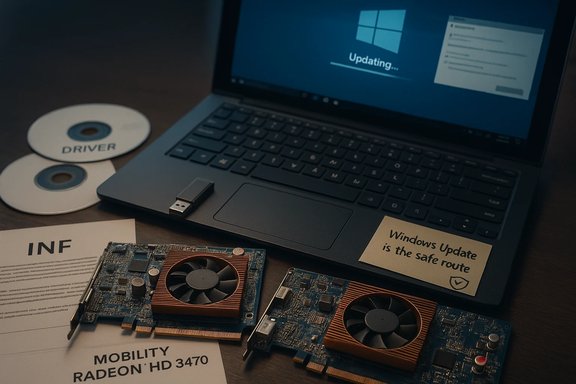
- The safest route for legacy HD‑class GPUs is Windows Update: Microsoft’s signed driver often provides a stable, minimal display driver that preserves desktop and basic video playback. AMD’s legacy guidance and many community threads echo this as the recommended first step.
- OEM (laptop manufacturer) driver pages: If the notebook vendor publishes a Windows 10‑compatible driver for their specific laptop model, that OEM driver is usually the preferred installer because it’s tuned for the laptop’s hybrid graphics, power management, and thermal constraints. Community threads repeatedly advise checking OEM pages first.
- Manual INF installs: A common workaround when Catalyst installers refuse is to extract the driver package, confirm the Display.Driver *.inf entries include your GPU VID/PID, and use Device Manager → Update driver → Have Disk to install the extracted INF. This works only if the INF actually lists your hardware id. Many forum reports document successful manual installs when the INF matched.
What is risky or unlikely to work
- Full modern Catalyst/Adrenalin suites with CCC/Control Center and all extras are unlikely to be fully functional for HD 3000/4000 family parts on modern Windows 10 builds because those high‑level features were not validated after the legacy cutoff. Community experimentation also shows partial installs (CCC without a working display driver) or installer aborts due to INF mismatches.
- Third‑party repackaged “Windows 10” drivers hosted on untrusted archives. These can claim later dates but often lack vendor validation and could be unsigned or modified — a security hazard on production machines. Forum guidance stresses caution and checksum/signature verification for any non‑vendor binary.
Step‑by‑step practical guide: attempt driver recovery safely
If you need to bring up an HD 3470 or HD 5470 on Windows 10 for legacy software, follow this conservative, test-first workflow. Back up and proceed carefully.- Inventory and backup
- Record your GPU hardware ID: Device Manager → Display adapters → Properties → Details → Hardware Ids. Archive the VID/PID string.
- Create a System Restore point and, ideally, a full disk image. Driver failures can leave a machine unbootable.
- Archive the currently working driver installer — you will want this for a rollback.
- Try Windows Update first
- Allow Windows Update to search optional driver updates and install any Microsoft‑signed display driver. This typically yields a stable, minimal driver for legacy devices. Validate basic functionality (resolution, video playback, Device Manager driver version).
- Check OEM support pages
- Look up your laptop/motherboard vendor and download any vendor‑published display driver for your exact model and OS version. These are usually safer than generic Catalyst installers.
- Clean driver state before manual install
- If you plan to install a legacy Catalyst package or a manual INF, use Display Driver Uninstaller (DDU) in Safe Mode to remove old driver remnants. Many community threads credit DDU with avoiding partial installs and file conflicts.
- Attempt a manual INF install (advanced)
- Extract the Catalyst or legacy driver package.
- Inspect Display.Driver*.inf for your hardware ID (the VID/PID you recorded).
- If the ID exists, use Device Manager → Update driver → Browse my computer → Let me pick → Have Disk and point to the INF. Reboot and validate.
- If the INF lacks your ID, do not blindly edit INF files unless you know how to handle driver signing and test in a sacrificial machine — this can create instability.
- Pause and validate
- After any change, reboot, check Device Manager, validate resolution and video playback, and exercise any target workflows (capture/encode apps, games, or enterprise graphics software). If anything is unstable, roll back using System Restore or your archived image.
Deep-dive: driver packaging problems, INF issues, and community experience
Forum archives and recent community testing highlight two recurring themes:- Packaged installers occasionally contain mismatched INFs or SKU variants that omit certain hardware IDs. When that happens, the GUI installer may abort while a manual INF install (or an OEM package) can still succeed if the correct driver binary exists inside. That distinction — installer packaging vs. binary compatibility — is the technical reason why some Windows 10 systems accepted newer Adrenalin installers while others threw device‑ID errors.
- The difference between “supported” and “working.” Vendors may make an installer that still runs on an OS that is no longer formally supported; however, "working" does not equal ongoing QA or guaranteed security updates. Post‑EOL, expect longer turnaround times for fixes, fewer Windows‑10‑specific regressions being prioritized, and a higher chance of day‑one incompatibilities with new games or middleware that were tested on Windows 11 first. Operationally this is a reallocation of engineering resources rather than a hard technical block in many cases.
When to replace the GPU instead of wrestling with legacy drivers
There are scenarios where replacement is the most pragmatic option:- You need modern codec hardware acceleration (HEVC with hardware decode, AV1) for streaming or editing workflows.
- You need driver stability for capture/encode workflows, anti‑cheat sensitive gaming, or software that demands up‑to‑date WDDM and driver model features.
- Your device is mission‑critical and cannot tolerate unsigned or fragile driver installs.
Security, long‑term risk, and Windows 10 EOL implications
Microsoft’s Windows 10 end of support on October 14, 2025 is a hard calendar milestone. After that date, Microsoft no longer provides general security updates for Windows 10; vendors and software authors will increasingly target Windows 11 as the primary QA platform. That creates a growing security surface for systems that must rely on legacy drivers and unsigned or community‑repacked binaries. Microsoft also provided a time‑limited Extended Security Updates (ESU) path for consumers/businesses in some cases; enrollment rules and account requirements vary and should be evaluated on a per‑case basis. Beyond OS patches, graphics drivers operate at kernel‑mode privilege and have historically been vectors for security vulnerabilities; fewer active vendor updates for older drivers increases systemic risk. The practical advice from a security and IT‑management standpoint: minimize exposure on production machines by trending away from unsupported OSes and hardware combinations — or isolate legacy systems from high‑risk networks. Community guidance emphasizes keeping a rollback driver archived, creating system images before experimentation, and avoiding unsigned third‑party drivers on critical systems.Strengths and weaknesses in the current ecosystem
Notable strengths
- The hardware database records and platform specs for the HD 3470 and HD 5470 are stable and widely cross‑validated; TechPowerUp remains a reliable reference for raw GPU specifications. These facts allow users to quickly understand the functional ceiling for these parts.
- Microsoft’s Windows Update and OEM drivers provide the safest and most supported route to maintain functional systems with legacy GPUs. Community practice aligns with this guidance for stability.
Key risks and limitations
- Vendor testing and driver validation focus has shifted to Windows 11; that reduces the guarantee of stable, timely fixes for Windows 10-specific regressions, particularly for older GPU families. Release notes that omit Windows 10 in compatibility banners are often documentation signals of that shift.
- Unverified third‑party drivers represent a real risk. Claims on repackaging sites that later dated drivers exist for HD 3000/3450/3470 families are frequently unverified and can include unsigned binaries. Forum archives flag these claims and encourage checksum/signature verification before use.
Cross‑referencing specific claims and flagging unverifiable items
- Claim: “The Mobility Radeon HD 5470 supports DirectX 11.2 and 512 MB GDDR5 by default.” This is supported by TechPowerUp’s mobility HD 5470 entry listing Park/Cedar variants, 80 cores, 512 MB memory and DirectX 11.x family support. That claim is verifiable.
- Claim: “Catalyst 13.1 was the last validated suite for HD 3000/4000 families and Windows 8 was the last fully supported OS.” This matches AMD’s archived legacy policy and community guidance recorded in driver archives and forum posts. It is supported by historical driver documentation and community threads.
- Claim: “A born2invest article contains specific guidance.” The user-supplied born2invest link appears in the prompt but the content could not be validated in the official hardware and vendor document set referenced here; treat that particular link as unverified until its content is inspected directly. Rely instead on official vendor documentation, Microsoft lifecycle notices, and established hardware databases for actionable steps. (If you want, the article can be fetched and validated separately.
Clear, actionable recommendations (conservative)
- If your priority is stability and security: accept Windows Update’s Microsoft‑signed driver as the long‑term fallback for HD 3470 / HD 5470 on Windows 10. Keep the machine patched, or enroll in ESU if enterprise policy demands continued security fixes.
- If you need more features or hardware acceleration: plan a modest GPU upgrade if your laptop/desktop supports it (or replace the notebook where possible). For desktops, even low‑end modern GPUs provide far superior decoding and driver support at a modest cost.
- If you must attempt legacy Catalyst installers: follow the safe workflow above — archive installers, use DDU, check INFs, try OEM drivers first, and test in a non‑production machine. Maintain a rollback image.
Conclusion
The ATI Mobility Radeon HD 3470 and HD 5470 are well‑documented legacy GPUs with clear technical ceilings: modest shader counts, narrow memory buses, and driver ecosystems that moved to legacy status years ago. Tech spec references are consistent and verifiable via established hardware databases, and community experience has converged on a conservative, backup‑first approach when trying to keep these cards working on modern Windows 10 systems. With Windows 10’s end of support and vendor testing prioritized for Windows 11, the sensible strategy is either to accept Microsoft’s minimal, signed driver via Windows Update for legacy desktop use, or to plan a hardware/OS migration for any workloads that require modern codec, security guarantees, or stable, actively maintained drivers.If the requirement is purely legacy compatibility (old apps, low‑risk desktop tasks), these GPUs can continue to function under careful management. For any machine where security and long‑term support matter, the time to plan a replacement — or move to an officially supported OS/hardware path — is now.
Source: Born2Invest https://born2invest.com/?b=style-233261112/
