

Millions of PCs still boot Windows 10 past Microsoft’s cut‑off, and that choice now carries real, immediate risk: routine security updates stopped on October 14, 2025, leaving non‑enrolled machines exposed to newly discovered vulnerabilities unless owners enroll in Extended Security Updates (ESU) or migrate to a supported platform.
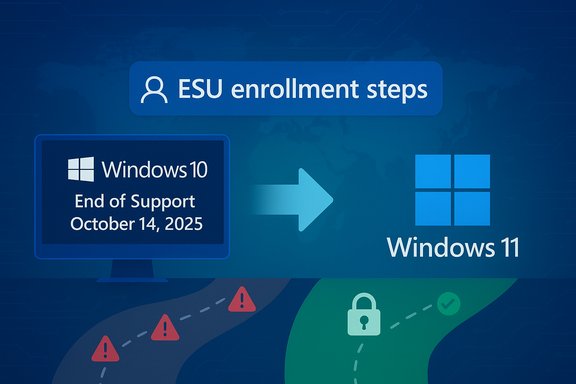
Microsoft set a firm lifecycle date for Windows 10: after October 14, 2025 the company no longer issues free security patches, feature updates or standard technical support for mainstream Windows 10 editions. That change is not theoretical—it materially alters the threat model for every connected Windows 10 PC that isn’t covered by ESU. Microsoft’s lifecycle pages and knowledge base entries make this explicit and explain the enrollment and mitigation options. The company did not entirely abandon users overnight. For consumers Microsoft created a one‑year Consumer Extended Security Updates (ESU) path — a time‑boxed safety net that provides security‑only patches through October 13, 2026 for eligible Windows 10, version 22H2 devices if you enroll. The vendor published enrollment prerequisites and several routes to get that short extension, including a free route under defined conditions and paid or rewards‑points options in many regions. At the same time, independent industry trackers and vendor telemetry show a huge population remains on Windows 10 as of late‑2025, meaning the practical exposure is large even if exact totals differ by methodology. Telemetry and pageview trackers paint different pictures—Kaspersky’s endpoint telemetry reported a high Windows 10 share in its sample, while web‑page trackers (StatCounter et al. produced different ratios—so absolute numbers vary, but the trend is clear: tens to hundreds of millions of devices were implicated, and many will need to migrate or enroll in ESU. Treat headline device counts as estimates; rely on inventory for any risk decision.
Source: ZDNET Still running Windows 10? Here's why that's a bad idea
 Background
Microsoft set a firm lifecycle date for Windows 10: after October 14, 2025 the company no longer issues free security patches, feature updates or standard technical support for mainstream Windows 10 editions. That change is not theoretical—it materially alters the threat model for every connected Windows 10 PC that isn’t covered by ESU. Microsoft’s lifecycle pages and knowledge base entries make this explicit and explain the enrollment and mitigation options. The company did not entirely abandon users overnight. For consumers Microsoft created a one‑year Consumer Extended Security Updates (ESU) path — a time‑boxed safety net that provides security‑only patches through October 13, 2026 for eligible Windows 10, version 22H2 devices if you enroll. The vendor published enrollment prerequisites and several routes to get that short extension, including a free route under defined conditions and paid or rewards‑points options in many regions. At the same time, independent industry trackers and vendor telemetry show a huge population remains on Windows 10 as of late‑2025, meaning the practical exposure is large even if exact totals differ by methodology. Telemetry and pageview trackers paint different pictures—Kaspersky’s endpoint telemetry reported a high Windows 10 share in its sample, while web‑page trackers (StatCounter et al. produced different ratios—so absolute numbers vary, but the trend is clear: tens to hundreds of millions of devices were implicated, and many will need to migrate or enroll in ESU. Treat headline device counts as estimates; rely on inventory for any risk decision. Why Windows 10 holdouts are attractive targets
The core technical reality
When vendor patches stop, newly discovered bugs remain permanently open on unpatched systems. Attackers watch vendor patch releases, reverse‑engineer fixes (“patch diffing”) and adapt those fixes into exploits that strike older systems still missing the patch. Over time, the number of usable vulnerabilities grows, turning unsupported systems into a reliable attack surface. This is the basic, repeatable mechanism that makes EOL operating systems valuable to attackers.Real‑world history: not hypothetical
Past EOL events illustrate how quickly the situation can get bad:- PrintNightmare (2021) — a critical Print Spooler vulnerability that was weaponized and so disruptive Microsoft released out‑of‑band patches for multiple Windows releases and even produced patches affecting older platforms after the initial disclosures. The episode shows that exploits and public PoC code can force emergency patching and can reach unsupported installs if the flaw is widespread.
- WannaCry (2017) — the global ransomware worm exploited an SMB kernel bug and caused massive outages. The scale of impact prompted emergency responses across the industry and highlighted how a single exploit against a widely installed, under‑patched platform can cascade into global damage. Microsoft issued emergency patches for older, unsupported systems during that crisis as well.
Evidence from late‑2025: proof the danger is immediate
November 2025 — the first Patch Tuesday cycle after Windows 10’s mainstream support ended — included a Windows Kernel elevation‑of‑privilege vulnerability tracked as CVE‑2025‑62215 that Microsoft and several security vendors labelled “Exploitation Detected” (actively exploited). The vulnerability could grant SYSTEM privileges if chained successfully and was patched in November’s cumulatives. Security vendor briefings and independent write‑ups confirmed active exploitation and urged immediate patching for ESU‑enrolled systems. That exact sequence—new CVE, “Exploitation Detected”, active exploitation—shows how quickly attackers can weaponize platform flaws, and why running an unpatched, unsupported OS is dangerous.What Microsoft offered and how ESU actually works
The Consumer ESU program — the practical facts
Microsoft published the consumer ESU program as a one‑year bridge that runs through October 13, 2026 for eligible Windows 10 devices (version 22H2). Enrollment prerequisites include running the specified Windows 10 build, installing certain prerequisite updates, and in most cases associating the device with a Microsoft Account. Enrollment routes vary by region; a free path is available under particular conditions (for example, enabling Windows Backup/Settings sync or meeting EEA region rules), while a paid one‑time option (roughly $30 in many markets) or redeeming Microsoft Rewards points are alternate methods. Businesses have separate volume‑licensing ESU options for longer periods at tiered pricing. Two critical operational points about ESU:- ESU is security‑only and time‑boxed. It does not provide feature updates, non‑security quality fixes, or the same level of technical support as a supported OS.
- Enrollment has prerequisites and limitations (Windows 10 version, update history, account linkage); local/offline‑only accounts may not qualify in many regions. Microsoft issued servicing updates to fix enrollment wizard issues during the roll‑out.
How ESU affects the threat model
ESU reduces immediate risk by restoring the flow of classified security patches (Critical and Important), but it is explicitly a migration aid, not a long‑term solution. Relying on ESU for more than the one‑year window—or on workarounds and third‑party patching services—introduces operational complexity and future uncertainty. Use ESU to buy time for a planned migration, not to delay indefinitely.How big is the problem? — interpreting the numbers
Claims that “hundreds of millions” of machines run Windows 10 are plausible but depend on measurement method. Two commonly cited data frames show different pictures:- Kaspersky’s telemetry samples suggested a high Windows 10 share in its monitored population (one dataset cited roughly 53% Windows 10 in its sample). This telemetry is valuable for operational security teams because it reflects endpoint software inventories where Kaspersky is present.
- Web‑page trackers (StatCounter and similar) produce pageview‑based shares that may differ—some snapshots in mid‑2025 showed Windows 11 edging ahead on pageviews while Windows 10 retained a large installed base in other measurements. These differences are explainable by sampling frame: installed endpoints vs web traffic vs vendor telemetry. Use these numbers for sizing and planning, but do not treat any single percentage as an audited global census.
Practical, prioritized guidance for Windows 10 holdouts
The action you take should be proportionate to how the PC is used and what data it holds. The following sections present practical steps—ranked and actionable.Immediate (hours to 48 hours)
- Inventory and classify every Windows 10 device you control (Home, Work, Guest). Capture OS build, role (admin workstation, file server, IoT endpoint), and connectivity.
- If a machine is mission‑critical or used for sensitive tasks (banking, corporate VPN, admin work), move those tasks to a supported device immediately or isolate the Windows 10 device until patched/covered by ESU.
- Turn on and verify backups. Ensure you have a recent, tested offline backup and a recovery plan. Backups are your last line of defense against ransomware.
Short term (days to weeks)
- Enroll eligible devices in Consumer ESU if you cannot upgrade immediately. Use the Windows Update → Settings enrollment path if your device meets prerequisites; free and paid enrollment options exist but require a Microsoft Account in most cases. ESU enrollment will deliver past and future classified Windows fixes for the ESU window.
- Apply any available ESU rollups or prerequisite fixes if you enroll. November and December 2025 patch cycles already included fixes flagged “Exploitation Detected,” underscoring why ESU‑enrolled devices must be patched quickly.
- Hardening and segmentation: place retained Windows 10 machines on a segmented VLAN, disable unnecessary services, block legacy remote administration paths (open RDP to the internet), enforce strong local passwords and multifactor authentication where possible, and ensure endpoint detection & response (EDR) or at least modern anti‑malware is running.
Medium term (weeks to months)
- Plan and execute migration to Windows 11 for eligible devices. Use the PC Health Check tool to determine eligibility, but remember Windows 11 has stricter hardware requirements—older machines may not qualify and will need replacement or alternative OSes (Linux/ChromeOS Flex) if you cannot or will not use ESU.
- For devices that cannot be upgraded: consider replacement, migration to a lighter OS, or continuing ESU only as a strictly time‑boxed bridge while budgeting for refresh. ESU is not permanent and will end in October 2026 for consumer enrollments.
Long term (policy & compliance)
- Update procurement and refresh cycles to avoid future mass EOL events. For organizations, adopt update automation, asset inventory, and strict enrollment policies for device identity (encourage Microsoft Account or corporate SSO as required for ESU enrollment).
- Audit third‑party software and drivers for compatibility with Windows 11 and set firm deadlines for migration to a supported baseline to reduce long‑term technical debt.
Risks, costs and trade‑offs — a clear-eyed analysis
- Strengths of Microsoft’s approach: ESU gives a constrained, vendor‑backed safety net that restores security patches for a limited window while encouraging migration to a more secure baseline. Microsoft’s continued Defender definition updates and limited app servicing soften the immediate landing for some users.
- Weaknesses and operational frictions:
- ESU enrollment requirements (account linkage, version prerequisites) create friction, and not all legacy devices qualify without prior patching.
- ESU does not replace modern hardware protections (TPM 2.0, VBS) built into Windows 11; older hardware remains intrinsically less resilient.
- The one‑year consumer window is short; organizations that delay face rising costs and compliance headaches.
- Attack surface and exploitation economics: attackers prefer simple, high‑yield operations. Even if only a minority of devices remain unpatched, the cost of developing an exploit may be easily amortized if the target pool includes valuable corporate or institutional machines. The November 2025 kernel zero‑day shows how quickly attackers can act.
- Unverifiable or rapidly changing claims: global device totals (exact number of Windows 10 installs) are estimates at best. Multiple telemetry frames exist; cite those differences and avoid promising a precise global count. Where necessary, rely on your own inventories.
Practical migration checklist (compact)
- Backup: create at least two copies (local encrypted image + cloud sync) and test restore.
- Inventory: OS build, BIOS/UEFI, TPM presence, and peripheral compatibility.
- Test upgrade path: run PC Health Check and test Windows 11 install in a lab or spare machine.
- Enroll in ESU only where migration isn’t immediately realistic; track ESU expiration dates and patch frequently.
- Segment and harden any retained Windows 10 endpoints and remove internet‑facing services.
- Budget and schedule device refreshes over the next 12 months—ESU is temporary and should be treated as breathing room, not a solution.
Conclusion
The takeaway is straightforward but urgent: Windows 10’s mainstream support ended on October 14, 2025, and the practical consequences began immediately. Microsoft’s Consumer ESU program provides a short, time‑boxed security bridge through October 13, 2026, but enrollment has prerequisites and does not eliminate the need to migrate. Historical incidents (WannaCry, PrintNightmare) and recent, actively exploited vulnerabilities such as CVE‑2025‑62215 prove that attackers move fast and make unsupported systems prime targets. The safest long‑term choice is to move to a supported platform (Windows 11 or a suitable alternative) and to treat ESU as a temporary mitigation while you execute a deliberate migration plan. If you manage multiple machines, inventory and prioritize now: patches, backups, ESU enrollment for non‑upgradable devices, and a funded hardware refresh or migration schedule will minimize the chance that one unpatched Windows 10 PC becomes the entry point for a costly breach.Source: ZDNET Still running Windows 10? Here's why that's a bad idea
