

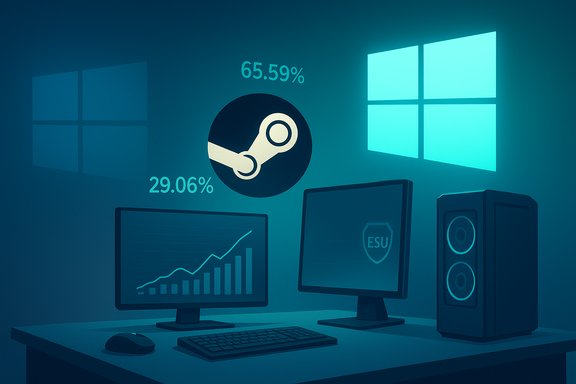
As of this November’s Steam Hardware & Software Survey, Windows 10 may have officially lost Microsoft’s support on October 14, 2025, but it is emphatically not gone: roughly 29.06% of Steam users were still running Windows 10 in November, while Windows 11 jumped to about 65.59% — a meaningful reminder that end-of-support dates don’t translate into overnight migration for real-world PCs.
Microsoft ended mainstream support for Windows 10 on October 14, 2025, ushering in a consumer Extended Security Updates (ESU) program intended as a one-year security bridge through October 13, 2026. Consumers can enroll in ESU either for free (in certain jurisdictions), by redeeming Microsoft Rewards points, or by a one-time payment (about $30 USD) that covers multiple devices tied to a Microsoft Account. The EEA (European Economic Area) received special treatment after consumer groups intervened: qualifying EEA users can get ESU coverage without the $30 fee, subject to enrollment and account requirements. Valve’s Steam Hardware & Software Survey is a monthly, opt-in dataset built from participating Steam clients; it samples the Steam gaming population and should be read as a gamer-focused snapshot, not a universal operating-system market share report. Valve’s own survey page cautions that participation is optional and anonymous, which controls what the data can and cannot represent.
Source: PC Gamer Windows 10 is dead? Not quite yet, according to Steam's survey
 Background
Microsoft ended mainstream support for Windows 10 on October 14, 2025, ushering in a consumer Extended Security Updates (ESU) program intended as a one-year security bridge through October 13, 2026. Consumers can enroll in ESU either for free (in certain jurisdictions), by redeeming Microsoft Rewards points, or by a one-time payment (about $30 USD) that covers multiple devices tied to a Microsoft Account. The EEA (European Economic Area) received special treatment after consumer groups intervened: qualifying EEA users can get ESU coverage without the $30 fee, subject to enrollment and account requirements. Valve’s Steam Hardware & Software Survey is a monthly, opt-in dataset built from participating Steam clients; it samples the Steam gaming population and should be read as a gamer-focused snapshot, not a universal operating-system market share report. Valve’s own survey page cautions that participation is optional and anonymous, which controls what the data can and cannot represent. What the November Steam numbers actually show
- Windows 11 (64-bit): ~65.59% (+2.02% month-over-month on Steam’s sample).
- Windows 10 (64-bit): ~29.06% (-2.08% month-over-month).
- Linux (all distros): ~3.20% (+0.15% month-over-month).
Why the numbers matter (and why they don’t tell the whole story)
Steam’s survey is valuable because it tracks the OSs used by active PC gamers — a high-engagement, hardware-diverse community. But the sample is:- Voluntary (self-selection bias),
- Gamer-centric (less representation of business, school, or embedded devices),
- Heavily weighted to regions and users who actively run Steam and opt in.
Why so many gamers remain on Windows 10
The Steam survey numbers are a symptom of multiple converging realities that make migration more gradual than Microsoft — and many vendors — might hope.1) Hardware compatibility and Windows 11 requirements
Windows 11’s system requirements (TPM 2.0, Secure Boot, supported CPU generations, and other platform checks) exclude a wide range of older but perfectly usable PCs. OEMs and enterprise fleets face real upgrade costs and logistics when hardware is borderline or incompatible; consumers with serviceable PCs face either a hardware purchase or technical workarounds. Industry reporting from PC vendors and analysts confirms a slower-than-expected upgrade rate and large installed bases running older Windows versions.2) Practical security stopgaps: ESU, account requirements, and behaviors
Microsoft’s consumer ESU program gives consumers breathing room — and that breathing room reduces immediate pressure to upgrade. Enrollment options (syncing settings/Windows Backup, redeeming Rewards, or paying $30) give users paths to stay patched for a year, and EEA users have a free enrollment route following regulatory pushback. For many users, that’s enough to postpone upgrades and the immediate headaches of reinstalling software or replacing peripherals.3) Fear of breaking things: games, drivers, and anti-cheat
Gamers are conservative when it comes to their OS: a “minor” upgrade can break drivers, overlays, performance tweaks, or anti-cheat integrations. Some of the largest multiplayer games still produce the majority of revenue and active engagement, and when those titles lag in support or require vendor-specific updates for a new OS, users delay until the ecosystem stabilizes. Steam’s small but persistent Linux slice (3.2%) shows alternative OS interest, but Linux still faces friction for certain multiplayer titles and anti-cheat ecosystems.4) Upgrade friction and user choice
Even when a PC could technically run Windows 11, users balance the time, perceived risk, and learning curve versus the marginal benefits. For seasoned Windows 10 users who prioritize stability and known workflows, the incentive to move isn’t always obvious on day one.The ESU story: what’s free, what costs money, and what to watch for
Microsoft’s consumer ESU program is notable for three specific mechanics:- It extends security-only updates for eligible Windows 10 (version 22H2) consumer devices through October 13, 2026. Enrollment is done on-device via Settings and requires certain prerequisites.
- Enrollment methods: free (if you sync your PC settings through Windows Backup), redeem 1,000 Microsoft Rewards points, or a one-time $30 USD purchase (or regional equivalent). One $30 purchase can cover up to 10 devices connected to the same Microsoft Account. This gives consumers options to keep receiving security patches for a year after EOL.
- EEA carve-out: after pressure from consumer groups, Microsoft committed to free ESU in the EEA (subject to account and enrollment requirements), changing the dynamics for millions of European users who would otherwise pay. Outside the EEA, the paid or rewards routes remain.
- ESU only covers security updates marked Critical or Important — no feature updates, no extended technical support, and no compatibility guarantees.
- Devices must be on Windows 10 22H2 with the latest updates installed to be eligible.
- Enrollment requires a Microsoft Account for license binding; Microsoft’s consumer push toward online accounts matters here.
Workarounds, hacks, and unofficial paths to Windows 11
A number of community tools and methods have arisen to bypass Windows 11 hardware checks for those who understand the trade-offs and risks. The common methods discussed across gamer and tech communities include:- Rufus method: using Rufus (a third-party USB tool) to perform installations that skip CPU/TPM checks.
- Flyby11 and similar scripts: community-built patches that modify setup behavior to allow Windows 11 installs on unsupported systems.
- Clean-install approaches with driver-first strategies to reduce migration headaches.
Linux as a safety valve — why it’s growing slowly on Steam
Linux’s share on Steam ticked upward to about 3.20% in November, reflecting in large part the Steam Deck and Valve’s SteamOS ecosystem. But Linux remains a niche for most PC gamers for several reasons:- Compatibility and anti-cheat: some popular multiplayer titles and anti-cheat systems either lack native Linux support or only work reliably through Proton/Wine compatibility layers. That creates friction for players who depend on those ecosystems.
- Perception and habit: migrating to Linux still demands a level of technical curiosity or tolerance for tinkering that many gamers don’t want to invest.
- Peripheral and driver variance: hardware support for some peripherals is still smoother in Windows.
Industry implications: what this means for developers, OEMs, and support teams
- For developers and QA teams: dual-platform testing remains necessary. With ~30% of gamers still on Windows 10, shipping patches and ensuring compatibility for both Windows 10 and Windows 11 is prudent for at least the ESU window.
- For OEMs and retailers: delayed upgrades create a secondhand and upgrade market opportunity. Vendors that can offer affordable upgrade paths (SSD swaps, TPM modules where possible, BIOS updates) or affordable new systems with Windows 11 will find customers. Dell’s recent commentary suggests many upgrade-capable PCs remain un-upgraded — a potential hardware replacement market for OEMs.
- For IT and help desks: security posture advice needs to include ESU enrollment details, upgrade timelines, and the fact that unsupported systems remain usable but increasingly risky. Policies tied to compliance and insurance may force stricter timelines for enterprise fleets.
Risks, unknowns, and caveats you should know
- Steam survey sampling bias: The Steam survey does not represent the entire PC population. It skews to gamers and volunteers. Use it to identify trends in the gaming community — not to extrapolate exactly to global OS market share.
- ESU is a temporary bandage: Relying on ESU beyond October 2026 is not a long-term security plan. Enterprises have longer ESU pathways, but consumers should plan to migrate or replace unsupported systems.
- Unofficial installs are brittle: Workarounds to install Windows 11 (Rufus, Flyby11, registry bypasses) may break if Microsoft changes update delivery or enforcement; they can also complicate future support and troubleshooting.
- Gaming ecosystem friction remains: Anti-cheat and DRM behavior is a moving target. Some games will be straightforward on Linux and on Windows 11; others will lag. That variability is a real consideration for esports and competitive gaming communities.
Practical recommendations for gamers and everyday users
- If you run a gaming PC on Windows 10 and security is a priority: enroll in ESU (if eligible) and plan a migration path for the next 12 months. Evaluate whether your hardware genuinely supports Windows 11 or whether a hardware refresh is the better option.
- If you can upgrade smoothly and want the latest features: validate TPM/Secure Boot settings, back up your data, and prefer a clean install when possible to avoid driver cruft. Use official tools and follow manufacturer guidance where available.
- If you’re tempted by Linux: test your key titles with Proton and a spare drive (or dual-boot) before committing. For many users, Steam Deck-like usability is within reach; for competitive multiplayer players reliant on specific anti-cheat stacks, the transition may still be premature.
- If you manage multiple devices: treat Windows 10 ESU as a transition window. Prioritize fleet segmentation, compatibility testing, and endpoint security planning. Coordinate with software vendors who may limit support for older OSs.
Final analysis — Windows 10 is retired, not extinct
Microsoft’s October 14, 2025 end-of-support date for Windows 10 is real, and ESU provides a clear, limited extension through October 13, 2026. The Steam Hardware & Software Survey shows that many gamers are taking Microsoft up on the opportunity to move at their own pace: Windows 11 adoption is accelerating, but Windows 10 still accounts for nearly a third of Steam’s user base in the November snapshot. That’s a big, stubborn minority whose choices will shape support decisions for developers, OEMs, and service providers over the coming year. This is not a breakdown of authority or a catastrophic failure for Microsoft; it’s a pragmatic reminder that OS lifecycles are social and economic processes as much as technical ones. For now, Windows 10 is retired in policy but very much alive in the wild — and those remaining Windows 10 installs deserve practical, security-minded planning rather than hyperbolic obituaries.Source: PC Gamer Windows 10 is dead? Not quite yet, according to Steam's survey
