

The countdown to October 14, 2025 has turned a routine lifecycle change into a board‑level strategic moment: with Windows 10 support ending, IT leaders now face a hard deadline that separates tactical fire‑fighting from a once‑in‑a‑generation opportunity to modernize endpoint estates, strengthen security, and reshape how users work. The TechRadar analysis that framed this debate is blunt: organizations that treat the deadline as a compliance chore will pay more, remain exposed, and miss modernization gains; those that reframe migration as modernization will gain measurable operational advantage.
Microsoft’s official lifecycle timetable makes the pivot unmistakable: Windows 10 reaches end of mainstream support on October 14, 2025, after which regular OS security updates cease unless a device is covered by Extended Security Updates (ESU) or hosted within specified Microsoft cloud services. That fixed calendar date is the primary driver for the migration wave facing enterprises, SMBs and public organisations worldwide. Two facts shape the operational reality:
Important qualification: achieving those returns requires adopting the cloud management stack (Intune/Autopatch) and redesigning policy and onboarding processes — simply upgrading the OS without the management plane yields little of the promised TCO or security upside.
Conversely, organizations that treat the deadline as a ticketable compliance task risk higher long‑term cost, elevated insurance exposure, fractured user experiences, and missed opportunities to reduce technical debt. The calculus is simple: the cost of delay (in risk, vendor friction, and lost modernization) exceeds the short‑term outlay for a disciplined migration program.
Start with inventory, prioritize critical systems, pilot the riskiest scenarios, and use ESU only as a controlled contingency. The organizations that act strategically will not only survive the Windows 10 end‑of‑support deadline — they will be measurably better prepared for the next wave of endpoint evolution.
Source: TechRadar The Windows 10 end-game: how IT leaders can turn migration pressure into strategic advantage
 Background / Overview
Microsoft’s official lifecycle timetable makes the pivot unmistakable: Windows 10 reaches end of mainstream support on October 14, 2025, after which regular OS security updates cease unless a device is covered by Extended Security Updates (ESU) or hosted within specified Microsoft cloud services. That fixed calendar date is the primary driver for the migration wave facing enterprises, SMBs and public organisations worldwide. Two facts shape the operational reality:- Windows 11 imposes a modern hardware baseline (TPM 2.0, UEFI/Secure Boot, supported CPU families) that intentionally raises the security floor.
- Microsoft’s ESU program offers a limited, paid bridge for those who cannot complete migration before the deadline — but it is explicitly designed to be expensive and temporary.
Why the hardware rules matter: TPM, Secure Boot and the new security baseline
The technical rationale behind the requirements
Windows 11’s mandatory TPM 2.0, UEFI with Secure Boot, and virtualization‑based security features are not arbitrary blockers — they establish a hardware root of trust that enables protections impossible to deliver purely in software. TPM provides secure, hardware‑backed key storage and measurement capabilities that support device attestation, BitLocker key protection, credential isolation, and remote health attestation for conditional access. Microsoft’s platform design expects these primitives to be present; that expectation is foundational to delivering zero‑trust device signals at scale.Practical implications for estates
- Devices 5–7 years old frequently fail on more than CPU model checks; missing/enabled TPM, firmware not supporting Secure Boot, and absent firmware updates are common blockers.
- Many otherwise capable devices require BIOS/UEFI tweaks or vendor firmware updates — and in some cases, full replacement — to meet Windows 11 baselines.
- Attempting widescale registry or media hacks to bypass checks can create unsupported configurations and long‑term operational fragility.
The economics of delay: ESU is a bridge, not a strategy
Microsoft’s commercial ESU terms are explicitly time‑limited and cost‑escalating: $61 USD per device for Year One for commercial volume licensing, with the price doubling each consecutive year up to a three‑year cap. Microsoft also provides consumer ESU enrollment paths and free ESU for eligible cloud VMs and certain cloud‑synced devices, but those carve‑outs are narrow. These numbers make ESU a costly short‑term insurance policy rather than a viable long‑term plan for large fleets.- The arithmetic is stark: multi‑year ESU per device can quickly exceed the purchase price of low‑end modern hardware when applied at scale.
- ESU delivers security‑only patches — no new features, performance improvements, or compatibility fixes — accelerating operational isolation risks for systems that remain winterized on Windows 10.
The peripheral problem: drivers, OT and specialized hardware
One of the most underestimated migration failure modes is peripheral and systems‑integration compatibility. Industrial controllers, laboratory instruments, medical devices, and other specialized endpoints frequently ship with drivers and support lifecycles that stop well before generic PC refresh cycles.- These devices sometimes run on customized Windows 10 images or rely on vendor drivers that haven’t been updated for Windows 11.
- Firmware, middleware, and vendor SLAs often determine whether a system can practically move to Windows 11 or must be replaced or isolated behind virtualized/hosted workspaces.
Insurance and compliance: a growing insurance choreography
Cyber insurers and regulators are tightening underwriting rules. Policies increasingly require demonstrable patch management, supported OS usage, and documented risk controls. Many carriers now include language that reduces coverage or denies claims where unsupported software materially contributed to an incident.- Insurers and broker commentary indicate that unsupported OS usage can trigger premium increases, coverage reductions, or exclusions unless compensating controls and documented migration plans exist. Independent security vendors and MSP advisories echo this practical reality.
Application modernization: the hidden lever that makes migration pay
The cleanest migrations are not lift‑and‑shift OS swaps. They are application modernization programs that use Windows 11 migration as the catalyst to:- Replace legacy line‑of‑business apps with SaaS or cloud‑native alternatives.
- Consolidate identity and access via Entra ID + Conditional Access.
- Reduce on‑device complexity (fewer thick clients) by shifting to hosted or web‑first applications.
Zero‑trust on the endpoint: why Windows 11 is more than a UI refresh
Windows 11 brings device capabilities that materially reduce the cost of implementing zero‑trust controls:- Hardware‑backed attestation (TPM‑based) and Health Attestation APIs feed device signals into Conditional Access.
- Windows Hello for Business and credential protection reduce reliance on passwords and lower phishing risk.
- BitLocker/device encryption is increasingly automated and tied to hardware keys, simplifying disk protection compliance.
Important qualification: achieving those returns requires adopting the cloud management stack (Intune/Autopatch) and redesigning policy and onboarding processes — simply upgrading the OS without the management plane yields little of the promised TCO or security upside.
Procurement and resource scarcity: the market timing advantage
The migration calendar has a second pressure point beyond technical compatibility — market capacity:- As the deadline approaches, hardware procurement lead times for volume orders lengthen and pricing pressure grows.
- Migration services and specialized consultants become scarce; late demand pushes rates higher and extends project timelines.
A pragmatic, phased approach for late planners
For IT leaders still racing the clock, a tightly sequenced program can still deliver a successful outcome without resorting to emergency patches or unmanaged exceptions.Phase 1: rapid discovery and triage
- Run automated inventory tools to collect CPU family, TPM state, Secure Boot status, and application mappings.
- Identify high‑risk, internet‑facing, and regulatory‑critical systems. These form the initial migration or protection tranche.
- Build a prioritized device classification: in‑place eligible, firmware‑remediable, replacement required, and specialized (OT/medical).
Phase 2: targeted pilots, not blanket testing
- Design pilots around the riskiest scenarios (compliance systems, manufacturing lines, customer‑facing apps).
- Measure the business case with concrete KPIs: helpdesk tickets per 1,000 users, average boot/resume time, LOB app success rate.
- Use pilot metrics to calibrate on‑prem vs cloud hosting decisions and quantify ESU needs for bridge windows.
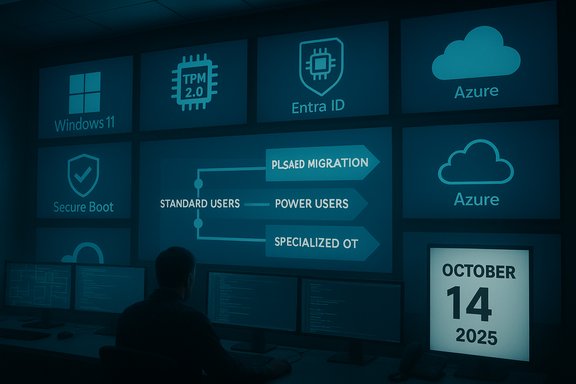
Phase 3: parallel tracks for different user cohorts
- Standard business users: simplified in‑place upgrades and staged rollouts.
- Power users: preserved profiles, app virtualization, and staged app rationalization.
- Specialized/OT environments: vendor‑managed remediation or secure isolation via virtualization or network segmentation.
Phase 4: procurement, trade‑in and financing
- Consider device‑as‑a‑service (DaaS), lease and trade‑in programs to smooth CapEx spikes.
- Offset procurement lead times by contracting earlier for image validation and driver remediations with hardware vendors.
Phase 5: optimize, measure, iterate
- Continue collecting KPIs and track adoption metrics.
- Move from “migration” to “optimization”: exploit device telemetry for energy, performance and security gains.
Checklist: immediate actions for IT leaders (60–120 day playbook)
- Complete a zero‑day asset inventory that includes OS build, TPM/UEFI state and network exposure.
- Lock down the top 10 internet‑facing endpoints and enforce prioritized migration.
- Run vendor compatibility scans for mission‑critical LOB apps.
- Model ESU cost across devices and budgets — treat ESU as temporary; compute replacement vs ESU break‑even.
- Contact cyber insurers and brokers: document migration plans and request conditional policy endorsements.
- Tender migration suppliers now; secure pilot slots and procurement windows.
- Prepare communications and change management plans for users and support teams.
Risks, caveats and things vendors don’t always tell you
- Vendor studies and media headlines can exaggerate replacement percentages; your inventory is the primary truth. Use vendor data only for procurement lead‑time planning.
- ESU prices and enrollment programs differ by region; Microsoft’s free consumer ESU carve‑outs for some EEA users and cloud VM exemptions change the economics for specific geographies. Confirm local licensing details with Microsoft or your reseller.
- Insurance outcomes are heterogeneous. While many brokers and insurers flag unsupported OS as a material underwriting issue, exact consequences (premium hikes, exclusions) vary by carrier and the policy language. Obtain written clarifications from your broker.
- Some Windows 11 features (for example, Windows Subsystem for Android / Amazon Appstore) have seen product lifecycle changes; platform feature availability can shift, so avoid building business‑critical workflows around transient platform features. Treat such features as value‑adds, not core dependencies.
Measuring success: recommended KPIs
- Helpdesk tickets per 1,000 users (30/60/90 days after deployment).
- Mean time to provision validated image (target reduction vs baseline).
- Application compatibility success rate (percentage of LOB apps running without remediation).
- Percentage of devices with TPM + Secure Boot enabled and reporting healthy attestation.
- Time to remediate critical telemetry signals from Defender for Endpoint.
Conclusion — a binary leadership choice with asymmetric returns
The practical reality is binary: October 14, 2025 is a hard end‑of‑support date and the window to convert migration pressure into strategic advantage is now. Organizations that choose a proactive, phased approach — combining inventory‑led triage, targeted pilots, vendor engagement, and application modernization — will emerge from this transition with a stronger security posture, simpler management, and a clearer path to cloud and AI‑enabled desktop scenarios.Conversely, organizations that treat the deadline as a ticketable compliance task risk higher long‑term cost, elevated insurance exposure, fractured user experiences, and missed opportunities to reduce technical debt. The calculus is simple: the cost of delay (in risk, vendor friction, and lost modernization) exceeds the short‑term outlay for a disciplined migration program.
Start with inventory, prioritize critical systems, pilot the riskiest scenarios, and use ESU only as a controlled contingency. The organizations that act strategically will not only survive the Windows 10 end‑of‑support deadline — they will be measurably better prepared for the next wave of endpoint evolution.
Source: TechRadar The Windows 10 end-game: how IT leaders can turn migration pressure into strategic advantage
