

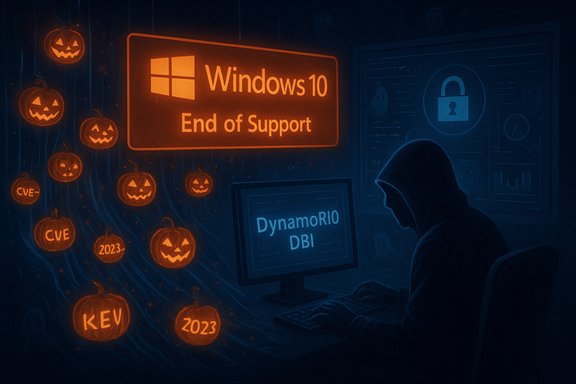
Cisco Talos’ Halloween-themed roundup lands like a reminder: the calendar has turned, Windows 10’s free mainstream support is over, critical infrastructure bugs keep surfacing, and defenders must choose whether to treat users to smooth migrations or get tricked by inertia and exposure. The Talos piece stitches three urgent threads together — Windows 10 End of Support and the consumer Extended Security Updates (ESU) caveats, a blistering pace of new CVEs and Known Exploited Vulnerabilities (KEVs), and an emergency WSUS remote‑code‑execution (RCE) incident — while also launching a practical Tool Talk on dynamic binary instrumentation (DBI) for analysts. Taken together, the message is simple and uncompromising: inventory, patch, instrument, and assume adversaries will weaponize whatever you leave exposed.
Microsoft’s formal end of mainstream support for Windows 10 fell on October 14, 2025. For everyday consumers this means Microsoft will stop shipping regular security updates to un-enrolled devices unless the owner enrolls in the consumer ESU program or moves to Windows 11 (or another supported platform). Microsoft’s official guidance lays out migration and ESU options and confirms that ESU enrollment is available as a short bridge to keep devices receiving critical and important updates through October 13, 2026. The company also lists platform prerequisites and enrollment mechanics for consumer ESU. Talos frames Microsoft’s ESU policy as a “trick-and-treat” moment: the “trick” is that the free, indefinite safety net is gone; the “treat” — at least for consumers in some jurisdictions — is a one-year ESU concession or a free enrollment path in the European Economic Area under local consumer law. The blog emphasizes one practical snag: the free ESU pathway has eligibility rules and technical prerequisites that don’t apply to commercial customers in the same way, and therefore administrators and families must check enrollment terms carefully before assuming a free pass. At the same time, Talos highlights an unrelenting upstream problem: vulnerabilities keep being published at a blistering rate, and the subset of those that are actively exploited (KEVs) remains stubbornly high. Talos’ telemetry and trending data show average daily CVE counts in 2025 plateauing at well over a hundred per day — a scale that makes backlog, prioritization and automation essential. External telemetry from vulnerability research groups independently corroborates that the rate of CVE publication and the number of actively exploited vulnerabilities rose through 2025. Treat Talos’ projections as conservative operational inputs: they reflect real telemetry and are consistent with other industry trackers.
Treat the windows in your estate like critical trust anchors: patch them, monitor them, and assume adversaries will look for the smallest foothold. Happy Halloween — and better yet, treat your environment to a clean, well‑patched future rather than a costly, reactive cleanup.
Source: Cisco Talos Blog Trick, treat, repeat
 Background / Overview
Microsoft’s formal end of mainstream support for Windows 10 fell on October 14, 2025. For everyday consumers this means Microsoft will stop shipping regular security updates to un-enrolled devices unless the owner enrolls in the consumer ESU program or moves to Windows 11 (or another supported platform). Microsoft’s official guidance lays out migration and ESU options and confirms that ESU enrollment is available as a short bridge to keep devices receiving critical and important updates through October 13, 2026. The company also lists platform prerequisites and enrollment mechanics for consumer ESU. Talos frames Microsoft’s ESU policy as a “trick-and-treat” moment: the “trick” is that the free, indefinite safety net is gone; the “treat” — at least for consumers in some jurisdictions — is a one-year ESU concession or a free enrollment path in the European Economic Area under local consumer law. The blog emphasizes one practical snag: the free ESU pathway has eligibility rules and technical prerequisites that don’t apply to commercial customers in the same way, and therefore administrators and families must check enrollment terms carefully before assuming a free pass. At the same time, Talos highlights an unrelenting upstream problem: vulnerabilities keep being published at a blistering rate, and the subset of those that are actively exploited (KEVs) remains stubbornly high. Talos’ telemetry and trending data show average daily CVE counts in 2025 plateauing at well over a hundred per day — a scale that makes backlog, prioritization and automation essential. External telemetry from vulnerability research groups independently corroborates that the rate of CVE publication and the number of actively exploited vulnerabilities rose through 2025. Treat Talos’ projections as conservative operational inputs: they reflect real telemetry and are consistent with other industry trackers. Windows 10 end of support and the ESU reality
What actually changed on October 14, 2025
Microsoft’s public support page states clearly that Windows 10 reached end of support on October 14, 2025: routine technical assistance, feature updates and free security updates cease for devices that are not enrolled in ESU. The company recommends upgrading eligible devices to Windows 11, buying new Windows 11‑capable hardware, or enrolling in the consumer ESU program for a one‑year extension to receive critical and important security fixes. For organizations, extended paid ESU options exist for longer terms. Key consumer-market points that matter now:- Free mainstream updates ended on October 14, 2025; ESU is a temporary bridge through October 13, 2026 for consumer devices.
- ESU enrollment requires meeting prerequisites (Windows 10 version eligibility, device configuration) and in some cases linking a Microsoft account; details and eligibility vary by region.
- Businesses and educational institutions have different ESU purchase options, which can extend support beyond the one‑year consumer window if needed.
Things the Talos note rightly flags (and what to verify yourself)
Talos’ “treat vs. trick” framing is useful because the ESU landscape is nuanced:- The EU/EEA consumer relief (free or facilitated ESU enrollment) was driven by consumer-protection considerations in some jurisdictions and may vary by country. Verify enrollment mechanisms for your locale rather than assuming uniform global terms.
- Enrollment and enrollment-method requirements changed versus older ESU programs (for example, Microsoft account linking and cloud‑backup prerequisites were publicized by multiple outlets). If you rely on ESU, read the enrollment FAQ and test the workflow on a small sample of devices before rolling out.
The vulnerability landscape: CVE and KEV trends you must treat as operational reality
Raw counts and what they mean for defenders
Talos’ Q3 telemetry noted roughly 35,000 CVEs by the end of September and a publication pace near ~130 CVEs per day, with a projected 2025 total that could approach ~47,000 CVEs if the trend continued. Treat those figures as telemetry-driven estimates rather than canonical counts; other industry trackers show the same directional trend — year‑over‑year volume increases and an uptick in memory‑safety and network‑edge vulnerabilities. Multiple vulnerability-intelligence providers (VulnCheck, Techzine and others) reported similar high daily averages in 2025 and noted an expanding vendor diversity among KEVs. Why this scale matters operationally:- Inventory friction multiplies: the sheer volume forces triage by exploitability and business impact, not by CVE number alone.
- KEVs (vulnerabilities with real exploit evidence) are the ones that must move to the top of the patch queue — and the KEV catalog itself continues to grow at a steady clip. VulnCheck and other trackers reported hundreds of KEV additions in 1H‑2025.
Known Exploited Vulnerabilities (KEVs): flattening is not safety
Talos observed that KEV counts remained high and that network gear and vendor diversity among KEVs increased. Independent vulnerability analysts report a similar pattern: while total KEV year‑to‑year differences may seem modest, the composition of KEVs shifts toward widely deployed infrastructure (edge gear, CMS plugins, content‑management components) — assets you’d normally consider high‑value. The practical result is that the KEV list should directly feed your prioritized remediation playbooks and your SIEM/EDR tuning.A deep dive: WSUS RCE — CVE‑2025‑59287 (why it mattered and what to do)
The incident in plain language
In mid‑October 2025 researchers disclosed an unsafe deserialization vulnerability in Windows Server Update Services (WSUS) that allowed unauthenticated, remote attackers to gain code execution in the WSUS process, which typically runs with SYSTEM privileges. The initial October Patch Tuesday mitigation was incomplete; Microsoft issued out‑of‑band (OOB) cumulative updates on October 23–24, 2025 to fully address the vulnerability (examples of the SKU‑specific OOB packages appear in Microsoft’s KB documentation). Because WSUS is a trusted update distributor for managed clients, a successful exploit can be used to push malicious updates — making a single WSUS compromise a potential enterprise‑scale disaster. Multiple incident‑response providers and security vendors observed scanning and exploitation attempts in the wild soon after PoC material circulated. CISA added CVE‑2025‑59287 to its Known Exploited Vulnerabilities catalog and issued strong remediation guidance, emphasizing immediate patching or compensating mitigations (disable WSUS role or block WSUS listener ports 8530/8531 if patching is delayed). Vendor write‑ups and response notes documented the attack vector as an unsafe deserialization chain and shared reproducible hunting indicators (IIS logs with suspicious POSTs to WSUS SOAP endpoints, wsusservice.exe/w3wp.exe process trees spawning cmd.exe/PowerShell, etc..Timeline and key facts (concise)
- Researchers disclosed an unsafe deserialization chain targeting WSUS web services in mid‑October 2025.
- Microsoft’s October Patch Tuesday included an initial mitigation; follow‑up analysis showed residual attack paths.
- Microsoft released out‑of‑band cumulative updates (Oct 23–24, 2025) that fully remedied the exploit vector; a reboot is required to complete mitigation.
- CISA added CVE‑2025‑59287 to the KEV catalog on Oct 24, 2025 and issued accelerated remediation guidance for federal civilian agencies — a bellwether for private sector urgency.
Why WSUS makes this vulnerability uniquely dangerous
WSUS is not enabled by default, but where it is used it is a trusted distribution channel. Compromise of WSUS can let attackers:- Tamper with approval metadata or update payloads, enabling widespread, trusted delivery of malicious code.
- Use WSUS servers as a pivot to reach domain‑joined endpoints and escalate breadth of compromise.
- Hide behaviors in expected update traffic patterns, complicating detection at the edge.
Immediate remediation checklist (prioritized)
- Patch first: Install Microsoft’s October 23–24 OOB cumulative update that contains the WSUS fix and reboot servers to complete the installation. Confirm the exact SKU package and SSU prerequisites before deploying.
- If you cannot patch immediately: disable the WSUS Server Role on the host OR block inbound TCP ports 8530/8531 at the host/network perimeter until the patch can be applied. Don’t re-enable until you’ve confirmed patch success.
- Hunt for indicators: scan IIS logs for POSTs to ApiRemoting30/WebService.asmx, ReportingWebService.asmx, and suspicious AuthorizationCookie payloads; look for wsusservice.exe or w3wp.exe spawning cmd.exe/PowerShell and outbound calls to ephemeral webhooks.
- If compromise is suspected: isolate the host, preserve memory and disk images, collect IIS and WSUS logs, and assume downstream clients may have been impacted; rebuild and validate WSUS catalog integrity as part of recovery.
Tool Talk: Talos’ DynamoRIO DBI primer — why this matters to Windows defenders
What is Dynamic Binary Instrumentation (DBI)?
DBI is a technique that lets you analyze and modify running binaries at the instruction level without source code. DBI frameworks like DynamoRIO provide APIs to instrument program execution, insert hooks, monitor or modify memory accesses and control flow, and implement custom runtime checks. This is invaluable for malware analysis, anti‑evasion research, performance profiling, and live behavioral monitoring. Talos’ new Tool Talk series starts with a hands‑on DBI guide using DynamoRIO on Windows 11, including sample code and practical build steps. If you work in malware analysis or incident response, DBI gives you a deterministic way to observe runtime behavior under controlled instrumentation.Practical benefits for defenders
- Deep runtime visibility: observe API calls, control-flow transfers, and deobfuscate runtime unpackers without altering original code on disk.
- Anti‑evasion work: instrument and neutralize common anti‑analysis tactics like timing checks, debugger checks, and self‑modifying code.
- Automated analysis pipelines: build DBI clients that extract behavioral fingerprints (APIs called, files modified, registry writes) to feed machine‑assisted triage.
- Performance profiling: identify inefficient code paths or bottlenecks in production workloads without source recompilation.
Practical next steps (for labs and SOCs)
- Clone the Talos example code and follow the DynamoRIO build instructions presented in the Tool Talk post.
- Start with a lightweight client that logs API calls and system interactions, then iterate to add mitigations or automated extraction of IOCs.
- Use virtualization and snapshotting to safely instrument suspicious binaries and collect artifacts for further static/dynamic correlation.
- Share tuned DBI clients internally — a small investment in tooling accelerates analyst throughput and reduces time to containment during incidents.
Hardening and operational recommendations — concrete, prioritized actions
Short-term (next 72 hours)
- Patch critical KEVs and deploy Microsoft’s WSUS OOB updates immediately where applicable; test in a pilot ring, then roll out broadly.
- Isolate or harden internet‑exposed management surfaces (WSUS, SNMP on network gear, remote management APIs). If you can’t patch, block TCP 8530/8531 for WSUS and limit SNMP exposure to management VLANs only.
- Verify whether consumer Windows 10 devices in your environment qualify for ESU and document enrollment decisions for business continuity.
Mid-term (30–90 days)
- Inventory and reduce attack surface: map which servers run update infrastructure (WSUS, SCCM) and ensure they are segmented and monitored.
- Bake KEV-driven patching into your vulnerability-management SLOs: an explicit SLA (for example, apply patches for KEVs within 7 days) aligns your patch cadence to real exploit risk.
- Deploy and tune detection signatures for known exploit patterns: look for suspicious SOAP POSTs, deserialization anomalies and suspicious child processes of trustworthy services (w3wp.exe, wsusservice.exe).
Strategic (quarterly and ongoing)
- Invest in DBI and advanced dynamic tooling to strengthen analysis capabilities for evasive payloads; Talos’ Tool Talk and DynamoRIO are good starting points to build repeatable analyst workflows.
- Move critical management services to hardened, ephemeral or cloud‑hosted alternatives if they reduce exposure and centralize patching. Consider Microsoft Update/Windows Update for Business or cloud patch distribution where WSUS management is a bottleneck.
- Maintain a running KEV‑driven playbook: map KEV items to affected assets, required mitigations, and communications templates — this shortens response time when new KEVs are added.
Strengths, weaknesses, and risk calculus in Talos’ messaging
Strengths
- Talos combines telemetry with practical, prescriptive actions: the post doesn’t stop at alarmism but walks admins through mitigation priorities and tooling opportunities (DBI).
- The blog pushes defenders to treat infrastructure‑service compromises (like WSUS) as supply‑chain events — a high‑value mindset that reflects real attacker tradecraft.
Potential blind spots and risks
- Aggregated CVE projections (35k by September; projection toward ~47k for 2025) are useful for modeling but should be treated as telemetry-driven estimates rather than absolute counts. Different trackers apply differing inclusion rules, so reconcile multiple feeds before converting headline numbers into SLA decisions. Talos’ numbers align with independent trackers, but operational decisions should use canonical inventories and internal telemetry as primary inputs.
- Tooling like DBI is powerful but requires skilled operators and sandboxing discipline; rolling DBI into production workflows without adequate safety and governance can introduce risk (instrumentation-induced instability, data privacy captures). Talos’ example mitigates this by providing step‑by‑step guidance — treat it like a lab project first.
Conclusion — what to do right now
Talos’ “Trick, treat, repeat” is less a Halloween gag than a practical alarm bell for Windows administrators and security teams. The combined facts are clear:- Windows 10 mainstream support ended on October 14, 2025; consumer ESU exists as a one‑year bridge (with eligibility caveats) and businesses have paid options. Confirm enrollment prerequisites and plan migrations.
- The vulnerability landscape is high‑volume and fast; prioritize KEVs and treat trusted infrastructure like WSUS as top‑tier assets. The WSUS RCE (CVE‑2025‑59287) required an out‑of‑band update and immediate remediation because of supply‑chain implications.
- Invest in instrumentation and analysis tooling (DynamoRIO/DBI) to harden your analysis pipeline and to reduce mean‑time‑to‑detect for evasive threats. Talos’ Tool Talk is a practical starting point for labs and SOCs.
Treat the windows in your estate like critical trust anchors: patch them, monitor them, and assume adversaries will look for the smallest foothold. Happy Halloween — and better yet, treat your environment to a clean, well‑patched future rather than a costly, reactive cleanup.
Source: Cisco Talos Blog Trick, treat, repeat
