

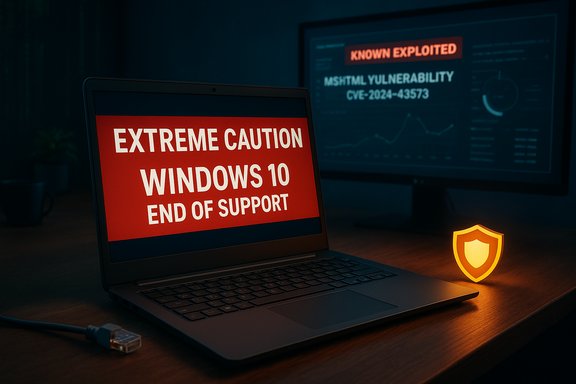
A consumer‑facing warning telling people to take “extreme caution” with certain Windows installations has quickly become the dominant narrative in local and national coverage — and for good reason: Microsoft has ended mainstream support for Windows 10, multiple actively‑exploited legacy flaws remain in circulation, and consumer advice now explicitly recommends disconnecting unsupported machines from the Internet if they cannot be upgraded or patched immediately.
Since the mid‑2010s Microsoft has published a formal lifecycle for Windows releases: when a release reaches its end‑of‑support date it no longer receives feature updates, technical support, or routine security patches from Microsoft. That change in status turns any remaining Internet‑connected machines running an unsupported version into progressively larger attack surfaces as new vulnerabilities are discovered and weaponised. Microsoft’s own lifecycle pages confirm that Windows 10 reached end of support on October 14, 2025 — after that date Windows Update no longer delivers free security fixes for mainstream Windows 10 editions. At the same time, national cybersecurity agencies and commercial security vendors continue to catalogue and warn about vulnerabilities that affect both legacy Windows components and current releases configured with legacy compatibility code. One of the most important recent examples is CVE‑2024‑43573, an MSHTML (the legacy Internet Explorer / WebBrowser engine) platform‑spoofing vulnerability that was added to government known‑exploited lists and flagged as actively exploited in the wild. Advisories published in vulnerability databases and by vendors list the flaw as serious and recommend applying vendor mitigations or discontinuing use of affected features. That combination — a mass of devices transiting to unsupported status and a continuing stream of weaknesses in legacy components — is why consumer organisations have moved from “upgrade when convenient” to urgent, specific guidance.
From a policy perspective, the practical options are limited: extended support programs and clearer lifecycle communications are useful stopgaps, but the sustainable solution remains migration to supported platforms and a tighter lifecycle policy that better matches modern security tempo.
Conclusion: the “extreme caution” guidance is proportionate and actionable. It reduces immediate exposure, aligns with Microsoft’s lifecycle reality, and focuses consumer attention on concrete steps: identify, isolate, back up, and migrate. The public conversation should now move from alarm to execution — verified backups, careful isolation, and a realistic timetable to upgrade or retire unsupported Windows machines are the priorities that will materially reduce risk.
Source: Plymouth Live https://www.plymouthherald.co.uk/ne...ike_this&int_medium=web&int_source=mantis_rec
 Background / Overview
Since the mid‑2010s Microsoft has published a formal lifecycle for Windows releases: when a release reaches its end‑of‑support date it no longer receives feature updates, technical support, or routine security patches from Microsoft. That change in status turns any remaining Internet‑connected machines running an unsupported version into progressively larger attack surfaces as new vulnerabilities are discovered and weaponised. Microsoft’s own lifecycle pages confirm that Windows 10 reached end of support on October 14, 2025 — after that date Windows Update no longer delivers free security fixes for mainstream Windows 10 editions. At the same time, national cybersecurity agencies and commercial security vendors continue to catalogue and warn about vulnerabilities that affect both legacy Windows components and current releases configured with legacy compatibility code. One of the most important recent examples is CVE‑2024‑43573, an MSHTML (the legacy Internet Explorer / WebBrowser engine) platform‑spoofing vulnerability that was added to government known‑exploited lists and flagged as actively exploited in the wild. Advisories published in vulnerability databases and by vendors list the flaw as serious and recommend applying vendor mitigations or discontinuing use of affected features. That combination — a mass of devices transiting to unsupported status and a continuing stream of weaknesses in legacy components — is why consumer organisations have moved from “upgrade when convenient” to urgent, specific guidance.What the “extreme caution” warning says (and where it came from)
Which?, the UK consumer champion, published guidance in November 2025 that calls out ageing devices and obsolete technologies as real and avoidable household risks. The organisation explicitly lists Windows 10 (and older Windows releases) as items users should treat with “extreme caution,” and it recommends disconnecting unsupported machines from the Internet until a secure upgrade or vendor patch is available. Which? frames the instruction as a pragmatic short‑term mitigation rather than a permanent solution: disconnect to reduce remote exposure, then plan an upgrade or obtain an appropriate extended support arrangement. Local and national news outlets picked up the same message and summarised it in headline form; the result has been broad public awareness and a spike in readers asking how to check their Windows version, whether they are affected, and what steps will actually make a device safer. Community technical threads and forums have mirrored the concern, helping translate the high‑level warning into concrete, step‑by‑step mitigation advice for home users and small organisations.Why “disconnect from the Internet” is now a sensible short‑term mitigation
The technical rationale, in plain language
- Unsupported OS = no vendor patches. Once Microsoft stops shipping security updates for a Windows build, newly discovered flaws will not be fixed for that build. Attackers routinely patch‑diff — examining fixes for supported versions to create exploits that also work against older, unpatched versions. That “forever‑day” effect makes unsupported devices long‑term targets.
- Legacy components linger. Windows retains backward‑compatibility engines such as MSHTML and WebBrowser control that are still used by third‑party applications and help systems. Vulnerabilities in those components have been actively exploited and therefore remain a live threat even on newer builds that expose the same legacy surface.
- Low complexity, high impact. Many attacks that target MSHTML and similar legacy code use social engineering (malicious attachments, crafted documents or links). These vectors require minimal sophistication from the attacker to cause serious compromise if the underlying engine is vulnerable.
Which Windows versions and systems are most affected
- Windows 10 (Home, Pro, Enterprise, Education) — mainstream support ended on October 14, 2025; unpatched installs are at elevated risk unless enrolled in Extended Security Updates (ESU) or migrated.
- Older releases (Windows 7, 8/8.1, and other unsupported variants) — long‑term unsupported and high‑risk if connected to the Internet.
- Windows Server builds and Server Core installations that rely on legacy components — these are also referenced in advisories when specific vulnerabilities affect server‑side subsystems.
- Apps and subsystems using MSHTML / embedded browser controls — even on otherwise supported machines, if applications use the legacy engine they can expose the host to MSHTML‑class flaws such as CVE‑2024‑43573. Government KEV entries and vendor databases list MSHTML vulnerabilities as known exploited, which makes them priority remediation items for both home and enterprise administrators.
The current threat picture: active exploits and known vulnerabilities
Multiple public repositories and vendor advisories show MSHTML vulnerabilities being added to government “known exploited vulnerabilities” lists and observed in targeted campaigns. CVE‑2024‑43573 is a concrete instance: its technical classification is platform‑spoofing / XSS in MSHTML, and it was added to KEV lists with government guidance to apply mitigations or discontinue use if mitigations are unavailable. Security vendors have produced technical analyses and detection signatures for the issue, and national health-sector cyber teams and CERTs have included MSHTML‑class problems in their incident advisories. This isn’t hypothetical risk — it is documented active exploitation. Other classes of flaws continue to appear — remote code execution in network stacks, SMB‑related high‑severity bugs, and printer spooler escalation issues have all surfaced in recent months — reinforcing the same message: unpatched or out‑of‑support systems are attractive targets because defenders are no longer guaranteed timely fixes.Strengths and limitations of the “extreme caution” advice
Notable strengths
- Clarity for non‑technical users: Telling people to disconnect a vulnerable device is actionable and immediate. Non‑technical households can perform this step quickly (disable Wi‑Fi, unplug Ethernet) and materially reduce exposure.
- Aligned with vendor lifecycle reality: The advice follows Microsoft’s published end‑of‑support dates and mouths the natural consequence: unsupported systems are less secure.
- Reduces automation scale: Many mass‑exploitation campaigns rely on scanning or automated targeting; isolating devices removes them from the opportunistic attack surface those campaigns rely upon.
Limitations and potential harms
- Not a long‑term fix: Disconnecting a device does not patch it. Reconnecting without addressing vulnerabilities re‑exposes the device.
- User burden and functional loss: Many users depend on Internet connections for backups, cloud sync, and day‑to‑day services. Disconnecting may break convenience workflows and inadvertently cause data‑loss if backups stop.
- False comfort: A disconnected device can still be infected if it was compromised prior to disconnection, or if removable media brings new payloads. The step is containment, not remediation.
Practical, prioritised action plan — what to do right now
- Immediate triage
- Identify devices running unsupported Windows builds. On each PC, open Settings → System → About or run winver to confirm the version and build.
- If a machine is running an unsupported version and is not required for Internet‑dependent tasks, disconnect it from the Internet now: disable Wi‑Fi, unplug Ethernet, turn off Bluetooth. This reduces the chance of remote compromise.
- Verify backups and preserve evidence
- Take verified, offline backups of important data to an external drive or a trusted cloud account (from a known‑good device).
- If you suspect compromise, do not reconnect; instead image the disk for forensic analysis and reset credentials from another secure machine.
- Apply mitigations where patching isn’t possible
- If the device must stay online for specific local tasks, isolate it behind strict firewall rules, VLANs or by using a dedicated gateway with egress controls.
- Disable legacy features you do not need (for example, MSHTML/IE mode where feasible, or legacy remote admin interfaces).
- Ensure endpoint protection is active and signatures/behavioural detection are up to date.
- Plan migration or ESU
- Check if the PC meets Windows 11 requirements (use the PC Health Check tool). If it does, schedule the upgrade and update drivers before upgrading.
- If the device cannot run Windows 11, evaluate the Extended Security Updates (ESU) option to buy short‑term protection, or plan a hardware refresh or OS migration. ESU availability and terms vary by consumer/business class.
- For business environments
- Prioritise devices that store or access sensitive data.
- Use EDR/IDS tools to detect suspicious outbound connections and unusual process behaviour.
- Document all mitigation decisions, timelines, and compensating controls for compliance and audit records.
How to check if you’re affected (concise checklist)
- Open Settings → System → About or run winver. Confirm whether you are on Windows 10 (any edition) or an older release.
- If you are still on Windows 10 and have not installed an ESU, treat the installation as unsupported for routine security patches.
- If you use legacy business apps that rely on Internet Explorer/embedded browser controls, assume you have potential MSHTML exposure and hard‑isolate those machines until you can test and patch the apps.
Recommendations for specific audiences
Home users
- Disconnect any unsupported PC that will not be upgraded within a short timeframe.
- Use an up‑to‑date second device (phone, tablet or another PC) to move data: enable secure backups and transfer personal files to a supported machine.
- If you cannot replace hardware immediately, consider switching to a supported Linux distribution for web/email/office tasks until you can upgrade to a secure Windows 11 device.
Small businesses
- Prioritise patching and inventory: which machines host customer data, bookkeeping, or mail servers? Those get top priority.
- Consider a staged migration to cloud desktops (Windows 365 or Azure Virtual Desktop) if local hardware upgrades are cost‑prohibitive.
- If running legacy apps that require IE/Trident, isolate them in dedicated VMs behind strict network controls.
Enterprises and IT teams
- Treat known‑exploited CVEs (MSHTML and others) as emergency tickets. Follow national CERT and CISA guidance for mitigations and apply vendor patches promptly.
- Use micro‑segmentation, JIT admin and zero‑trust controls to limit lateral movement from any legacy host.
- If ESU is being used, document the scope and lifecycle of that extension and plan retirement timelines — ESU is a temporary bridge, not an indefinite fix.
The bigger picture: policy, lifecycle management and vendor incentives
The present situation highlights an industry trade‑off: backward compatibility vs. long‑term security. Microsoft’s commitment to compatibility helps enterprises keep legacy applications running, but it also extends attack surface and prolongs the lifespan of insecure code paths (like MSHTML). Governments and consumer protection bodies now face tough choices when a widely used OS reaches end of support at scale: issuing guiding mandates (patch now, isolate old systems), encouraging ESU programs, or advising consumers to buy new hardware.From a policy perspective, the practical options are limited: extended support programs and clearer lifecycle communications are useful stopgaps, but the sustainable solution remains migration to supported platforms and a tighter lifecycle policy that better matches modern security tempo.
What we cannot verify (cautionary notes)
- Any individual article headline that used dramatic phrasing may not have preserved the exact wording the consumer body used; local news pages sometimes use compressed language to attract attention. The underlying technical facts — Microsoft’s published lifecycle and the presence of actively exploited MSHTML vulnerabilities — are verifiable and are the basis for the cautionary advice. Treat the “disconnect” instruction as tactical containment guidance, not a claim that the OS will instantly fail when support ends.
- Specific exploit campaign attribution (naming the threat actors or exact campaign details) can change as forensic investigations proceed. For public guidance, focus on the mitigations and lifecycle realities rather than transient claims about which actor carried out which attack.
Quick reference: one‑page checklist to act on today
- Check each PC: Settings → System → About (or winver). Note Windows version and build.
- If the OS is unsupported and the device is not essential online, disconnect it now (disable Wi‑Fi, unplug Ethernet).
- From a safe device, back up important files to an offline drive or trusted cloud.
- If you must stay online, isolate the host behind a strict firewall, disable legacy features you don’t need, and enable full endpoint protection.
- Plan migration: upgrade to Windows 11 if eligible, purchase ESU as a stopgap if necessary, or replace hardware.
- For suspected compromises, do not reconnect: image the disk, reset credentials from a known‑good device, and consider professional incident response.
Final analysis — what readers should take away
The headline “extreme caution” is blunt by design, but it reflects a concrete technical risk: Windows installations that lack vendor security updates are attractive targets, and legacy components (notably MSHTML) remain a live vector for exploitation. Microsoft’s own lifecycle schedule, which made Windows 10 unsupported as of October 14, 2025, is the structural reason this advice is being issued. For most home users and small businesses the immediate, highest‑value actions are straightforward and achievable: verify which machines are affected, back up important data, isolate or disconnect unsupported hosts, and schedule either an upgrade to a supported OS or a controlled retirement of the hardware. For organisations, the calculus includes compliance, insurance, and the business cost of twin tracks (supporting legacy apps vs. migrating). But the operational bottom line is the same: disconnect is a short‑term containment move; migration or verified vendor support is the durable solution. Treat the consumer warnings seriously — and use the breathing space they provide to move data to safe platforms, plan a measured migration, and harden remaining hosts until they are no longer a liability.Conclusion: the “extreme caution” guidance is proportionate and actionable. It reduces immediate exposure, aligns with Microsoft’s lifecycle reality, and focuses consumer attention on concrete steps: identify, isolate, back up, and migrate. The public conversation should now move from alarm to execution — verified backups, careful isolation, and a realistic timetable to upgrade or retire unsupported Windows machines are the priorities that will materially reduce risk.
Source: Plymouth Live https://www.plymouthherald.co.uk/ne...ike_this&int_medium=web&int_source=mantis_rec
