

Microsoft’s decision to extend security coverage for Windows 10 Enterprise 2016 LTSB is a reminder that the operating system’s “ten-year” story is not ending in one clean line. For organizations still dependent on that release, the new Extended Security Updates option is not a revival of support so much as a paid bridge across a hard lifecycle boundary. It buys time, but only time, and Microsoft is making that very clear. The real message is that the company wants customers moving to newer LTSC releases or Windows 11, even as it opens one more escape hatch for those who cannot move quickly enough. (techcommunity.microsoft.com)
Windows 10 Enterprise 2016 LTSB sits in an unusual place in Microsoft’s lifecycle history. It is old enough to be considered a legacy platform, yet modern enough to remain embedded in enterprises, industrial systems, and regulated environments that prize stability over novelty. Microsoft’s official lifecycle page places its extended end date at October 13, 2026, while the Windows IT Pro blog now confirms that ESUs are available as of April 1, 2026. That combination creates a narrow but important window for organizations that still need operational continuity. (learn.microsoft.com)
The company’s terminology also matters. LTSB is the older branding for the long-term servicing model, and Microsoft now frames these releases in the broader LTSC family. That wording shift is not cosmetic. It reflects how Microsoft has spent years trying to simplify Windows servicing while still keeping a special path alive for devices that cannot tolerate the churn of feature updates. In practice, the old naming lives on because the installed base lives on. (techcommunity.microsoft.com)
Microsoft first signaled this direction in February 2026, when it told administrators to plan for the end of support for Windows 10 Enterprise LTSB 2016, Windows 10 IoT Enterprise LTSB 2016, and Windows Server 2016. At the time, the message was still partially forward-looking: ESUs would come later in the year, pricing details would follow, and the company recommended newer releases such as Windows 11 Enterprise LTSC 2024 or Windows Server 2025 where hardware and workloads permitted. The latest update turns that planning into a commercial program. (techcommunity.microsoft.com)
There is also a broader market context here. Microsoft has already used ESUs to soften the landing for Windows 10 version 22H2 after mainstream support ended, and it is now applying the same logic to older fixed-life editions. That strategy reduces the shock of an abrupt cutoff, but it also reinforces a new reality: support is increasingly something you rent, not something you inherit indefinitely. For Microsoft, that’s a way to manage risk and revenue at the same time. For customers, it is another line item in the cost of delay. (microsoft.com)
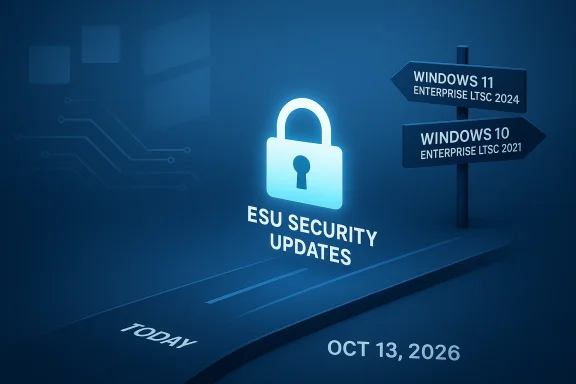
The timeline is equally important. Microsoft says Windows 10 Enterprise 2016 LTSB will reach end of support on October 13, 2026, and the ESU program is available through Volume Licensing or a Microsoft Cloud Solution Provider in the second quarter of 2026. In other words, the company is allowing customers to buy protection before the deadline arrives, rather than waiting until the last moment. That should help planners, but it also means the clock is already ticking. (techcommunity.microsoft.com)
At the same time, Microsoft is signaling that it does not want ESU to become a habit. The blog repeatedly encourages migration to Windows 11 Enterprise LTSC 2024 or Windows 10 Enterprise LTSC 2021 where possible. That’s not just a product recommendation. It is a governance statement about where Microsoft believes the Windows platform should be headed. (techcommunity.microsoft.com)
Microsoft’s separate pricing-consistency update, published on March 27, 2026, adds another layer to the story. The company says Windows and SQL Server ESU offerings released on or after April 1, 2026 will use the same pricing whether purchased in Azure or outside Azure, and regardless of channel. That suggests Microsoft is trying to remove ambiguities that used to frustrate enterprise buyers. It also reinforces the idea that ESU is becoming a standardized commercial product rather than an ad hoc exception. (microsoft.com)
For customers, this creates a strategic choice. Paying less for ESU via Microsoft’s management tools may be rational, but it also deepens dependence on Microsoft’s endpoint ecosystem. Some organizations will welcome that integration. Others will see it as a subtle nudge toward vendor lock-in dressed up as pricing efficiency. Both interpretations are fair. The difference often comes down to who controls the budget and who owns the tooling. (techcommunity.microsoft.com)
The company is also using the Server 2016 announcement to direct attention to Windows Server 2025, which it describes as the most secure and cloud-connected version yet. That language is unmistakably promotional, but it also fits a pattern. Microsoft tends to pair end-of-support notices with upgrade narratives that make the next version sound like both a security improvement and an operational simplification. (microsoft.com)
There is also a competitive implication here. By formalizing ESU for older server and desktop platforms, Microsoft reduces the appeal of delay-based alternatives. Organizations considering whether to cling to a stable but aging Windows build now have a sanctioned path, not a workaround. That tends to keep customers inside the Microsoft ecosystem, even if they are not ready to upgrade yet. (techcommunity.microsoft.com)
Microsoft’s own language hints at that tension. The blog emphasizes that the latest LTSC releases are the “best experience,” which in Microsoft terms means the best mix of support, security, and manageability. That phrase also carries an implicit warning: older LTSC/LTSB builds may be serviceable, but they are no longer the preferred place to stand. (techcommunity.microsoft.com)
That distinction also explains why Microsoft structures the program the way it does. Consumer expectations center on convenience and continuity. Enterprise expectations center on policy, cost, and auditability. The ESU arrangement is engineered for the second audience, not the first. (techcommunity.microsoft.com)
The pricing updates also show Microsoft trying to reduce friction across purchase channels. The more standardized the ESU model becomes, the less opportunity there is for customers to shop around for structural differences between Azure and on-premises support paths. That does not eliminate competition, but it does make the Microsoft stack feel more coherent and less fragmented. (microsoft.com)
That tension is not a sign of failure. It is the nature of lifecycle management in a market where many organizations have no appetite for disruption. Microsoft is trying to control the pace of change so that competitors do not capture frustrated customers during the transition. In effect, the ESU program is both a service and a moat. (techcommunity.microsoft.com)
Microsoft’s recommendation to use Intune or Autopatch-managed devices also suggests that organizations should examine their endpoint-management maturity. If you are still relying on manual processes for a fleet this old, ESU may be only a partial answer. The deeper issue is whether your management stack is ready for a post-LTSB world. (techcommunity.microsoft.com)
What to watch now is adoption behavior. If many organizations buy only one year of ESU, that would imply a genuine transition path is underway. If they buy all three years, it would suggest the legacy installed base is more stubborn than Microsoft would like. Either outcome tells us something important about how quickly the Windows ecosystem can actually move. (techcommunity.microsoft.com)
Source: Neowin A ten-year old Windows version now has official extended support from Microsoft
 Overview
Windows 10 Enterprise 2016 LTSB sits in an unusual place in Microsoft’s lifecycle history. It is old enough to be considered a legacy platform, yet modern enough to remain embedded in enterprises, industrial systems, and regulated environments that prize stability over novelty. Microsoft’s official lifecycle page places its extended end date at October 13, 2026, while the Windows IT Pro blog now confirms that ESUs are available as of April 1, 2026. That combination creates a narrow but important window for organizations that still need operational continuity. (learn.microsoft.com)The company’s terminology also matters. LTSB is the older branding for the long-term servicing model, and Microsoft now frames these releases in the broader LTSC family. That wording shift is not cosmetic. It reflects how Microsoft has spent years trying to simplify Windows servicing while still keeping a special path alive for devices that cannot tolerate the churn of feature updates. In practice, the old naming lives on because the installed base lives on. (techcommunity.microsoft.com)
Microsoft first signaled this direction in February 2026, when it told administrators to plan for the end of support for Windows 10 Enterprise LTSB 2016, Windows 10 IoT Enterprise LTSB 2016, and Windows Server 2016. At the time, the message was still partially forward-looking: ESUs would come later in the year, pricing details would follow, and the company recommended newer releases such as Windows 11 Enterprise LTSC 2024 or Windows Server 2025 where hardware and workloads permitted. The latest update turns that planning into a commercial program. (techcommunity.microsoft.com)
There is also a broader market context here. Microsoft has already used ESUs to soften the landing for Windows 10 version 22H2 after mainstream support ended, and it is now applying the same logic to older fixed-life editions. That strategy reduces the shock of an abrupt cutoff, but it also reinforces a new reality: support is increasingly something you rent, not something you inherit indefinitely. For Microsoft, that’s a way to manage risk and revenue at the same time. For customers, it is another line item in the cost of delay. (microsoft.com)
What Microsoft Actually Announced
The most important detail in the announcement is not just that ESU exists, but how tightly it is scoped. Microsoft says the program delivers critical and important security updates only, and it explicitly notes that ESUs do not add new features, quality fixes, or design changes. Technical support is limited to license activation, monthly ESU installation issues, and problems caused by the updates themselves. That distinction is crucial because many organizations still confuse “extended support” with “full support.” It is not the same thing. (techcommunity.microsoft.com)The support boundary is narrow
Microsoft is careful to say that ESU does not extend technical support for the platform in the ordinary sense. The company is not promising product improvement, modernization help, or general troubleshooting for the operating system. It is providing a security patch lane, and nothing more. That makes ESU a compliance and risk-management measure, not a comfort blanket. (techcommunity.microsoft.com)The timeline is equally important. Microsoft says Windows 10 Enterprise 2016 LTSB will reach end of support on October 13, 2026, and the ESU program is available through Volume Licensing or a Microsoft Cloud Solution Provider in the second quarter of 2026. In other words, the company is allowing customers to buy protection before the deadline arrives, rather than waiting until the last moment. That should help planners, but it also means the clock is already ticking. (techcommunity.microsoft.com)
Why this matters to enterprises
For enterprises, the practical value of ESU is obvious. Legacy line-of-business software, specialized drivers, and compliance-bound devices rarely move on a clean schedule. A school district, manufacturer, hospital, or government office may have a functioning estate that is technically old but operationally indispensable. In those cases, an ESU bridge can be the difference between an orderly migration and a forced, high-risk rush. (techcommunity.microsoft.com)At the same time, Microsoft is signaling that it does not want ESU to become a habit. The blog repeatedly encourages migration to Windows 11 Enterprise LTSC 2024 or Windows 10 Enterprise LTSC 2021 where possible. That’s not just a product recommendation. It is a governance statement about where Microsoft believes the Windows platform should be headed. (techcommunity.microsoft.com)
The Pricing Model and Why It Stands Out
Microsoft’s pricing is where the announcement becomes more controversial. The first year of ESU for Windows 10 Enterprise 2016 LTSB is priced at $61 per device, or $45 per device for devices managed by Intune or Windows Autopatch. Microsoft also says the price doubles each consecutive year, up to a maximum of three years, and that enrollment is cumulative. If a customer joins in year two, they must still pay for year one. (techcommunity.microsoft.com)Cumulative billing changes the economics
That cumulative rule is easy to miss, but it materially changes the financial decision. It means ESU is not simply a subscription you can start whenever convenient. It is a ladder, and late entry costs more than late entry would cost in many other software programs. The model is designed to push organizations either to migrate promptly or to pay a premium for hesitation. (techcommunity.microsoft.com)Microsoft’s separate pricing-consistency update, published on March 27, 2026, adds another layer to the story. The company says Windows and SQL Server ESU offerings released on or after April 1, 2026 will use the same pricing whether purchased in Azure or outside Azure, and regardless of channel. That suggests Microsoft is trying to remove ambiguities that used to frustrate enterprise buyers. It also reinforces the idea that ESU is becoming a standardized commercial product rather than an ad hoc exception. (microsoft.com)
The Intune and Autopatch discount is strategic
The discounted price for Intune and Autopatch managed devices is more than a nice-to-have incentive. It is a deliberate push toward Microsoft’s own management stack. The company is effectively saying: if you want the cheapest ESU path, adopt the tools that let us see and manage the fleet more efficiently. That is a classic platform play, and it aligns lifecycle economics with Microsoft’s cloud and endpoint-management ambitions. (techcommunity.microsoft.com)For customers, this creates a strategic choice. Paying less for ESU via Microsoft’s management tools may be rational, but it also deepens dependence on Microsoft’s endpoint ecosystem. Some organizations will welcome that integration. Others will see it as a subtle nudge toward vendor lock-in dressed up as pricing efficiency. Both interpretations are fair. The difference often comes down to who controls the budget and who owns the tooling. (techcommunity.microsoft.com)
Windows Server 2016 and the Broader Pattern
Microsoft did not isolate Windows 10 Enterprise 2016 LTSB in this announcement. It also discussed Windows Server 2016, which will reach extended support end on January 12, 2027. The Server 2016 blog post says ESUs are now available and are delivered through Azure Arc, with security updates accessible through the Azure portal. Microsoft frames this as a cloud-connected transition path rather than a simple boxed product extension. (microsoft.com)Azure Arc is part of the strategy
That delivery model matters because it shows where Microsoft wants the lifecycle conversation to go. By tying ESU for Server 2016 to Azure Arc, Microsoft is promoting centralized management, subscription billing, and a more unified hybrid-control plane. The message is clear: even when customers keep old servers alive, Microsoft wants them managed in a modern cloud-aware framework. (microsoft.com)The company is also using the Server 2016 announcement to direct attention to Windows Server 2025, which it describes as the most secure and cloud-connected version yet. That language is unmistakably promotional, but it also fits a pattern. Microsoft tends to pair end-of-support notices with upgrade narratives that make the next version sound like both a security improvement and an operational simplification. (microsoft.com)
Temporary bridges, permanent pressure
The broader pattern is easy to see. Microsoft does not want customers to view ESU as an endpoint. It wants them to see it as a temporary bridge while they modernize. That’s why the blog calls ESU a “gift of time” while simultaneously recommending the latest LTSC releases and newer server generations. The corporation is offering mercy, but only in service of migration. (techcommunity.microsoft.com)There is also a competitive implication here. By formalizing ESU for older server and desktop platforms, Microsoft reduces the appeal of delay-based alternatives. Organizations considering whether to cling to a stable but aging Windows build now have a sanctioned path, not a workaround. That tends to keep customers inside the Microsoft ecosystem, even if they are not ready to upgrade yet. (techcommunity.microsoft.com)
Why LTSB/LTSC Systems Are Different
Long-term servicing releases exist because not every computer should chase the latest feature wave. Devices embedded in manufacturing, healthcare, kiosks, labs, point-of-sale systems, and regulated environments often prioritize predictability over novelty. That is why Microsoft kept a separate servicing track in the first place. The company knows that some environments need software that behaves more like infrastructure than like a consumer platform. (techcommunity.microsoft.com)Stability is the point, but it comes at a cost
The tradeoff is obvious: the more stable the platform, the more likely it is to become obsolete in all the ways that matter to security and compatibility. Over time, driver support narrows, application vendors shift their minimum requirements, and tooling around identity, device management, and hardware security evolves. A machine can still boot perfectly while slowly drifting outside the support envelope around it. That is the hidden risk in long-lived deployments. (techcommunity.microsoft.com)Microsoft’s own language hints at that tension. The blog emphasizes that the latest LTSC releases are the “best experience,” which in Microsoft terms means the best mix of support, security, and manageability. That phrase also carries an implicit warning: older LTSC/LTSB builds may be serviceable, but they are no longer the preferred place to stand. (techcommunity.microsoft.com)
Enterprise versus consumer impact
For consumers, this story is largely about Windows 10’s broader end-of-support aftermath and the pressures to move on. For enterprises, the issue is more surgical. Many organizations are not resisting upgrades out of stubbornness; they are constrained by software certification, hardware dependencies, or budgeting cycles. ESU gives them room to breathe, but it does not remove the need to make hard decisions. (techcommunity.microsoft.com)That distinction also explains why Microsoft structures the program the way it does. Consumer expectations center on convenience and continuity. Enterprise expectations center on policy, cost, and auditability. The ESU arrangement is engineered for the second audience, not the first. (techcommunity.microsoft.com)
Competitive and Market Implications
Microsoft’s move may look like a narrow lifecycle notice, but it has broader competitive consequences. Every time the company extends the useful life of an old Windows release through a formal paid program, it reduces the incentive for customers to defect to alternate platforms in a panic. That does not mean customers will rush to Windows 11. It means they are less likely to make a risky jump to a different ecosystem simply because they fear an immediate security cliff. (techcommunity.microsoft.com)It keeps the migration inside Microsoft’s walls
In a very practical sense, ESU is a retention tool. It gives hesitant organizations a sanctioned off-ramp that still keeps them in Microsoft’s orbit. If the choice is between an expensive ESU bridge and an unplanned platform migration, many customers will choose the bridge. That is especially true when the downstream application stack is deeply tied to Microsoft identity, endpoint management, and server tooling. (techcommunity.microsoft.com)The pricing updates also show Microsoft trying to reduce friction across purchase channels. The more standardized the ESU model becomes, the less opportunity there is for customers to shop around for structural differences between Azure and on-premises support paths. That does not eliminate competition, but it does make the Microsoft stack feel more coherent and less fragmented. (microsoft.com)
Rivals still benefit from Windows fatigue
At the same time, Microsoft’s approach creates openings for rivals. Every announcement about paid extended support also reminds customers that staying with Windows is not free, easy, or forever. Managed Linux offerings, ChromeOS-based alternatives, and virtual desktop strategies all become more attractive when the cost of delay becomes explicit. Microsoft’s bridge can therefore both retain customers and sharpen their awareness that alternatives exist. (techcommunity.microsoft.com)That tension is not a sign of failure. It is the nature of lifecycle management in a market where many organizations have no appetite for disruption. Microsoft is trying to control the pace of change so that competitors do not capture frustrated customers during the transition. In effect, the ESU program is both a service and a moat. (techcommunity.microsoft.com)
What Administrators Should Take from This
Administrators should read the announcement as a planning trigger, not a reprieve to ignore. The relevant deadlines are concrete: October 13, 2026 for Windows 10 Enterprise 2016 LTSB and January 12, 2027 for Windows Server 2016. The existence of ESU means you have options, but it does not change the date on which native support ends. (learn.microsoft.com)A simple decision framework helps
A good approach is to separate devices into three buckets: upgrade now, bridge temporarily, or retire. That sounds basic, but many organizations blur those categories until the last minute. The ESU announcement is useful precisely because it forces clarity. If a device cannot be upgraded because of hardware or application constraints, the question becomes how long you are willing to pay for that exception. (techcommunity.microsoft.com)Microsoft’s recommendation to use Intune or Autopatch-managed devices also suggests that organizations should examine their endpoint-management maturity. If you are still relying on manual processes for a fleet this old, ESU may be only a partial answer. The deeper issue is whether your management stack is ready for a post-LTSB world. (techcommunity.microsoft.com)
Practical steps worth prioritizing
- Inventory every Windows 10 2016 LTSB device and confirm its business owner.
- Identify dependencies that prevent migration, especially line-of-business apps and legacy drivers.
- Compare the cost of ESU against the cost of remediation or replacement.
- Validate whether Intune or Autopatch management would reduce ESU cost.
- Decide now whether Server 2016 workloads can move to Server 2025 or Azure.
- Document whether any system should be isolated instead of extended.
Strengths and Opportunities
The upside of Microsoft’s approach is that it reduces panic while preserving accountability. Customers get time, Microsoft gets a cleaner lifecycle story, and the ecosystem avoids a mass of unsupported systems landing at once. The program also acknowledges reality: not every organization can migrate on the same schedule, and some need a controlled bridge rather than a hard cutoff. (techcommunity.microsoft.com)- It gives organizations a structured grace period instead of an abrupt cutoff.
- It keeps critical systems patched while longer migrations are planned.
- It encourages modernization without forcing reckless upgrades.
- It rewards use of Intune and Autopatch, which can improve fleet hygiene.
- It standardizes pricing across channels, which should reduce procurement confusion.
- It supports complex environments with real legacy dependencies.
- It may slow down unplanned platform churn in regulated sectors.
Risks and Concerns
The downside is that ESU can lull organizations into thinking time is the same as progress. It is not. Every year that a system remains on an older branch increases the odds of compatibility pain, security exposure outside patch scope, and operational drag. Microsoft may call it a bridge, but some customers will treat it like a destination if leadership is not disciplined. (techcommunity.microsoft.com)- Cumulative pricing makes delay increasingly expensive.
- ESU does not restore full technical support.
- Older devices may remain vulnerable to non-covered issues.
- Migration could still expose application or driver incompatibilities.
- Dependency on Microsoft’s management stack may deepen.
- Some customers may postpone modernization longer than is wise.
- The program may be misread as an endorsement of indefinite staying power.
Looking Ahead
The next few months will tell us whether Microsoft’s ESU messaging remains focused on clarity or becomes more fragmented as the deadline approaches. The company has already updated its blog, its licensing guidance, and its lifecycle pages, which suggests a deliberate effort to align the message across channels. That consistency is useful because lifecycle confusion is one of the most expensive problems in enterprise IT. (techcommunity.microsoft.com)What to watch now is adoption behavior. If many organizations buy only one year of ESU, that would imply a genuine transition path is underway. If they buy all three years, it would suggest the legacy installed base is more stubborn than Microsoft would like. Either outcome tells us something important about how quickly the Windows ecosystem can actually move. (techcommunity.microsoft.com)
- Watch for broader uptake of Intune and Autopatch as ESU pricing incentives kick in.
- Monitor whether Microsoft publishes more detailed Windows Server 2016 ESU pricing.
- Track how many enterprises choose Windows 11 Enterprise LTSC 2024 versus staying on older LTSC builds.
- Pay attention to whether Server 2016 customers migrate to Windows Server 2025 or Azure.
- Watch for renewed pressure on organizations that still rely on custom hardware and niche software.
Source: Neowin A ten-year old Windows version now has official extended support from Microsoft
