

Microsoft’s consumer Extended Security Updates (ESU) rollout for Windows 10 promised a one‑year safety net after official support ended, but a growing wave of opaque registration failures has left many eligible PCs unable to claim protection — and in some cases actively misclassified as corporate devices that are forced toward paid business licensing instead. The result is an urgent, messy mix of regional gating, prerequisite failures, client‑side misconfiguration, and user‑facing error messages so vague that affected owners are left with little guidance beyond “wait” — even as unpatched systems become attractive targets for attackers.
Microsoft designed the consumer ESU as a short, security‑only bridge for Windows 10 devices unable to upgrade to Windows 11. For consumers the program offers three enrollment paths — a free route tied to backing up or syncing PC settings to OneDrive with a Microsoft Account, a Microsoft Rewards redemption, or a one‑time paid purchase — and guarantees security‑only updates through October 13, 2026. For businesses, ESU is a paid, per‑device program available for up to three years with escalating per‑device fees. Microsoft’s official documentation and licensing guidance make these choices explicit. Microsoft also announced a phased, region‑aware rollout for the consumer enrollment UX. The company flagged that the European Economic Area (EEA) would see a special handling and had committed to free consumer ESU options for EEA personal devices under specified conditions. Despite those public notices, the consumer experience in many markets since October has been inconsistent: some users see the enrollment banner but cannot complete the wizard; others simply never see the enrollment UI at all.
For anyone still on Windows 10 and needing ESU: verify you meet the prerequisites, install KB5063709 or later, sign in with an administrator Microsoft Account, and follow the documented service‑enablement steps before attempting the registry overrides or in‑place repairs described by the community. And if a device remains unprotected after reasonable troubleshooting, treat it as high‑risk: minimize sensitive activity, tighten perimeter controls, and plan for either migration to Windows 11 or a clean reinstall to clear misclassification artifacts.
The situation is resolvable for most users, but it requires clearer messaging and a modest set of Microsoft‑provided cleanup tools to prevent avoidable security exposure. Until Microsoft supplies those tools or opens the gates more broadly, community workarounds — while helpful — will remain a stopgap for the many users who need a simple, dependable path to stay patched.
Source: Research Snipers Microsoft's Free Windows 10 Security Program Plagued by Registration Errors – Research Snipers
 Background / Overview
Microsoft designed the consumer ESU as a short, security‑only bridge for Windows 10 devices unable to upgrade to Windows 11. For consumers the program offers three enrollment paths — a free route tied to backing up or syncing PC settings to OneDrive with a Microsoft Account, a Microsoft Rewards redemption, or a one‑time paid purchase — and guarantees security‑only updates through October 13, 2026. For businesses, ESU is a paid, per‑device program available for up to three years with escalating per‑device fees. Microsoft’s official documentation and licensing guidance make these choices explicit. Microsoft also announced a phased, region‑aware rollout for the consumer enrollment UX. The company flagged that the European Economic Area (EEA) would see a special handling and had committed to free consumer ESU options for EEA personal devices under specified conditions. Despite those public notices, the consumer experience in many markets since October has been inconsistent: some users see the enrollment banner but cannot complete the wizard; others simply never see the enrollment UI at all. What users are actually seeing
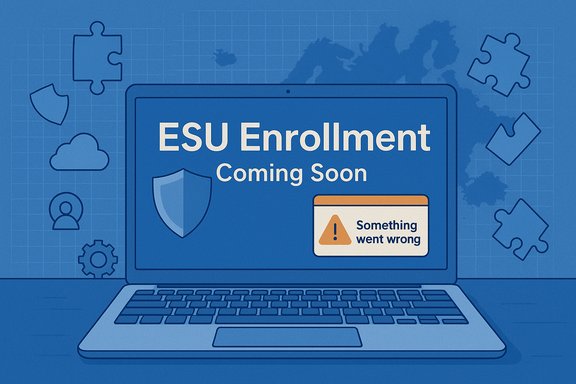
The failures reported in community forums and public Q&A threads fall into two clear clusters:- “Enrollment temporarily unavailable in your region / ESU enrollment coming soon.” Users in countries that should be eligible — especially across the EEA — see a banner in Settings → Update & Security → Windows Update that opens an enrollment wizard only to be told the program isn’t yet available for their region. Microsoft has acknowledged that the rollout is staged, but the continued persistence of these messages well after the announced roll‑out window suggests deeper gating or backend delays.
- Generic failures such as “Something went wrong” or the wizard opening and immediately closing. These vague messages often give no diagnostic detail and leave users unable to tell whether the problem is local (missing update or misconfiguration), policy‑related (device marked as managed), or a backend issue. Community troubleshooting logs show many such cases across multiple EEA countries and other markets.
Why this is happening — layered technical causes
The root causes observed in dozens of community threads and Microsoft Q&A posts cluster into three overlapping buckets: staged rollout/regional gating, prerequisite and client‑side failures, and incorrect device classification as an organizational endpoint.1) Staged rollout and regional gating
Microsoft intentionally enabled consumer ESU enrollment in waves. That means an otherwise eligible device can be fully patched and signed into a Microsoft Account yet still not see the enrollment flow until Microsoft’s backend flips a feature flag for that device or locale. Microsoft’s public guidance and multiple community threads confirm that the EEA rollout and other regional differences are deliberate, not accidental — though the practical result is the same: consumers see “coming soon” messaging without any clear ETA.2) Prerequisite and client‑side gating
The enrollment experience is fragile: several discrete local conditions must be met before the enrollment wizard will behave correctly. Repeated items in community analyses and Microsoft Q&A include:- The device must be running Windows 10, version 22H2 (consumer SKUs only).
- The latest cumulative updates and servicing‑stack updates (SSUs) must be installed; an August 12, 2025 cumulative (packaged as KB5063709) repaired a specific wizard crash that caused the enrollment window to open and close immediately on affected machines. Microsoft’s KB article and multiple independent outlets document KB5063709 as the fix for the crash.
- The user must be signed into the device with an adult Microsoft Account (MSA) that has administrator rights; local accounts and child accounts are blocked.
- The device must not be domain‑joined or managed by MDM/Intune — consumer enrollment is blocked for organizationally managed endpoints.
- Specific Windows services used for sign‑in and licensing (for example, wlidsvc — Microsoft Account Sign‑in Assistant, VaultSvc — Credential Manager, and the LicenseManager service) must be running and not disabled by policy or third‑party software. Community tests repeatedly show enabling those services often resolves enrollment failures.
3) Incorrect device detection as a corporate endpoint
A second, pernicious failure mode is misclassification: Windows sometimes believes a personal PC is a commercial / organizational device and therefore tries to route the enrollment flow to paid business ESU licensing rather than the consumer path. This commonly happens on machines that were at some point connected to a work or school account, joined to Azure AD (Entra ID), or domain‑joined, and where remnants of that link remain in registry keys or hidden configuration artifacts. Users who temporarily used a personal PC for work — or who tied a device to a school/work account during testing — appear disproportionately affected. Microsoft has not yet published a fully automated remediation for this misclassification; community posts show registry keys and manual cleanups are often necessary to restore consumer eligibility.How Microsoft explains it (and what Microsoft has already done)
Microsoft’s official pages state the consumer ESU rollout is phased and that the enrollment experience can vary across regions; community and Microsoft Q&A entries reiterate that devices should meet a strict checklist before the enrollment UI will appear. Microsoft also shipped KB5063709 (August 12, 2025) to fix an enrollment wizard stability issue that caused the wizard to immediately close on some systems — the patch is explicitly listed in the KB article and echoed by multiple independent outlets. For business customers, Microsoft’s documentation and Product Terms set the per‑device ESU pricing and availability via volume licensing channels. Key public facts verified against Microsoft pages and the product KB:- Windows 10 support end date: October 14, 2025. Consumer ESU covers security updates through October 13, 2026.
- Consumer enrollment options: free if you sync PC settings to OneDrive using an MSA, 1,000 Microsoft Rewards points, or a one‑time $30 purchase.
- Business pricing (volume licensing): $61 per device in Year 1, $122 in Year 2, $244 in Year 3 (price doubles each year).
Community‑tested workarounds and remediation steps
Because Microsoft’s server‑side gating and the UI’s opaque errors leave many users stranded, the Windows community has assembled a pragmatic troubleshooting sequence. These steps require administrator privileges, technical skill, and careful backups.Quick, low‑risk checks (do these first)
- Confirm the system is Windows 10, version 22H2 (winver).
- Install all pending updates, then reboot — ensure KB5063709 (or a later cumulative that includes it) is present. If Windows Update does not show the update, download it manually from the Microsoft Update Catalog.
- Ensure you are signed in with an adult Microsoft Account (not a local account) and that account has admin rights.
- Check that the following services are not disabled: wlidsvc, VaultSvc, LicenseManager, and the Connected User Experiences/Telemetry service (DiagTrack). Community troubleshooting shows starting/enabling these services resolves many enrollment crashes.
If the UI opens then closes or shows “Something went wrong”
- Install KB5063709 (if not present) — the patch fixed a wizard crash on some systems. If Windows Update fails, use Microsoft’s update catalog/manual installer.
- As administrator, re‑enable telemetry/feature management signals used during eligibility checks: enable the Connected User Experiences and Telemetry service and set its startup type to Automatic, then reboot. Community posts document that this helps the local client reach Microsoft’s feature management endpoints and complete the check.
- Apply the documented feature‑management override (community‑vetted) that prompts the local ESU eligibility re‑evaluation, then run the in‑built evaluator tool (ClipESUConsumer.exe). Example sequence commonly reported in public troubleshooting threads:
- sc.exe config DiagTrack start=auto & sc.exe start DiagTrack
- reg add "HKLM\SYSTEM\CurrentControlSet\Policies\Microsoft\FeatureManagement\Overrides" /v 4011992206 /t REG_DWORD /d 2 /f
- Reboot, then run ClipESUConsumer.exe -evaluateEligibility (elevated).
These exact steps have circulated widely and been confirmed as effective in many community threads; they intentionally flip a local feature flag to prompt the enrollment UI. Exercise care — backup the registry first.
If the device is misclassified as “commercial”
- Remove any remaining work/school account associations (Settings → Accounts → Access work or school), then remove residual registry flags and hidden enrollment artifacts if present. Community troubleshooting logs show that even after removing a work account, a leftover registry key or cached token can cause Windows to treat the device as organizational, forcing the paid enterprise ESU path. There is no single, Microsoft‑published automated cleanup currently; many users resort to manual registry inspection, PowerShell scripts that clean Azure AD remnants, or — in stubborn cases — a full clean install of Windows 10 using the Media Creation Tool.
Last resort: In‑place repair or clean reinstall
If all else fails and the enrollment UI remains broken or blocked, community reports indicate that an in‑place repair upgrade (running Windows 10 setup from ISO and choosing “Keep personal files and apps”) or a full clean reinstall followed by applying KB5063709 and signing in with an MSA has resolved the worst‑case cases. This is time‑consuming and disruptive, but effective when registry or configuration remnants prevent consumer enrollment.Security and operational risks
The current enrollment instability poses several material risks:- Unprotected systems: Any eligible Windows 10 device that cannot enroll in ESU will stop receiving security updates after Microsoft’s October 14, 2025 end‑of‑support cutoff — leaving it vulnerable to newly discovered critical and actively exploited vulnerabilities. This is not theoretical: attackers rapidly scan for exposed Windows systems and automate exploits against unpatched CVEs. The time‑sensitive nature of security patches magnifies the urgency.
- False sense of protection: Vague success/failure messages can mislead users into believing they are enrolled when they are not — or vice versa. That confusion is dangerous in environments where devices handle sensitive data. Community reports show registry overrides or third‑party activation tools can sometimes make a device appear eligible locally without a proper server‑side entitlement; such states should be treated with caution.
- Administrative overhead and disruption: Many remediation steps require elevated privileges, registry edits, or a rebuild. For home users this is intimidating; for small businesses without dedicated IT staff, the burden can be severe. Incorrect registry edits or hastily performed clean installs also risk data loss.
- Potential for exploitation of misconfiguration: If attackers can identify devices that present the “enroll now” banner but fail to complete enrollment (or those misclassified as organizational), these machines may become preferential targets. Experts warn that a known, widely reported registration failure creates a target set that adversaries can algorithmically scan for and exploit.
Strengths — what Microsoft got right
Despite the rollout problems, several decisions behind ESU are defensible:- Multiple consumer enrollment options give users flexibility: free via cloud sync, rewards redemption, or a paid option if they prefer. That flexibility reduces the financial friction for many households.
- Explicit, documented prerequisites (22H2, latest LCUs/SSUs, MSA sign‑in) create an auditable path for troubleshooting. Knowing the exact gating items makes it possible for support teams and community troubleshooters to create reproducible fixes.
- A shipped client patch (KB5063709) addressed a concrete wizard crash — showing Microsoft responded to a high‑visibility failure mode with a timely security/quality update. That patch is documented in the official KB and by multiple independent outlets.
Weaknesses and risks in Microsoft’s current approach
However, the program also shows serious weaknesses:- Opaque, unhelpful error messaging — “Something went wrong” and “Enrollment temporarily unavailable in your region” do not equip users to act. Good UX would provide a clear diagnostic path or a one‑click diagnostic upload that Microsoft could leverage to speed fixes.
- Region‑gate without clear ETAs leaves users in limbo. Staged rollouts are normal; they are less acceptable when the rollout window coincides with an impending end‑of‑support deadline.
- Heavy reliance on cloud signals and telemetry (mandatory MSA, telemetry/DiagTrack, feature‑management overrides) will frustrate privacy‑conscious users who prefer local accounts and limited telemetry. The tension between the need for server‑side entitlements and consumer privacy preferences is acute — and Microsoft’s concessions for the EEA only partially address it.
- No sanctioned automated tool to remove organizational remnants means many affected users must either perform manual registry surgery or a full OS reinstall — neither a comfortable nor safe choice for mainstream users.
Practical recommendations (for home users and small IT)
- Confirm system state first: winver → confirm 22H2 and check Update history for KB5063709 or a newer cumulative that documents an ESU enrollment fix. If missing, install updates and reboot.
- Sign in with an administrator Microsoft Account. Convert a local account to an MSA if necessary (Settings → Accounts → Your info).
- Ensure the three services wlidsvc, VaultSvc, and LicenseManager are present and not disabled. Community instructions show enabling them often restores enrollment.
- If the enrollment wizard appears then immediately closes, make sure KB5063709 is installed and consider the documented feature‑flag override sequence to force an eligibility evaluation — but only after backing up the registry.
- If the device was ever joined to a workplace or school account, remove the account association and related enrollment entries (Settings → Accounts → Access work or school). If misclassification persists, prepare for deeper cleanup or an in‑place repair.
- Backup critical data before attempting registry edits, in‑place repairs, or reinstallations. If uncomfortable, consult a competent local technician rather than running scripts found in forums.
The bigger picture — migration, cloud alternatives, and the long tail
ESU is explicitly a time‑boxed bridge, not a permanent solution. Microsoft’s strategy nudges users toward Windows 11 or cloud migration paths (Windows 365, AVD, Azure VMs), where ESU can be provided at no extra cost for cloud‑hosted Windows 10 instances. For organizations, ESU’s year‑by‑year price doubling is a clear economic incentive to plan migrations now rather than delay. For consumers unable to upgrade, the free EEA option or the $30 one‑time purchase provide short breathing room — but the administrative friction and the current registration instability blunt those benefits.Conclusion
Microsoft’s consumer ESU program contains sensible policy choices — multiple enrollment options, server‑side entitlement controls, and a documented set of prerequisites — and the company has deployed at least one targeted fix (KB5063709) for a clear client‑side failure. Yet the real‑world rollout is hampered by poor error messaging, regional gating without transparent timelines, and brittle local prerequisites that expose users to confusing failures. The most pressing failure mode — misclassification of personal PCs as corporate devices — is the most disruptive because there is no automated remediation from Microsoft, leaving many users to choose between risky registry surgery or full OS reinstalls.For anyone still on Windows 10 and needing ESU: verify you meet the prerequisites, install KB5063709 or later, sign in with an administrator Microsoft Account, and follow the documented service‑enablement steps before attempting the registry overrides or in‑place repairs described by the community. And if a device remains unprotected after reasonable troubleshooting, treat it as high‑risk: minimize sensitive activity, tighten perimeter controls, and plan for either migration to Windows 11 or a clean reinstall to clear misclassification artifacts.
The situation is resolvable for most users, but it requires clearer messaging and a modest set of Microsoft‑provided cleanup tools to prevent avoidable security exposure. Until Microsoft supplies those tools or opens the gates more broadly, community workarounds — while helpful — will remain a stopgap for the many users who need a simple, dependable path to stay patched.
Source: Research Snipers Microsoft's Free Windows 10 Security Program Plagued by Registration Errors – Research Snipers
