

Microsoft’s deadline drama for Windows 10 users has just entered a new, urgent phase: the free consumer Extended Security Updates (ESU) enrollment and the first post‑retirement Patch Tuesday together create a narrow window where machines that haven’t moved to Windows 11 or enrolled in ESU could suddenly stop receiving vendor-signed security fixes — and that’s what recent coverage and Microsoft’s own rollout guidance are all warning about.
Windows 10’s formal end of standard support was scheduled for October 14, 2025. Microsoft has provided a one‑year consumer ESU program that will deliver Critical and Important security updates through October 13, 2026 for eligible Windows 10, version 22H2 machines that enroll. The ESU program offers three consumer enrollment paths: free if you sync your PC Settings to a Microsoft Account, redeem 1,000 Microsoft Rewards points, or pay a one‑time fee (Microsoft lists the paid option at roughly $30 USD). The July–August 2025 rollout included an important cumulative patch (KB5063709) that fixed a bug preventing the ESU “Enroll now” wizard from completing on some devices. With that patch installed and the device meeting the prerequisites (Windows 10 version 22H2, latest cumulative updates, signed in with a Microsoft Account that has admin rights), eligible machines should see the ESU enrollment link appear in Settings → Update & Security → Windows Update. If the enrollment control doesn’t appear immediately, Microsoft’s staged rollout means some users will have to wait a short time beyond the initial deployment. Despite this official pathway, headlines have warned of an immediate risk window: Forbes and several news outlets urged users to act within roughly 24 hours ahead of a November Patch Tuesday that would make public that month’s vulnerabilities — the moment when unpatched Windows 10 machines could be probed by attackers en masse if they are not enrolled in ESU or upgraded to Windows 11. The practical takeaway from that coverage is simple: install the KBs now, verify ESU enrollment or upgrade eligibility, and back up your data.
However, those same headlines sometimes conflate distinct deadlines:
For home users that means:
The immediate, defensible priorities for any Windows 10 user are unambiguous:
Conclusion
The end of Windows 10’s free, routine update stream is a major lifecycle event with real security, economic, and environmental consequences. Microsoft’s consumer ESU program and the KB5063709 patch show a pragmatic response to that reality, but the policy trade‑offs (privacy, account linkage, hardware gates) leave many consumers and community groups asking for more equitable solutions. The sensible, immediate response for users is clear: back up, update, and either enroll in ESU or upgrade to Windows 11 if your PC supports it — and do it now, not because headlines scream “24 hours,” but because the next Patch Tuesday will make vulnerability disclosures public and the risk calculus for unpatched machines will get materially worse.
Source: Forbes Microsoft’s Free Windows Offer—You Have 24 Hours To Update Your PC
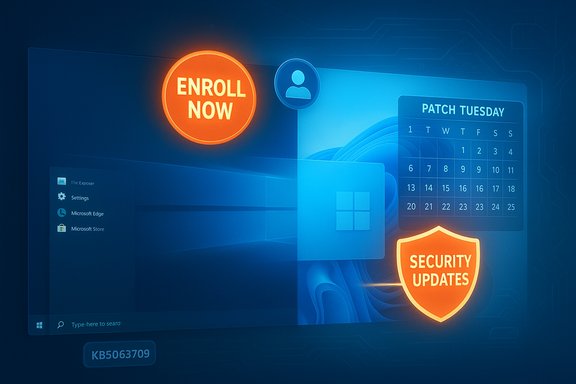 Background / Overview
Windows 10’s formal end of standard support was scheduled for October 14, 2025. Microsoft has provided a one‑year consumer ESU program that will deliver Critical and Important security updates through October 13, 2026 for eligible Windows 10, version 22H2 machines that enroll. The ESU program offers three consumer enrollment paths: free if you sync your PC Settings to a Microsoft Account, redeem 1,000 Microsoft Rewards points, or pay a one‑time fee (Microsoft lists the paid option at roughly $30 USD). The July–August 2025 rollout included an important cumulative patch (KB5063709) that fixed a bug preventing the ESU “Enroll now” wizard from completing on some devices. With that patch installed and the device meeting the prerequisites (Windows 10 version 22H2, latest cumulative updates, signed in with a Microsoft Account that has admin rights), eligible machines should see the ESU enrollment link appear in Settings → Update & Security → Windows Update. If the enrollment control doesn’t appear immediately, Microsoft’s staged rollout means some users will have to wait a short time beyond the initial deployment. Despite this official pathway, headlines have warned of an immediate risk window: Forbes and several news outlets urged users to act within roughly 24 hours ahead of a November Patch Tuesday that would make public that month’s vulnerabilities — the moment when unpatched Windows 10 machines could be probed by attackers en masse if they are not enrolled in ESU or upgraded to Windows 11. The practical takeaway from that coverage is simple: install the KBs now, verify ESU enrollment or upgrade eligibility, and back up your data. What Microsoft is actually offering — the facts you need to know
- End of standard support: October 14, 2025 was the last day Microsoft promised free monthly security and feature updates for consumer editions of Windows 10. After that date free updates stop for non‑ESU devices.
- Consumer ESU window: ESU for consumers delivers security‑only updates through October 13, 2026. Enrollment is available through October 13, 2026; if you enroll later you will receive backfilled updates.
- Enrollment paths: Free via syncing PC settings to a Microsoft Account, redeeming 1,000 Microsoft Rewards points, or a one‑time paid purchase (~$30 USD) that can be reused across multiple devices tied to the same Microsoft Account (subject to Microsoft’s reuse rules). A Microsoft Account is required for enrollment.
- Prerequisites: Devices must be running Windows 10, version 22H2 and be fully up to date with required Servicing Stack and cumulative updates (KB5063709 is the critical August 2025 cumulative that fixed enrollment wizard issues). Administrative Microsoft Account sign‑in is needed on consumer devices.
Why the “24 hours” headlines are both useful and misleading
Headlines that compress the timeline to “you have 24 hours” (or a similar short window) are doing two legitimate things: they raise awareness and they create urgency for people who have not applied the prerequisite updates or backed up their systems. The immediate technical reality is that Patch Tuesday disclosures make vulnerabilities public on a known schedule, and exposed, unpatched machines become more attractive to automated scanning and exploit tooling once details are published.However, those same headlines sometimes conflate distinct deadlines:
- October 14, 2025 was the formal end of free support (the calendar cutoff).
- ESU enrollment is a separate, consumer‑facing program that remains available through October 13, 2026 — and Microsoft’s wizard rollout was staged and dependent on specific updates such as KB5063709. That means there isn’t a true “black‑and‑white” single day after which nothing can be done; there is a practical urgency tied to the timing of monthly security bulletins and whether your device is enrolled or upgraded before those patches are released.
How widespread is the problem? Parsing the “hundreds of millions” claims
Multiple outlets and advocacy groups pointed to large installed bases of Windows 10 devices — commonly quoting that roughly four in ten Windows PCs still ran Windows 10 in mid‑2025. Market telemetry varies, but independent trackers and news outlets showed Windows 10 share in the forties and low fifties during 2025 — meaning tens or hundreds of millions of machines worldwide remain affected in practical terms. StatCounter data and reporting from major outlets support that Windows 10 remained a very large slice of the desktop market as the lifecycle deadline approached. That said, precise device counts (for example, “500 million users at risk”) are estimates that depend on baseline assumptions (Microsoft’s cited installed base, StatCounter sampling, and vendor shipment figures). Those headline numbers are useful for scale but are not single‑source verifiable to a precise unit. Treat them as policy and operational signals — there is a large population still on Windows 10 — rather than as an exact headcount. Where outlets have produced higher estimates, they usually combine a percent of market share with Microsoft’s cited global Windows installed base to arrive at totals; this produces reasonable but not absolute figures.What can attackers do now, and why this matters for home users
Modern attackers rarely aim straight for the crown jewels; they scan for low‑hanging fruit: unpatched endpoints, legacy services, and devices with known kernel/driver vulnerabilities. When a large population of devices shares the same OS version and update gap, the economics of exploitation improve — attackers can write or reuse exploit chains once and scale them widely.For home users that means:
- Unpatched Windows 10 machines become easier targets for automated malware campaigns and commodity ransomware.
- Credential theft and browser‑based token theft are common follow‑ups when a machine has a foothold.
- Networked home gear (NAS, smart devices) can be pivot points from an unpatched PC to higher‑value targets like shared drives or remote work VPNs.
The messy parts: regions, rollouts and “enrollment unavailable in your region” reports
Some users and outlets reported regional blocking or enrollment messages such as “Enrollment for Windows 10 Extended Security Updates is temporarily unavailable in your region.” Reports indicate this can be caused by staged rollout behavior, localization/market configuration, or missing prerequisite updates on the machine. In some cases a manual in‑place upgrade to the latest Windows 10 release followed by the required cumulative updates resolves the issue; in others, Microsoft suggested checking prerequisites and waiting for the phased rollout to reach your device. Community reporting noted that certain EEA (European Economic Area) concessions and regulatory nuances shaped availability and messaging in Europe. If you see the regional message:- Confirm you are on Windows 10, version 22H2 and have installed the latest cumulative update (KB5063709).
- Sign in with a Microsoft Account that has admin rights. Local accounts are not eligible for consumer ESU enrollment.
- If the enrollment link is still missing, allow up to several days for the staged rollout, or perform an in‑place upgrade to Windows 10, version 22H2 and reapply updates to trigger the enrollment UI.
Step‑by‑step action plan (do this now)
- Back up first — full image plus essential files. Do not skip this.
- Check your Windows version: Settings → System → About. Confirm “Windows 10, version 22H2.” If not, update to 22H2.
- Install pending updates: Settings → Update & Security → Windows Update → Check for updates. Apply all updates and reboot. KB5063709 (Aug 12, 2025 cumulative) is the specific patch that fixed ESU enrollment issues for many users.
- Sign in with a Microsoft Account (administrator) on the device. Local accounts cannot enroll in consumer ESU.
- Look for “Enroll now” in Settings → Update & Security → Windows Update. If it appears, follow the wizard and choose your enrollment route (sync to OneDrive, Rewards, or paid).
- If your PC is eligible for Windows 11 and you prefer the longer‑term path, upgrade to Windows 11 now using the Windows Update in‑place offer or the official Installation Assistant; test drivers and backups first.
- If the ESU link isn’t present and prerequisites are met, either wait for the staged rollout (it may take days) or perform an in‑place upgrade to the latest Windows 10 22H2 build and recheck updates.
Tactical choices: upgrade, enroll, or migrate off Windows
- Upgrade to Windows 11 (recommended when eligible): keeps you on Microsoft’s regular update cadence and restores the full set of security and quality updates. Check PC Health Check for TPM 2.0, Secure Boot, and CPU support before attempting the upgrade.
- Enroll in Consumer ESU (short bridge): if your hardware cannot run Windows 11 or if you need time to replace devices, ESU buys up to a year of security‑only updates while you plan a migration. This is not a long‑term solution.
- Migrate to alternatives (Linux, ChromeOS Flex, cloud VMs): for older hardware that cannot run Windows 11 and where ESU is not acceptable, consider switching to a supported Linux distro or use Windows in the cloud (Windows 365, Azure Virtual Desktop) for essential Windows compatibility.
Strengths and risks of Microsoft’s approach — a critical appraisal
Strengths
- Clear lifecycle and a short ESU bridge: Microsoft gave a firm calendar and a defined, time‑boxed ESU route, which simplifies migration planning and enterprise procurement. The staged enrollment and multiple consumer paths (free via backup sync or Rewards) lower the immediate cost barrier for many households.
- Technical fixes deployed before EoS: The KB5063709 fix addressed real‑world enrollment breakage and improved update stability, showing responsiveness to rollout problems.
Risks and weaknesses
- Equity and e‑waste: Stricter Windows 11 hardware requirements mean many functional PCs are blocked from in‑place upgrades, increasing the likelihood of hardware refresh cycles that financially and environmentally burden vulnerable households and community institutions. Advocacy groups flagged this in public comment and campaigning.
- Privacy and account trade‑offs: Free ESU enrollment via backup sync requires linking a Microsoft Account and opting into cloud backup of settings — a requirement that privacy‑sensitive users may reject, creating a forced choice between privacy and security. Tom’s Hardware and other outlets highlighted the Microsoft Account mandate and associated friction.
- Rollout friction and regional variance: Staged rollouts and regional messaging problems produced confusion; users reporting “enrollment unavailable in your region” showed how phased deployment can create false negatives that drive unnecessary panic or wasted troubleshooting effort.
What we could ask Microsoft (and partners) to improve the transition
- Extend the no‑cost ESU concession for specific vulnerable groups (education, low‑income households) or introduce voucher programs for hardware refresh.
- Improve transparency around staged rollouts — publish clearer checks so users can distinguish “not eligible” from “rollout hasn’t reached you.”
- Offer a privacy‑preserving enrollment option that doesn’t require full settings sync or provide a manual, offline verification mechanism for users who reject cloud accounts.
- Expand OEM trade‑in and certified refurbished programs with subsidized upgrades to reduce e‑waste and financial strain.
Quick FAQ — clear answers to the most immediate user questions
- If I miss the November Patch Tuesday, am I immediately exposed?
Not immediately; exposure risk increases the longer you go without relevant patches. But once vulnerabilities are public, automated scanning raises the odds of opportunistic compromise. Enroll in ESU or upgrade to Windows 11 to reduce that risk quickly. - My PC is blocked by TPM/CPU checks — can I still use ESU?
Yes, ESU applies to eligible Windows 10 22H2 installs. If your device cannot reach 22H2 or cannot install the required cumulative updates, enrollment may not be possible; for those machines consider alternative OSes, cloud Windows, or hardware replacement. - I see “Enrollment temporarily unavailable in your region” — what now?
Confirm prerequisites (22H2 + KB5063709 + Microsoft Account admin sign‑in). If prerequisites are met and you still see the message, wait a few days for the phased rollout or follow Microsoft’s in‑place update guidance to reapply 22H2.
Final assessment and practical verdict
Microsoft provided a realistic, if imperfect, bridge between a decade‑old OS and the modern security expectations of Windows 11. The consumer ESU program and the KB5063709 enrollment fix are concrete demonstrations of a pragmatic approach: allow a one‑year runway while nudging users to migrate. For millions of households and small organizations that cannot instantly replace hardware, ESU is a valuable short‑term safeguard — but it is explicitly not a long‑term substitute for a supported OS. The media’s “24‑hour” framing accomplishes an important task: it accelerates behavior in a moment where delay increases exposure to publicly disclosed vulnerabilities. At the same time, the more sensational counts of “500 million at risk” are best read as high‑level estimates derived from market share data, not as precise inventories. Treat the headlines as urgency prompts and the official Microsoft guidance as the operational checklist.The immediate, defensible priorities for any Windows 10 user are unambiguous:
- Back up now.
- Install all pending updates (look specifically for KB5063709 if you haven’t already).
- Sign in with a Microsoft Account as an admin and check for the ESU “Enroll now” option.
- If eligible, upgrade to Windows 11 at your earliest convenience; if not, enroll in ESU or plan an alternative migration path.
Conclusion
The end of Windows 10’s free, routine update stream is a major lifecycle event with real security, economic, and environmental consequences. Microsoft’s consumer ESU program and the KB5063709 patch show a pragmatic response to that reality, but the policy trade‑offs (privacy, account linkage, hardware gates) leave many consumers and community groups asking for more equitable solutions. The sensible, immediate response for users is clear: back up, update, and either enroll in ESU or upgrade to Windows 11 if your PC supports it — and do it now, not because headlines scream “24 hours,” but because the next Patch Tuesday will make vulnerability disclosures public and the risk calculus for unpatched machines will get materially worse.
Source: Forbes Microsoft’s Free Windows Offer—You Have 24 Hours To Update Your PC
