

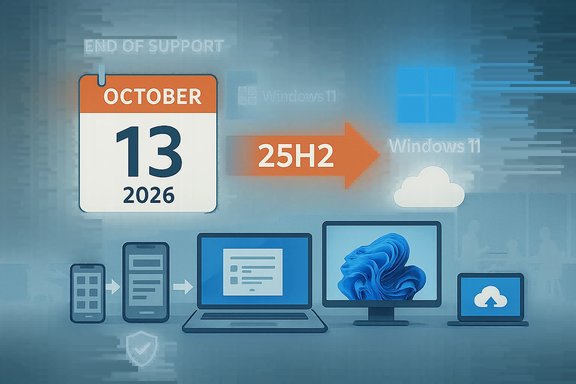
Microsoft is ending support for several Windows and Office releases in 2026, with the most notable retirements—Windows 11, version 24H2 (Home/Pro) and Office 2021—reaching end of servicing on October 13, 2026, while specialized editions such as Windows 11 SE and Enterprise/education variants of Windows 11 23H2 follow their own retirement windows that year.
Microsoft organizes Windows and Office updates into timed servicing windows; each feature release of Windows 11 carries a fixed support period while perpetual Office releases (like Office 2021) have published end-of-support dates. In recent years Microsoft has synchronized multiple product lifecycles to accelerate migration to Windows 11 and cloud-first Office offerings. The company’s lifecycle pages list Windows 11 Home and Pro, version 24H2, as ending service on October 13, 2026, and show Office 2021 products reaching end of support the same day. At the same time, Microsoft has confirmed that Windows 11 SE—the education-focused, locked-down SKU introduced in 2022—will not receive feature updates beyond version 24H2 and will reach end of support in October 2026, effectively retiring the SE edition as a distinct product. Reporting from multiple outlets covering Microsoft’s lifecycle updates corroborates that Windows 11 SE will not be included in the next feature update (25H2) and will stop receiving updates after the October 2026 cutoff. These retirements are not isolated: Windows 11 releases follow a predictable cadence, and Microsoft has already published dates for the 25H2 service window—meaning organizations and consumers have clear target dates for migration. News coverage and product lifecycle pages show that 25H2 was released in late 2025 and that 24H2 support ends when 25H2 becomes the current feature baseline.
Source: PCWorld These Windows and Office versions will be discontinued in 2026
 Background
Microsoft organizes Windows and Office updates into timed servicing windows; each feature release of Windows 11 carries a fixed support period while perpetual Office releases (like Office 2021) have published end-of-support dates. In recent years Microsoft has synchronized multiple product lifecycles to accelerate migration to Windows 11 and cloud-first Office offerings. The company’s lifecycle pages list Windows 11 Home and Pro, version 24H2, as ending service on October 13, 2026, and show Office 2021 products reaching end of support the same day. At the same time, Microsoft has confirmed that Windows 11 SE—the education-focused, locked-down SKU introduced in 2022—will not receive feature updates beyond version 24H2 and will reach end of support in October 2026, effectively retiring the SE edition as a distinct product. Reporting from multiple outlets covering Microsoft’s lifecycle updates corroborates that Windows 11 SE will not be included in the next feature update (25H2) and will stop receiving updates after the October 2026 cutoff. These retirements are not isolated: Windows 11 releases follow a predictable cadence, and Microsoft has already published dates for the 25H2 service window—meaning organizations and consumers have clear target dates for migration. News coverage and product lifecycle pages show that 25H2 was released in late 2025 and that 24H2 support ends when 25H2 becomes the current feature baseline. What’s being discontinued in 2026 (what, when, and who)
Windows 11, version 24H2 — Home and Pro
- End of servicing (final updates): October 13, 2026. This is the official retirement date for Windows 11 24H2 Home and Pro; after this date Microsoft will no longer ship security or quality updates for that release.
Windows 11 SE
- End of support: October 2026 (SE will not be updated beyond 24H2). Microsoft’s lifecycle documents and follow-up reporting show SE’s last serviced release is 24H2; there will be no SE-specific update to 25H2. Schools and districts running SE devices must plan to reimage or replace these devices ahead of the October 2026 cutoff.
Windows 11, version 23H2 — Enterprise, Education and IoT Enterprise
- End of servicing for Enterprise/Education/IoT Enterprise SKUs: November 10, 2026. Note that 23H2 Home and Pro editions were already discontinued earlier; only the Enterprise/Education/IoT Enterprise lines have this specific Nov 10, 2026 endpoint.
Microsoft Office 2021 and Office LTSC 2021 (Windows and Mac)
- End of support: October 13, 2026. Microsoft’s Office lifecycle documentation explicitly lists Office 2021 (and LTSC 2021) as reaching end of support on that date and warns that there will be no extended security updates for Office 2021.
Why this matters — risk, security, and compliance
Security updates are the most immediate concern. When a product reaches end of support Microsoft stops issuing security patches that mitigate newly discovered vulnerabilities. Running unsupported software creates a long-term exploitation surface that attackers can reliably target. That is especially material in sectors with sensitive data (education, healthcare, finance) where compliance and breach notification obligations can translate unsupported software into regulatory and financial risk. For education, the retirement of Windows 11 SE is significant because districts that standardized on SE for low-cost management and simplified user profiles now face an accelerated refresh or reimaging schedule. The locked-down SE model also meant certain devices or vendor firmware did not support in-place upgrades to full Windows SKUs, increasing replacement rates and procurement costs. For businesses the Office 2021 end-of-support means that even if an organization keeps its Windows OS supported, a perpetual Office install will pose risk if it remains after October 13, 2026. Microsoft does not offer extended security updates for Office 2021, so migration is the only vendor-backed path to continued security updates. Operational risk extends beyond security: compatibility with cloud services, connectors, and add‑ins is increasingly tested against current Office and Windows builds. Unsupported Office builds may begin losing feature parity with Microsoft 365 services or encounter functional issues with modern collaboration workflows. Community guidance and IT forums have been emphasizing inventory and application compatibility testing ahead of these retirements.Migration options — what to move to, and how
Windows migration paths
- Move to Windows 11 25H2 (recommended): 25H2 resets the servicing clock for Home and Pro users; it was released in late 2025 and carries its own support window that extends beyond the 24H2 retirement. Upgrade mechanisms include Windows Update, enablement packages for faster installs, or clean imaging for managed fleets.
- Reimage SE devices to full Windows 11 SKUs where hardware permits: Some SE devices can be re-flashed to Windows 11 Home/Pro/Education, but others—especially low-cost OEM devices—may not meet hardware requirements or vendor reimage policies. Validate OEM guidance and TPM/UEFI support before planning mass reimages.
- For machines that cannot upgrade, consider a replacement strategy: budget for procurement, or evaluate cloud/VDI options (Windows 365, Azure Virtual Desktop) that can extend usable life for legacy hardware while centralizing patching and policy. Community threads and administrator guides recommend segmenting high-risk endpoints for early replacement.
Office migration options
- Microsoft 365 (cloud subscription): Provides continuous security and feature updates and is the vendor’s recommended path for most customers. It aligns with cloud-first collaboration and centralized management for enterprise users.
- Office 2024 or Office LTSC 2024 (perpetual/non-subscription): For customers that need a one-time purchase or disconnected environments, Office LTSC releases provide a supported perpetual alternative with security updates for a defined period—but note LTSC receives no feature updates. Evaluate Office LTSC if cloud connectivity or subscription models are not permitted by policy.
- Hybrid approaches: Some organizations use Microsoft 365 for most staff while licensing Office LTSC for specialized, air-gapped, or regulated systems (for example, lab equipment or test delivery machines). The important consideration is that Office 2021 specifically will not receive patches after Oct 13, 2026, so hybrid configurations must remove or upgrade those legacy installs.
Practical, prioritized checklist (for admins and power users)
- Inventory: Capture every endpoint’s OS version, Windows 11 build (24H2/23H2/etc., Office install type (Office 2021, Microsoft 365 Click‑to‑Run, Microsoft Store packaged, Office LTSC), and device model/firmware. This first step determines upgrade feasibility and procurement needs.
- Classify risk: Flag devices with sensitive data, exam/test delivery endpoints, and administrative consoles for priority remediation. SE devices used for assessments or student data access should be mapped first.
- Test compatibility: Before broad rollouts, validate key line‑of‑business apps and device peripherals on Windows 11 25H2 and Office 2024/Microsoft 365. Use a pilot group and capture any driver or add‑in incompatibilities.
- Choose upgrade paths:
- Reimage eligible devices to Windows 11 25H2 using your imaging solution.
- For Windows 11 SE devices, check OEM reimaging allowances; if a reimage is not supported, plan replacements.
- Migrate Office:
- For large fleets, prefer Click‑to‑Run Microsoft 365 deployments for easier servicing; for disconnected environments, plan Office LTSC 2024 licensing. Remember Office 2021 has no ESU — migration is mandatory for vendor updates.
- Communicate and budget: Align refresh cycles and procurement windows with education fiscal calendars or corporate budgets; this reduces last‑minute emergency spend. Community discussions indicate education budgets often require multi‑year planning for device replacement.
- Decommission securely: Wipe and retire devices per data protection rules; many districts offset costs through recycling programs or buy-back schemes.
Timeline — key dates to mark on the calendar
- October 13, 2026 — Office 2021 and Windows 11 Home/Pro 24H2 end of servicing. After this date there will be no security updates for these specific products. This is the single most consequential date for most home and business users who remain on these versions.
- October 2026 (month) — Windows 11 SE reaches its end of support (no further feature updates beyond 24H2). Plan reimaging or replacement within this window.
- November 10, 2026 — Windows 11 23H2 Enterprise/Education/IoT Enterprise end of servicing. Enterprise fleets must schedule testing and rollouts accordingly.
- Ongoing — Windows 11 25H2 (released late 2025) remains the supported baseline for Home/Pro; organizations should target 25H2 for majority device updates to remain in supported servicing windows.
Strengths of Microsoft’s approach — and the trade-offs
Strengths:- Predictable lifecycles: Microsoft provides clear, date‑driven lifecycle guidance that enables planning. Public lifecycle pages state exact retirement dates for releases, giving IT teams a reliable target.
- Service consolidation: Moving customers to a smaller set of supported builds and delivery mechanisms (for example, Click‑to‑Run for Office) reduces engineering complexity and lets Microsoft focus on security and new feature innovation.
- Cloud integration benefits: Organizations that migrate to Microsoft 365 and Windows 11 gain modern security features, centralized management, and continuous updates that reduce drift and endemic patching lag.
- Hardware compatibility and cost: Windows 11’s minimum requirements (TPM 2.0, UEFI, certain processor families) leave many older devices unable to upgrade; education and smaller businesses may face substantial replacement costs.
- Education disruption: Windows 11 SE’s retirement compresses refresh cycles for schools that adopted SE for cost and manageability; not all SE devices are reimage‑friendly, creating procurement headaches.
- No Office 2021 ESU: Microsoft’s decision not to offer Extended Security Updates for Office 2021 removes a potential bridge for shops that cannot immediately migrate, forcing a faster transition than some budgets permit.
Reality checks and unverifiable claims
- Verified: Microsoft lifecycle pages and support notices confirm the dates cited above for Windows 11 24H2, Windows 11 23H2 enterprise/education, and Office 2021. These are published vendor dates and are authoritative.
- Verified: Microsoft publicly stated that Windows 11 SE will not be updated to 25H2 and that support will end in October 2026; trade reporting independently reported this vendor guidance.
- Caution: Claims about the precise market share or adoption split of Windows 11 vs Windows 10 in any region can vary by analytics provider and change quickly. When discussing adoption percentages or how many devices cannot upgrade, those figures should be refreshed with the latest telemetry or third‑party surveys; numbers commonly cited in commentary are estimates and should be treated as directional rather than exact.
- Caution: Vendor messaging around migration incentives and the availability of device trade-in or education discounts varies by geography and OEM; these should be validated with procurement and OEM channels before making budgetary commitments.
Recommendations — what responsible admins and users should do now
- Start inventory and classification today. Knowing what you have and where it is used will determine the migration burden and help prioritize money and manpower.
- Prioritize high-risk systems and data-bearing machines for early migration. Financial, HR, assessment, and admin devices should be first.
- Pilot upgrades to Windows 11 25H2 and Office 2024/Microsoft 365 with a small cohort to uncover driver or LOB issues. Use that learning to craft a phased rollout plan.
- For education IT teams with Windows 11 SE fleets, immediately verify OEM upgrade paths and reimage steps—some devices will require replacement rather than reimaging, so procurement planning must begin early.
- If budget constraints prevent immediate replacement, adopt compensating controls: network segmentation, strict privilege reduction, additional endpoint detection and response tooling, and aggressive patching for all other software on the device.
- Remove reliance on Office 2021. Because there is no Office 2021 ESU, migrating to Microsoft 365 or a supported perpetual alternative is the only route to maintain vendor security updates after October 13, 2026.
Conclusion
The 2026 retirement calendar is a clear signal from Microsoft: the company expects customers to be on modern Windows 11 branches and either Microsoft 365 or current perpetual Office releases by mid‑October 2026. The twin deadlines for Windows 11 24H2 and Office 2021—both falling on October 13, 2026—make that date the single most important milestone on the near‑term Windows and Office calendar. Microsoft’s lifecycle documentation and contemporary reporting leave little ambiguity about these dates, meaning the planning window is finite and requires action now. For organizations and power users, the work now is inventory, pilot, and phased migration; for schools using Windows 11 SE, it’s also procurement and reimaging validation. The technical and budgetary challenges are real, but so are the security and compliance risks of waiting. The pragmatic approach is to treat the October 13, 2026 deadline as fixed, prioritize the most critical endpoints, and move early to reduce risk and avoid last‑minute emergency purchases.Source: PCWorld These Windows and Office versions will be discontinued in 2026
