

Microsoft’s own support bulletin has now acknowledged what frustrated users and IT teams have been reporting for months: a servicing change that began with July 2025 cumulative updates can leave core Windows 11 shell features — Start menu, Taskbar, File Explorer and Settings — non-functional after provisioning or on first sign‑in, and Microsoft has published temporary mitigations while a permanent fix is being developed.
Windows 11’s desktop shell has been re‑engineered in recent releases to deliver more modular updates: many UI surfaces are now packaged as AppX/MSIX XAML bundles that can be updated independently. That architectural change improves agility for targeted fixes, but it also introduces new lifecycle steps — notably, the need to register updated XAML packages into an interactive user session before shell processes start. Microsoft’s support article KB5072911 describes a provisioning‑time registration race that breaks that sequence in certain scenarios. This problem is scoped to Windows 11, version 24H2 and surfaces most clearly in two high‑risk workflows: (1) first interactive sign‑in immediately after applying a cumulative update, and (2) non‑persistent VDI/cloud PC images where app packages are (re)provisioned at logon. The visible symptoms — missing taskbar, Start menu “critical error,” Explorer.exe crashes or silent Settings failures — are precisely the consumer‑visible breakdowns that make a desktop feel unusable.
The timing of the advisory increased its operational bite: Windows 10 reached end of support on October 14, 2025, which forced many administrators to accelerate migrations and image rebuilds in the weeks that followed — precisely the kind of activity that made this registration race visible at scale. Microsoft’s own lifecycle pages confirm the Windows 10 end‑of‑support date and the push toward Windows 11 upgrades or Extended Security Updates (ESU) for devices that can’t upgrade.
Evidence for shifting interest:
Windows is not finished — it remains the dominant desktop platform for most users and organizations — but this episode has widened the aperture of choice for many and sharpened expectations about update quality, telemetry and vendor responsiveness. The coming months will show whether Microsoft can close the credibility gap with a timely, permanent fix and clearer communications, or whether more users will consider alternatives in earnest.
Source: Techzim Microsoft admits Windows 11 is broken
 Background
Windows 11’s desktop shell has been re‑engineered in recent releases to deliver more modular updates: many UI surfaces are now packaged as AppX/MSIX XAML bundles that can be updated independently. That architectural change improves agility for targeted fixes, but it also introduces new lifecycle steps — notably, the need to register updated XAML packages into an interactive user session before shell processes start. Microsoft’s support article KB5072911 describes a provisioning‑time registration race that breaks that sequence in certain scenarios. This problem is scoped to Windows 11, version 24H2 and surfaces most clearly in two high‑risk workflows: (1) first interactive sign‑in immediately after applying a cumulative update, and (2) non‑persistent VDI/cloud PC images where app packages are (re)provisioned at logon. The visible symptoms — missing taskbar, Start menu “critical error,” Explorer.exe crashes or silent Settings failures — are precisely the consumer‑visible breakdowns that make a desktop feel unusable. What Microsoft officially admitted
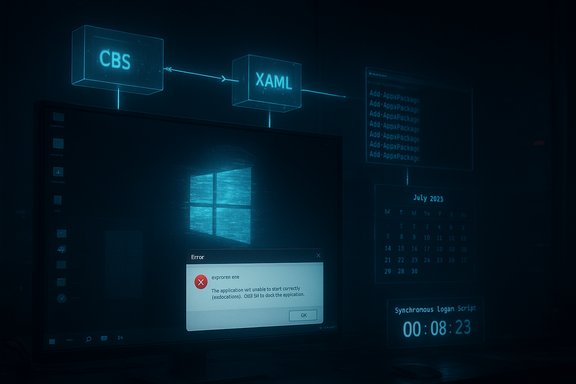
- Microsoft published support article KB5072911 explaining the failure mode and naming the affected package families (for example, Microsoft.Windows.Client.CBS and Microsoft.UI.Xaml.CBS).
- The vendor confirmed the issue tracks to cumulative updates released on or after July 8, 2025 (community tracking points to KB5062553 as the initiating rollup).
- Microsoft published workarounds — manual Add‑AppxPackage re‑registration commands and a sample synchronous logon script — and stated it is working on a resolution while stopping short of a permanent patch date.
Technical anatomy: why the shell “breaks”
The modular UI delivery model
Windows now ships many shell components as XAML/AppX packages so they can be updated more often and with smaller binaries. That move has technical benefits but introduces a critical ordering dependency: update files must be written to disk and then registered in the interactive session before shell processes (Explorer.exe, StartMenuExperienceHost, ShellHost/SiHost) instantiate XAML views. If registration lags, the shell “wins” the race and attempts activation against unregistered packages — the result is activation failure, crashes, or blank UI.Where the timing problem is worst
- First sign‑in after servicing finishes during provisioning workflows; there’s little idle time for asynchronous registration to complete.
- Non‑persistent VDI / Cloud PC / instant‑clone pools where packages are provisioned per‑logon so the registration step must occur at every session start.
- Environments that boot quickly and spawn Explorer/Shell processes almost immediately, leaving little slack for slower registration operations.
Symptoms mapped to cause
- Start menu shows “critical error” or fails to open because StartMenuExperienceHost cannot locate registered XAML assets.
- Taskbar is missing while Explorer.exe is visible in Task Manager because the taskbar wrapper depends on registered shell packages.
- File Explorer crashes or refuses to render folders when XAML views used for UI fragments aren’t initialized.
How widespread and how severe is this?
Quantifying scale is the elephant in the room. Microsoft’s advisory is technical and prescriptive but does not publish device‑level telemetry or an estimated impact figure. Independent community reproductions and industry coverage confirm the pattern and trace it to July‑onward cumulative updates, and enterprise imaging teams report high operational costs when many endpoints are reprovisioned or patched at scale.The timing of the advisory increased its operational bite: Windows 10 reached end of support on October 14, 2025, which forced many administrators to accelerate migrations and image rebuilds in the weeks that followed — precisely the kind of activity that made this registration race visible at scale. Microsoft’s own lifecycle pages confirm the Windows 10 end‑of‑support date and the push toward Windows 11 upgrades or Extended Security Updates (ESU) for devices that can’t upgrade.
Short‑term mitigations and practical caveats
Microsoft’s KB provides two pragmatic mitigations:- Manual re‑registration in the user session via PowerShell Add‑AppxPackage commands for the implicated packages, then restarting SiHost/Explorer.
- A sample synchronous logon script for non‑persistent VDI that registers the packages before Explorer launches, ensuring registration finishes synchronously.
- Manual re‑registration is a per‑user, manual remedial action that is not scalable without automation.
- Synchronous logon scripts add latency to each user’s sign‑in and may degrade perceived performance for VDI users.
- Neither mitigation is a substitute for a permanent servicing patch that guarantees correct ordering inside Microsoft’s servicing pipeline.
Broader ecosystem fallout: drivers, hotfixes and the domino effect
This servicing wave produced collateral issues beyond the shell registration race. A separate October 2025 cumulative (tracked as KB5066835) was associated with gaming performance regressions on some NVIDIA GPUs; NVIDIA issued an emergency GeForce Hotfix driver (version 581.94) to restore performance while awaiting a consolidated driver release. That vendor reaction underscores how a single servicing change can ripple across device stacks and force vendors into stopgap releases. The practical consequence: administrators juggling imaging, driver compatibility, and security patches must apply extra validation gates and co‑ordinate with hardware vendors, increasing operational overhead and time to remediation.Users are angry — and that anger has context
The visible desktop is a user’s primary surface for productivity; when Start, Taskbar or Explorer fail, users feel blocked. Forums and social channels show high volumes of complaints and ticket spikes that align with the KB timeline. The anger is amplified by three conditions that converged this autumn:- Windows 10’s end‑of‑support (October 14, 2025), pushing mass migrations.
- Modular servicing that increases the frequency and scope of small, targeted updates.
- High‑profile downstream fixes (NVIDIA hotfix) and visible regressions in other areas, creating an impression of brittle testing.
Is Windows losing trust — the Linux angle
This incident has accelerated a conversation many in the community were already having: are mainstream users ready to consider alternatives such as Linux desktop distributions?Evidence for shifting interest:
- Zorin OS and other user‑focused distributions have reported download spikes and publicity around migrations from Windows 10 after end of support, with outlets noting millions of downloads and a non‑trivial share originating from Windows users exploring alternatives.
- Independent benchmarks show Linux can outperform Windows in many CPU‑heavy creator workloads on modern hardware. Phoronix’s cross‑platform tests on high‑core‑count AMD hardware reported Ubuntu snapshots delivering roughly a ~15% geomean advantage in selected multi‑threaded workloads vs. Windows 11 in comparable runs — an evidence point that fuelled press coverage and user discussion. Those numbers are workload‑dependent and not a universal guarantee, but they are real and repeatable in published benchmarks.
- Distros such as Zorin OS, Ubuntu, Linux Mint and Pop!_OS prioritize ease of install, Windows‑like desktop layouts, and packaged application ecosystems that ease the transition.
- Many modern distributions are lighter on background services and shipping “bloat,” which can translate to snappier responsiveness on older hardware.
- Valve’s Proton and broader improvements in game compatibility have made Linux a more viable daily driver for many users who once relied on Windows for gaming.
Practical guidance: what users should do now
For consumers and power users- If the device is stable and not affected, delay any forced provisioning or large image rebuilds until Microsoft issues a permanent fix or Known Issue Rollback.
- Back up critical data and create a recovery drive before applying monthly cumulative updates.
- If the Start menu, Taskbar or Explorer break, try Microsoft’s short‑term re‑registration steps if comfortable with PowerShell, or consult your vendor/IT team to run the supplied script in user context.
- If experiencing sudden FPS drops after October updates, evaluate vendor hotfix drivers (e.g., NVIDIA GeForce Hotfix 581.94) as an immediate mitigation but balance the gains against the beta nature of hotfix releases.
- Immediately add first‑logon shell checks (smoke tests) to image validation pipelines.
- Deploy Microsoft’s synchronous registration script for non‑persistent pools where practical and measure the logon impact.
- Use pilot rings and delay broad deployment until KIR (Known Issue Rollback) or a servicing patch is issued.
What Microsoft should do next — constructive checklist
- Publish coarse telemetry showing device impact and prevalence so admins can triage risk meaningfully. The absence of impact metrics increases uncertainty and forces conservative, costly remediation strategies.
- Ship a permanent servicing fix that enforces registration ordering or completes registration synchronously in provisioning flows rather than relying on manual mitigations.
- Expand validation coverage to include first‑logon and popular VDI provisioning scenarios in automated test pipelines.
- Coordinate cross‑vendor testing, especially for drivers and gaming stacks, to reduce cascading hotfixes like emergency GPU drivers.
The long view: will this accelerate Linux on desktops?
This incident is unlikely to spell the end of Windows for most users, but it may accelerate certain migration patterns:- Enthusiast and privacy‑motivated cohorts were already exploring Linux; high‑visibility regressions and Windows 10 end of support give them practical migration moments.
- Enterprises will be slower to switch: application compatibility, vendor support contracts and managed desktop tooling keep the large majority of corporate endpoints on Windows for the foreseeable future. However, smaller shops and educational labs may adopt Linux images more readily if cost or hardware constraints make Windows 11 impractical.
Final assessment
This servicing incident is a clear, vendor‑documented failure mode with real operational consequences: Microsoft’s KB5072911 is an explicit admission that a registration timing/regression in modular XAML package handling can break core shell functionality on Windows 11 24H2 in provisioning and non‑persistent sign‑in scenarios. The short‑term mitigations are practical and work in many cases, but they are stopgaps, not a substitute for a permanent servicing fix and better telemetry from Microsoft. The broader lesson is organizational and architectural: modular delivery increases agility but requires commensurate investment in validation, rollback and observability. Until Microsoft ships a definitive patch and publishes impact metrics, administrators should treat provisioning windows and mass migrations as high‑risk periods and apply the mitigations and staging practices described above.Windows is not finished — it remains the dominant desktop platform for most users and organizations — but this episode has widened the aperture of choice for many and sharpened expectations about update quality, telemetry and vendor responsiveness. The coming months will show whether Microsoft can close the credibility gap with a timely, permanent fix and clearer communications, or whether more users will consider alternatives in earnest.
Source: Techzim Microsoft admits Windows 11 is broken
