

From where I’m sitting, Windows 11’s promise of a modern, secure and AI-ready desktop has collided with a very human problem: users and IT teams measure operating systems by how reliably they let people get work done, and on that metric Windows 11 has — at least in 2024–2025 — shown more visible stumbles than many expected. PC Pro’s recent column put the sentiment bluntly: “from where i’m sitting, windows 11 has a worse in‑use track record than windows 10.”
Windows 11 arrived in October 2021 with a redesigned UI, a stronger security baseline, and a long tail of feature work intended to modernize the legacy Windows desktop. Microsoft’s roadmap pivoted toward on‑device AI, tighter hardware security (TPM 2.0, Secure Boot), and a cadence of cumulative servicing designed to keep billions of devices safe. For many users the transition from Windows 10 felt evolutionary; for others it has been disruptive.
Two facts anchor the recent debate. First, Windows 10’s formal support ended on October 14, 2025, forcing a practical migration choice for many users and organizations. Microsoft’s lifecycle pages and support guidance make the end‑of‑support date explicit and recommend migration or enrollment in an Extended Security Update (ESU) program for eligible devices. Second, the adoption story is mixed. StatCounter and other telemetry snapshots show Windows 11 overtaking Windows 10 in market share at points in 2025, but the installed base remained large and fragmented—nearly one billion PCs still ran Windows 10 as late as late 2025, and many machines remain either incompatible with Windows 11 or unmotivated to upgrade. Industry reporting and OEM commentary echoed that inertia.
Engineering fixes are already in place for many of the headline incidents (Auto HDR, eSCL, and targeted rollbacks for provisioning failures), and Microsoft’s support pages and KB notices document those steps. But rebuilding trust means avoiding repeated, high‑impact regressions that touch the Start menu, recovery environment, or provisioning pipelines—areas where users and admins notice failures immediately and painfully. On communication, Microsoft needs predictable, transparent messaging: clear testing commitments, visible timelines for fixes, and fewer “black box” changes where a compatibility hold appears after a broad rollout. The combination of better pre‑release validation for low‑level subsystems and better, earlier stakeholder communication would reduce the perception that Microsoft is shipping risky changes to a widely diverse installed base.
For most users the practical verdict is straightforward: Windows 11 gives real benefits, but the upgrade path should be managed, staged and informed by vendor compatibility signals. For IT teams, the era of assuming monthly updates are non‑events is over—validation and remediation plans are essential. For Microsoft, the prize is clear: regain predictable reliability and the trust that arrives not from marketing but from uninterrupted daily use.
Microsoft’s platform is both incredibly useful and unnecessarily fragile when low‑level updates interact with the real world. The technical fixes exist; the remaining work is operational and political: ensure those fixes are validated where it matters, and communicate them plainly. The PC Pro observation — that Windows 11’s in‑use track record has lagged expectations — is an accurate prompt, not a final verdict. The path back to a better track record is practical and measurable, and the next 12 months will show whether the lessons have been learned.
Source: Readly | All magazines - one magazine app subscription “from where i’m sitting, windows 11 has a worse in-use track record than windows 10” - 4 Dec 2025 - PC Pro Magazine - Readly
 Background / Overview
Windows 11 arrived in October 2021 with a redesigned UI, a stronger security baseline, and a long tail of feature work intended to modernize the legacy Windows desktop. Microsoft’s roadmap pivoted toward on‑device AI, tighter hardware security (TPM 2.0, Secure Boot), and a cadence of cumulative servicing designed to keep billions of devices safe. For many users the transition from Windows 10 felt evolutionary; for others it has been disruptive.Two facts anchor the recent debate. First, Windows 10’s formal support ended on October 14, 2025, forcing a practical migration choice for many users and organizations. Microsoft’s lifecycle pages and support guidance make the end‑of‑support date explicit and recommend migration or enrollment in an Extended Security Update (ESU) program for eligible devices. Second, the adoption story is mixed. StatCounter and other telemetry snapshots show Windows 11 overtaking Windows 10 in market share at points in 2025, but the installed base remained large and fragmented—nearly one billion PCs still ran Windows 10 as late as late 2025, and many machines remain either incompatible with Windows 11 or unmotivated to upgrade. Industry reporting and OEM commentary echoed that inertia.
What went wrong: high‑visibility regressions and blocked rollouts
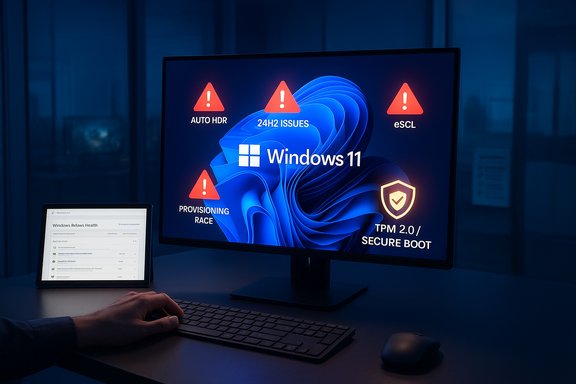
A cluster of update‑related incidents from late 2024 through 2025 created a public perception problem: prominent features and core subsystems stopped working on real machines, prompting Microsoft to issue support advisories and—even more visibly—to place update “compatibility holds” that blocked 24H2 installs on affected hardware.Auto HDR and gaming instability
One of the earliest and most public problems tied to the 24H2 line was Auto HDR. Microsoft confirmed that, in certain display configurations, Auto HDR caused color problems and could make games stop responding, prompting a compatibility safeguard and guidance to disable Auto HDR while a fix was prepared. Gaming titles from large publishers were affected in some configurations, producing crashes and freezes that landed firmly in the “user‑facing” bucket. Technical bulletins and independent reporting tracked the issue and Microsoft’s subsequent fixes.eSCL scanner / peripheral discovery break
A separate, enterprise‑relevant problem involved USB‑connected scanners and multifunction devices that use the eSCL (eScanner Communication Language) protocol. After 24H2 landed in some environments, devices using eSCL could fail to be discovered over USB; Microsoft applied a compatibility hold (safeguard ID 54762729) to prevent affected systems from receiving the 24H2 update via Windows Update until the issue was resolved. The situation illustrated how modern “driverless” standards and OS changes can interact badly with real‑world hardware. Microsoft documented the status in its release health notes, and press outlets covered the hold.Provisioning-time race condition (KB5072911)
Perhaps the most damaging incident from an operational standpoint was the provisioning regression Microsoft documented under KB5072911. The vendor confirmed that, after certain cumulative updates released on or after July 2025, XAML/AppX dependency packages sometimes failed to register in time during provisioning or immediate first logon. The result: critical shell components such as StartMenuExperienceHost, the Taskbar, File Explorer and Settings could fail to initialize or crash in freshly provisioned systems and non‑persistent VDI environments. Microsoft published the advisory, explained the race‑condition cause, and recommended mitigations while engineers worked on a permanent fix. That advisory admitted the problem and gave administrators an explicit set of workarounds.The practical effect
These incidents were not theoretical edge cases. They cut across:- Consumer gaming rigs (Auto HDR, Easy Anti‑Cheat interactions).
- Office environments using networked scanners and multifunction devices (eSCL).
- Corporate and cloud‑desktop provisioning pipelines (KB5072911), where rapid OS rollout or VM cloning is routine.
Where Windows 11 still leads: strengths and strategic benefits
To be fair, Windows 11 also brought real, measurable improvements that justify Microsoft’s roadmap ambitions. Any assessment that focuses only on the problems risks missing important benefits.- Security baseline: TPM 2.0, Secure Boot defaults, and tighter default options reduce several classes of attack and simplify modern authentication patterns. These changes are not merely cosmetic—they materially harden many endpoints. Microsoft’s lifecycle guidance and corporate messaging emphasize those gains.
- Modern developer and gaming stack: Windows 11 integrates updated graphics, scheduling and APIs (Auto HDR, optimizations for modern windowed games, improved driver models) that benefit creative and gaming workloads when working correctly. Independent benchmarks and user reports on modern hardware commonly show smoother experiences compared with older systems.
- Feature consolidation and long‑term platform direction: Copilot integration, new windowing workflows (Snap Layouts/Groups), passkeys and other platform investments position Windows for cloud and AI workflows while aligning vendor and developer investments around a single supported desktop baseline.
Why the perception of a worse in‑use track record emerged
Several structural and product decisions combined to amplify the visibility of Windows 11 problems:- Strict hardware eligibility: Windows 11’s initial hardware rules (TPM 2.0, CPU families) created an “upgradability gap.” That gap fragmented the installed base and ensured many remaining Windows 10 devices would stay in place through October 2025 and beyond. That delay increased pressure on Microsoft to push features and security via the 24H2 servicing channel—an environment where regression risk is higher.
- A fast cumulative servicing model plus deep changes: Monthly cumulative rollups are efficient for security distribution, but bundling many changes into large updates increases the chance that a single package will interact badly with obscure driver or firmware states. When the problem touches low‑level components (WinRE, HTTP.sys, XAML registration), the user impact is visible and disruptive. Community reporting documented multiple such incidents in 2024–2025.
- A broad and heterogeneous PC ecosystem: Windows runs on a far wider and more diverse hardware base than virtually any other desktop OS. That diversity is a strength that also multiplies edge cases: OEM drivers, older peripherals, and niche firmware states create real test matrix complexity that even large vendors struggle to fully replicate before shipping patches. Community threads and enterprise posts show how varied the failure modes were in practice.
- Communication and trust fractures: Forced prompts, aggressive upgrade nudges, and last‑minute compatibility holds can feel like “moving the goalposts” to users and admins—especially organizations that prefer long, middle‑of‑the‑year validation windows. PC Pro’s criticism ties into this credibility angle: trust is earned by predictable behavior and clear communication, and some of Microsoft’s update interactions strained that trust.
What this means for users and IT teams
The reality for individuals and organizations is practical and immediate: Windows 11 offers modern security and features, but upgrading without a plan can create downtime or support friction. The tradeoff calculus depends on workload, hardware and tolerance for change.For home users
- Confirm hardware compatibility using Microsoft’s PC Health Check and vendor guidance.
- If you rely on specific peripherals (USB scanners, pro audio, certain webcams), hold off on major feature updates until both Microsoft and your hardware vendor publish compatible driver updates.
- Use built‑in Windows Update safeguards: Microsoft’s compatibility holds are intended to prevent disruption—if your device is blocked, follow the vendor guidance before forcing an update.
For gamers
- Disable Auto HDR if you experience crashes or color issues after a 24H2 install; check the vendor pages for Easy Anti‑Cheat and GPU driver advisories.
- Prefer drivers and firmware tagged as compatible with Windows 11 24H2; wait for validated bundles if you tolerate minimal instability.
For enterprises and admins
- Treat recent servicing cycles as operational risk events: test monthly cumulative updates in non‑production images that match your provisioning and VDI patterns, paying special attention to provisioning workflows where KB5072911‑style failures occurred.
- Monitor Microsoft’s Windows Release Health dashboard and safeguard ID reporting in Windows Update for Business to detect compatibility holds and known issues.
- Use phased deployments, ring testing and rollback playbooks. When provisioning golden images, apply updates and validate first‑logon behavior in non‑persistent VDI clones to catch XAML registration race conditions before they reach users.
Strengths, weaknesses, and risk summary
Strengths (what Windows 11 delivers well)
- Stronger security posture with modern hardware attestation.
- A forward roadmap that aligns features across Copilot/AI, gaming and signing/identity.
- Incremental performance wins on modern silicon and SSD‑first devices.
Weaknesses (what has hurt the in‑use experience)
- Too many visible regressions across peripheral discovery, gaming, and shell initialization during 24H2 rollouts.
- Perception management problems—compatibility holds and update advisories are defensive, but frequent ones erode confidence.
- Hardware exclusion created a bifurcated installed base that complicated testing and adoption.
Risks going forward
- Operational risk to business continuity if provisioning or WinRE regressions recur in critical fleets.
- User churn to alternatives (enterprise Linux pilot projects, Chromebooks for certain tasks) if reliability concerns continue to outstrip perceived benefit.
- Reputational damage that slows future major feature adoption and makes Microsoft’s upgrade prompts more noise than signal. Community and press channels captured this friction throughout 2024–2025.
How Microsoft has responded — and what remains to be fixed
Microsoft’s public response has been a mix of engineering fixes, support articles and temporary mitigation guidance. The vendor:- Published KB articles acknowledging specific incidents (e.g., KB5072911).
- Deployed targeted updates and rollbacks (e.g., fixes that resolved the eSCL hold and Auto HDR problems).
- Applied compatibility holds to reduce mass disruption while fixes roll out.
Practical checklist: upgrade safely in 2025
- Inventory devices and note hardware compatibility (TPM, CPU generation, Secure Boot).
- Catalogue mission‑critical peripherals and software; validate vendor driver support for Windows 11 24H2/25H2.
- Create a pilot group that mirrors provisioning and VDI workflows—test updates there first.
- Subscribe to Microsoft’s Release Health updates and configure Windows Update for Business reporting to capture safeguard IDs.
- Keep rollback media and BitLocker recovery keys accessible before major change windows.
- For gamers and creatives, delay feature updates until GPU, audio and anti‑cheat vendors publish validated drivers.
Final assessment — can Windows 11 recover the trust gap?
Yes, but it requires two things: engineering follow‑through and calmer communication.Engineering fixes are already in place for many of the headline incidents (Auto HDR, eSCL, and targeted rollbacks for provisioning failures), and Microsoft’s support pages and KB notices document those steps. But rebuilding trust means avoiding repeated, high‑impact regressions that touch the Start menu, recovery environment, or provisioning pipelines—areas where users and admins notice failures immediately and painfully. On communication, Microsoft needs predictable, transparent messaging: clear testing commitments, visible timelines for fixes, and fewer “black box” changes where a compatibility hold appears after a broad rollout. The combination of better pre‑release validation for low‑level subsystems and better, earlier stakeholder communication would reduce the perception that Microsoft is shipping risky changes to a widely diverse installed base.
For most users the practical verdict is straightforward: Windows 11 gives real benefits, but the upgrade path should be managed, staged and informed by vendor compatibility signals. For IT teams, the era of assuming monthly updates are non‑events is over—validation and remediation plans are essential. For Microsoft, the prize is clear: regain predictable reliability and the trust that arrives not from marketing but from uninterrupted daily use.
Microsoft’s platform is both incredibly useful and unnecessarily fragile when low‑level updates interact with the real world. The technical fixes exist; the remaining work is operational and political: ensure those fixes are validated where it matters, and communicate them plainly. The PC Pro observation — that Windows 11’s in‑use track record has lagged expectations — is an accurate prompt, not a final verdict. The path back to a better track record is practical and measurable, and the next 12 months will show whether the lessons have been learned.
Source: Readly | All magazines - one magazine app subscription “from where i’m sitting, windows 11 has a worse in-use track record than windows 10” - 4 Dec 2025 - PC Pro Magazine - Readly
